
Your mouse pad is the surface every flick, spray and tracking shot happens on, and it is the cheapest upgrade in a gaming setup that you can actually feel. The best gaming mouse pad gives your mouse a consistent glide, stops it cleanly when you stop, stays flat on the desk and is big enough for a low-sensitivity swipe without hitting the edge. This guide ranks the eight pads worth buying in 2026, from a roughly $20 Logitech hard pad to Razer’s $100 tempered glass Atlas, and shows what several of them have really sold for in past sales, so you can spot a real deal when the Black Friday gaming mouse pad deals start in late November 2026.
Every size below comes from the maker’s listing, every past sale price is one a deal site reported at the time, and the photos are the real products. A pad only matters if the mouse on top of it is good, so pair this guide with our best wireless gaming mouse picks, and check the best gaming desk guide if a desk-size mat will not fit the desk you have now.
- Best overall: SteelSeries QcK Performance XL, PC Gamer’s best mouse pad, with a choice of Speed, Balance or Control cloth on a dense 3.5 mm base.
- Best mid-size cloth pad: Logitech G640, a 46 x 40 cm classic that sold for $14.99 twice in 2025.
- Best desk-size value: SteelSeries QcK XXL, a 90 x 40 cm QcK for about $30.
- Best budget desk mat: Razer Gigantus V2 XXL, 94 x 41 cm and 4 mm thick for around $25.
- Best RGB mouse pad: Corsair MM700 RGB Extended, three-zone lighting plus two USB ports for your mouse dongle.
- Best spill-proof pad: Glorious GMP 2 XXL, a coated cloth surface that lets drinks bead up.
- Best hard mouse pad: Logitech G440, a fast, wipe-clean plastic pad for about $20.
- Best glass mouse pad: Razer Atlas, tempered glass with a micro-etched top, IGN’s best high-end pad.
- Black Friday 2026 Deal Watch
- Comparison Table
- The 8 Best Gaming Mouse Pads
- Why Your Mouse Pad Matters in Rust
- How to Choose
- Setup for Rust
- FAQ
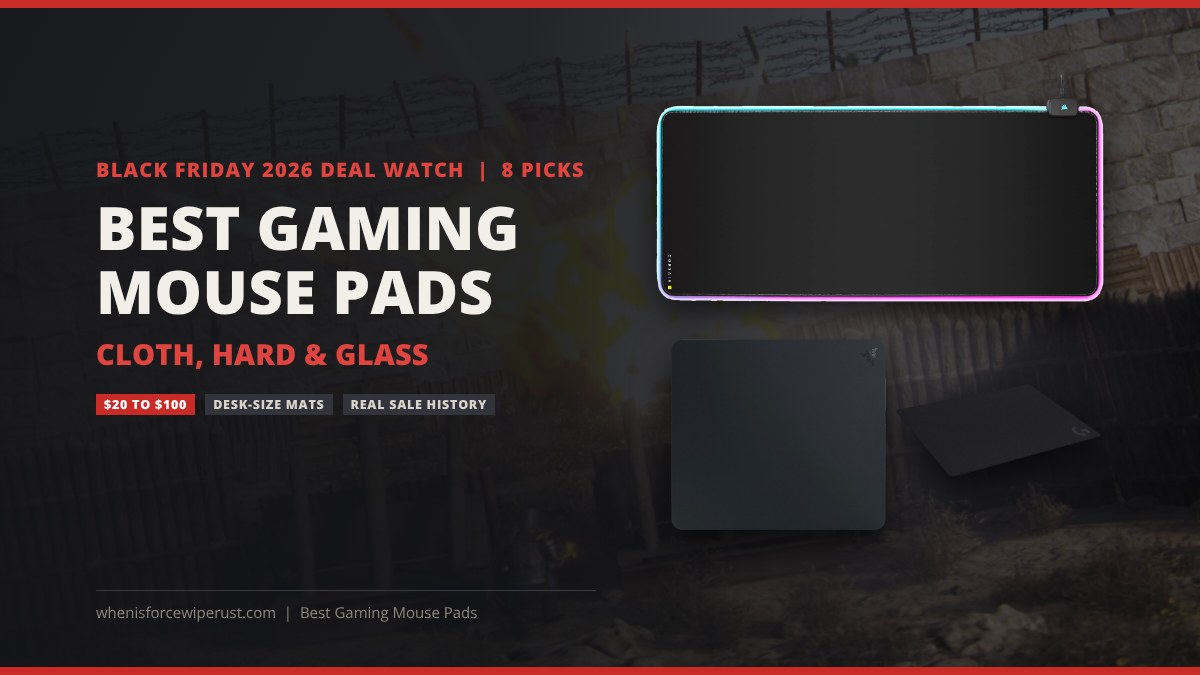
Black Friday 2026 Gaming Mouse Pad Deals: What to Expect
Black Friday 2026 falls on November 27 and Cyber Monday on November 30. Mouse pads are a classic add-on deal, so they tend to drop at the same time as mice and keyboards, often a week or two before Black Friday itself. Cloth pads from SteelSeries, Logitech and Razer regularly fall to about half price, while premium hard and glass pads usually move by $20 or less. We will refresh the prices on this page through the sale.
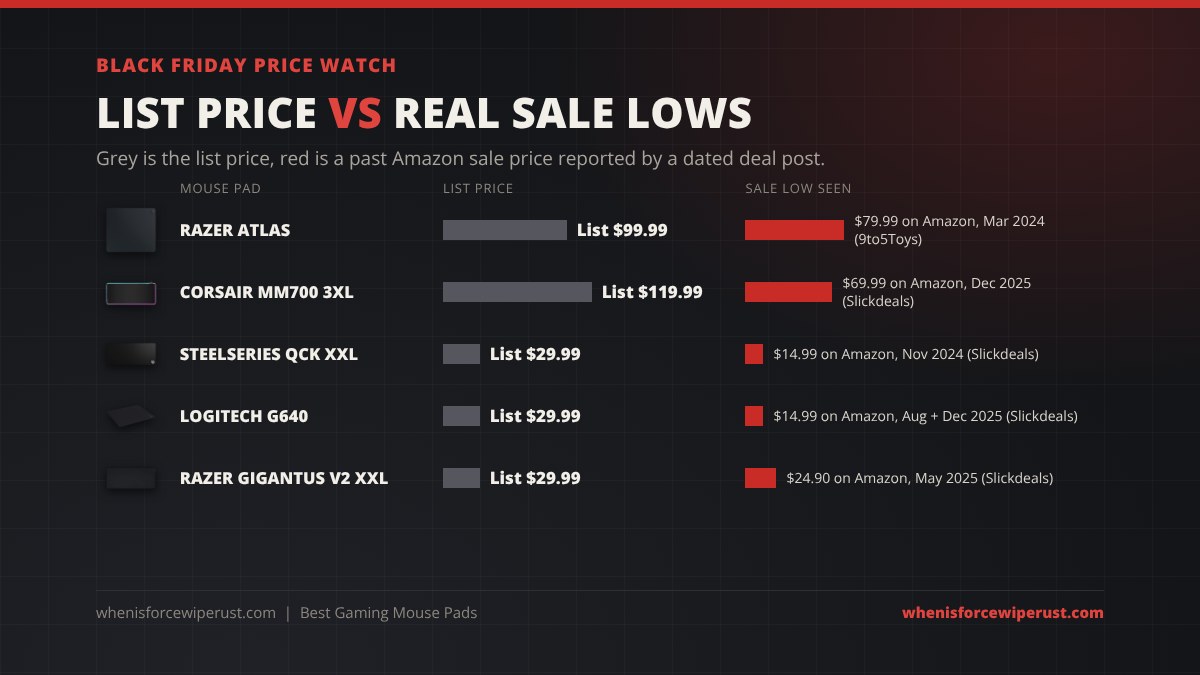
Here is what pads in this guide have actually sold for on Amazon. These are prices that deal sites reported at the time, not guesses, and they are the numbers to measure any 2026 deal against.
| Mouse pad | List price | Past sale price | When and where | A good 2026 deal is |
|---|---|---|---|---|
| SteelSeries QcK XXL | $29.99 | $14.99 | Amazon, November 2024 (Slickdeals); $19.99 in June 2025 | $15 to $20 |
| Logitech G640 | $29.99 | $14.99 | Amazon, August and December 2025 (Slickdeals) | $15 or less |
| Razer Gigantus V2 XXL | $29.99 | $24.90 | Amazon, May 2025 (Slickdeals) | Under $25 |
| Corsair MM700 RGB Extended 3XL | $119.99 | $69.99 | Amazon, December 2025 (Slickdeals) | $70 or less for the 3XL |
| Razer Atlas | $99.99 | $79.99 | Amazon, March 2024 (9to5Toys) | $80 or less |
Three rules keep you from overpaying:
- Compare against the real list price, not the “was” price. Cloth pads swing between about $15 and $35 all year, so a “50% off” badge on a QcK or G640 is only a good deal if the final price lands near the lows above.
- Check the exact size in the listing. Pads share names across sizes. A Slickdeals reader noted that one cheap “XXL” QcK listing was really a smaller pad, so check the dimensions (a real QcK XXL is 900 x 400 mm) before you buy.
- Make sure it is the model you want. The Razer Atlas and the thinner Atlas Pro ($129.99), or the Corsair MM700 Extended and the bigger MM700 3XL, are different products with different prices. The deal has to match the version.
Best Gaming Mouse Pads Compared
The table puts every pick side by side. Size is width by depth; for a low-sensitivity Rust player, width is the number that matters most. The price column shows what we saw on Amazon on November 6, 2026, or the maker’s list price where we could not confirm a live Amazon price, and the buttons show today’s price.
| Mouse pad | Best for | Surface | Size (W x D) | Thickness | Price | Shop |
|---|---|---|---|---|---|---|
| SteelSeries QcK Performance XL | Best overall | Cloth (Speed, Balance or Control) | 900 x 400 mm | 3.5 mm | $49.99 list | Check price |
| Logitech G640 | Mid-size cloth | Cloth, moderate friction | 460 x 400 mm | 3 mm | $29.99 | Check price |
| SteelSeries QcK XXL | Desk-size value | Cloth | 900 x 400 mm | 4 mm | $29.99 | Check price |
| Razer Gigantus V2 XXL | Budget desk mat | Micro-weave cloth | 940 x 410 mm | 4 mm | About $25 | Check price |
| Corsair MM700 RGB Extended | RGB and USB hub | Cloth | 930 x 400 mm | 4 mm | $59.00 | Check price |
| Glorious GMP 2 XXL | Spill-proof | Coated cloth | 36 x 18 in | 3 mm | $34.99 | Check price |
| Logitech G440 | Hard pad | Hard polyethylene | 340 x 280 mm | 3 mm | $19.99 list | Check price |
| Razer Atlas | Glass pad | Tempered glass | 450 x 400 mm | 5 mm | $99.99 | Check price |
The 8 Best Gaming Mouse Pads in 2026
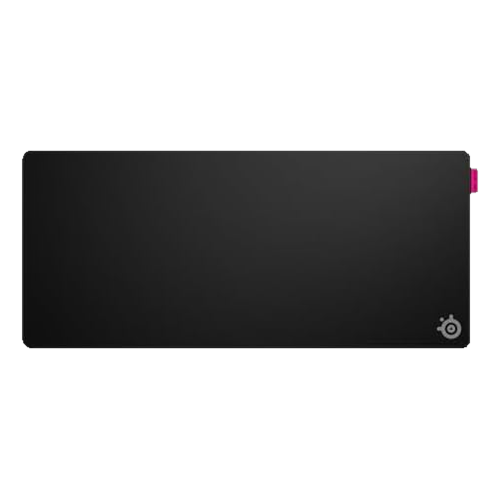
SteelSeries QcK Performance XL
- SurfaceSpeed (nylon), Balance or Control (polyester)
- Size900 x 400 mm (XL), also 490 x 420 mm (L)
- Base3.5 mm dense neoprene
- EdgesLow-profile stitching
- List price$49.99 XL, $39.99 L
PC Gamer names the QcK Performance its best mouse pad for gaming, and the reason is choice. SteelSeries makes the same premium pad in three surfaces: Speed is a smooth nylon for fast, low-resistance swipes, Control is a textured polyester that grips the mouse feet so you stop exactly where you aim, and Balance sits between them. PC Gamer’s Jacob Fox fell for the Control version because it resists overshooting during rapid moves, while PCGamesN’s reviewer preferred Balance. The XL linked here is the Speed version, which suits tracking-heavy aim; the other surfaces sit on the same Amazon page.
The base is what separates it from a cheap pad. A 3.5 mm neoprene foam layer is squishier and denser than the usual rubber, so it smooths out small bumps in the desk and feels cushioned under your wrist. The edges use low-profile stitching that will not fray or leave a ridge under your forearm. It costs more than a basic QcK, but it is the best cloth pad most people can buy.
- Three surfaces to match your aim style
- Dense, cushioned 3.5 mm base
- Flat stitched edges that last
- Pricey for a cloth pad
- XL needs a desk over 90 cm wide
- Balance is hard to tell apart from the others
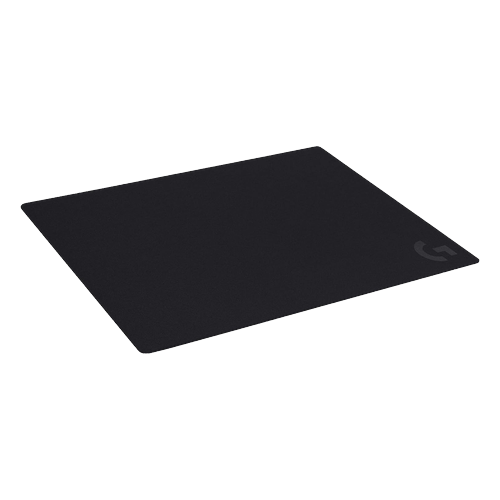
Logitech G640
- SurfaceCloth, moderate friction
- Size460 x 400 mm
- Thickness3 mm rubber base
- Tuned forLogitech G sensors
- Price seen$29.99 on Amazon, Nov 6, 2026
The G640 is the pad to buy if you want a big mouse area but keep your keyboard on the bare desk. At 460 by 400 mm it is almost square, which gives you lots of room for vertical recoil pulls as well as side-to-side swipes, and its moderate-friction cloth is a neutral middle ground: fast enough for tracking, with enough bite to stop a flick. Logitech tunes the surface texture for its own sensors, but it tracks perfectly with any modern optical mouse.
It is also one of the most reliable deals in the category. Slickdeals reported it at $14.99 on Amazon in August 2025 and again in December 2025, half its normal $29.99. If you see it near $15 this Black Friday, that is the real low. The only downside is the bare, unstitched edge, which can lift or fray after a few years of heavy use.
- Square shape fits vertical recoil pulls
- Neutral, consistent cloth surface
- Often half price in sales
- Unstitched edges
- Not big enough for keyboard and mouse
- Plain look
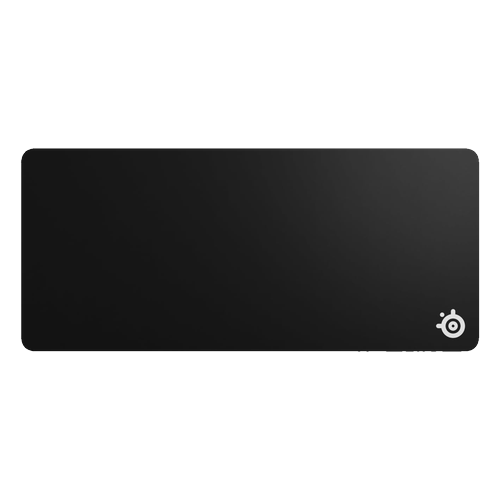
SteelSeries QcK XXL
- SurfaceMicro-woven cloth
- Size900 x 400 mm
- Thickness4 mm, non-slip rubber base
- FitsFull keyboard plus mouse
- Price seen$29.99 on Amazon, Nov 6, 2026
The plain QcK is PCGamesN’s best mousepad overall, and IGN’s budget pick, because it does the basics perfectly for very little money. The XXL size covers most of a desk, so your keyboard and mouse sit on one surface and you never run out of room on a big swipe. The micro-woven cloth is smooth and even, and the 4 mm rubber base keeps it from sliding, even when you slam the mouse back to center after a spray.
It is the pad to buy if you want a full desk mat without paying for RGB or premium stitching. Deal sites have reported it at $14.99 on Amazon in November 2024 and $19.99 in June 2025, so anything under $20 is a strong price. Like the G640, the edges are not stitched, and a pure black cloth shows dust and skin oil over time, so plan to wash it every few months.
- Full desk coverage for about $30
- Consistent, proven QcK surface
- Thick base hides desk seams
- No stitched edges
- Shows dirt over time
- Pricier than it was at launch
Razer Gigantus V2 XXL
- SurfaceTextured micro-weave cloth
- Size940 x 410 mm
- Thickness4 mm high-density rubber foam
- BaseAnti-slip rubber
- PriceAbout $25, list $29.99
The Gigantus V2 XXL is the cheapest way to cover a desk with a pad from a big gaming brand. At 940 by 410 mm it is slightly bigger than the QcK XXL, and Razer makes the XXL and 3XL sizes 4 mm thick (the Medium and Large are 3 mm), so it stays flat over an uneven desk or a gap between two tables. The textured micro-weave cloth is balanced toward control, which suits slower, deliberate aim.
It has been one of Amazon’s best-selling gaming pads for years, with more than 10,000 ratings, and it usually sits between $20 and $30. Slickdeals reported it at $24.90 in May 2025. Like most cloth mats it picks up dust and can stain if you spill on it, but it is hard to beat for the price.
- Very large for the price
- 4 mm foam stays flat
- Control-leaning surface
- Collects dust
- No spill coating
- Razer logo on the corner
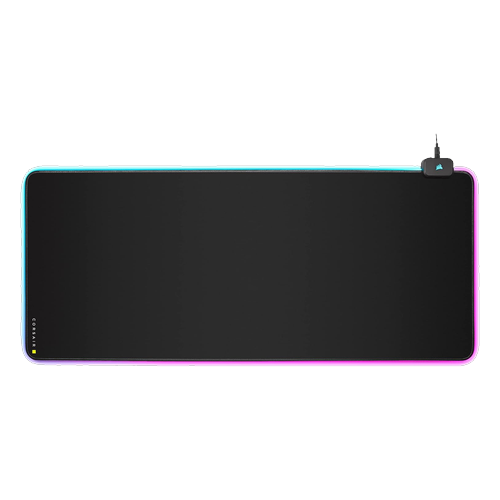
Corsair MM700 RGB Extended
- SurfaceCloth
- Size930 x 400 mm (3XL: 1,220 x 610 mm)
- Thickness4 mm rubber base
- Lighting360-degree, three-zone RGB, iCUE
- Extras2 USB pass-through ports
- Price seen$59.00 on Amazon, Nov 6, 2026
If you want your mat to light up, the MM700 is the one that earns the extra cable. The RGB strip runs all the way around the edge in three zones, controlled from Corsair’s iCUE software or a button on the hub, and that hub has two USB ports. Plug your wireless mouse dongle into it and the receiver sits a few inches from the mouse, which is the best place for a stable 2.4 GHz signal.
The cloth surface itself is a normal, smooth gaming cloth on a 4 mm base, so it plays like any good desk mat. It needs a desk at least 93 cm wide, and the hub corner means you have to keep that end clear. If you want something even bigger, the MM700 3XL covers a 122 by 61 cm area, and Slickdeals reported it at $69.99 on Amazon in December 2025 against a $119.99 list price.
- Bright, even edge lighting
- USB hub keeps the dongle close
- Huge 3XL option
- Needs a USB cable
- Hub corner takes desk space
- Costs twice a plain mat
Glorious GMP 2 XXL
- SurfaceCoated, balanced cloth
- Size36 x 18 in (about 914 x 457 mm)
- Thickness0.12 in (3 mm)
- EdgesStitched anti-fray
- Price seen$34.99 on Amazon, Nov 6, 2026
The GMP 2 is the pad for anyone who eats, drinks or vapes at the desk. Glorious coats the cloth so liquids bead on top instead of soaking in; you wipe the spill away and the surface is still dry. The balanced surface is tuned for both speed and control, and the stitched edges hold up better than the bare edges on the QcK and G640.
It is also deeper than most XXL mats at 18 inches, which gives your mouse more vertical room for long recoil pulls. Glorious sells a 3XL version for $49.99 if you want to cover more of the desk. The coating makes the glide slightly slicker than a raw cloth pad, so if you like a lot of stopping power, the QcK Performance Control or Gigantus V2 will feel more familiar.
- Spills bead up and wipe off
- Deep 18-inch size
- Stitched edges
- Slightly slicker than raw cloth
- Thinner than 4 mm mats
- Logo tab on the edge
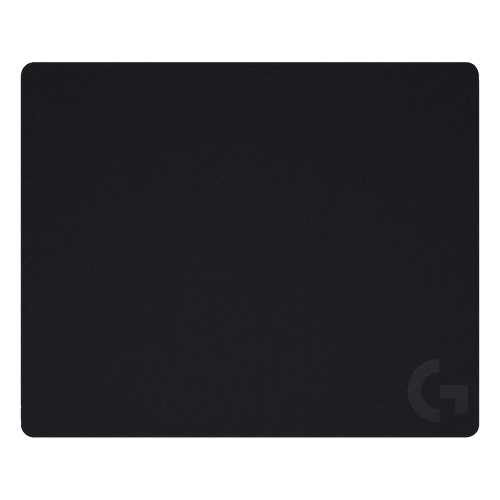
Logitech G440
- SurfaceHard polyethylene, low friction
- Size340 x 280 mm
- ThicknessAbout 3 mm, rubber base
- CleaningWipe with a damp cloth
- List price$19.99
Both PC Gamer and PCGamesN pick the G440 as their best affordable hard mouse pad. The top is a micro-textured polyethylene that lets the mouse move with very little force, yet has just enough texture to stop cleanly, and PC Gamer found it quiet even during fast swipes. A rubber base keeps it planted, and because nothing soaks in, a damp cloth cleans it in seconds.
The catch is size. At 340 by 280 mm it is a medium pad, fine for wrist and forearm aiming at mid sensitivity, but too small for full-arm swipes at a very low sensitivity. It also has no cushioning, so rest your wrist on the desk edge or a wrist rest. If you want a hard surface with lighting and a USB port, look at the Razer Firefly V2 Pro below.
- Fast, quiet glide
- Cleans in seconds
- Cheap for a hard pad
- Small for low sensitivity
- No cushioning
- Wears mouse feet faster than cloth
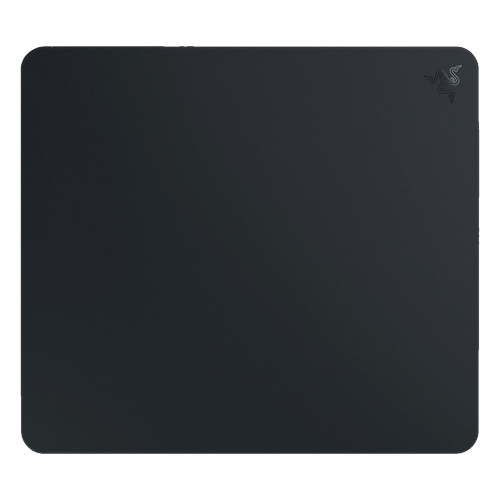
Razer Atlas
- SurfaceTempered glass, micro-etched
- Size450 x 400 mm
- Thickness5 mm, silicone rubber base
- ColorsBlack or white
- Price seen$99.99 on Amazon, Nov 6, 2026
IGN rates the Atlas its best high-end mouse pad, and TechPowerUp found it much faster than other hard or cloth pads while still very durable. The top is a sheet of tempered glass with a micro-etched texture, so optical sensors track it perfectly and the glide is identical in every direction and every day, with no wear spots, no humidity changes and nothing to wash. Small micro-adjustments feel effortless.
Glass is a commitment, though. It is loud, it wears your mouse skates faster, and on a warm day your forearm can stick to it, which is why many glass users wear an arm sleeve. It is also $100, though 9to5Toys reported it at $79.99 on Amazon in March 2024. Razer now sells the thinner Atlas Pro for $129.99; PC Gamer’s current favourite glass pad is the QPAD Obsidian Glass, which costs about the same.
- Fastest, most consistent glide
- Never wears out or needs washing
- Easy micro-adjustments
- Expensive
- Loud and wears mouse skates
- Bare arms can stick
Also worth a look
- Razer Firefly V2 Pro (about $100): PC Gamer’s best hard-top pad, a micro-textured plastic surface that is fully backlit with 15 RGB zones and has a USB port for your dongle. Wipes clean, but it is small at 360 x 278 mm.
- Logitech PowerPlay 2 ($99): charges a compatible Logitech G wireless mouse while you play, through a small coin you fit in the mouse. PCGamesN calls it the only choice if you never want to charge again, but PC Gamer scored it 40% and it does not work on steel desks.
- Corsair MM100 (about $10): PC Gamer’s best budget pad. A plain 320 x 270 mm black cloth rectangle that just works.
- SteelSeries QcK Prism XL: PCGamesN’s best soft RGB pad, two lighting zones on a QcK cloth surface, about $10 more than the large version’s $59.
Why Your Mouse Pad Matters in Rust
Rust is one of the most demanding shooters for your mouse. Guns like the AK, LR-300 and Thompson have real recoil patterns you control by pulling the mouse down and to the side, and at the fairly low sensitivity most good Rust players use, a full spray needs a lot of vertical travel. A small pad runs out before the magazine does. That is why mid-size pads that are nearly square, like the G640, or deep mats like the GMP 2, are popular with Rust players: they give you room to pull down as well as swipe across.
Surface choice matters too. A control cloth like the QcK Performance Control or Gigantus V2 makes it easier to hold steady recoil and stop on a target, which suits spraying and holding angles at a compound or a raid. A speed surface, hard pad or glass makes tracking a running player or a moving minicopter smoother. If you are still learning recoil, pick control cloth first; you can always go faster later. Our Rust aim training guide covers how to practice spray control once the pad is set up.
Finally, Rust sessions are long. A force wipe can mean eight to ten hours of farming and fighting on day one, so a cushioned cloth pad with flat stitched edges is easier on your wrist and forearm than a thin hard pad. And because Rust bases are dark and night is darker, an RGB mat like the MM700 is one of the few RGB items that is actually useful: it lights up your keyboard and mouse area.
How to Choose a Gaming Mouse Pad
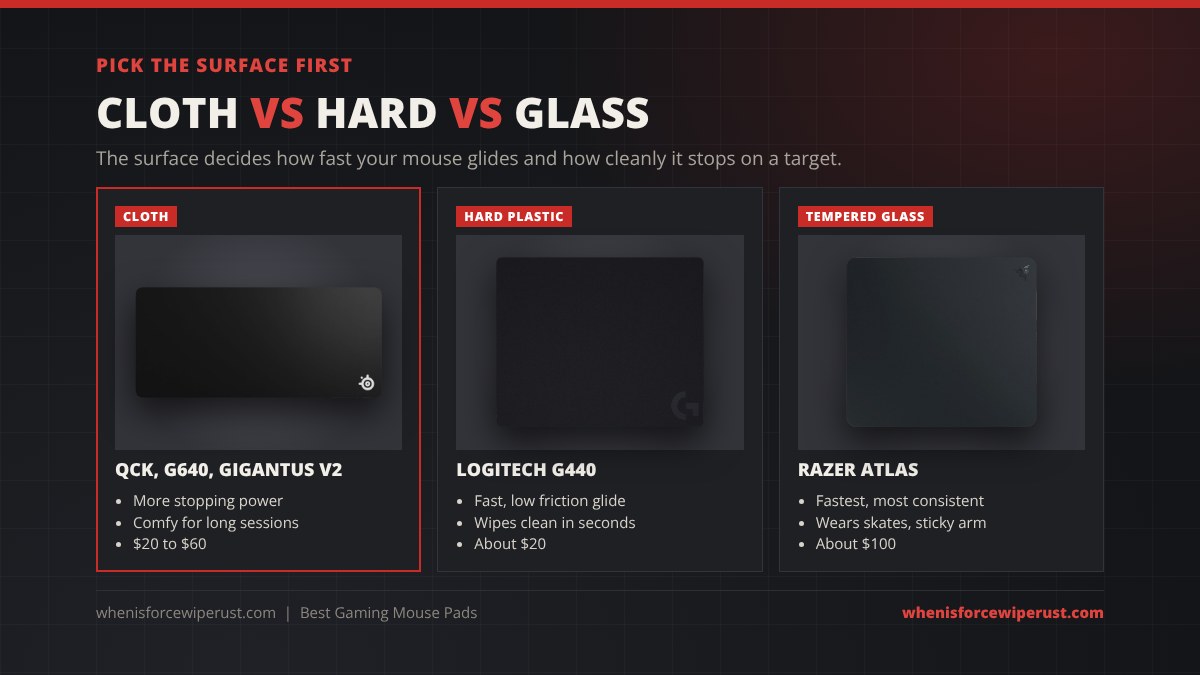
Pick the surface first. Cloth gives more stopping power and comfort and suits most players. Hard plastic is faster, louder and wipes clean. Glass is the fastest and most consistent, but costs the most and wears your mouse feet. Within cloth, “control” surfaces have more texture and “speed” surfaces less.
Size it to your sensitivity. In Rust, move your mouse until your character turns a full 360 degrees and measure the distance. If that is more than about 40 cm, a large pad (around 46 x 40 cm) is the minimum; if it is more than 60 cm, get an XXL desk mat of 90 cm or wider. Leave room for the mouse itself and for over-swiping in a panic.
Mind the depth. Width gets the attention, but depth decides how far you can pull down to control recoil. A 40 cm deep pad is fine for most; the GMP 2’s 46 cm is better for very low sensitivity. Your desk depth sets the limit.
Look at thickness and edges. 3 to 4 mm cloth pads hide small desk bumps and are comfortable; 2 mm pads are thin enough to take on the go. Stitched edges stop fraying and do not lift; unstitched edges are cheaper and lower but wear out first.
Decide if extras are worth it. RGB adds a cable and about $30. A USB hub on the pad is genuinely useful for wireless mice. A spill-proof coating is worth it if you keep drinks on the desk. Wireless charging pads only work with specific mice.
Setting Up Your Mouse Pad for Rust
- Let a new cloth pad flatten. Rolled pads curl at first. Lay it flat with a few books on the corners overnight before your first session.
- Center it on your aim, not your keyboard. Put the middle of the free mouse area where your hand naturally rests when your crosshair is centered, so you have equal room for swipes in both directions.
- Turn off mouse acceleration. In Windows, untick “Enhance pointer precision” so the same hand movement always turns you the same amount. Then set your in-game sensitivity; our best Rust settings guide lists the console commands, including
input.sensitivity. - Match your crosshair to your surface. A faster surface makes small aim errors more obvious, so a clean, small crosshair helps. Grab one from our Rust crosshair codes.
- Clean it before wipe day. Hand-wash cloth pads with lukewarm water and a little mild soap, then air-dry fully; never machine-wash an RGB pad. Wipe hard and glass pads with a damp microfiber cloth. Then check the force wipe countdown so your setup is ready when the server goes live.
Gaming Mouse Pad FAQ
What is the best gaming mouse pad in 2026?
The SteelSeries QcK Performance XL is the best gaming mouse pad for most people, with a choice of Speed, Balance or Control cloth on a dense 3.5 mm base and stitched edges. The SteelSeries QcK XXL is the best value desk-size mat at about $30, the Razer Gigantus V2 XXL is the best budget desk mat, the Logitech G440 is the best hard pad, and the Razer Atlas is the best glass pad.
When are the Black Friday gaming mouse pad deals in 2026?
Black Friday 2026 is Friday, November 27 and Cyber Monday is November 30. Mouse pad deals usually appear alongside gaming mouse and keyboard deals one to two weeks earlier. Past Amazon lows to beat are $14.99 for the SteelSeries QcK XXL and Logitech G640, $69.99 for the Corsair MM700 3XL and $79.99 for the Razer Atlas.
Is a cloth or hard mouse pad better for Rust?
A cloth pad is the better choice for most Rust players, because its extra friction makes it easier to control recoil on guns like the AK and to stop on a target. Hard and glass pads are faster and better for tracking moving targets, but they are less forgiving while you are still learning spray patterns.
What size mouse pad do I need?
Measure how far your mouse moves for a full 360-degree turn in game. If it is under about 40 cm, a large pad around 46 x 40 cm is enough. If it is more, or you want your keyboard on the pad too, get an XXL desk mat that is at least 90 cm wide, like the QcK XXL or Gigantus V2 XXL.
Are glass mouse pads worth it?
They are worth it for players who want the fastest and most consistent glide and do not mind the downsides. Glass pads like the Razer Atlas never wear out or need washing, but they cost around $100, are louder, wear mouse skates faster and can make a bare forearm stick, so many users wear an arm sleeve.
How do I clean a gaming mouse pad?
Hand-wash a cloth pad in lukewarm water with a little mild soap, rinse it and let it air-dry flat for a day. Do not machine-wash or submerge an RGB pad like the Corsair MM700; wipe it with a damp cloth instead. Hard and glass pads only need a damp microfiber cloth.
Does an RGB mouse pad improve tracking?
No. The lighting is only cosmetic and the tracking depends on the surface. RGB pads like the Corsair MM700 are worth it for the look, the light they throw on your desk and the USB pass-through ports that keep a wireless dongle close to the mouse.
Do you earn money from these links?
Some links on this page are affiliate links, so we may earn a small commission if you buy through them at no extra cost to you. The picks and their order are based on specs, reviews and use case, not on commission, and the past sale prices are the ones reported by Slickdeals and 9to5Toys at the time.
Specs are from SteelSeries, Logitech G, Razer, Corsair and Glorious product pages and Amazon listings as of November 6, 2026. Review verdicts are from PC Gamer (May 2026), PCGamesN (2026), IGN and TechPowerUp. Past sale prices were reported by Slickdeals (November 2024, May 2025, August 2025, December 2025) and 9to5Toys (March 2024). Prices change often, so check the current price before you buy.