For years Rust gave you one crosshair option: on or off. That changed with the Meta Shift update, which added a proper crosshair editor to the game. You can now pick the shape, colour, size and gap, then turn the whole thing into a short code that anyone can paste into their own game.
This crosshair codes Rust guide shows where the crosshair settings live, what every option does, how to import and export a code, and six ready-made builds you can copy straight into the menu.
- What Are Crosshair Codes
- Settings
- Styles
- Colours
- Best Builds
- Import and Export
- Dynamic Options
- Tips by Weapon
- FAQ
What Are Crosshair Codes in Rust?
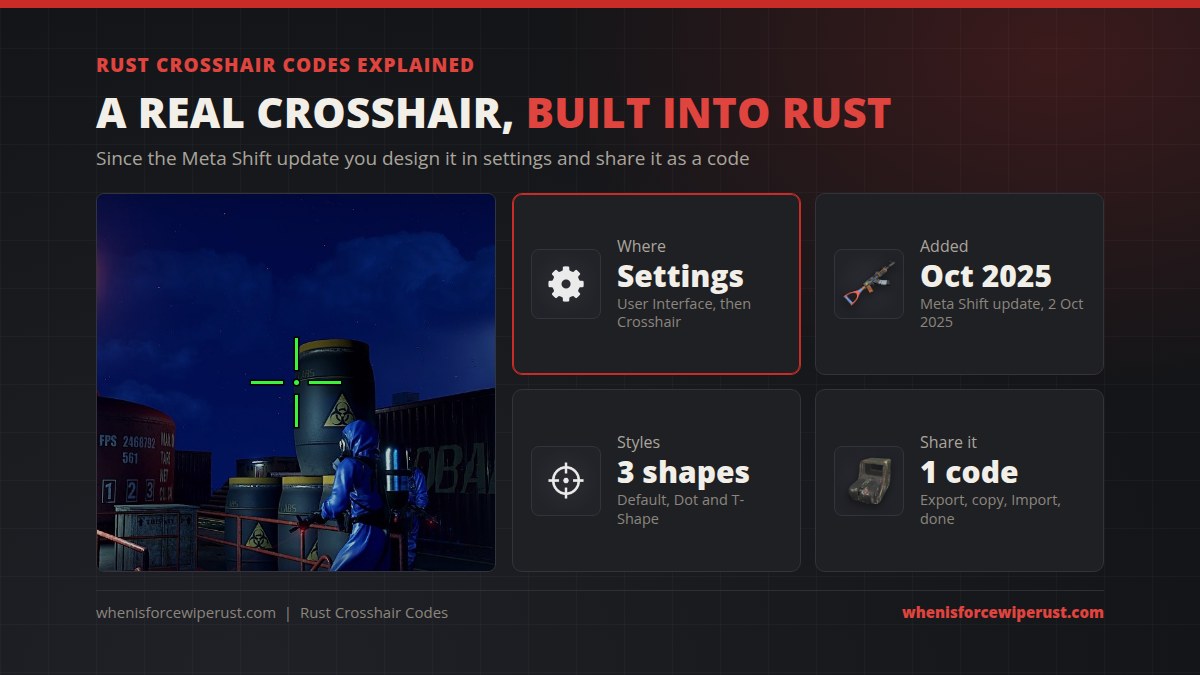
A crosshair code is a short text string that stores every setting of your crosshair: style, colour, dot size, spacing, line length, line width, outline and the dynamic toggles. Press Export and Rust writes your current crosshair out as a code. Press Import, paste a code, and the game rebuilds that exact crosshair for you.
It is the same idea as crosshair codes in other shooters, and it arrived with Facepunch’s Meta Shift update on 2 October 2025. Before that, the in-game crosshair could only be switched on or off, and players who wanted a custom one used server plugins or an overlay app.
Rust Crosshair Settings
Everything lives in one place: Settings > User Interface > Crosshair. Turn the crosshair toggle on if it is off, and the full editor opens up with Import, Export and Reset at the top.

| Setting | What it does |
|---|---|
| Style | The base shape: Default (four arms), Dot or T-Shape |
| Colour | The crosshair colour, chosen from a fixed list |
| Dot size | Size of the centre dot. 0 removes it |
| Spacing | The gap between the centre and where each arm starts |
| Line length | How long each arm is |
| Line width | How thick each arm is |
| Outline and outline colour | A border around the crosshair so it stays visible on any background |
| Dynamic visibility | Hides the crosshair when you aim down sights or alt-look |
| Dynamic spacing | The gap widens and tightens to show your current accuracy |
Rust Crosshair Styles
Every crosshair starts from one of three shapes. The rest of the settings only change how big, thick and spread out that shape is.
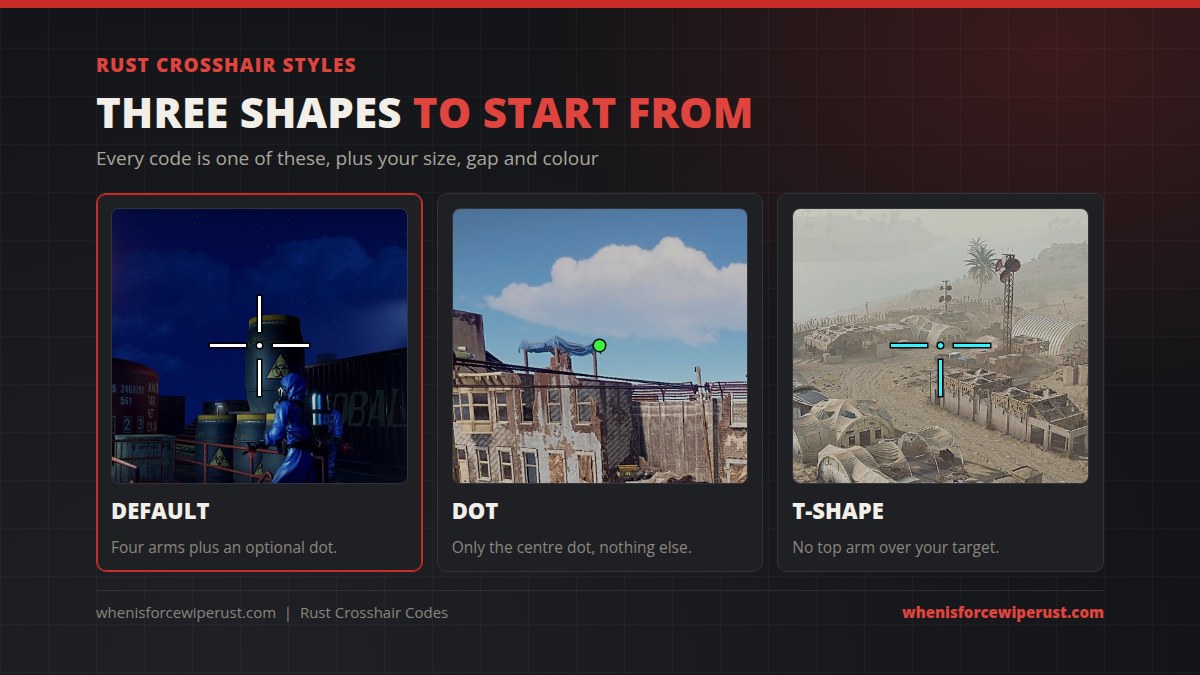
- Default. Four arms and an optional centre dot. The best all-rounder and the easiest to read while you spray.
- Dot. Only the centre dot. Clean and quiet, so nothing covers a distant target.
- T-Shape. The top arm is removed, so your crosshair never sits over a player’s head at range.
Rust Crosshair Colours
The colour comes from a fixed list rather than a free colour picker: white, green, blue, red, yellow, magenta and cyan. The outline has its own colour setting, which is what keeps a bright crosshair readable against snow, sand or a bright sky.
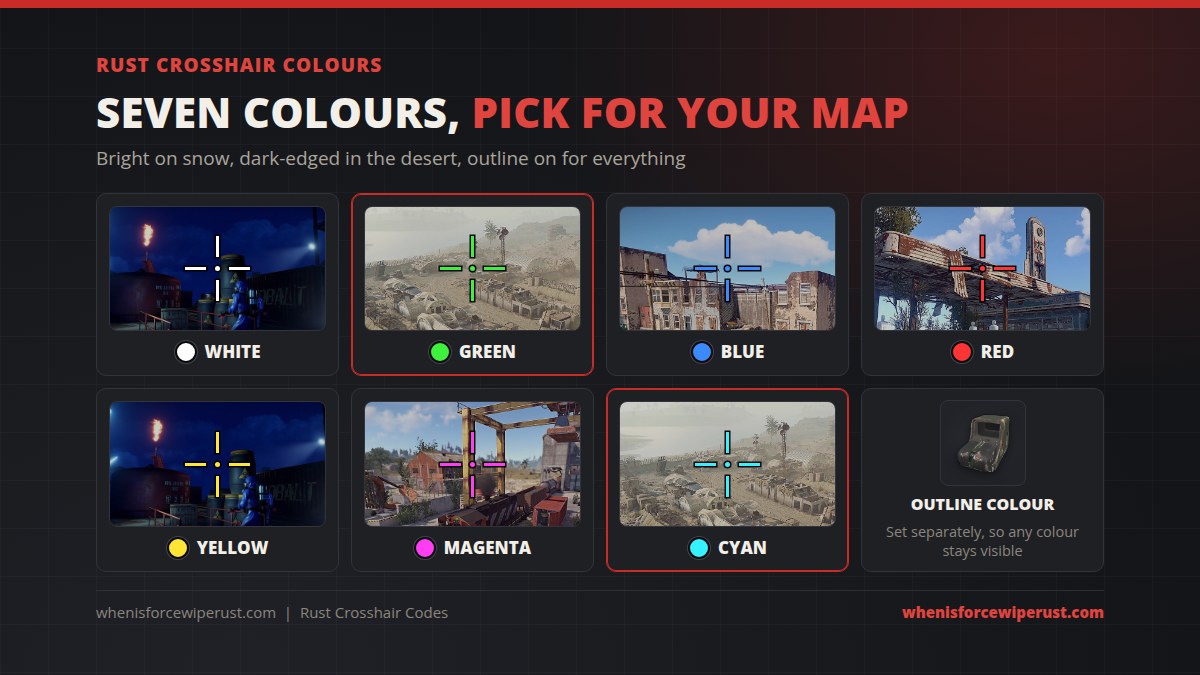
Green and cyan show up best across most maps. Red disappears on rust-coloured metal and at sunset, and white is hard to see in snow. Whatever you pick, leave the outline on.
Best Rust Crosshair Settings: Six Builds
A code copied from a video or a generator site often fails to import, but slider values always work. So here are six builds as plain settings. Set them in the menu, then press Export to get a working code for your own game.
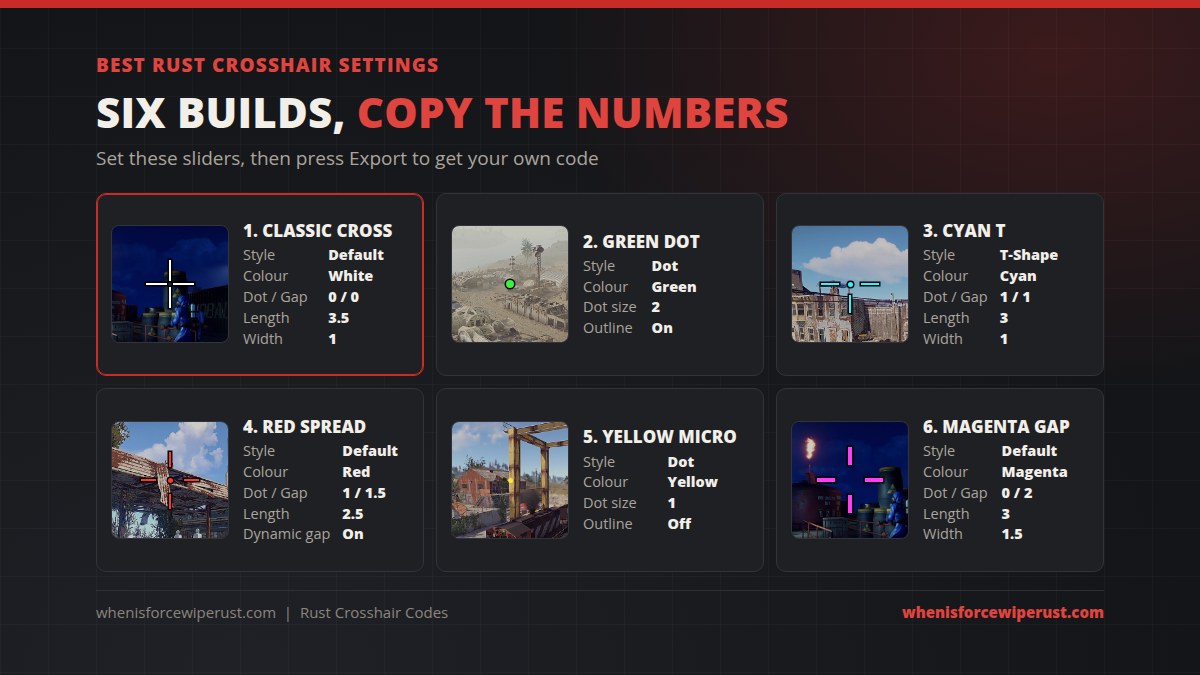
| Build | Style | Colour | Dot size | Spacing | Length | Width | Extras |
|---|---|---|---|---|---|---|---|
| 1. Classic Cross | Default | White | 0 | 0 | 3.5 | 1 | Outline on |
| 2. Green Dot | Dot | Green | 2 | – | – | – | Outline on |
| 3. Cyan T | T-Shape | Cyan | 1 | 1 | 3 | 1 | Outline on |
| 4. Red Spread | Default | Red | 1 | 1.5 | 2.5 | 1 | Dynamic spacing on |
| 5. Yellow Micro | Dot | Yellow | 1 | – | – | – | Outline off |
| 6. Magenta Gap | Default | Magenta | 0 | 2 | 3 | 1.5 | Outline on |
The Classic Cross (dot 0, spacing 0, length 3.5, width 1) is the build shared most often by Rust players. It is a good default if you just want something that works with every gun.
How to Import and Export a Rust Crosshair Code
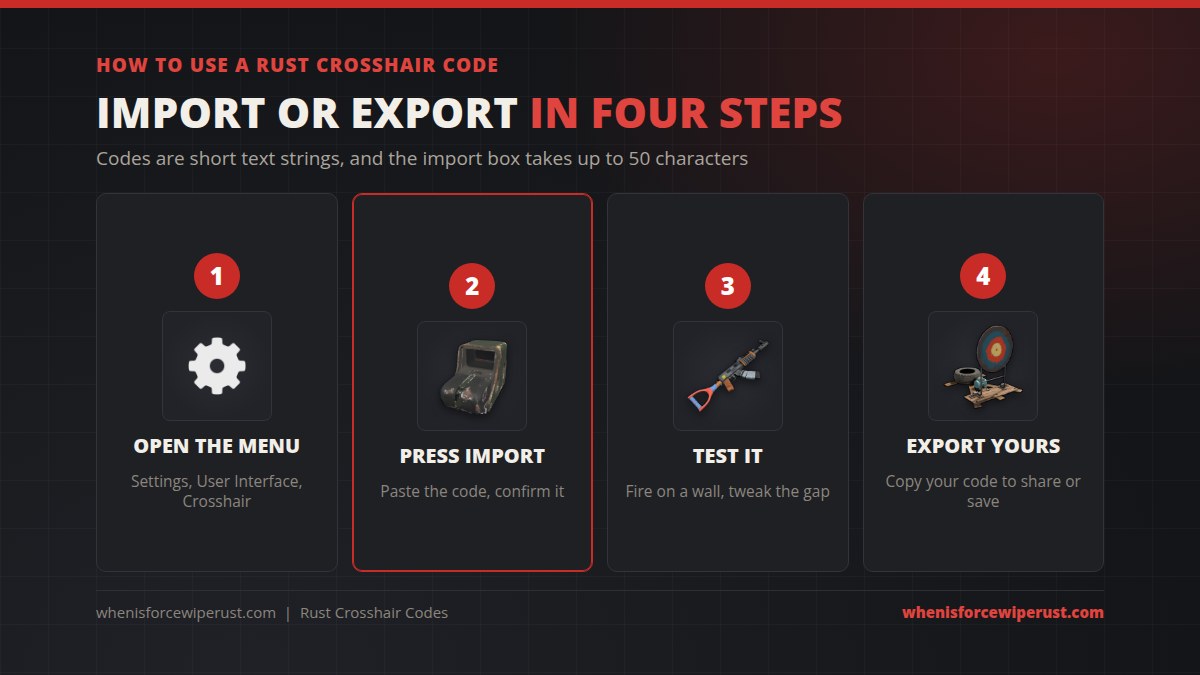
Import a code
- Open Settings, go to User Interface and scroll to Crosshair.
- Make sure the crosshair is turned on.
- Press Import, paste the code into the box and confirm.
- Join a server and fire a few shots at a wall to check the gap and size.
Export your own code
- Set up your crosshair in the same menu.
- Press Export. Rust generates a code from your current settings.
- Copy it and save it somewhere safe, or send it to your team.
Dynamic Visibility and Dynamic Spacing
The two dynamic toggles are what make Rust’s crosshair more than a sticker in the middle of your screen.
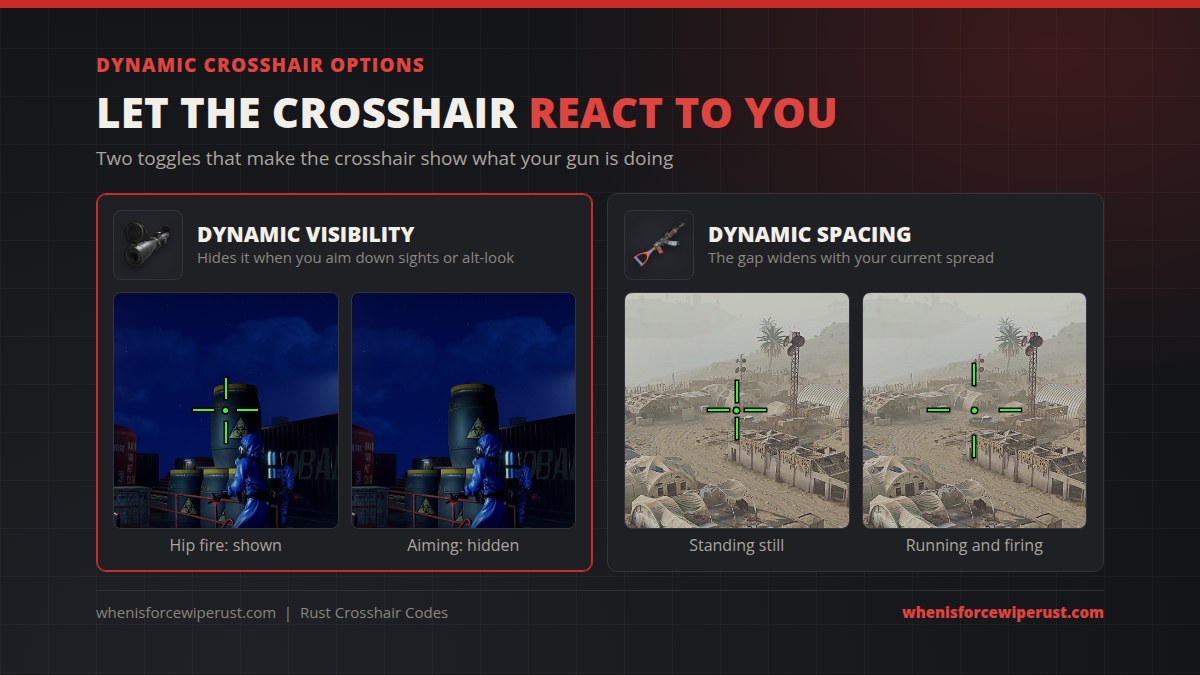
- Dynamic visibility hides the crosshair when you aim down sights, alt-look or have no weapon out. Turn it on if you use a scoped L96 or a holosight, so the crosshair never doubles up with the sight picture.
- Dynamic spacing makes the centre gap grow and shrink with your current accuracy. Running, jumping and spraying open it up, standing still closes it. It is a handy reminder to stop and shoot.
Rust Crosshair Tips by Weapon
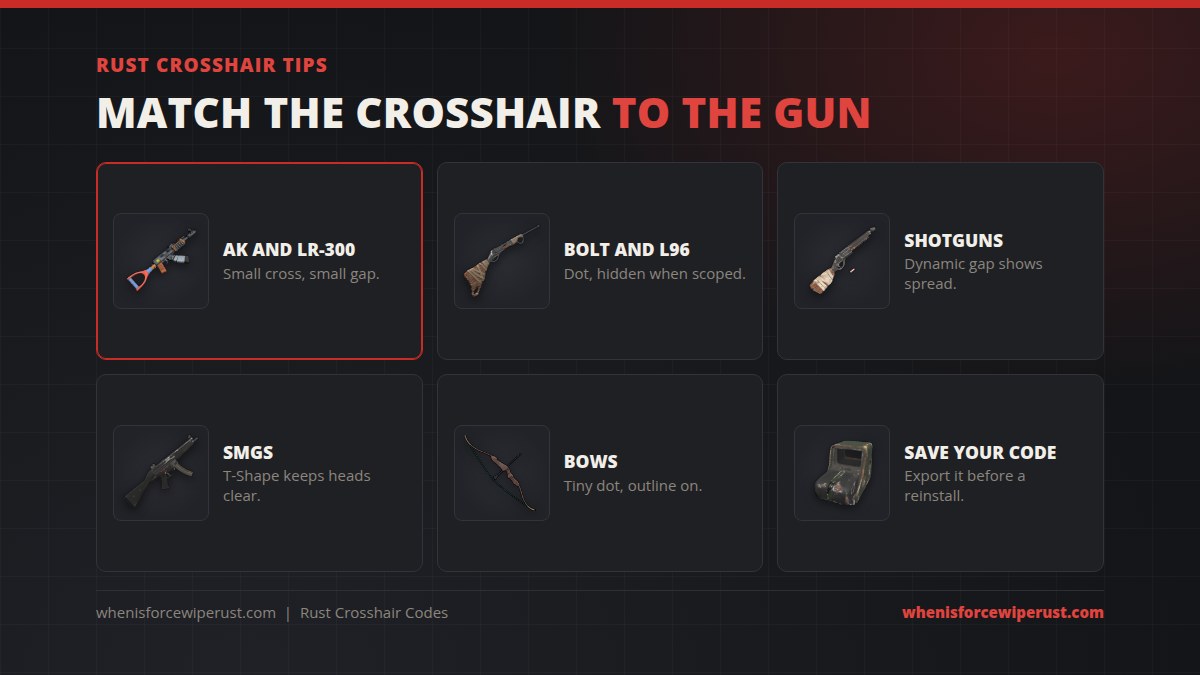
- Rifles. On the AK and LR-300, a small cross with a small gap is easiest to keep on target while you control recoil.
- Snipers. On the Bolt Action Rifle, a small dot plus dynamic visibility keeps the scope picture clean.
- Shotguns. Turn dynamic spacing on. The wider gap is a good reminder of how far pellets spread on the Double Barrel.
- SMGs. A T-Shape keeps the top of the screen clear when you spray heads with the MP5 or Thompson.
- Bows. A tiny outlined dot works best, since arrows drop and you aim above the dot at range anyway.
- Save your code. Export it and keep it in a note. A reinstall or a settings reset wipes it.
Want to pick the right gun for your crosshair? See our full Rust weapons guide.
Rust Crosshair Codes FAQ
How do you get a custom crosshair in Rust?
Open Settings, go to User Interface and then Crosshair. Turn the crosshair on and change the style, colour, dot size, spacing, line length, line width and outline. It is built into the game, so no mods or plugins are needed.
How do you import a crosshair code in Rust?
Go to Settings, User Interface, Crosshair and press Import at the top. Paste the code into the box and confirm. The import box takes up to 50 characters.
How do you export your crosshair code in Rust?
Set up your crosshair, then press Export at the top of the Crosshair section in Settings, User Interface. Rust generates a code from your current settings that you can copy and share.
When were crosshair codes added to Rust?
With the Meta Shift update on 2 October 2025. Before that the in-game crosshair could only be turned on or off.
What is the best crosshair in Rust?
The most shared build is a Default style cross with dot size 0, spacing 0, line length 3.5 and line width 1, with the outline on. Green or cyan show up best on most maps.
Why won’t my crosshair code import in Rust?
The code is probably from a third-party generator website that uses its own format, or it is longer than the 50 characters the import box allows. Use a code made with Rust’s own Export button, or copy the slider values by hand.
Is a custom crosshair allowed in Rust?
Yes. The crosshair editor is an official Facepunch feature in the base game, so it works on every server, including official ones.
What does dynamic spacing do on a Rust crosshair?
It makes the gap in the middle of the crosshair change with your current accuracy. Moving, jumping and spraying widen it, standing still tightens it. Dynamic visibility is a separate toggle that hides the crosshair when you aim down sights.
Sources and Further Reading
- Crosshair editor and code sharing: Facepunch, Meta Shift update news
- Development history of the feature: Facepunch Commits, crosshair customization branch
- More settings for your client: Rust Console Commands and Best Settings