
Vanilla Rust has no plugin support. Every modded server you have ever played on, with kits, teleports, shops, clans or 5x gather, runs a modding framework on top of the normal server files, and then loads small plugin files on top of that. There are two frameworks: Oxide (uMod), the long-time standard, and Carbon, the newer and lighter one that runs most Oxide plugins.
This Rust server mods guide covers both frameworks, how to install them, how to add plugins and give players permissions, and the plugins that almost every popular server runs, sorted by what they do. Every command has a Copy button so you can paste it straight into your server console.
- What Mods Are
- Oxide vs Carbon
- Install a Framework
- Add Plugins
- Permissions
- Admin Plugins
- Gameplay Plugins
- Clans, Shops, PvE
- Plugin Packs
- Where to Get Plugins
- Modded Tab
- Troubleshooting
- FAQ

What Are Rust Server Mods?
In Rust, “mods” means server-side plugins. Players never download anything: they join a modded server with the normal game and the server does all the work. That is why you can hop from a vanilla official to a 10x server with kits and teleports in seconds.
Each plugin is a single C# file (.cs) that the framework compiles when the server loads it. A plugin can change gather rates, add chat commands like /home or /kit, draw custom menus, run events, or give admins tools that vanilla does not have. Plugins can only do what the framework lets them hook into, so you cannot add new weapons or new models the way you can in other games. Custom maps with extra monuments are a separate thing, loaded with server.levelurl rather than a plugin.
If you have not set up a server yet, start with our how to host a Rust server guide, then come back here to mod it.
Oxide vs Carbon: Which Framework to Use
Both frameworks are free and both run the same plugin format. Oxide has been the standard for over ten years and almost every plugin is written for it first. Carbon was built as a drop-in replacement that runs Oxide plugins, uses less memory and tends to ship its update quickly after a Rust patch.
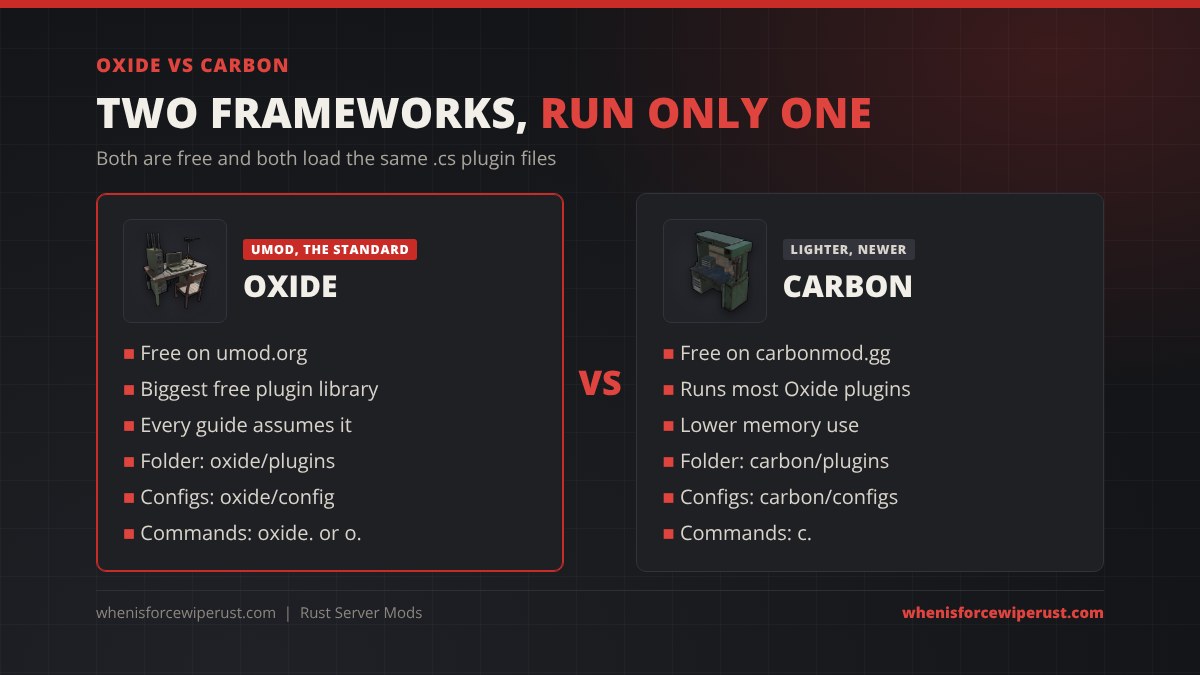
| Oxide (uMod) | Carbon | |
|---|---|---|
| Cost | Free | Free |
| Download | umod.org | carbonmod.gg (GitHub releases) |
| Plugins folder | oxide/plugins | carbon/plugins |
| Config folder | oxide/config | carbon/configs |
| Command prefix | oxide. (short form o.) | c. |
| Plugin support | Every uMod plugin, the reference format | Runs the large majority of Oxide plugins unchanged, plus Carbon-only ones |
| Best for | Maximum compatibility, most guides assume it | Bigger servers that want lower memory use and built-in admin tools |
Our pick: if you are new, use Oxide, because every plugin page and every forum answer assumes it. If you run a busy server or already know your plugin list works on Carbon, Carbon is worth the switch. Moving later is easy: copy your .cs files and configs into the Carbon folders.
How to Install Oxide or Carbon
The install is the same idea for both: stop the server, extract a zip over your server files, start it again.
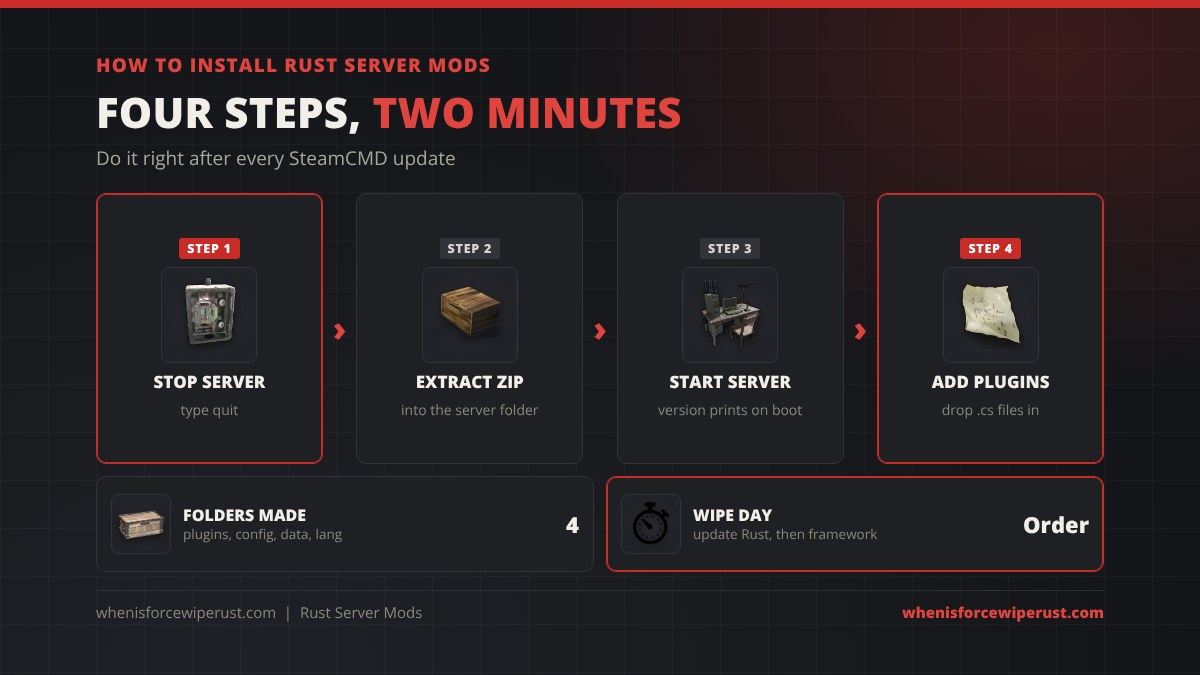
- Stop the server. Type
quitin the console so it saves and shuts down cleanly. - Update Rust first. Run your SteamCMD update (
app_update 258550) so the server and framework versions match. - Download the framework for your OS: the Oxide Rust build from umod.org, or the Carbon release zip for Windows or Linux.
- Extract it into the folder that holds RustDedicated.exe (or RustDedicated on Linux) and allow it to overwrite files. On Linux, Carbon also needs its environment script run before the server starts, which the Carbon docs show.
- Start the server. The console prints the Oxide or Carbon version on boot, and an
oxideorcarbonfolder appears withplugins,config,dataandlanginside.
How to Add Plugins
Download a plugin’s .cs file and put it in the plugins folder. You do not need to restart: both frameworks watch the folder and load new files while the server runs. Within a few seconds the console shows the plugin name and version, and a settings file appears in the config folder.
| Folder | What goes in it |
|---|---|
| plugins | The .cs plugin files. Delete a file to unload the plugin. |
| config (Carbon: configs) | One .json settings file per plugin. Edit it, then reload the plugin. |
| data | Saved plugin data such as player homes, kits used, clan lists and balances. |
| lang | Every chat message the plugin prints, so you can reword or translate them. |
To change a setting, edit the plugin’s JSON in the config folder (check it in a JSON validator if you are unsure, one missing comma breaks it), then reload the plugin with the command below. Wiping a plugin’s progress, such as kit cooldowns or shop balances, usually means deleting its file in the data folder while the plugin is unloaded.
| What it does | Oxide | Carbon |
|---|---|---|
| List loaded plugins | oxide.plugins | c.plugins |
| Reload a plugin | oxide.reload Kits | c.reload Kits |
| Load a plugin | oxide.load Kits | c.load Kits |
| Unload a plugin | oxide.unload Kits | c.unload Kits |
| Reload every plugin | oxide.reload * | c.reload * |
Swap Kits for the plugin’s file name without .cs. For the rest of your server console, see our Rust admin commands list.
Permissions: Who Can Use What
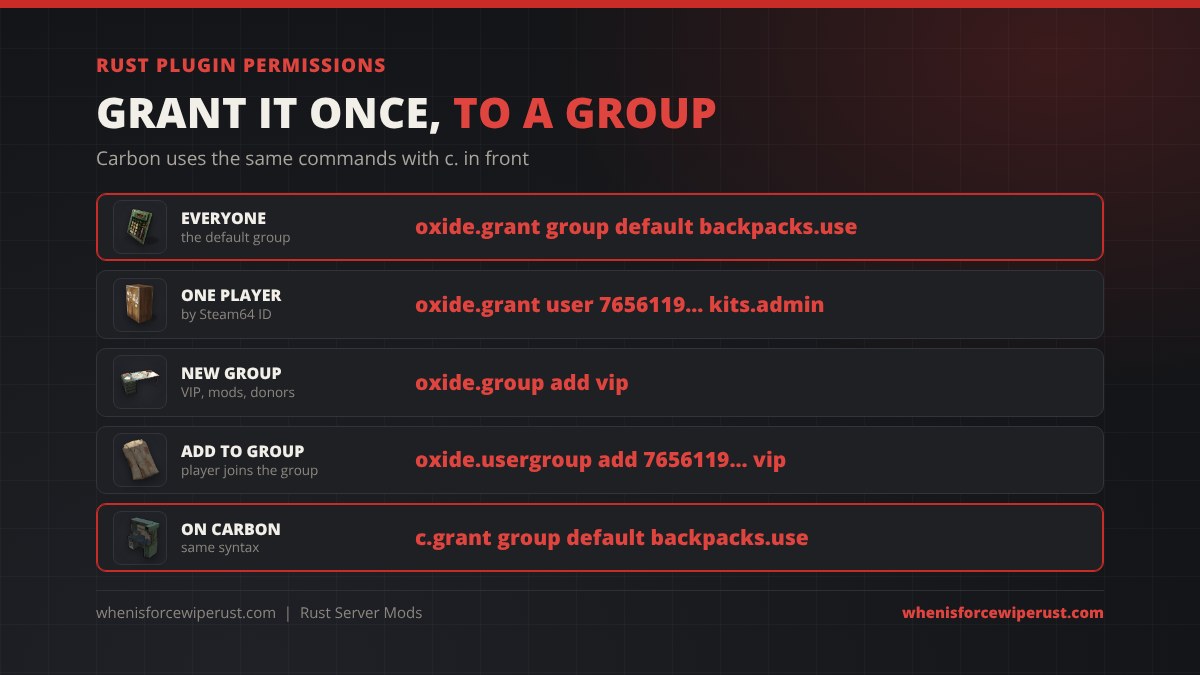
Most plugins do nothing for normal players until you grant a permission. Each plugin lists its permissions on its download page, written as pluginname.permission, for example nteleportation.home or backpacks.use. You can grant a permission to one player by Steam64 ID or name, or to a group. Every player is in the default group, and players with server auth (ownerid or moderatorid) are added to the admin group automatically.
| What it does | Oxide | Carbon |
|---|---|---|
| Give everyone a permission | oxide.grant group default backpacks.use | c.grant group default backpacks.use |
| Give one player a permission | oxide.grant user 7656119XXXXXXXXXX kits.admin | c.grant user 7656119XXXXXXXXXX kits.admin |
| Take a permission away | oxide.revoke group default backpacks.use | c.revoke group default backpacks.use |
| Make a VIP group | oxide.group add vip | c.group add vip |
| Put a player in a group | oxide.usergroup add 7656119XXXXXXXXXX vip | c.usergroup add 7656119XXXXXXXXXX vip |
| See a player’s permissions | oxide.show user 7656119XXXXXXXXXX | c.show user 7656119XXXXXXXXXX |
oxide.* or a plugin’s *.admin permission to the default group: it hands every player admin tools.
Best Admin Plugins
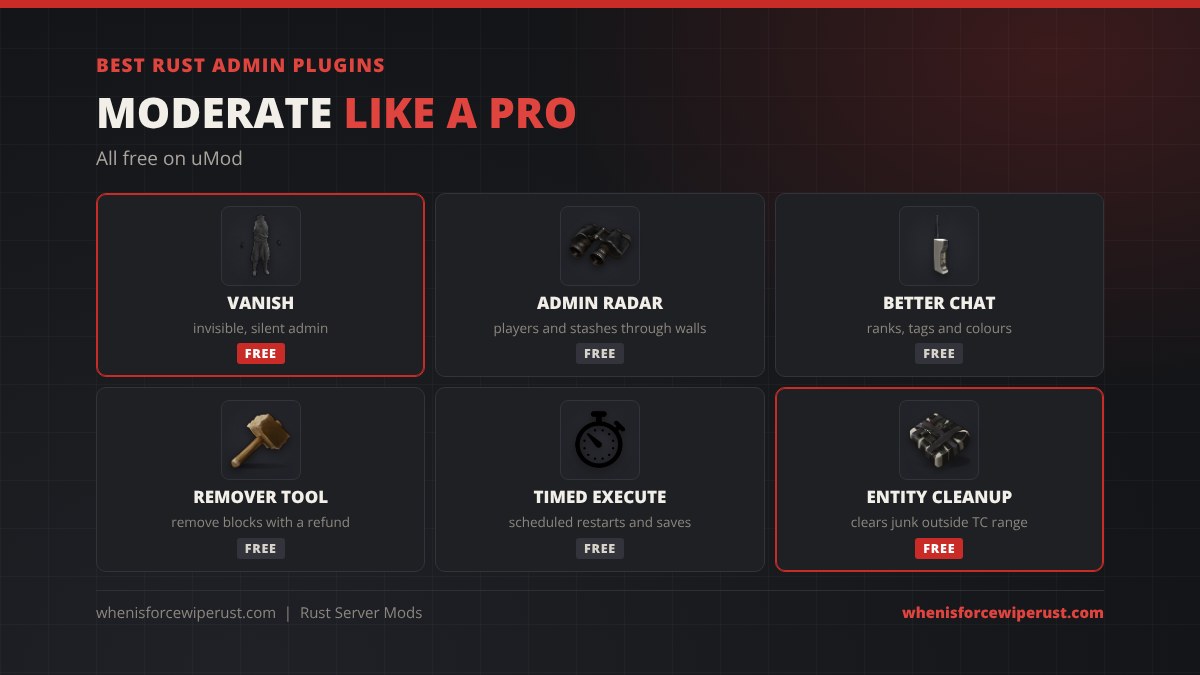
These keep your server clean and let you catch cheaters without vanilla’s limits. All of them are free on uMod.
| Plugin | What it does | Why you want it |
|---|---|---|
| Vanish | Makes an admin fully invisible and silent | Watch suspected cheaters without them knowing |
| Admin Radar | Shows players, sleepers, stashes and loot through walls | Find hidden stashes, glitched bases and ESP abusers fast |
| Better Chat | Chat titles, colours and group tags | Shows [Admin] and [VIP] ranks; needed by many other plugins |
| Remover Tool | Lets players or admins remove building parts with a refund | Fix misplaced blocks without the hammer’s 10-minute limit |
| Timed Execute | Runs console commands on a timer or at set times | Automatic restarts, saves and announcements |
| Entity Cleanup | Removes entities outside building privilege | Keeps big servers smooth late in the wipe |
Best Gameplay and Quality of Life Plugins
These are the plugins that make a server feel “modded”: faster gather, bigger stacks and less inventory busywork.
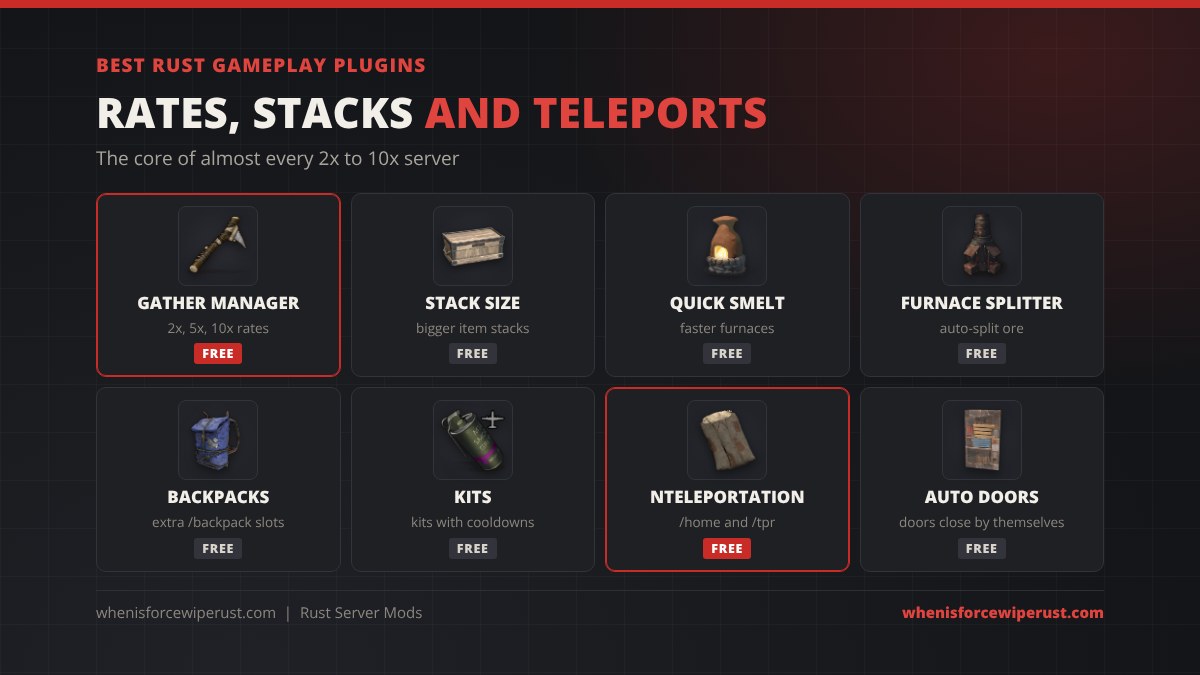
| Plugin | What it does | Good to know |
|---|---|---|
| Gather Manager | Multiplies gather from nodes, trees, pickups, quarries and survey charges | The standard way to run a 2x, 5x or 10x server |
| Stack Size Controller | Raises stack limits per item or per category | Pair it with higher rates or boxes fill instantly |
| Quick Smelt | Speeds up furnaces, refineries and campfires | Set a multiplier so 5x ore does not take all night |
| Furnace Splitter | Splits ore evenly across furnace slots | Saves the manual splitting every vanilla player hates |
| Backpacks | Adds an extra inventory opened with /backpack | Can keep or drop contents on death; separate from the in-game backpack items |
| Kits | Spawnable item kits with cooldowns and limits | Use the item shortnames list when building kits |
| NTeleportation | /home, /tpr and town teleports with cooldowns | Blocks teleports while raid or combat blocked if you set it |
| Auto Doors | Closes doors on their own after a few seconds | Stops the classic “left the door open” raid |
A typical Gather Manager setup for a 3x server is one console line per gather type:
| What it sets | Command |
|---|---|
| Trees, nodes and animals | gather.rate dispenser * 3 |
| Hemp, stones and pickups | gather.rate pickup * 3 |
| Mining and pump jack quarries | gather.rate quarry * 3 |
| Survey charge holes | gather.rate survey * 3 |
Clans, Shops, Economy and PvE Plugins
Once a server has regulars, these give them something to play for between raids.
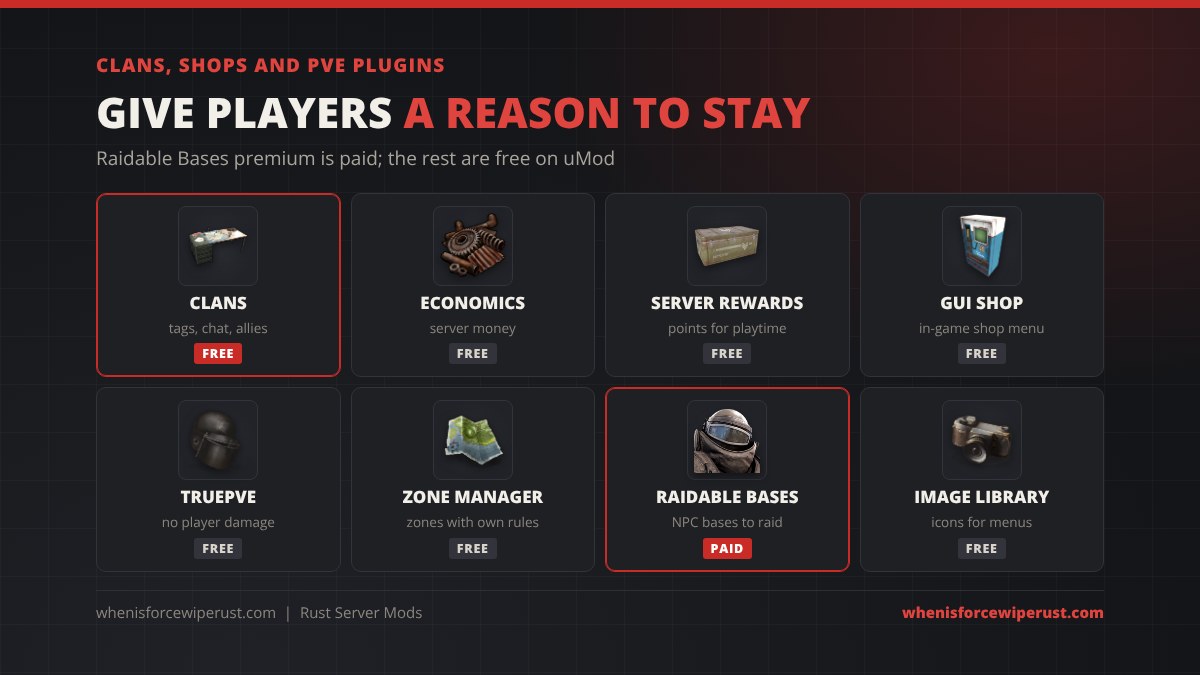
| Plugin | What it does | Price |
|---|---|---|
| Clans | Clan tags, clan chat, ally lists and friendly-fire control | Free (uMod) |
| Economics | A server money balance other plugins can use | Free (uMod) |
| Server Rewards | Reward points for playtime that buy items or kits | Free (uMod) |
| GUI Shop | An in-game shop menu that spends Economics or reward points | Free (uMod) |
| TruePVE | Turns off player damage and base damage for PvE servers | Free (uMod) |
| Zone Manager | Draws zones with their own rules (no build, no PvP, safe trade) | Free (uMod) |
| Raidable Bases | Spawns NPC-defended bases to raid for loot | Premium on Codefling (about $40, base packs extra) |
| Image Library | Loads item icons and images for menu plugins | Free (uMod); many UI plugins require it |
If you run a shop plugin, players still use normal vending machines for player trades, so the two work side by side. For PvE servers, remember TruePVE also stops raids, so pair it with Raidable Bases or events if you still want boom.
Starter Plugin Packs by Server Type
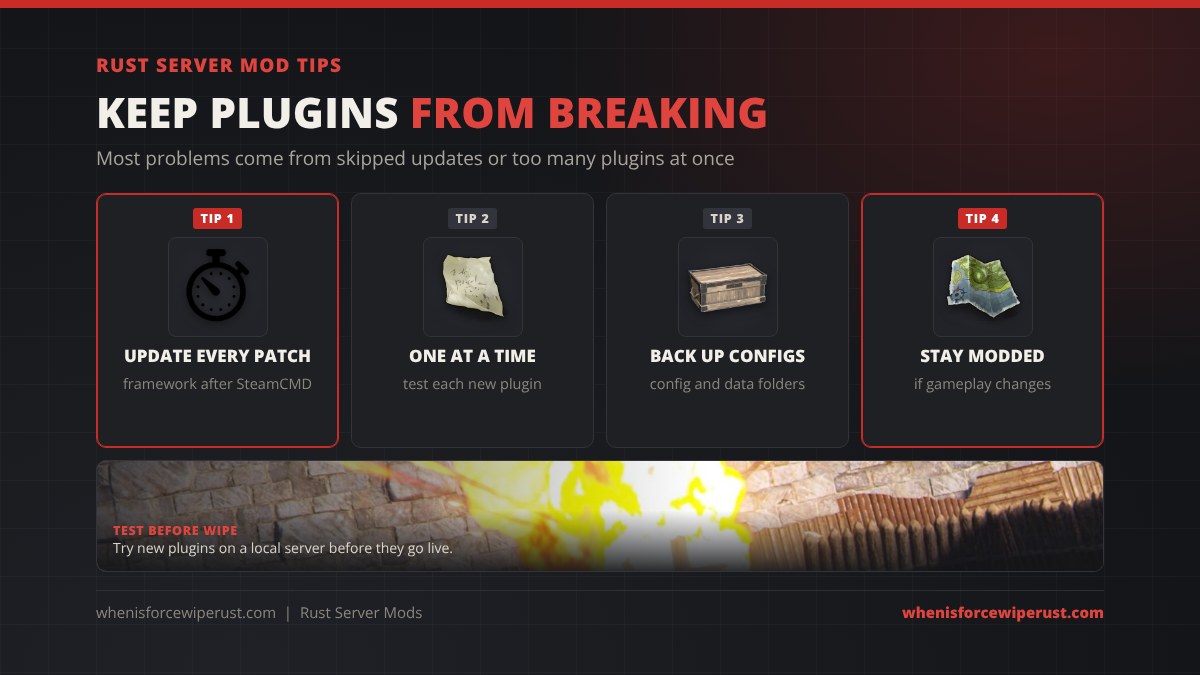
The fastest way to break a server is to install 60 plugins on day one. Start with the set that matches your server, test it, then add more. Never run two plugins that do the same job (two teleport plugins, two gather plugins, two chat formatters).
| Server type | Start with |
|---|---|
| Vanilla+ (1x, small tweaks) | Vanish, Admin Radar, Better Chat, Furnace Splitter, Timed Execute. Keep gather at 1x. |
| 2x or 3x | Vanilla+ list plus Gather Manager, Stack Size Controller, Quick Smelt, Backpacks, Remover Tool |
| 5x or 10x | 2x list plus Kits, NTeleportation, Clans, Auto Doors, Entity Cleanup |
| PvE | TruePVE, Zone Manager, Raidable Bases, Kits, NTeleportation, Server Rewards, GUI Shop |
| Friends only | Admin tools only, plus Remover Tool and Furnace Splitter. Use vanilla admin commands for the rest. |
Where to Get Rust Plugins
- uMod: the biggest free library. Every plugin above except Raidable Bases premium is here, with permissions, commands and a support forum on each page.
- Codefling: free and paid plugins, maps, UI designs and base packs. Most premium Rust plugins are sold here.
- Lone.Design and Chaos Code: paid stores known for polished menus, server panels and event plugins.
Only download plugins from these stores or a developer’s own GitHub. A plugin is code that runs on your server with full access, so a random file from a Discord can steal your RCON password or wreck your save. Read the reviews and check when it was last updated: a plugin that has not been touched since the last big Rust update may not compile.
Modded Tab vs Community Tab
The in-game server browser splits servers into Official, Community and Modded. With Oxide installed, its oxide.config.json has a Modded option set to true by default, which tags the server so it lists under Modded.
Facepunch expects the Community tab to look and play like vanilla. If your plugins change gather rates, add kits or teleports, or draw custom UI, keep the server in Modded. Servers that hide big gameplay changes in the Community tab risk being removed from the list by Facepunch. Admin-only tools that players never see, like Vanish or Admin Radar, do not change how the game plays. Players looking for a vanilla wipe can browse our Rust servers list.
Troubleshooting Rust Plugins
| Problem | Fix |
|---|---|
| No plugins load after an update | Install the latest Oxide or Carbon build for the new Rust version. The boot log should print the framework version. |
| One plugin fails to compile | The console names the file and line. Update the plugin; if it was not updated after a Rust patch, wait or replace it. |
| Players get “You don’t have permission” | Grant the permission to the default group or their group, then have them try again. No reload needed. |
| Config changes do nothing | Reload the plugin after saving. If the file resets, it had a JSON error. |
| Two plugins fight (double teleports, broken chat) | Remove one of the two plugins that do the same job. |
| Server lags late in the wipe | Unload plugins one by one to find the heavy one, and run Entity Cleanup. |
| Server shows in Community, not Modded | Check that the framework actually loaded on boot and that Modded is true in oxide.config.json, then give Steam a few minutes. |
On wipe day, plugin data does not wipe with the map. Decide which data files to clear (kit cooldowns, homes, shop balances) and delete them while the plugins are unloaded, after you delete the map and save files. Our server hosting guide covers the map and blueprint wipe itself.
Rust Server Mods FAQ
How do you add mods to a Rust server?
Stop the server, extract the Oxide or Carbon zip into the folder with RustDedicated, and start it again. Then drop plugin .cs files into oxide/plugins or carbon/plugins. They load on their own while the server runs.
Should I use Oxide or Carbon?
Oxide (uMod) is the safest choice for new admins because every plugin and guide is written for it. Carbon runs most Oxide plugins, uses less memory and suits bigger servers. You can only run one at a time.
Are Rust server plugins free?
Most are. Thousands of plugins on uMod are free, including Kits, NTeleportation, Gather Manager, Clans and Vanish. Premium plugins like Raidable Bases are sold on Codefling and similar stores.
Do players need to download mods to join a modded Rust server?
No. Rust plugins run only on the server. Players join with the normal game, and any custom menus or icons are sent by the server.
Why did my plugins stop working after the update?
Every Rust update, including force wipe, replaces the server files and removes the framework. Install the new Oxide or Carbon build right after the SteamCMD update and your plugins load again.
How do I give players permission to use a plugin?
Use oxide.grant group default permission.name to give it to everyone, or oxide.grant user followed by a Steam64 ID for one player. On Carbon the same commands start with c.grant.
Can I change gather rates without plugins?
No. Vanilla Rust has no gather rate setting, so 2x, 5x and 10x servers use a plugin such as Gather Manager. Servers with changed rates belong in the Modded tab.
Do Rust mods work on console?
No. Rust Console Edition servers cannot run Oxide, Carbon or player-made plugins; a rented console server only offers its built-in settings. Plugin mods are a PC server feature, and console and PC players can’t share a server anyway (see our Rust crossplay guide).