
Your base and loot vanish on wipe day, but the skins in your Steam inventory stay. Some are worth a few cents and a handful are worth more than a thousand dollars. Since Facepunch launched premium servers, that number also decides which servers you can join.
This Rust inventory value guide shows how to check what your Rust skins are worth, what counts toward the $15 premium server bar, why value checkers never agree, how much money you actually get when you sell, and how to avoid the scams that target people looking up their inventory.
What Is Rust Inventory Value?
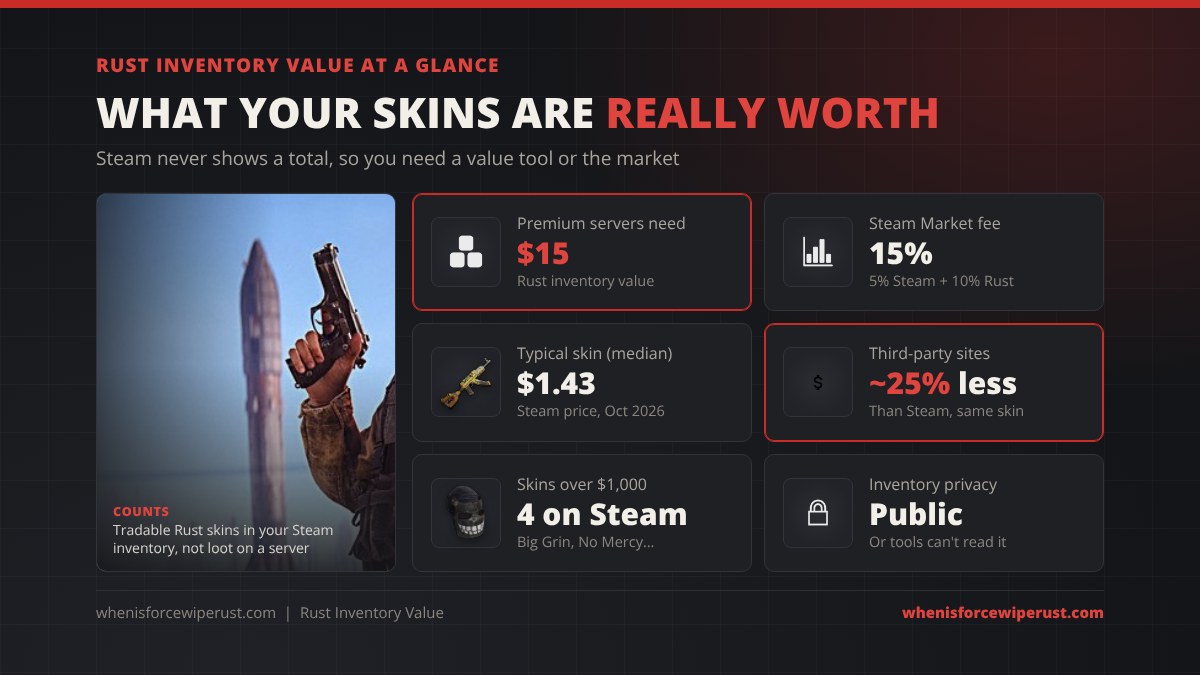
Your Rust inventory value is the combined market price of the Rust items in your Steam inventory: weapon skins, clothing skins, door and box skins, building skins and anything else with a price on the market. It has nothing to do with the guns and gear you carry on a server. Those reset every wipe and are worth nothing outside the game.
Steam lists every item you own on your profile but never adds them up, so you need a value checker or the Steam Community Market to get a total. Most Rust skins are cheap. Across the 5,377 Rust skins with a Steam listing on October 8, 2026, the median lowest price was $1.43, about a third were under $1 and only four were listed above $1,000. A typical player’s inventory is worth a few dollars to a few hundred.
If you are new to skins, start with our Rust skins guide, which covers how to get them, apply them and the most expensive ones in the game.
How to Check Your Rust Inventory Value
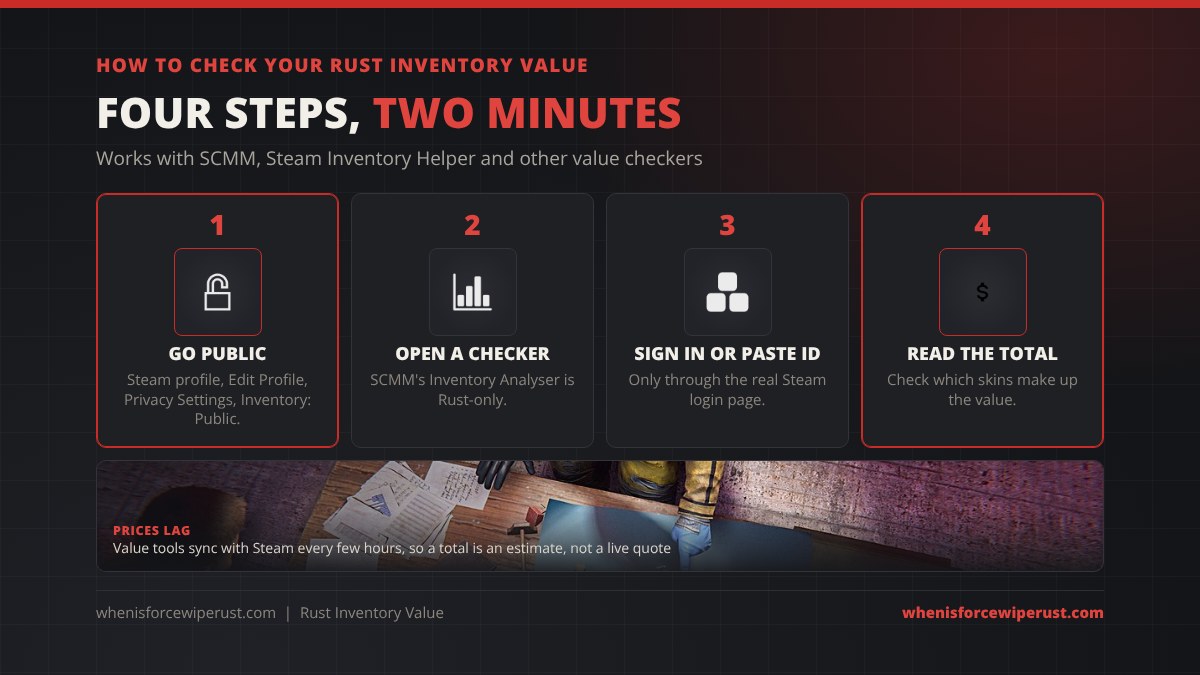
- Make your inventory public. In Steam, open your profile, click Edit Profile, then Privacy Settings, and set Inventory to Public. Value checkers can’t read a private or friends-only inventory.
- Open a value checker. SCMM is built for Rust only. Its Inventory Analyser prices every skin you own, shows which items make up most of the total and tracks how the value changes over time. The Steam Inventory Helper browser extension adds prices to your Steam inventory page instead.
- Sign in or paste your Steam ID. Some checkers take a profile link or 64-bit Steam ID; others ask you to sign in. Only ever sign in on the real Steam page at steamcommunity.com.
- Read the total and the top items. A few skins usually make up most of the value. Click into those to check their recent sales before you trust the number.
You can also do it by hand: open the Steam Community Market for Rust, search each skin you own and note its lowest listing. That works fine for a small inventory and is the most accurate way to see what a Steam buyer would pay right now.
Rust Premium Servers and the $15 Rule
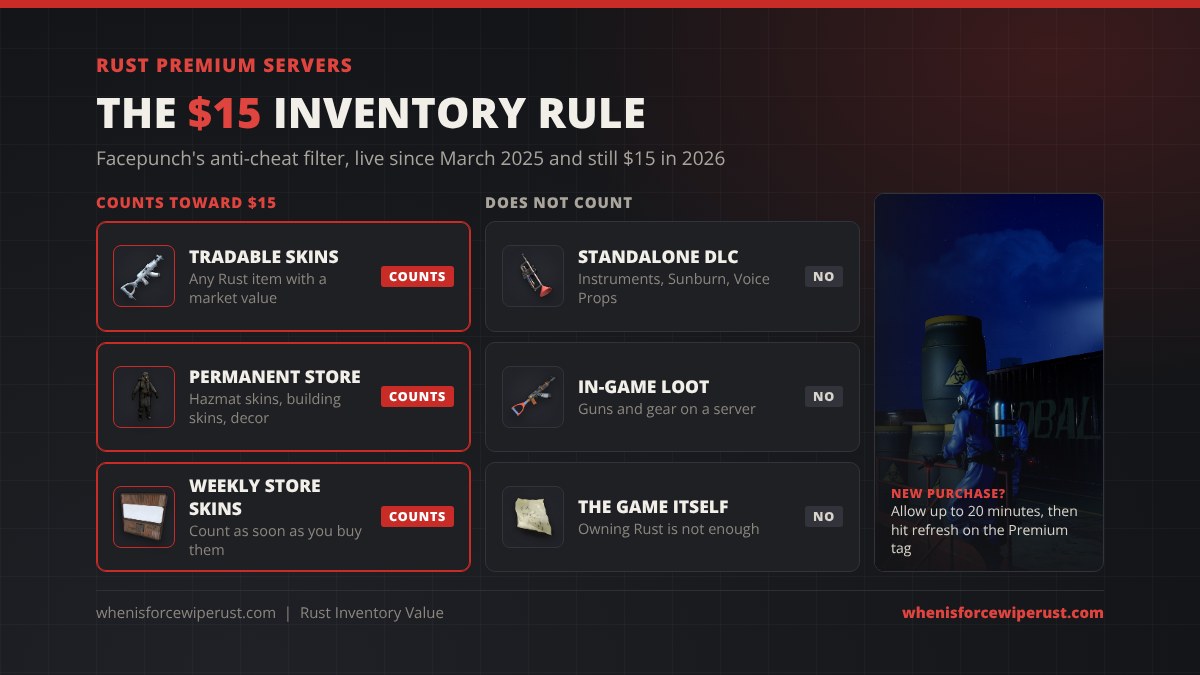
Premium servers are Facepunch’s experimental filter against cheaters, launched with the Jungle update in March 2025. To join one, your Rust Steam inventory must be valued at $15 or more. Every banned cheater who wants back in has to spend $15 on a fresh account as well as buying the game again, which makes throwaway cheat accounts more expensive.
- What counts: any tradable Rust item with a market value, plus permanent store items such as hazmat skins, building skins and decor packs, even though those can’t be sold.
- What doesn’t count: Rust’s standalone DLC, like the Instruments, Sunburn and Voice Props packs. Facepunch says this may change.
- New purchases: a fresh buy can take up to 20 minutes to register. Click the Premium tag in the server browser and use the refresh icon to check again.
- Still $15 in 2026: Facepunch first floated $20, settled on $15 after looking at data from millions of accounts, and said in its end-of-2025 recap that it sees no need to raise it. Its support page, last updated in March 2026, still says $15.
Server owners turn it on with server.premium 1, so premium servers show a Premium tag in the server list. Our Rust servers page lists popular servers and their wipe schedules.
What Counts, and What You Can Actually Sell
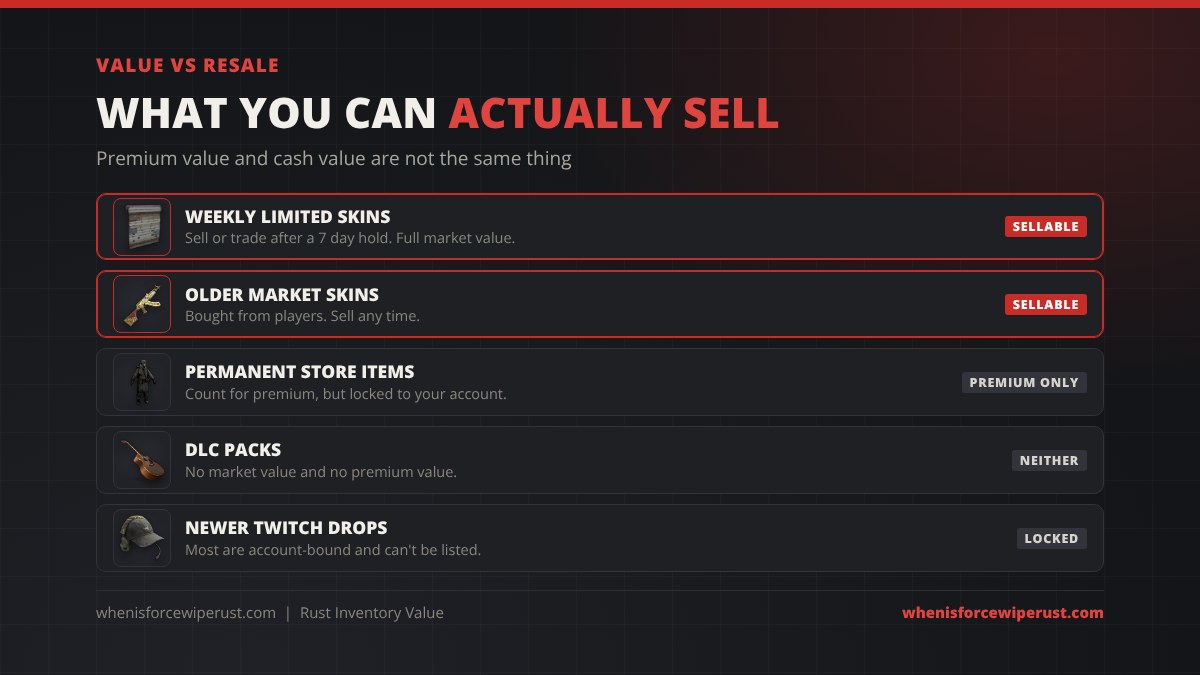
“Inventory value” means two different things depending on who is asking. Facepunch counts permanent store items toward premium status. A value checker that uses market prices only counts what can be sold. This table shows the difference.
| Item type | Counts for premium? | Can you sell it? | Notes |
|---|---|---|---|
| Weekly limited store skins | Yes | Yes, after 7 days | The new set lands every Thursday in the Rust Item Store |
| Skins bought on the market | Yes | Yes | No trade hold on market purchases |
| Permanent store items | Yes | No | Nomad hazmat, building skins, decor; locked to your account |
| Standalone DLC packs | No | No | Instruments, Sunburn, Voice Props |
| Newer Twitch Drops | Only if tradable | Mostly no | Most recent drops are account-bound |
| Items on a server | No | No | Wiped every month; check the force wipe countdown |
Market Value vs Cash in Hand
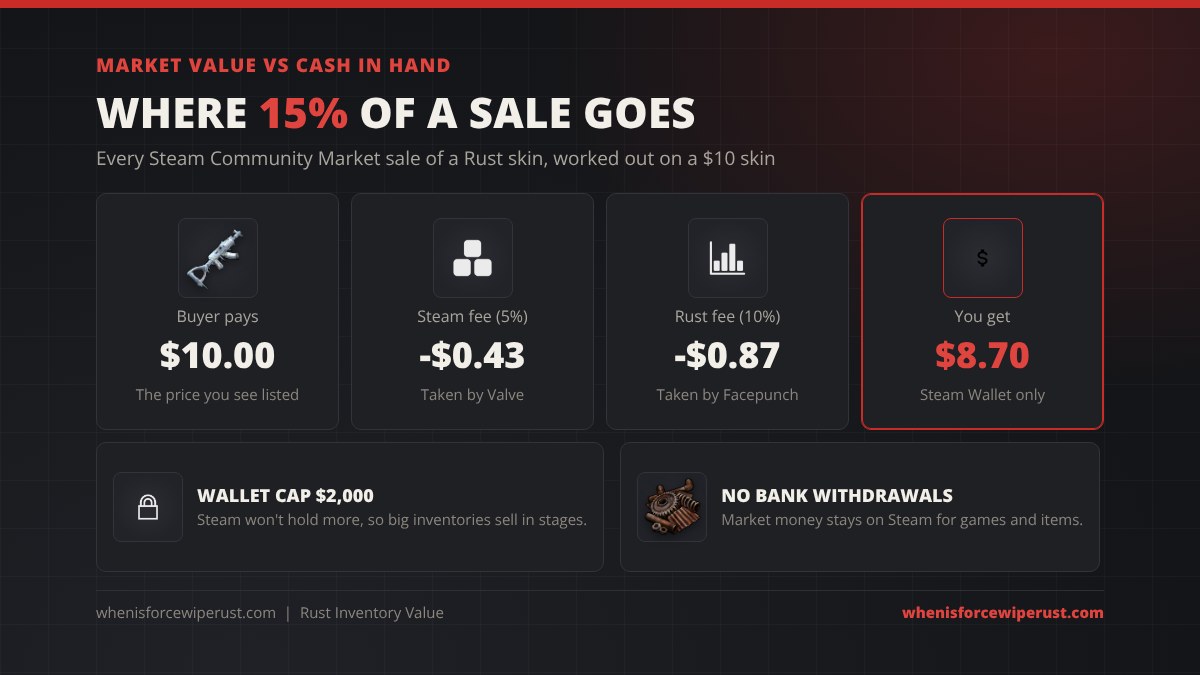
The total a checker shows is not what you would get if you sold everything. On the Steam Community Market the buyer’s price includes a 5% Steam fee and a 10% Rust fee. Sell a skin for $10 and you get about $8.70.
- Steam Wallet only. Market money stays on Steam for games and items. You can’t withdraw it to a bank.
- Wallet cap. A Steam Wallet holds up to $2,000, so a big inventory has to be sold in stages.
- Selling at the listed price is not guaranteed. Cheap skins with hundreds of listings sell in minutes. Rare skins with one or two listings can sit for weeks, and their “value” is just what one seller is asking.
- Third-party sites can pay out real money, but at lower prices than Steam and with their own fees. Use well-known sites only and check their reviews first.
Why Rust Value Checkers Disagree
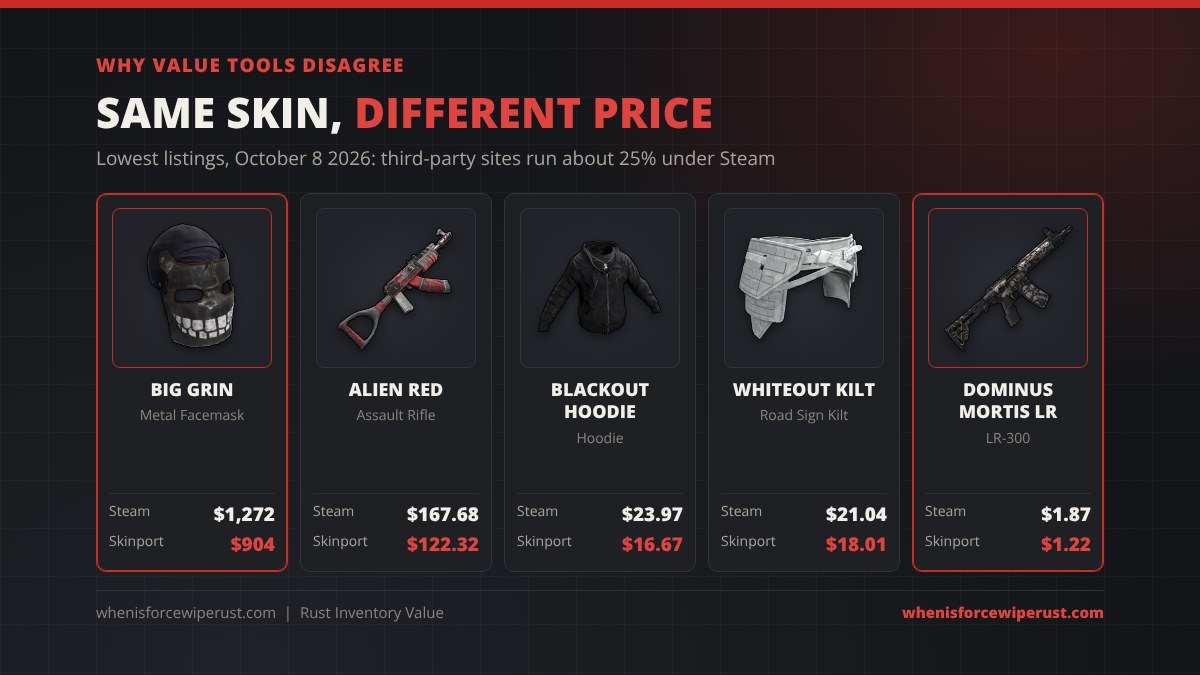
Put the same inventory into two checkers and you will often get two different totals. Four things cause it:
- Which market they price from. Steam prices are higher because Steam Wallet money can only be spent on Steam. Across about 3,500 Rust skins listed on both Steam and Skinport on October 8, 2026, the Skinport price was a median 24% lower.
- Which price they use. Lowest listing, last sale, median sale and buy order prices can all be different numbers for the same skin.
- Whether they subtract fees. Some show what a buyer pays, others what you would get after the 15% cut.
- How fresh the data is. Prices sync every few hours, and rare skins with thin listings can jump or crash between updates.
Some examples from October 8, 2026:
| Skin | Item | Steam lowest | Skinport lowest |
|---|---|---|---|
| Big Grin | Metal Facemask | $1,272.19 | $903.92 |
| Alien Red | Assault Rifle | $167.68 | $122.32 |
| Tempered AK47 | Assault Rifle | $9.89 | $8.67 |
| Blackout Hoodie | Hoodie | $23.97 | $16.67 |
| Whiteout Kilt | Road Sign Kilt | $21.04 | $18.01 |
| Whiteout Facemask | Metal Facemask | $18.70 | $14.74 |
| Dominus Mortis LR | LR-300 | $1.87 | $1.22 |
Pick one checker and stick with it if you want to track your value over time. For premium status only Facepunch’s own number matters, and the Premium tag in the server browser tells you whether you pass.
Rust Inventory Checker Scams
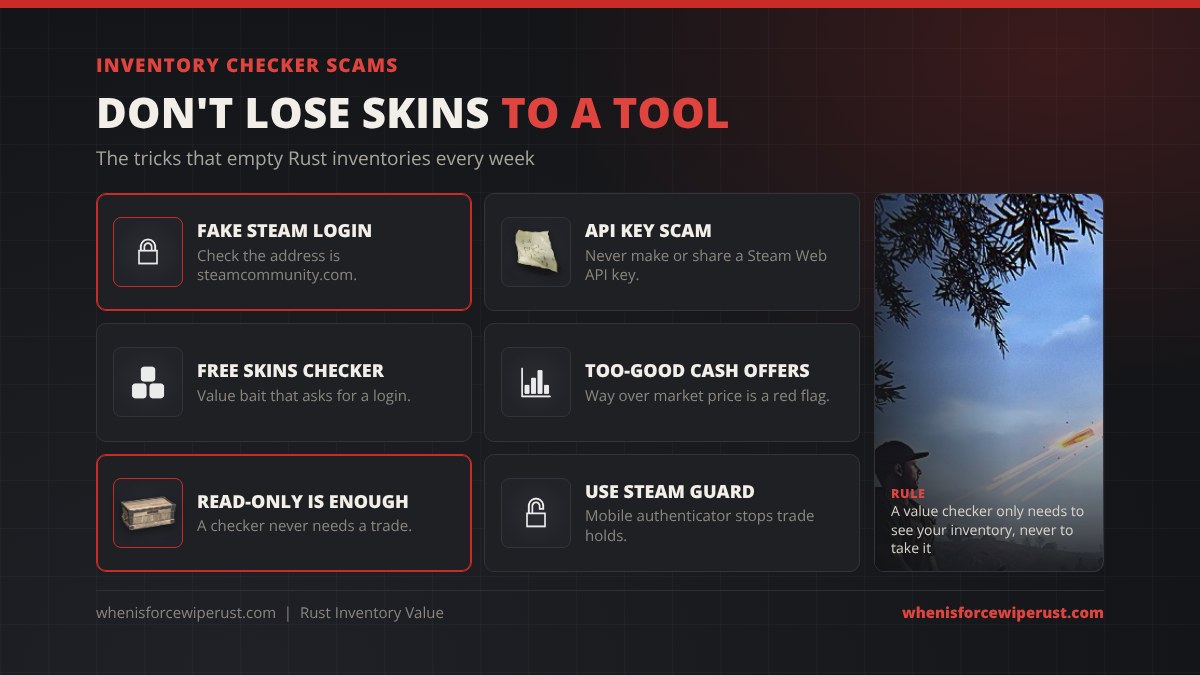
People searching for their inventory value are a favourite target for skin thieves. Watch for these:
- Fake Steam login pages. A pop-up that looks like Steam but isn’t on steamcommunity.com steals your login. Real Steam sign-in opens the actual Steam site.
- The API key scam. Never create or share a Steam Web API key because a site or “trader” asked you to. Scammers use it to swap out your real trade offers for fake ones.
- “Check your value” links in chat or Discord. They usually lead to a fake login page.
- Offers far above market price. Nobody pays double for your skins. Check the price on the market yourself.
- Any checker that asks for a trade. Reading a public inventory never needs a trade offer or deposit.
Turn on the Steam Guard Mobile Authenticator too. It protects the account and removes the long trade holds on accounts without it.
Rust Inventory Value Tips
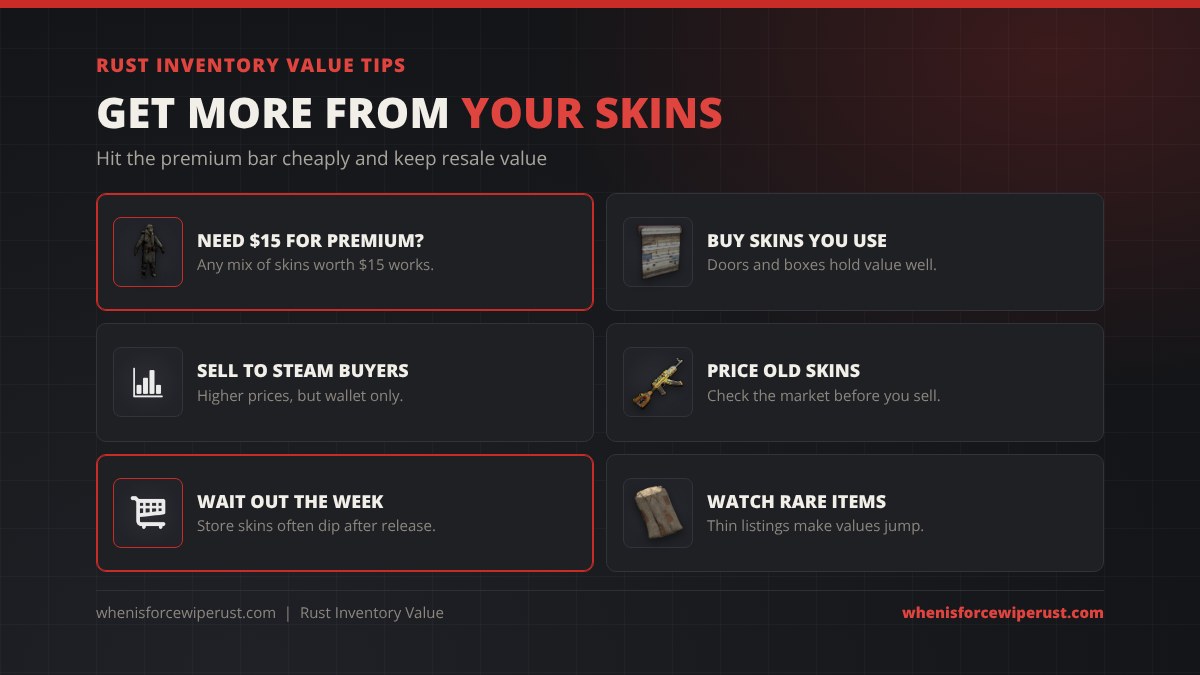
- Short of $15 for premium? Any mix of Rust items worth $15 works. Skins you will actually use, like a door, box or garage door skin, are the least wasteful way to get there.
- Want resale value? Buy weekly limited skins or market skins, not permanent store items or DLC, which can’t be sold.
- Wait out release week. Store skins are often cheaper on the market a week or two after release, once day-one buyers start selling.
- Price old skins before you sell. Retired skins can be worth more than you paid. Check the market, not just a checker’s total.
- Don’t trust one listing. A rare skin’s value can be one seller’s asking price. Look at recent sales.
- Skins stay through every wipe. Your inventory is the one part of Rust that survives a force wipe, and it shows up on every server you join.
Rust Inventory Value FAQ
How do I check my Rust inventory value?
Set your Steam inventory to Public in your profile’s Privacy Settings, then use a value checker such as SCMM’s Inventory Analyser or the Steam Inventory Helper extension. You can also look up each skin on the Steam Community Market by hand.
What inventory value do you need for Rust premium servers?
Your Rust Steam inventory must be worth $15 or more. Permanent store items such as hazmat and building skins count, but standalone DLC like the Instruments, Sunburn and Voice Props packs does not.
Why can’t a value checker see my Rust inventory?
Your inventory is probably private or friends-only. In Steam, go to Edit Profile, then Privacy Settings, and set Inventory to Public. Changes can take a few minutes to show up on other sites.
Do permanent store items count toward inventory value?
For premium servers, yes. Facepunch counts permanent store items like the Nomad hazmat skin and building skins. They can’t be traded or sold, so they add nothing to the cash value of your inventory.
Why do Rust inventory value checkers show different totals?
They use different markets and prices. Steam prices are about 25% higher than third-party sites like Skinport, and checkers differ on whether they use the lowest listing, the last sale or a price after fees, and on how often they update.
How much money do I get if I sell my Rust skins?
On the Steam Community Market you get about 87% of the sale price, because Steam takes a 5% fee and Rust a 10% fee. A $10 sale pays about $8.70, and the money stays in your Steam Wallet.
What is the most valuable Rust skin?
The Punishment Mask, a metal facemask skin pulled from the store in 2016, is the most valuable. It isn’t listed on Steam, and third-party listings were around $2,300 to $2,600 in October 2026. On Steam the Big Grin facemask and No Mercy revolver were both listed around $1,270.
Do Rust skins reset on wipe?
No. Skins live in your Steam inventory, not on the server, so they stay through every wipe and work on every server you join.
Is it safe to sign in to a Rust inventory value site?
Only if the sign-in happens on the real steamcommunity.com page. Never enter your password in a pop-up on another site, never share a Steam Web API key, and never accept a trade from a value checker.
Sources and Further Reading
- Premium server rules and what counts: Facepunch Support, Premium Servers
- Premium server launch and the $15 threshold: Facepunch, Premium Servers
- 2025 recap on keeping $15: Facepunch, Surviving 12 Years
- Inventory Analyser and price sync: SCMM FAQ
- Rust market prices: Steam Community Market, Rust
- Applying, selling and the most expensive skins: whenisforcewiperust.com, Rust Skins