
 By
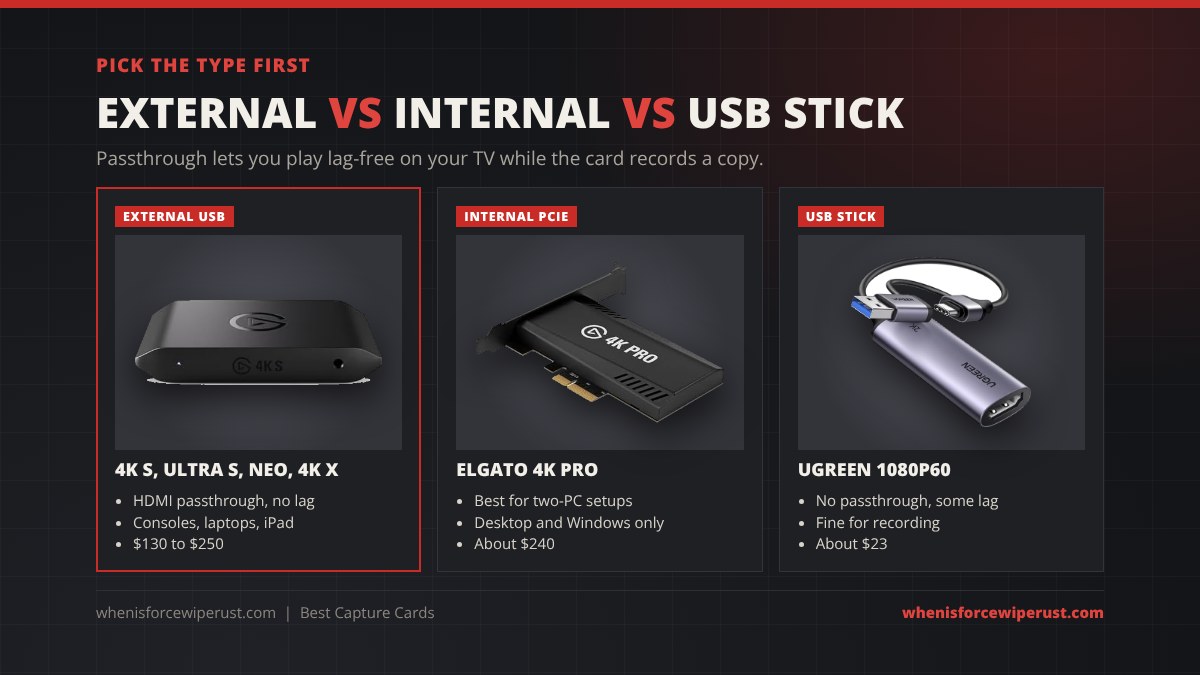
A capture card is the box that sits between your console and your TV and sends a copy of the picture to your PC, so you can stream or record without lag. If you play Rust on PS5 or Xbox and want to go live on Twitch, or you run a two-PC setup so streaming never costs you frames, it is the one piece of kit you cannot skip. This guide ranks the eight best capture cards you can buy in 2026, from a $23 USB stick to a $240 internal card with HDMI 2.1, and lists the real prices they have sold for, so you can spot a genuine Black Friday capture card deal when the sales start on November 27.
Specs come from Elgato, AVerMedia and UGREEN product pages and Amazon listings, prices are what Amazon was charging on November 9, 2026 (tracked by SpecPicks) or what a retailer or review site reported at the time, and the photos are the real products. If you are building a streaming desk, the best gaming microphone and best gaming earbuds guides use the same rules.
- Best overall: AVerMedia Live Gamer Ultra S, 4K60 HDR capture, 1080p240 and ultrawide support for about $140.
- Best Elgato: Elgato 4K S, 4K60 capture with HDR10 and VRR passthrough, built for PS5, Xbox and Switch 2.
- Easiest to use: Elgato Game Capture Neo, plug-and-play 1080p60 capture with 4K60 passthrough.
- Best for 120 Hz and 144 Hz: Elgato 4K X, HDMI 2.1 with 4K144 passthrough so you keep high refresh while you stream.
- Best for party chat: AVerMedia Live Gamer Ultra 2.1, HDMI 2.1 plus a headset jack for console chat audio.
- Best internal: Elgato 4K Pro, a PCIe card for dual-PC streaming rigs.
- Best for older PCs: AVerMedia Live Gamer Mini, a hardware H.264 encoder that does the heavy lifting.
- Cheapest: UGREEN 1080p60 USB capture card, about $23 for basic recording.
- Black Friday 2026 Deal Watch
- Comparison Table
- The 8 Best Capture Cards
- Streaming Rust with a Capture Card
- How to Choose
- Setup for Console Rust
- FAQ
Black Friday 2026 Capture Card Deals: What to Expect
Black Friday 2026 falls on November 27 and Cyber Monday on November 30. Amazon has started its sale a week or more early in recent years, and capture cards from Elgato and AVerMedia are regulars in it, with discounts of $20 to $50 on the popular models. Elgato also runs its own Black Friday sale with up to 30% off across its range. We will refresh the prices on this page through the sale.
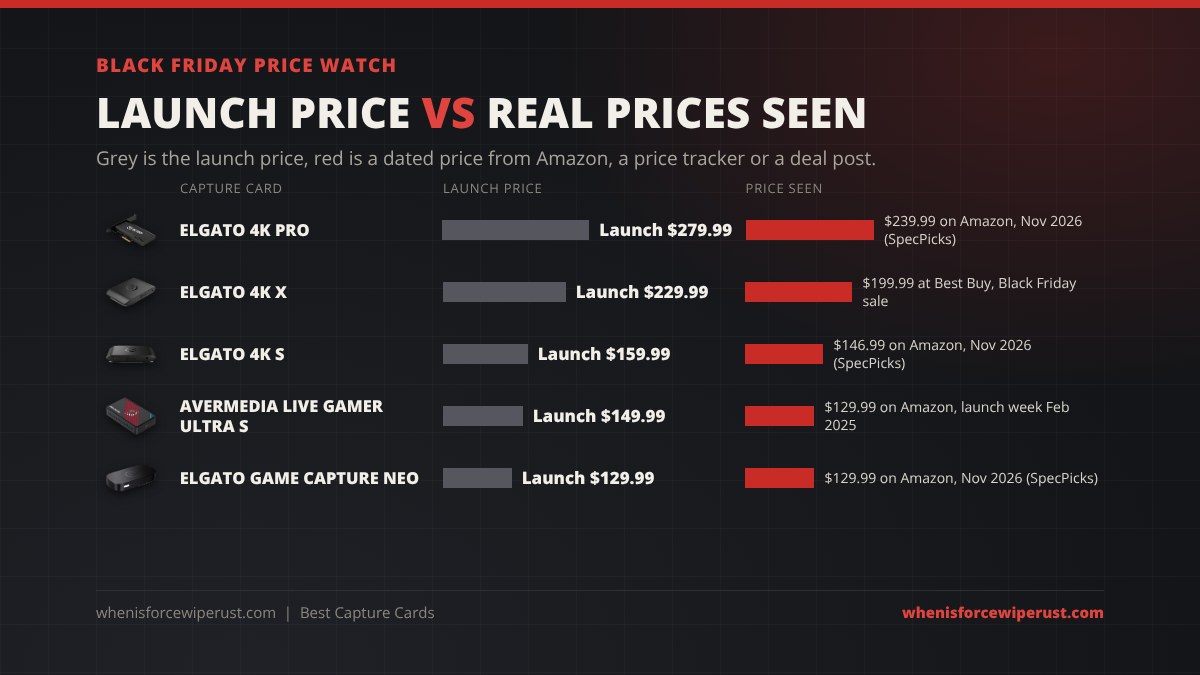
Here is what the capture cards in this guide sell for now and what they have sold for before. Use these numbers, not the strikethrough price on the listing, to judge a 2026 deal.
| Capture card | Launch price | Price seen | When and where | A good 2026 deal is |
|---|---|---|---|---|
| AVerMedia Live Gamer Ultra S | $149.99 | $139.99 | Amazon, November 2026 (SpecPicks) | $120 or less |
| AVerMedia Live Gamer Ultra S | $149.99 | $129.99 | Amazon, launch week, February 2025 | $120 or less |
| Elgato 4K S | $159.99 | $146.99 | Amazon, November 2026 (SpecPicks) | $130 or less |
| Elgato Game Capture Neo | $129.99 | $129.99 | Amazon, November 2026 (SpecPicks) | $100 or less |
| Elgato 4K X | $229.99 | $249.99 | Amazon and Elgato, November 2026 | $200 or less |
| Elgato 4K X | $229.99 | $199.99 | Best Buy Black Friday sale | $200 or less |
| AVerMedia Live Gamer Ultra 2.1 | Varies | $209.99 | Amazon, November 2026 (SpecPicks) | Under $180 |
| Elgato 4K Pro | $279.99 | $239.99 | Amazon, November 2026 (SpecPicks) | $220 or less |
| UGREEN 1080p60 capture card | Varies | $22.99 | Amazon, November 2026 (SpecPicks) | Under $20 |
Three rules keep you from overpaying:
- Watch for price rises. The Elgato 4K X launched at $229.99 and now lists at $249.99, so a “20% off” badge that brings it back to $200 is a real deal, while one that lands at $230 is just the old price.
- Do not pay 4K money for 1080p. The Elgato Neo and the Live Gamer Ultra S cost about the same in November 2026, but only the Ultra S captures in 4K. Check the capture resolution, not just the passthrough.
- Check the colour and bundle. Elgato and AVerMedia sell black and white versions and bundles with mics or audio adapters under different listings, and the deal is often on just one of them.
Best Capture Cards Compared
The table puts every pick side by side. Capture is the best quality the card can record or stream. Passthrough is what reaches your TV or monitor, which is what you actually play on. Prices move every week, so the price column is what Amazon charged on November 9, 2026 and the buttons show today’s price.
| Capture card | Best for | Max capture | Max passthrough | Connection | Price seen | Shop |
|---|---|---|---|---|---|---|
| AVerMedia Live Gamer Ultra S | Best overall | 4K60 HDR, 1080p240 | HDR and VRR | USB 3.2 Gen 1, USB-C | $139.99 | Check price |
| Elgato 4K S | Best Elgato | 4K60 HDR10, 1080p240 | 4K60 HDR10, 1440p120, 1080p240 | USB 3.0, USB-C | $146.99 | Check price |
| Elgato Game Capture Neo | Easiest | 1080p60 | 4K60 HDR | USB 3.0 | $129.99 | Check price |
| Elgato 4K X | 120 Hz and 144 Hz | 4K144, 1080p240 | 4K144 HDR, VRR | USB 3.2 Gen 2, USB-C | $249.99 | Check price |
| AVerMedia Live Gamer Ultra 2.1 | Party chat | 4K60 HDR | 4K144 HDR, VRR | USB 3.2 Gen 2, USB-C | $209.99 | Check price |
| Elgato 4K Pro | Internal | 4K60 HDR10, 1080p240 | Up to 8K60, VRR | PCIe | $239.99 | Check price |
| AVerMedia Live Gamer Mini | Older PCs | 1080p60 | 1080p | USB 2.0 | Check price | Check price |
| UGREEN 1080p60 capture card | Cheapest | 1080p60, 2K30 | None | USB 3.0, USB-A and USB-C | $22.99 | Check price |
The 8 Best Capture Cards for Streaming in 2026
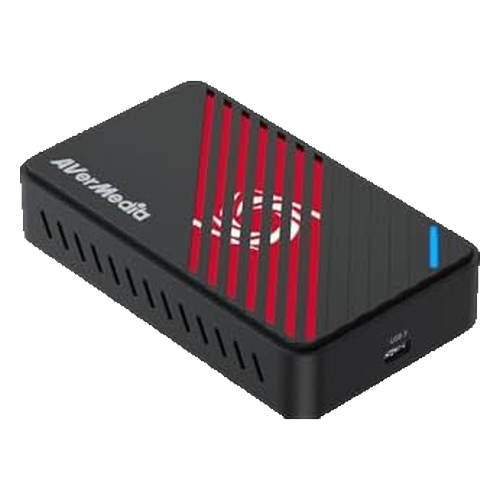
AVerMedia Live Gamer Ultra S (GC553Pro)
- Capture4K60 HDR, 1440p144, 1080p240, ultrawide
- PassthroughHDR and VRR
- ColourRGB24 full colour on Windows
- ConnectionUSB 3.2 Gen 1 Type-C, no power adapter
- Works withPC, Mac, iPad, PS5, Xbox, Switch
- Launch price$149.99, 3-year warranty
The Live Gamer Ultra S does what used to take a $250 card for about $140. It records and streams in 4K60 with HDR, drops to 1440p at 144 fps or 1080p at 240 fps if you want smooth high-frame-rate clips, and handles ultrawide resolutions that most cards turn away. PC Gamer scored it 91% and made it its best capture card overall, calling it professional-level recording at entry-level pricing. It runs off a single USB-C cable with no power brick, so it is easy to move between a console and a laptop.
The weak spot is AVerMedia’s own software, which is clunkier than Elgato’s, but the card works as a standard webcam-style device in OBS and Streamlabs, so most streamers never need to open it. At $139.99 on Amazon in November 2026, $10 under its launch price, it is already a good buy, and anything near $120 is a deal.
- 4K60 HDR capture for about $140
- 1080p240 and ultrawide support
- 3-year warranty
- AVerMedia software is basic
- HDMI 2.0, not 2.1
- PS5 needs HDCP turned off
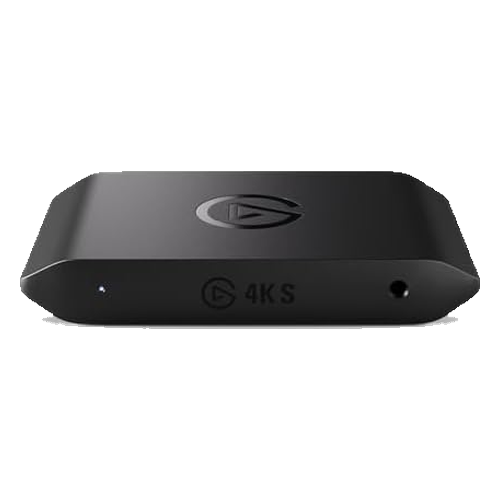
Elgato 4K S
- Capture4K60 HDR10, 1440p120, 1080p240
- Passthrough4K60 HDR10, 1440p120, 1080p240, VRR
- Audio3.5 mm analog input for a mic or chat
- ConnectionHDMI 2.0, USB 3.0 Type-C
- SoftwareElgato Studio, OBS, Streamlabs
- Launch price$159.99 (July 2025)
The 4K S is Elgato’s answer to the Ultra S, and the card that replaced the long-time favourite HD60 X. It records 4K60 with HDR10, drops to 1440p120 or 1080p240 for high-frame-rate footage, and passes HDR10 and VRR through to your TV so the game looks exactly as it would without the card. It launched in July 2025 at $159.99 with Switch 2 support from day one, and it was $146.99 on Amazon on November 9, 2026.
Pick it over the AVerMedia if you want Elgato’s polished Studio app, its huge library of help guides, or the 3.5 mm audio input, which lets you mix a mic or party chat straight into the capture. HDR capture with tone mapping is Windows only; on a Mac or iPad you get standard capture. Like every HDMI 2.0 card, it cannot pass 4K120 through, so read the 4K X entry if you play on a 120 Hz TV.
- 4K60 HDR10 capture
- Polished Elgato software
- Analog audio input
- No 4K120 passthrough
- HDR tone mapping on Windows only
- $7 dearer than the Ultra S right now
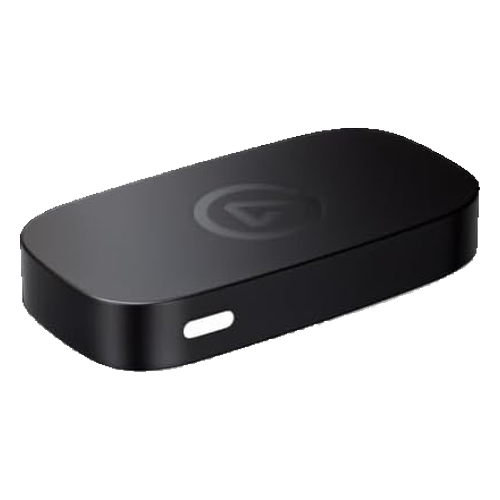
Elgato Game Capture Neo
- Capture1080p60
- Passthrough4K60 HDR
- DriversNone, plug-and-play on PC, Mac and iPad
- Weight90 g
- ConnectionUSB-C to USB-A 3.0 cable
- List price$129.99
The Neo is the capture card for someone who has never used one. There are no drivers to install: plug your console into HDMI in, your TV into HDMI out and your PC, Mac or USB-C iPad into the USB port, and it shows up as a camera in OBS, Discord or even QuickTime. You play in 4K60 HDR on the TV while the card records a clean 1080p60 copy, which is exactly what Twitch and most of YouTube want anyway. PC Gamer scored it 88 and called Elgato’s most affordable capture card an easy pick for most.
The catch in late 2026 is price. At $129.99 it costs about the same as the Ultra S and 4K S, which both capture in 4K, so the Neo only makes sense on sale. It has been reported closer to $100 at retailers before, and that is the price to wait for this Black Friday.
- Zero setup, works with iPad
- 4K60 HDR passthrough
- Tiny and light
- 1080p60 capture only
- No 1440p or 120 fps capture
- Overpriced unless on sale
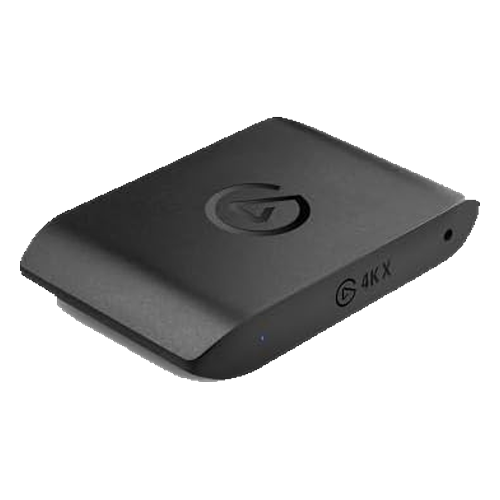
Elgato 4K X
- Capture4K144, 4K60 HDR10, 1080p240
- Passthrough4K144 HDR10, VRR
- ConnectionHDMI 2.1 in and out, USB 3.2 Gen 2 Type-C
- Works withPC, Mac, iPad, PS5, Xbox, Switch
- SoftwareOBS, Streamlabs, Twitch Studio, Elgato Studio
- Launch price$229.99 (2024), now $249.99
If your PS5 or Xbox Series X runs at 120 Hz on a TV or monitor, an HDMI 2.0 capture card forces you down to 60 Hz while you stream. The 4K X fixes that with HDMI 2.1 in and out, so you keep 4K at up to 144 Hz with HDR and VRR on your screen while the card captures. It can even record at 4K144 on a fast enough PC, and it also works with an iPad for portable recording.
It needs a USB 3.2 Gen 2 (10 Gbps) port to reach its top modes, which many older PCs do not have, and its price has gone up: it launched at $229.99 and lists at $249.99 on Amazon and the Elgato store in November 2026. Best Buy has sold it for $199.99 in a past Black Friday sale, and that is the number to beat.
- Keeps 120 Hz and 144 Hz while streaming
- 4K144 capture
- Works with iPad
- Needs a 10 Gbps USB port
- Price has risen since launch
- Overkill at 60 Hz
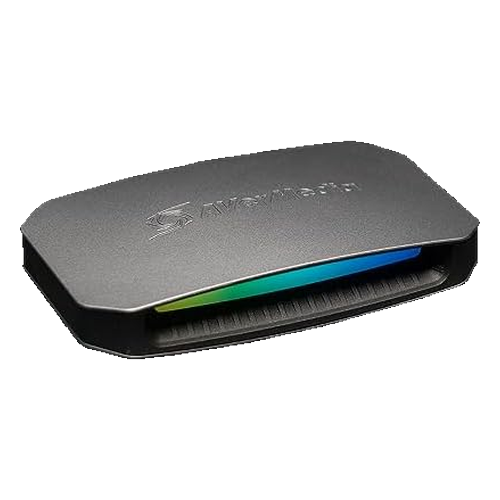
AVerMedia Live Gamer Ultra 2.1 (GC553G2)
- Capture4K60 HDR
- Passthrough4K144 HDR, 1440p240, VRR
- AudioHeadset jack for party chat, 5.1 capture on Windows
- ConnectionHDMI 2.1 in and out, USB 3.2 Gen 2 Type-C
- Works withPC, Mac, PS5, Xbox, Switch
- Warranty3 years
The Ultra 2.1 is AVerMedia’s HDMI 2.1 card, and the one to get if you stream console Rust with friends in party chat. It has a headset jack built in, so your team’s voices go into the capture along with the game and your viewers hear the whole call. Like the 4K X it passes 4K at up to 144 Hz with HDR and VRR to your screen, so you never drop refresh rate to stream.
It records at 4K60 rather than 4K144, which is all Twitch or YouTube can use anyway, and it was $209.99 on Amazon on November 9, 2026, about $40 under the Elgato 4K X. Under $180 would be a strong Black Friday price.
- HDMI 2.1 with 4K144 passthrough
- Party chat headset jack
- Cheaper than the 4K X
- 4K60 capture limit
- Needs a 10 Gbps USB port
- Bulkier than the Elgato cards
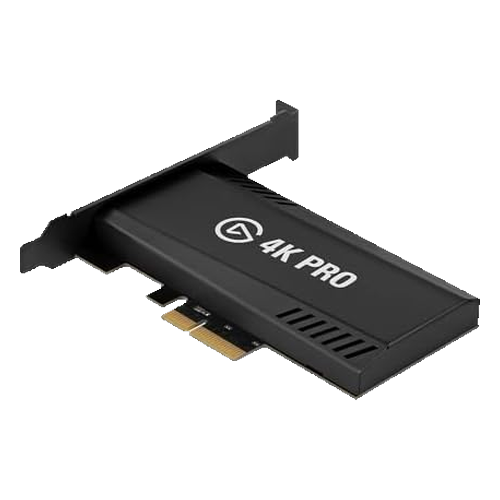
Elgato 4K Pro
- Capture4K60 HDR10, 1080p240
- PassthroughUp to 8K60, VRR
- ConnectionHDMI 2.1 in and out, PCIe slot
- NeedsA desktop PC with Windows 10 or 11
- Best forDual-PC streaming setups
- Launch price$279.99 (2024)
Big streamers often play on one PC and stream from a second one, so encoding never costs frames in a tight Rust fight. The 4K Pro goes inside that second PC’s PCIe slot and takes the gaming PC’s HDMI output, giving rock-solid 4K60 HDR10 capture with no USB bandwidth to worry about. HDMI 2.1 passthrough means your gaming monitor keeps its full refresh rate, up to 8K60 on paper.
It only works in a Windows desktop, so it is not for laptops or Macs, and for a single-PC player it is more than you need. It launched at $279.99 and was $239.99 on Amazon in November 2026, so a Black Friday price around $220 or lower is worth grabbing if you are building a two-PC rig.
- Best option for two-PC streaming
- HDMI 2.1 passthrough
- No USB bandwidth limits
- Desktop and Windows only
- Expensive
- Needs a free PCIe slot
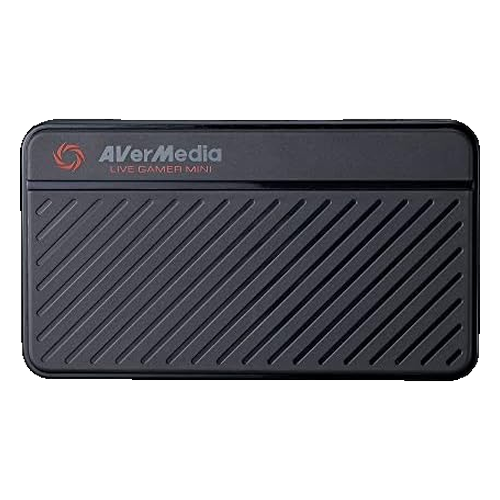
AVerMedia Live Gamer Mini (GC311)
- Capture1080p60
- Passthrough1080p HDMI
- EncoderBuilt-in H.264 hardware encoder
- ConnectionUSB 2.0, works in USB 3.0 ports
- DriversNone, UVC plug-and-play
- Works withPS5, PS4, Xbox, Switch, Windows 11, macOS 12
Most capture cards send raw video to your PC and leave the compression to your CPU or graphics card. The Live Gamer Mini does the H.264 encoding on the card itself, so it runs well on an older laptop or desktop that would stutter with an uncompressed 1080p feed. It works on USB 2.0, which almost every computer has, and needs no drivers in OBS or Streamlabs.
The trade-off is quality and passthrough. It captures 1080p60 and passes through 1080p only, so if you play on a 4K TV your console will drop to 1080p while it is connected. It is a solid first card for a console Rust stream on a budget PC, not for a 4K setup.
- Hardware encoding helps weak PCs
- Works on USB 2.0
- Compact and simple
- 1080p passthrough only
- No HDR
- Older design
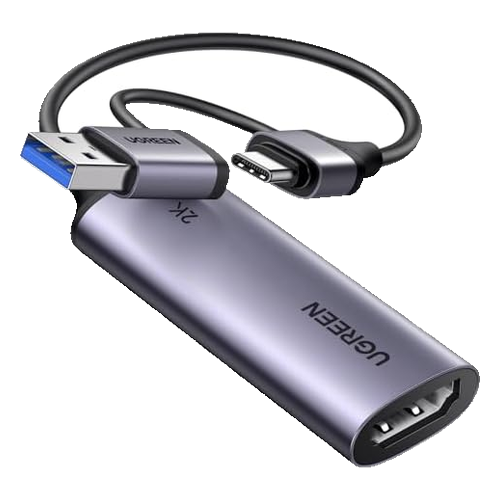
UGREEN 1080p60 USB Capture Card
- Capture1080p60 or 2K30
- InputUp to 4K30 HDMI
- PassthroughNone
- ConnectionUSB 3.0, built-in USB-A and USB-C plugs
- DriversNone on Windows, macOS, Linux and USB-C iPads
- Price seen$22.99, 2-year warranty
For the price of a pizza, this aluminium UGREEN stick turns any HDMI signal into a 1080p60 webcam feed on your PC, Mac or iPad. It is perfect for recording a Switch, capturing a second PC for clips, or trying streaming before you spend real money. Plug in, open OBS and it just works.
There is no HDMI passthrough, so you watch the game through your PC’s preview window, which adds a small delay that you will feel in a Rust gunfight. Use it for recording, tutorials and slower games, or pair it with an HDMI splitter if you want to play on a TV at the same time.
- About $23
- Driverless, USB-A and USB-C
- Works with iPad
- No passthrough
- No HDR
- Too laggy to play through
Also worth a look
- Elgato HD60 X: the long-time favourite for console streamers, now replaced by the 4K S and out of stock on Amazon in November 2026.
- AVerMedia Live Gamer Portable 2 Plus (GC513): records 1080p60 straight to a microSD card with no PC at all, handy for console players who only want clips.
- Genki ShadowCast 2: a tiny 1080p60 USB stick in the same price bracket as the UGREEN, also without passthrough.
- Elgato 4K60 S+: a $399.99 card that records 4K60 HDR to an SD card with or without a PC.
Streaming Rust with a Capture Card
Whether you need a capture card at all depends on how you play Rust. On a single gaming PC you do not: OBS can capture the game directly and encode it on your graphics card. A capture card comes in for three kinds of player.
- Console players. Rust Console Edition on PS5 and Xbox has built-in broadcasting, but it gives you no overlays, alerts, webcam layout or chat on screen. A capture card sends the game to OBS on a PC so your stream looks like a PC streamer’s.
- Two-PC streamers. Rust is CPU heavy, especially on big servers after a wipe, and encoding a stream on the same machine can cost frames at exactly the wrong moment. A second PC with a capture card takes that load off completely.
- Handheld and laptop players. If you play on a Steam Deck docked to a TV, a capture card is the cleanest way to stream or record it.
Wipe day is the best time to stream Rust, because every server is fresh and viewers flood in to watch the first raids. Our force wipe countdown shows exactly when the next one lands, and Rust’s Twitch drops campaigns bring in extra viewers who are watching to earn skins. If you already stream Rust, you can also get your stream featured on this site.
How to Choose a Capture Card
Capture resolution vs passthrough
These are the two numbers that matter, and listings mix them up all the time. Capture is what your viewers see. Passthrough is what you see. Twitch tops out at 1080p60 for most streamers, so 1080p60 capture is enough to stream. 4K capture is for YouTube uploads and future-proofing. Passthrough should match your screen: 4K60 for most TVs, and HDMI 2.1 with 4K120 or 4K144 if you play at high refresh rates.
HDMI 2.0 or HDMI 2.1
An HDMI 2.0 card caps your screen at 4K60, 1440p120 or 1080p240, which is fine for most players. If you have a 120 Hz TV or a high-refresh monitor and you do not want to give that up while streaming, only the HDMI 2.1 cards on this list (Elgato 4K X, AVerMedia Ultra 2.1 and Elgato 4K Pro) keep it.
USB speed
External cards need a fast USB port. The 4K S, Ultra S and Neo want USB 3.0 (5 Gbps). The 4K X and Ultra 2.1 need USB 3.2 Gen 2 (10 Gbps) for their top modes. The Live Gamer Mini runs on USB 2.0. Check the ports on your PC before you buy, and plug the card straight into the motherboard, not a hub.
External or internal
An external USB card works with laptops, Macs and iPads and moves easily between rooms. An internal PCIe card like the 4K Pro only fits a desktop PC, but it is the most reliable option for a permanent two-PC setup.
Software
Every card here works in OBS and Streamlabs as a normal video source, so you never have to use the maker’s app. Elgato’s Studio software is the friendliest if you want something simpler than OBS, and AVerMedia’s apps are more basic.
Setup for Console Rust
- Turn off HDCP on PS5. Go to Settings, System, HDMI and switch off Enable HDCP. Without this, a PS5 sends a blank picture to every capture card. Xbox does not block game capture, and the Switch has no HDCP in games.
- Wire it up. Console HDMI to the card’s HDMI in, the card’s HDMI out to your TV or monitor, and the USB cable to your PC.
- Add it in OBS. Add a Video Capture Device source and choose the card. Set the resolution to 1920×1080 and the frame rate to 60.
- Add audio. Most cards show up as an audio device too. Add it under Audio Input Capture, or tick “use custom audio device” on the video source, so the game sound goes to your stream.
- Match your stream settings. For Twitch, 1080p60 at 6,000 kbps is the usual ceiling. If your upload speed is lower, stream at 720p60.
- Tune the game. On PC, our Rust console commands and best settings guide helps you keep frame rate high while you stream, and the Rust system requirements page shows what a streaming PC needs.
Capture Card FAQ
What is the best capture card in 2026?
The AVerMedia Live Gamer Ultra S (GC553Pro) is the best capture card for most people in 2026, with 4K60 HDR capture, 1080p240 and ultrawide support for about $140. The Elgato 4K S is the best Elgato card at about $147, and the Elgato 4K X is the best choice if you play at 120 Hz or 144 Hz and need HDMI 2.1 passthrough.
When are the Black Friday capture card deals in 2026?
Black Friday 2026 is Friday, November 27 and Cyber Monday is November 30. Amazon usually starts its deals a week or more before Black Friday, and Elgato runs its own sale with up to 30% off. Capture card prices tend to hit their low point that week and hold through Cyber Monday.
Do I need a capture card to stream on PC?
No. If you play and stream on the same gaming PC, OBS captures the game directly and you do not need a capture card. You need one to stream a console like a PS5, Xbox or Switch through a PC, or to run a two-PC setup where a second computer handles the stream.
Why is my PS5 showing a black screen on my capture card?
The PS5 uses HDCP copy protection by default, which blocks capture cards. Go to Settings, System, HDMI and turn off Enable HDCP. Your games will then show up on the capture card, although streaming apps like Netflix will not work until you turn it back on.
Is 1080p capture enough for streaming?
Yes. Twitch streams at up to 1080p60 for most streamers, so a card that captures 1080p60 gives viewers the best quality Twitch allows. 4K capture is only worth paying for if you upload 4K videos to YouTube or want to future-proof.
What is HDMI passthrough on a capture card?
Passthrough sends the picture from your console or PC straight to your TV or monitor with no lag while the card captures a copy for your stream. Without passthrough, like on the UGREEN stick, you have to play through your PC’s preview window, which adds a small delay.
Can I stream Rust on PS5 or Xbox without a capture card?
Yes. PS5 and Xbox can broadcast to Twitch and YouTube directly, but you cannot add overlays, alerts, a proper webcam layout or on-screen chat. A capture card and OBS give a console Rust stream the same tools PC streamers use.
Do you earn money from these links?
Some links on this page are affiliate links, so we may earn a small commission if you buy through them at no extra cost to you. The picks and their order are based on specs, reviews and use case, not on commission, and past prices are the ones reported by retailers, review sites and price trackers at the time.
Specs are from Elgato, AVerMedia and UGREEN product pages and Amazon listings as of November 2026. Amazon prices were tracked by SpecPicks on November 9, 2026. Launch prices were reported by The FPS Review, Windows Central, TweakTown and Elgato. Review verdicts are from PC Gamer, Insider Gaming and Niche Gamer. Prices change often, so check the current price before you buy.