
Rust is one of the heaviest survival games on Steam. A fresh wipe with a few hundred players, huge clan bases and a raid going off next door will push almost any PC, and the official specs have gone up a lot over the years. This guide lists the current Rust system requirements exactly as Facepunch publishes them on Steam: minimum and recommended for Windows, the Mac requirements, and what you need for the new Secure servers. Then it shows you how to check your own PC in two minutes, so you know if you can run Rust before you buy it.
Once you’re set up, check the Rust force wipe countdown so you join a fresh map on day one, and use our best Rust settings and console commands to get the most FPS out of your hardware.
- Minimum vs Recommended
- Graphics Card
- CPU
- RAM and Storage
- Mac
- Linux, Steam Deck, Console
- TPM and Secure Boot
- Can I Run Rust?
- More FPS
- FAQ
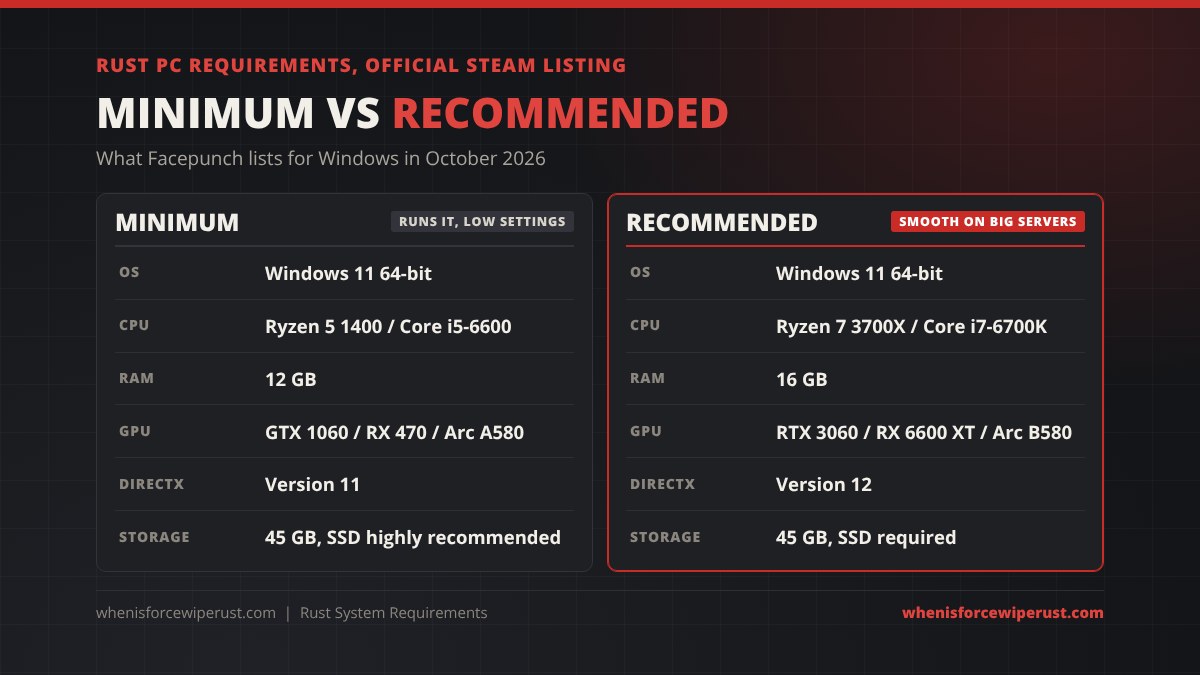
Rust Minimum and Recommended Requirements (PC)
These are the Windows requirements on Rust’s Steam store page in October 2026. The minimum gets the game running at low settings. The recommended specs are what you want for steady frame rates on a busy server with big bases around you.
| Part | Minimum | Recommended |
|---|---|---|
| OS | Windows 11 64-bit | Windows 11 64-bit |
| Processor | AMD Ryzen 5 1400 or Intel Core i5-6600 | AMD Ryzen 7 3700X or Intel Core i7-6700K |
| Memory | 12 GB RAM | 16 GB RAM |
| Graphics | NVIDIA GeForce GTX 1060, AMD Radeon RX 470 or Intel Arc A580 | NVIDIA GeForce RTX 3060, AMD Radeon RX 6600 XT or Intel Arc B580 |
| DirectX | Version 11 | Version 12 |
| Storage | 45 GB available space | 45 GB available space |
| Drive type | SSD highly recommended, or loading takes much longer | SSD required |
Rust is a 64-bit only game, so there is no 32-bit version. The listing names Windows 11. Windows 10 is no longer listed, and Microsoft stopped supporting it on October 14, 2025, so if you’re building or buying a PC for Rust, treat Windows 11 as the target. It also matters for the Secure servers below, because the TPM 2.0 and Secure Boot checks they use are standard on Windows 11 machines.
Rust Graphics Card Requirements
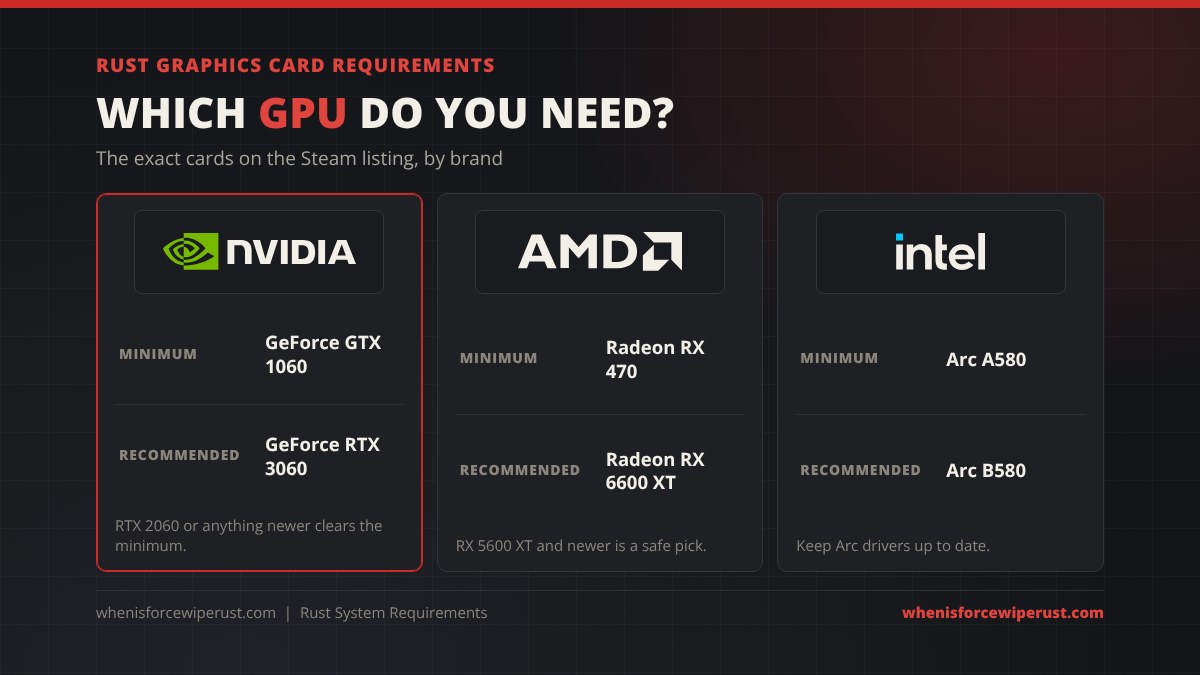
Facepunch lists one card from each brand for both tiers. If your card is the same or faster than the one listed for your brand, you meet that tier.
| Brand | Minimum | Recommended | Safe modern picks |
|---|---|---|---|
| NVIDIA | GeForce GTX 1060 | GeForce RTX 3060 | RTX 4060, RTX 5060 or better |
| AMD | Radeon RX 470 | Radeon RX 6600 XT | RX 7600, RX 9060 XT or better |
| Intel | Arc A580 | Arc B580 | Arc B580 or better |
- VRAM: every recommended card has at least 8 GB of video memory. With less, lower texture quality first.
- Laptops: a laptop GPU with the same name is usually slower than the desktop card. Aim one step higher on a gaming laptop.
- Integrated graphics: built-in Intel UHD or basic AMD graphics are below the minimum. Rust may start, but it won’t be playable on a full server.
- Drivers: update your GPU driver before a big Rust update. Most crashes after a force wipe patch are fixed by a clean driver install.
Rust CPU Requirements

The processor is where most Rust PCs struggle. Every player, building block, deployable and NPC on the server has to be tracked, so a packed server, an Outpost full of players or a big raid can drop your frame rate even with a strong graphics card. That’s why many players feel a CPU upgrade more than a GPU upgrade in Rust.
- Minimum: AMD Ryzen 5 1400 or Intel Core i5-6600, both four core chips.
- Recommended: AMD Ryzen 7 3700X (8 cores) or Intel Core i7-6700K.
- Runs it well today: a Ryzen 5 5600 or newer, or a 12th gen Intel Core i5 or newer. AMD X3D chips with extra cache are a popular pick for Rust players chasing high frame rates.
How Much RAM Does Rust Need? (And Storage)
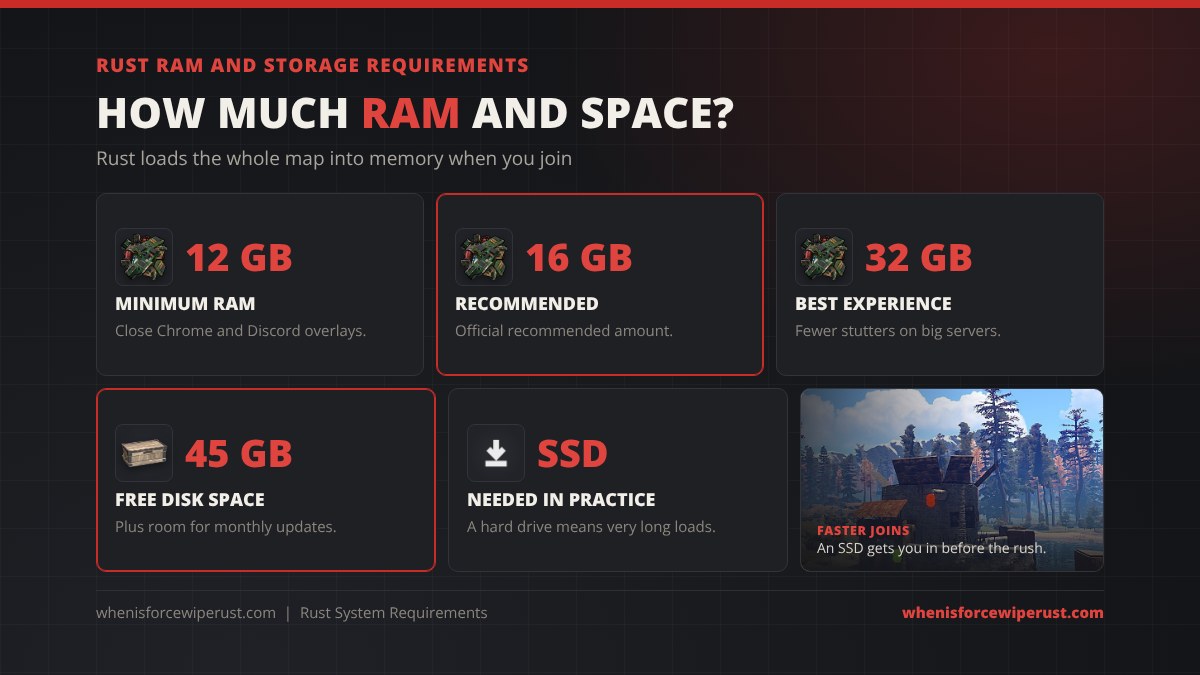
Rust needs 12 GB of RAM to run and 16 GB is recommended. Rust loads the map and everything players have built into memory when you join a server, so RAM use climbs on big maps and late in a wipe. With 12 GB, close your browser and other background apps before you play. If you’re buying RAM today, 32 GB gives you headroom for Discord, a browser and streaming on the side, and fewer stutters on high population servers.
The game needs 45 GB of free space, and you should keep extra room free because every monthly update downloads new files on force wipe day. Install Rust on an SSD. Facepunch highly recommends one at minimum and requires one at recommended: on a hard drive, joining a server takes much longer and you’ll see textures and buildings pop in. Any SATA or NVMe SSD is fine.
Rust Mac System Requirements
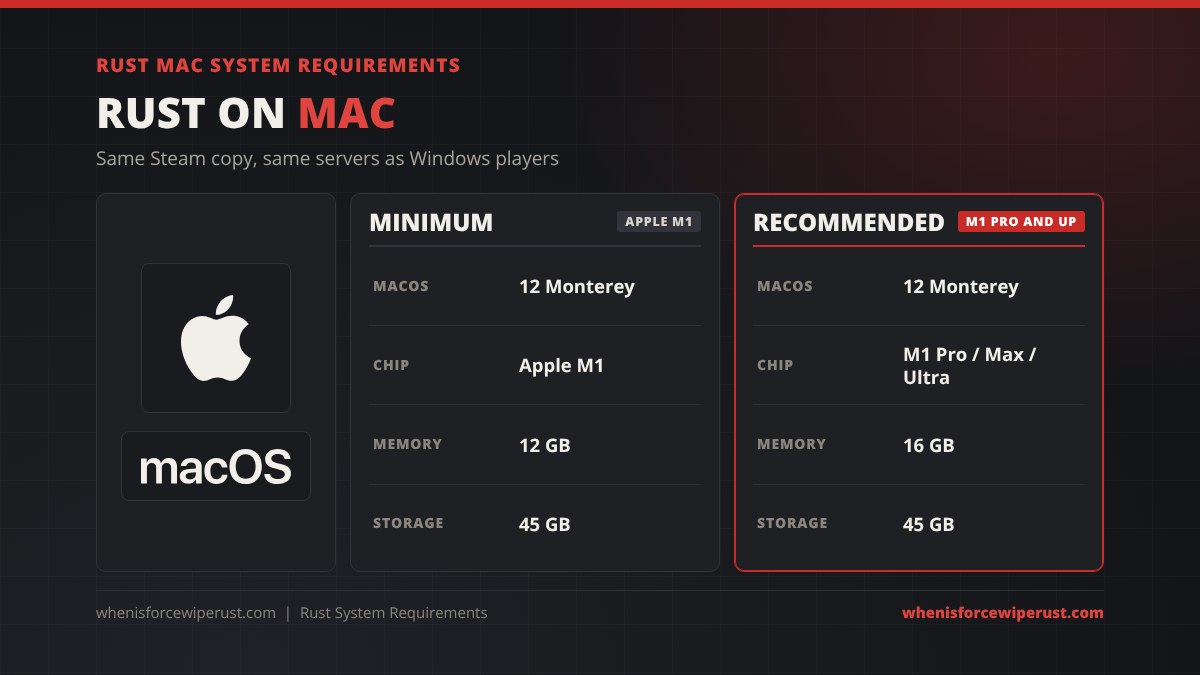
Rust has a macOS version on Steam, and one purchase gives you both the Windows and Mac versions. Mac players join the same servers as Windows players.
| Part | Minimum | Recommended |
|---|---|---|
| OS | macOS 12 Monterey | macOS 12 Monterey |
| Chip | Apple M1 | Apple M1 Pro, M1 Max or M1 Ultra |
| Memory | 12 GB | 16 GB |
| Storage | 45 GB | 45 GB |
Older Intel Macs struggle with the current game, so an Apple silicon Mac (M1 or newer) is the realistic minimum. Base M1 and M2 Macs with 8 GB of memory are below the 12 GB minimum. The Secure servers described below are built around Windows security features, so Mac players should pick servers without the Secure tag. More on Mac, Windows and console play in our Rust crossplay guide.
Can You Play Rust on Linux, Steam Deck or Console?
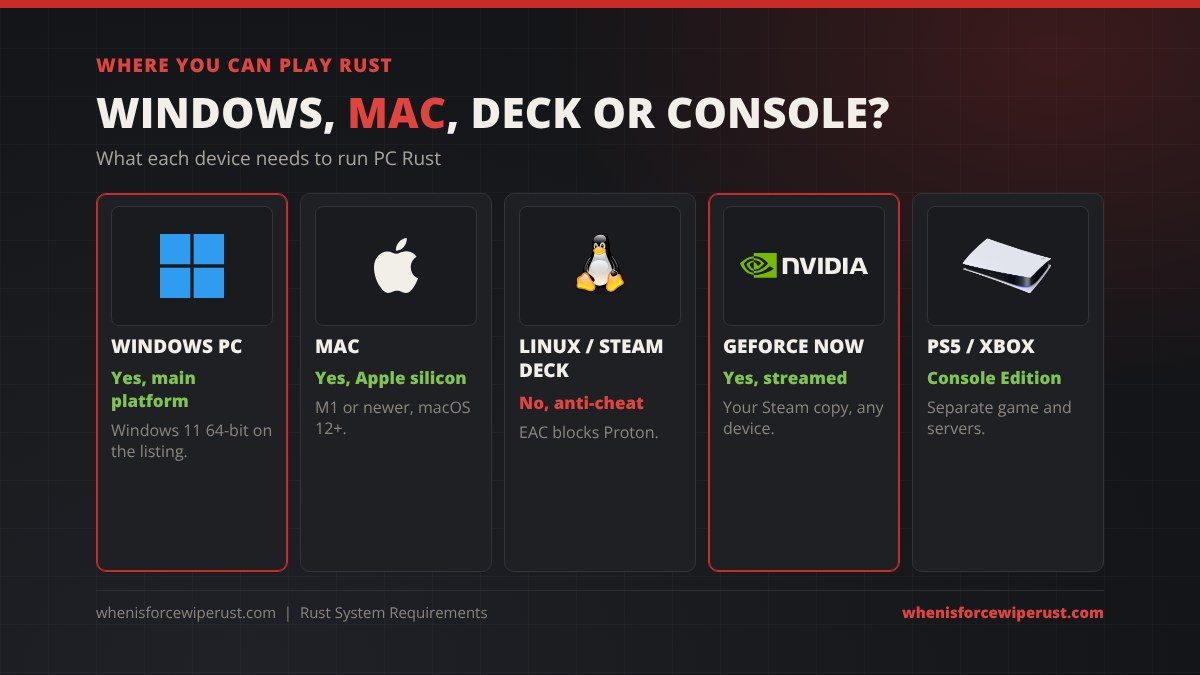
- Linux: no. Facepunch removed the Linux version in September 2019, and Rust’s Easy Anti-Cheat has never been switched on for Proton. You can launch it through Proton with anti-cheat off, but then you can’t join official servers or almost any community server.
- Steam Deck: no, for the same reason. Facepunch has said there are no plans to support Proton or Linux. Our Rust on Steam Deck and Mac guide covers the GeForce NOW and Windows workarounds.
- GeForce NOW: yes. Rust has been on NVIDIA’s cloud service for years. You stream the Steam copy you own and play on normal PC servers from a weak laptop, Chromebook, Steam Deck or phone. Your PC’s specs don’t matter, your internet connection does.
- PS5 and Xbox Series X|S: yes, but that’s Rust Console Edition, a separate game with its own servers and no crossplay with PC. PS4 and Xbox One servers closed in October 2025. See Rust on Xbox and PS5.
- Phones: Rust Mobile is still in closed beta. Our Rust mobile guide has the beta’s phone requirements.
Rust Secure Servers: TPM 2.0 and Secure Boot
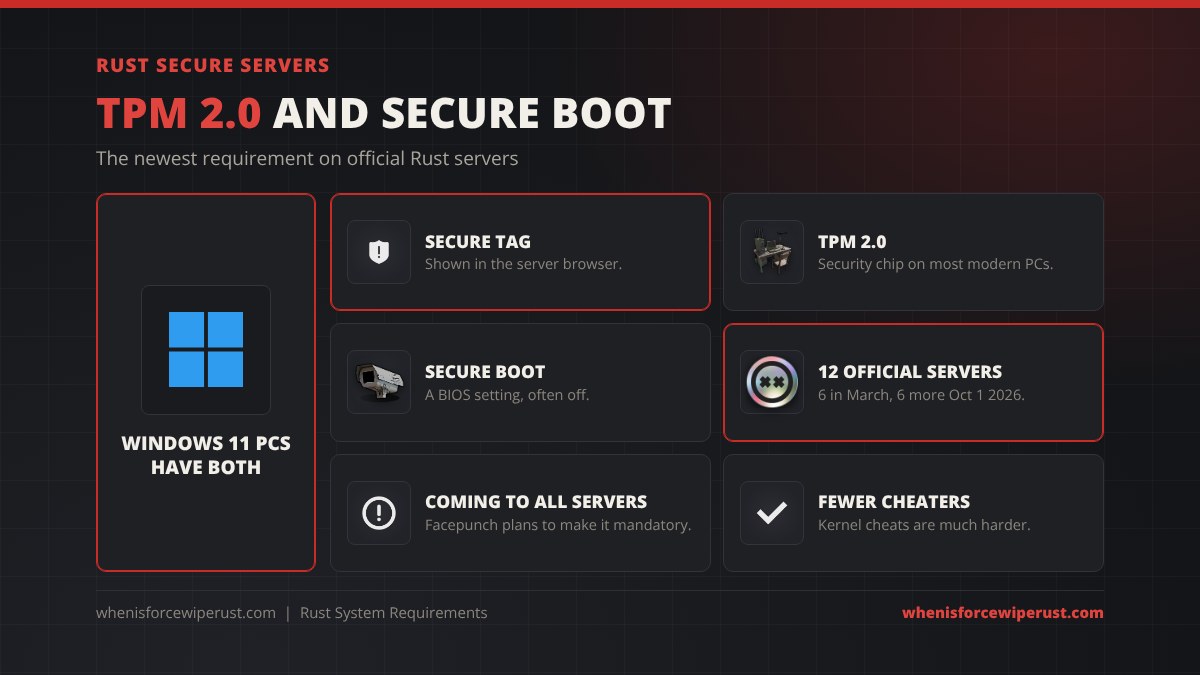
There is a new requirement that isn’t on the Steam listing yet. Since March 2026, Rust servers can require TPM 2.0 and Secure Boot, two Windows security features that make kernel-level cheats much harder to run. Servers that enforce it get a Secure tag in the server browser. Facepunch started with six official servers, switched six more on October 1, 2026, and plans to make it mandatory on every server later.
- TPM 2.0 is built into almost every CPU from the last several years (it’s called fTPM on AMD and PTT on Intel). Press Windows + R, type
tpm.mscand press Enter. If it says “The TPM is ready for use” with specification version 2.0, you’re set. - Secure Boot is a motherboard setting. Press Windows + R, type
msinfo32and look for “Secure Boot State”. If it’s Off, it’s switched on in your BIOS.
Our Rust cheats and anti-cheat guide explains how Secure and Premium servers keep cheaters out.
Can I Run Rust? Check Your PC in 2 Minutes

You don’t need a “can I run it” website or any download to check. Windows tells you everything:
- Open Task Manager with Ctrl + Shift + Esc and click Performance.
- CPU: the processor name is at the top right of the CPU page. Compare it with the Ryzen 5 1400 / Core i5-6600 (minimum) and Ryzen 7 3700X / Core i7-6700K (recommended).
- Memory: the total is at the top right of the Memory page. You need 12 GB, ideally 16 GB or more.
- GPU: the graphics card name and its dedicated memory are on the GPU page. Compare it with the cards in the GPU table.
- Disk: open File Explorer and check you have 45 GB free on an SSD.
- Secure servers: run
tpm.mscandmsinfo32as shown above.
| Your PC | What to expect |
|---|---|
| Meets recommended | Medium to high settings, steady frame rates on full servers and in raids. |
| Meets minimum | Playable on low settings. Cap your FPS, lower draw distance and avoid the busiest servers. |
| Below minimum | Use GeForce NOW instead of buying new parts, or upgrade RAM and the SSD first, as they’re the cheapest fixes. |
How to Get More FPS in Rust
Meeting the requirements is only half of it. The right in-game settings make a big difference, especially near the minimum:
- Turn down draw distance, shadow quality, grass and water quality first. They cost the most frames.
- Keep texture quality within your VRAM. If the game stutters when you turn around, lower it one step.
- Use DLSS if you have an NVIDIA RTX card. Rust has no FSR option, so AMD and Intel cards rely on lower resolution and lighter settings (see our Rust graphics settings guide).
- Close background apps and browser tabs to free up RAM.
- Enable XMP or EXPO in your BIOS so your RAM runs at its rated speed.
Our Rust console commands and best settings guide has the full list of FPS commands, launch options and binds.
Upgrading your desk too? Our best monitor arms guide covers single, dual and ultrawide arms for long Rust sessions, and our best wireless gaming mouse guide ranks the mice that make recoil control easier.
Rust System Requirements FAQ
What are the minimum requirements for Rust?
Windows 11 64-bit, an AMD Ryzen 5 1400 or Intel Core i5-6600, 12 GB of RAM, an NVIDIA GeForce GTX 1060, AMD Radeon RX 470 or Intel Arc A580, DirectX 11 and 45 GB of storage. An SSD is highly recommended.
What are the recommended requirements for Rust?
Windows 11 64-bit, an AMD Ryzen 7 3700X or Intel Core i7-6700K, 16 GB of RAM, an NVIDIA GeForce RTX 3060, AMD Radeon RX 6600 XT or Intel Arc B580, DirectX 12 and 45 GB of storage on an SSD.
Can I run Rust with 8 GB of RAM?
Not well. The official minimum is 12 GB of RAM because Rust loads the whole map and every base into memory. With 8 GB the game may start, but you’ll get long loads and heavy stutters on a populated server. 16 GB is recommended and 32 GB is the most comfortable.
Can a GTX 1060 run Rust?
Yes. The GTX 1060 is the NVIDIA card on Rust’s minimum requirements, so it runs the game on low settings. For medium to high settings on busy servers, Facepunch recommends an RTX 3060 or better.
How many GB is Rust?
Rust needs 45 GB of free storage on PC and Mac. Keep extra space free, because the monthly force wipe updates download new files, and install it on an SSD for fast loading.
Does Rust run on Windows 10?
The Steam listing now names Windows 11 64-bit for both minimum and recommended, and Microsoft ended Windows 10 support in October 2025. Secure servers also need TPM 2.0 and Secure Boot, which every Windows 11 PC has, so Windows 11 is the safe choice for Rust.
Can you play Rust on a Mac?
Yes. Rust has a macOS version on Steam that needs macOS 12 Monterey, an Apple M1 chip and 12 GB of memory, with an M1 Pro, Max or Ultra and 16 GB recommended. Mac players share servers with Windows players.
Can you play Rust on Steam Deck or Linux?
Not natively. Rust’s Easy Anti-Cheat doesn’t support Proton, so a Steam Deck or Linux PC can’t join official servers or most community servers. You can play by streaming your Steam copy through GeForce NOW.
Is Rust CPU or GPU heavy?
Rust is more CPU heavy than most games. Full servers, big bases and raids mean lots of players and objects to track, so a fast processor often matters more than a new graphics card, especially at 1080p.
Do I need TPM 2.0 for Rust?
Only for servers with the Secure tag right now. Since March 2026, Secure servers require TPM 2.0 and Secure Boot. Twelve official servers use it since October 1, 2026, and Facepunch plans to make it mandatory everywhere later, so it’s worth turning on now.