
Rust is a PC game first, but plenty of players want to run it on a MacBook or take it to bed on a Steam Deck. The two answers are very different. Rust runs natively on Apple silicon Macs and puts you on the same servers as Windows players. Rust does not run on the Steam Deck’s SteamOS, because Facepunch has never switched on Easy Anti-Cheat for Proton, so the game opens but the servers kick you. This guide covers which Macs can run Rust, why the Steam Deck is blocked, and the two ways Deck owners still play: GeForce NOW and Windows.
Whatever you play on, check the Rust force wipe countdown before you jump in, because a fresh map is the lightest load your Mac or Deck will ever see.
- Short Answer
- Mac Requirements
- Which Macs Work
- Steam Deck
- GeForce NOW
- Windows on Deck
- Every Method
- Best Settings
- FAQ
Can You Play Rust on Mac or Steam Deck?
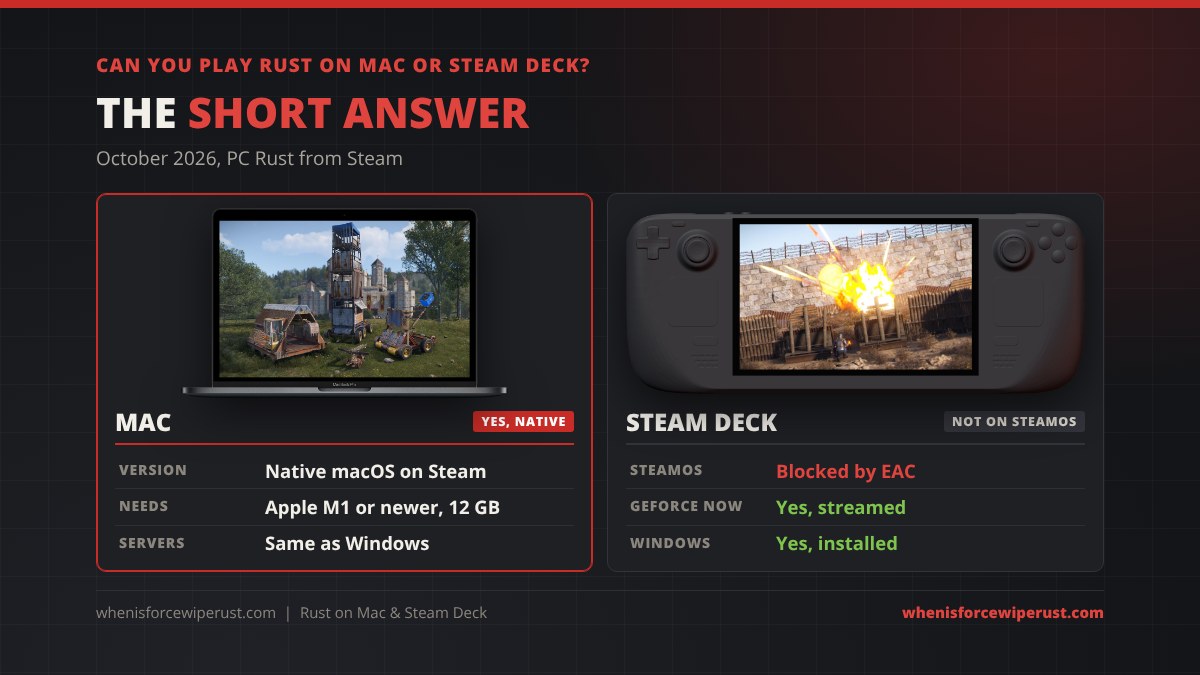
Here is where each device stands with the Steam version of Rust in October 2026:
| Device | Can it play Rust? | How | Servers |
|---|---|---|---|
| Mac (Apple silicon) | Yes | Native macOS version on Steam | Same servers as Windows |
| Mac (Intel) | Not supported | Below the M1 minimum, use GeForce NOW | All, through the cloud |
| Steam Deck (SteamOS) | No | Easy Anti-Cheat blocks Proton | Only the rare server without EAC |
| Steam Deck + GeForce NOW | Yes | Stream your Steam copy | All normal PC servers |
| Steam Deck + Windows | Yes | Install Windows, play like a PC | Most servers, low settings |
One Steam purchase covers both the Windows and Mac versions, so if you already own Rust on a PC you can install it on a Mac for free, and your skins and DLC come with you. Our Rust crossplay guide explains what moves between Windows, Mac and console.
Rust Mac System Requirements

Rust has a native macOS build on Steam, and it runs on Apple’s Metal graphics on Apple silicon. These are the Mac requirements from the Steam store page:
| Part | Minimum | Recommended |
|---|---|---|
| OS | macOS 12 Monterey | macOS 12 Monterey or newer |
| Chip | Apple M1 | Apple M1 Pro, M1 Max or M1 Ultra (or newer) |
| Memory | 12 GB | 16 GB |
| Storage | 45 GB available space | 45 GB available space |
Mac players join the exact same servers as Windows players, with the same Easy Anti-Cheat running on macOS, so you can team with friends on PC with no extra setup. For the full Windows specs side by side, see our Rust system requirements guide.
Which Macs Can Run Rust?
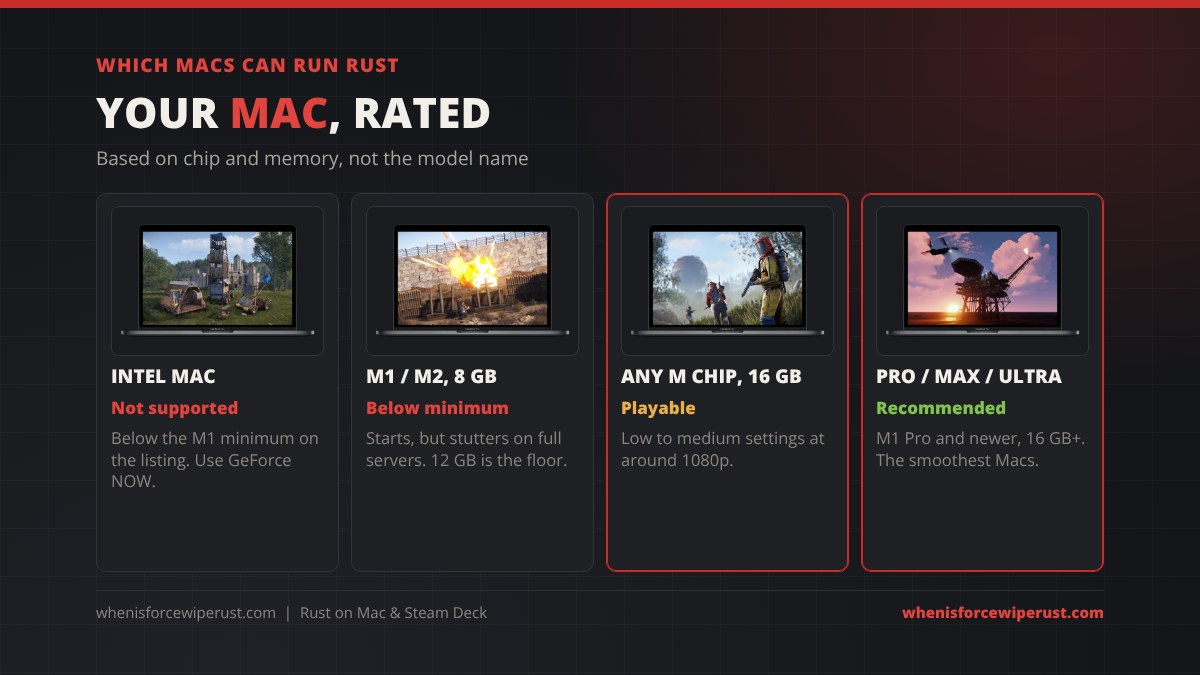
The model name tells you less than the chip and the memory. Use this to rate your Mac:
- Intel Macs: the listing starts at an M1, so Intel Macs are below the minimum. Use GeForce NOW instead of fighting the game on old hardware.
- M1, M2 or M3 with 8 GB: lots of base MacBook Airs shipped with 8 GB of unified memory, which is under the 12 GB minimum. Rust may load, but expect long joins and stutters on a full server.
- Any M chip with 16 GB or more: playable at low to medium settings around 1080p. Player reports on Mac game trackers sit around 40 to 60 FPS on a typical server.
- M Pro, Max or Ultra (any generation): what Facepunch recommends. These Macs can push higher settings and more FPS, though a big raid or a huge clan base still drops frames like it does on PC.
Rust is heavy on the processor and memory, so close Chrome, Discord and anything else before you join. Mac laptops also run cooler and faster plugged in.
Can You Play Rust on Steam Deck?
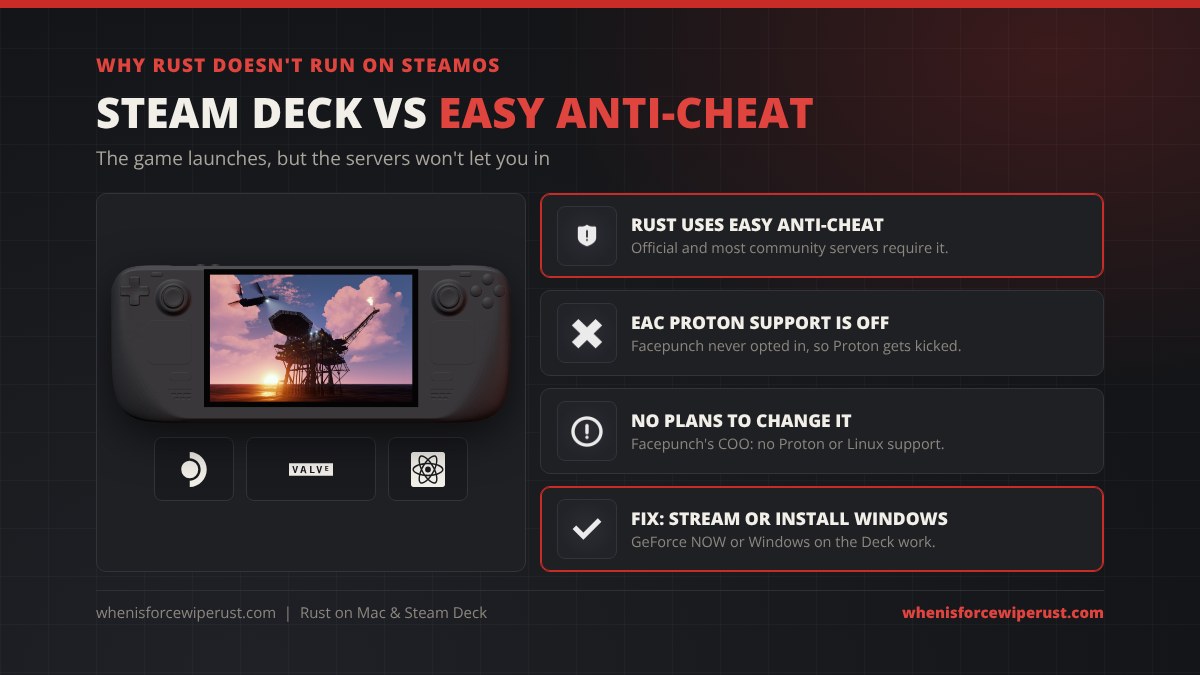
Not on SteamOS. The Steam Deck runs Windows games through Valve’s Proton, and Easy Anti-Cheat does have a Proton mode, but each developer has to opt in. Facepunch never has. Without it, every server that uses EAC refuses the connection, and that is every official server and almost every community server. On the Steam store Rust carries no Steam Deck Verified or Playable badge for that reason.
It isn’t likely to change. Facepunch dropped its own Linux version in September 2019, and in late 2025 COO Alistair McFarlane said there are “no plans to support Proton or Linux,” calling it a vector for cheat developers. The new Secure server push in 2026 moves Rust further toward Windows-only security checks, not away from them. The same block applies to Linux PCs and to Valve’s SteamOS-based Steam Machine.
You will see guides that change Rust’s launch options so Proton skips the EAC launcher. That gets the game open, but you can only join servers that run with EAC turned off, which is a handful of modded servers. It isn’t the Rust most people want to play, and our live Rust server browser shows how few of those there are.
Rust on Steam Deck and Mac With GeForce NOW
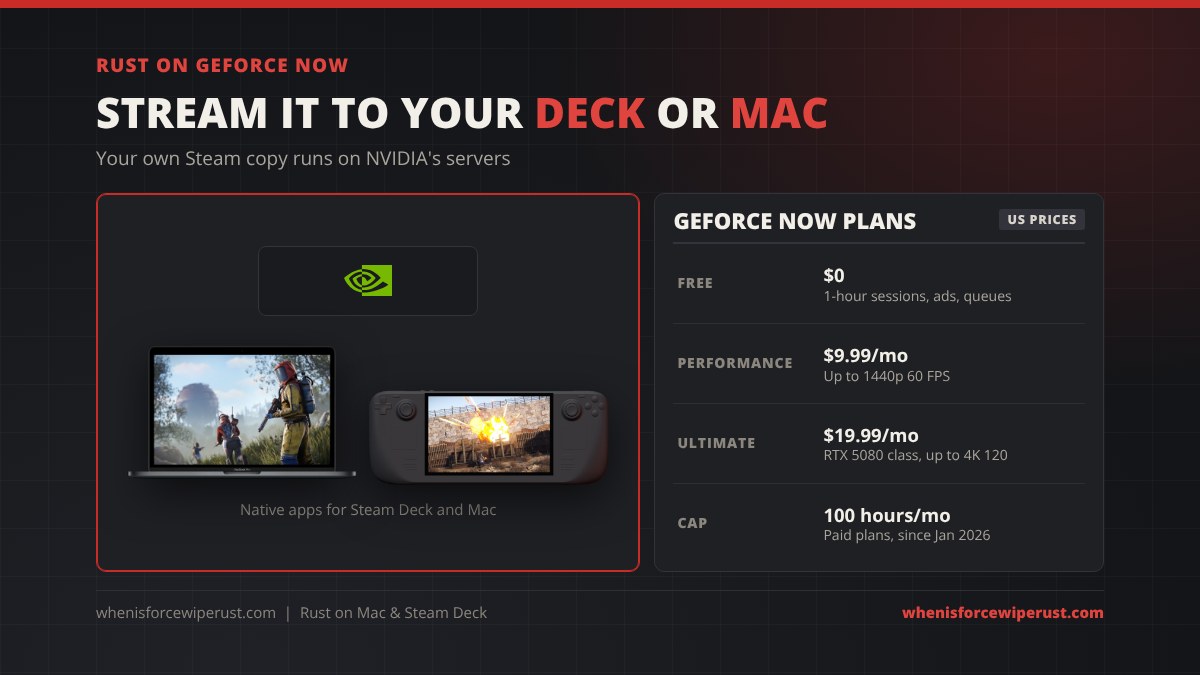
GeForce NOW is the easiest way to play Rust on a Steam Deck, and the best way on an Intel Mac or a base MacBook Air. Rust has been in the GeForce NOW library for years. The game runs on an NVIDIA RTX server, Easy Anti-Cheat runs there like on any Windows PC, and your device only shows the video stream. You join the normal PC servers, with the copy and skins you own on Steam.
- Own Rust on Steam (GeForce NOW does not sell the game). Our Rust price guide shows when it goes on sale.
- Install GeForce NOW. NVIDIA released a native Steam Deck app in May 2025, and there is a native macOS app for Mac.
- Sign in, link your Steam account, find Rust in the library and press Play.
- Use a wired connection or 5 GHz Wi-Fi close to the router. NVIDIA asks for at least 15 Mbps for 720p and more for higher quality.
| Plan (US) | Price | What you get |
|---|---|---|
| Free | $0 | 1-hour sessions, ads and queues at busy times |
| Performance | $9.99 a month | Longer sessions, up to 1440p at 60 FPS |
| Ultimate | $19.99 a month | Top RTX servers, up to 4K at 120 FPS |
Paid plans have a 100-hour monthly play cap since January 1, 2026, which is plenty for most players but worth knowing if you grind every day of a wipe. Prices can change, so check NVIDIA’s page before you subscribe.
Rust With Windows on the Steam Deck
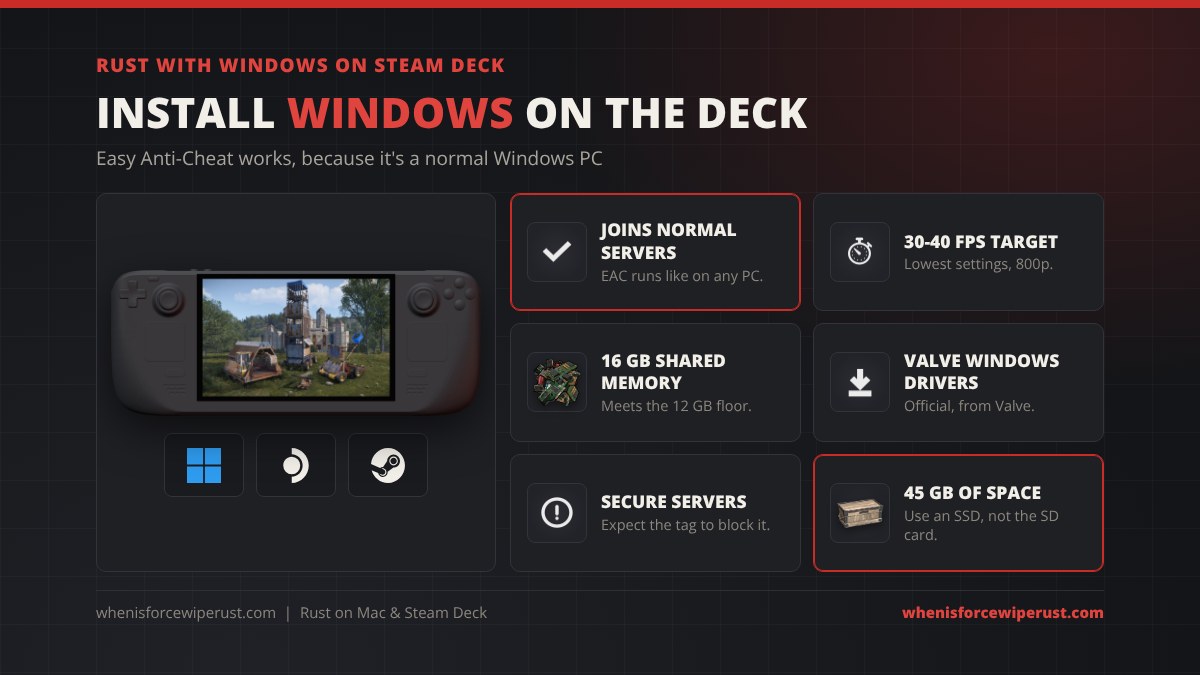
The Steam Deck is a PC, and Valve publishes Windows drivers for it. With Windows installed, Rust runs with Easy Anti-Cheat like it would on any desktop, so you can join normal servers. Players either replace SteamOS or dual boot from a second drive. Since November 5, 2026 Rust also has native controller support through Steam Input, so the Deck’s own sticks and buttons work without a community layout.
- Performance: the Deck’s AMD chip is well below the GTX 1060 on Rust’s minimum specs. Expect roughly 30 to 40 FPS at the lowest settings at 800p, lower in big fights.
- Memory: the Deck has 16 GB of shared memory, which clears the 12 GB minimum on paper, but the graphics chip uses part of it.
- Storage: install Rust on the internal SSD, not a microSD card, or joins and asset loading crawl.
- Secure servers: those need TPM 2.0 and Secure Boot both turned on. Treat the Secure tag as a no on a Deck and pick other servers.
Installing Windows wipes SteamOS unless you dual boot, so back up your games first. If that sounds like too much work, GeForce NOW gives better graphics with no setup. Windows handhelds like the ROG Ally or Legion Go run Rust the same way out of the box.
Every Way to Play Rust on Mac, Deck and Linux
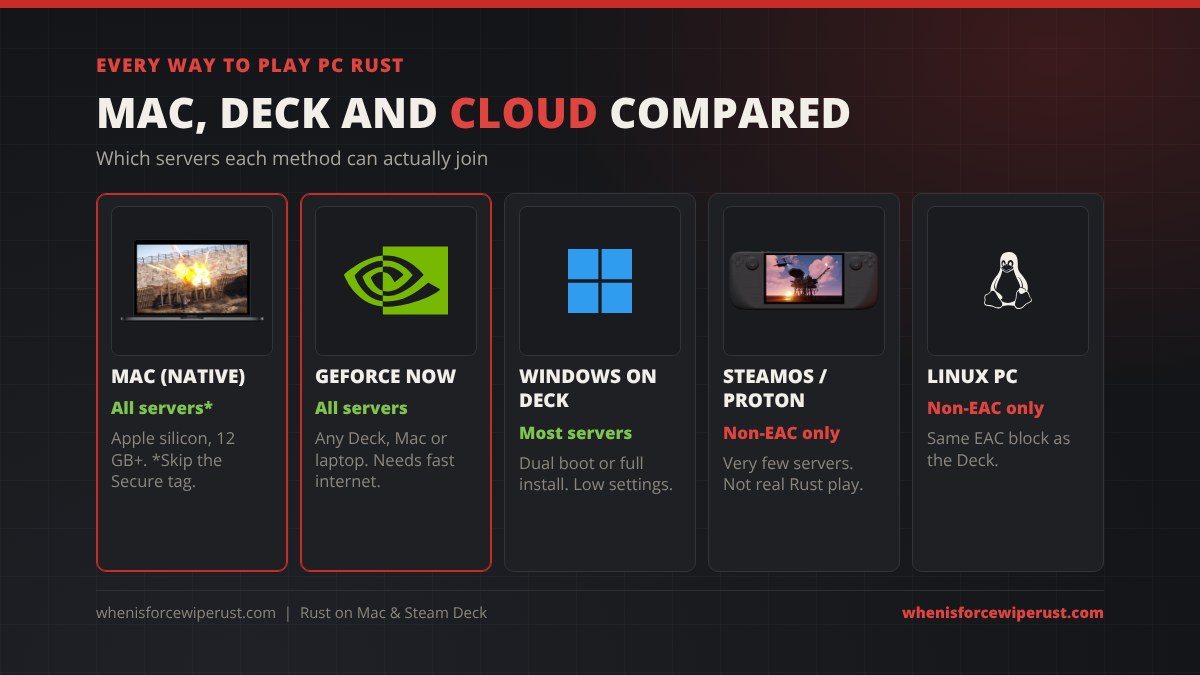
| Method | Official servers | Secure servers | Cost | Best for |
|---|---|---|---|---|
| Mac, native | Yes | Unlikely | Free with your Steam copy | M-series Macs with 16 GB+ |
| GeForce NOW | Yes | Yes (it’s a Windows PC) | Free tier or $9.99 to $19.99 a month | Steam Deck, Intel Mac, weak laptops |
| Windows on Deck | Yes | Unlikely | Windows licence | Offline-proof, no subscription |
| SteamOS / Proton | No | No | Free | Only servers with EAC off |
| Linux PC | No | No | Free | Only servers with EAC off |
If you also own a PS5 or Xbox, Rust Console Edition is a separate game with its own servers, and Rust Mobile from Tencent’s Level Infinite is still in beta, so neither one crosses over with Mac or GeForce NOW players.
Best Rust Settings for Mac and Steam Deck

Macs and the Deck have far less graphics power than a gaming PC, so aim for steady frames instead of pretty ones:
- Cap your FPS. 60 on a Mac or 40 on a Deck under Windows. A steady cap feels smoother than a number that swings from 70 to 25, and keeps laptops cooler.
- Lower the render scale to around 0.8 before you drop texture quality. It’s the biggest single FPS gain on a high-resolution MacBook screen.
- Shadows, grass and water on the lowest settings. Low grass also makes players easier to see.
- Draw distance around 1500, so you still see players at range without loading the whole map.
- On GeForce NOW, graphics settings run on NVIDIA’s server, so turn them up and focus on your connection instead.
Our Rust graphics settings guide explains every slider, and the best Rust settings and console commands page has copy-ready commands for more FPS.
Rust on Mac and Steam Deck FAQ
Can you play Rust on a Mac?
Yes. Rust has a native macOS version on Steam. It needs macOS 12 Monterey, an Apple M1 chip and 12 GB of memory, with an M1 Pro, Max or Ultra and 16 GB recommended. Mac players join the same servers as Windows players.
Can you play Rust on Steam Deck?
Not on SteamOS. Rust uses Easy Anti-Cheat and Facepunch has never enabled its Proton support, so the Deck can’t join official or most community servers. You can play by streaming your Steam copy with GeForce NOW, or by installing Windows on the Deck.
Is Rust Steam Deck verified?
No. Rust has no Steam Deck Verified or Playable rating because the anti-cheat blocks Proton. Facepunch has said it has no plans to support Proton or Linux.
Does Rust run on Intel Macs?
Intel Macs are below the minimum on the Steam listing, which starts at an Apple M1 chip. The best way to play Rust on an Intel Mac is GeForce NOW, which streams the PC version from NVIDIA’s servers.
Can I play Rust on a MacBook Air?
Yes, if it has an M-series chip and at least 12 GB of memory, and 16 GB is better. Base models with 8 GB are below the minimum and stutter on full servers. Expect low to medium settings on an Air.
Do I have to buy Rust again for Mac?
No. One Steam purchase includes the Windows and Mac versions, and your skins, DLC and Steam inventory follow your account to any computer.
Is Rust on GeForce NOW?
Yes. Rust has been on GeForce NOW for years. You stream the Steam copy you own and join normal PC servers from a Steam Deck, Mac, Chromebook or weak laptop. There is a free tier with 1-hour sessions and paid plans from $9.99 a month.
Can Mac and PC players play Rust together?
Yes. Mac and Windows players run the same Steam game and share servers. The only exception is Secure-tagged servers, which check for Windows PC security features and are likely to turn Macs away.