
The Clan Table is the deployable that finally gave Rust a real clan system. Before it, “clans” were just big teams squeezed under the old eight-player limit, held together with Discord and trust. Now you place one desk, hold E on Manage Clan, and you have a proper clan: up to 100 members, custom roles and permissions, a dedicated clan chat, a banner and logo, a live score, and every clanmate visible on your map.
If you have been searching clan table rust and getting half answers, this is the full picture. What the Clan Table is, exactly how to craft one and where the free ones are, how to make a clan and invite players, how roles and permissions work, how clan score is earned, and how a clan is different from an old-school team. Every number here is cross checked against the Facepunch wiki, RustHelp, RustClash and Corrosion Hour.
clantable) is a deployable added in the Common Ground update on 2 July 2026 that lets you create and run a clan. It crafts for 200 Wood + 100 Metal Fragments at a Level 1 Workbench (30 scrap to research), has 250 HP, and there are free Clan Tables at Outpost and Bandit Camp. Stand at one and hold E on Manage Clan, or press J, to make a clan of up to 100 members. You get custom ranks and permissions, a clan chat, a banner and logo, clan score events, logs, and clanmates on your map. Invite players by holding E on them for about 3 seconds while near the table. It recycles into 100 Wood + 50 Metal Fragments.
- What It Is
- Clan Table Stats
- How To Get One
- How To Make a Clan
- The Clan Menu
- Roles & Permissions
- Clan vs Team
- Clan Score
- Invite & Join
- Clan Bases
- Pro Tips
- FAQ
What Is the Clan Table in Rust? New
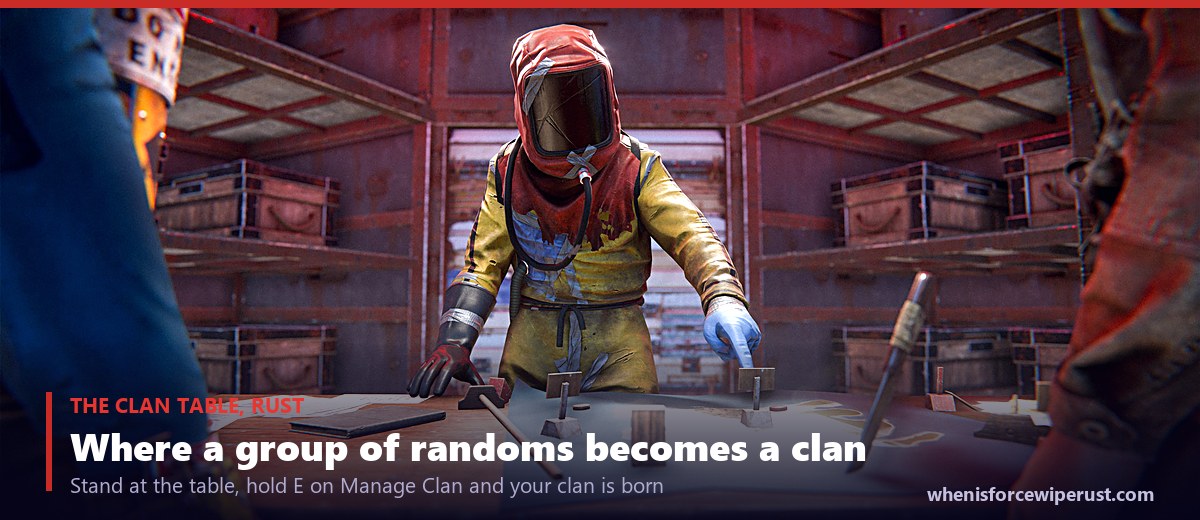
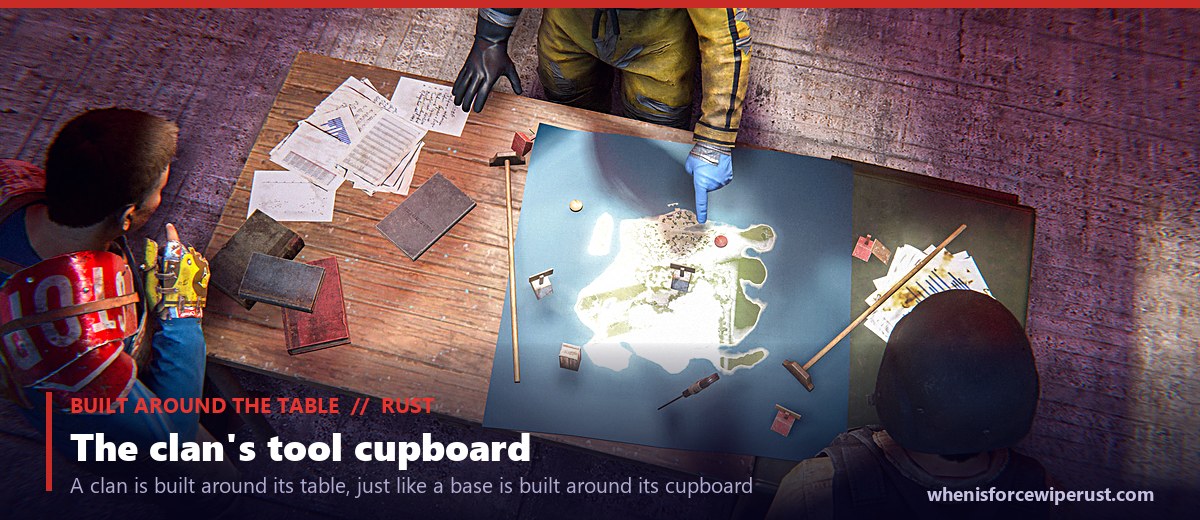
The Clan Table is a stationary deployable that looks like a beat-up office desk with a map of the island spread across it. It landed with the Common Ground update on 2 July 2026, and it is the physical anchor your clan exists around. Think of it as your clan’s version of a Tool Cupboard: it is the object the whole group is built on, and if it is destroyed you lose the clan tied to it.
Everything the clan system does runs through this table. Standing in range of one lets you create a clan, invite players, hand out ranks, edit your banner, read the clan log and check your score. Its item shortname is clantable and its item ID is 486661382. In your inventory and on the deploy menu it is simply called the Clan Table.
The big idea is scale. Rust’s old team system caps at eight players. The Clan Table blows that open to a hundred, with the structure a group that size actually needs so it does not fall apart the first time someone invites a stranger.
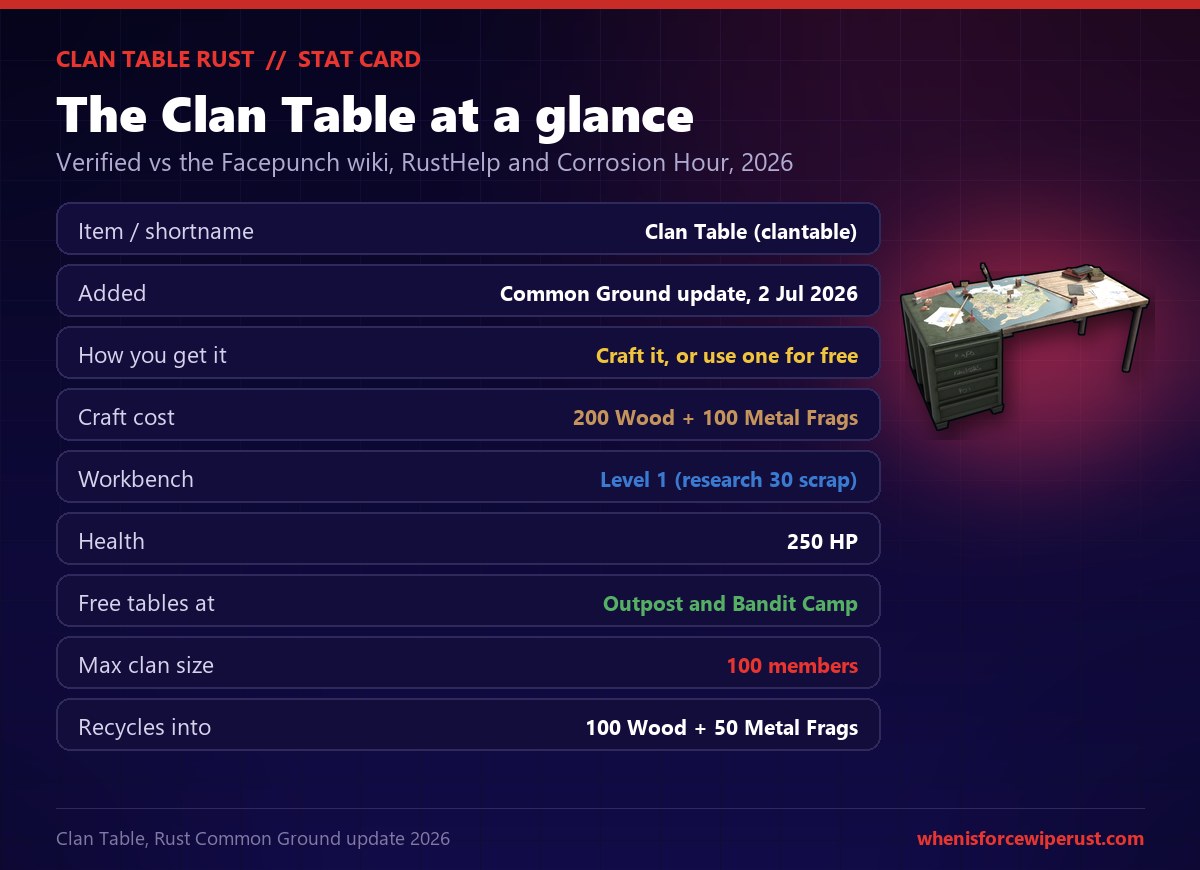
Clan Table Rust Stats
| Stat | Value | Notes |
|---|---|---|
| Item / shortname | Clan Table (clantable) | Item ID 486661382 |
| Added | Common Ground update | 2 July 2026 |
| Craft cost | 200 Wood + 100 Metal Fragments | Cheap to make |
| Workbench | Level 1 | Research for 30 scrap |
| Health | 250 HP | Guard it like a cupboard |
| Free tables at | Outpost & Bandit Camp | No craft needed |
| Max clan size | 100 members | Old team cap was 8 |
| Stack size | 1 | Deployable |
| Recycles into | 100 Wood + 50 Metal Fragments | At a standard recycler |
The two numbers worth remembering are 100 members and 200 Wood plus 100 Metal Fragments. The table is deliberately cheap, because the point is not to gate clans behind resources. The point is to give big groups the tools to organise, and to give the rest of us a physical target to raid when we want to break one apart.
How To Get a Clan Table in Rust
You have two options, and one of them is free. You can craft your own Clan Table, or you can walk up to one of the tables Facepunch placed at the safe-zone monuments and use it without spending a thing.
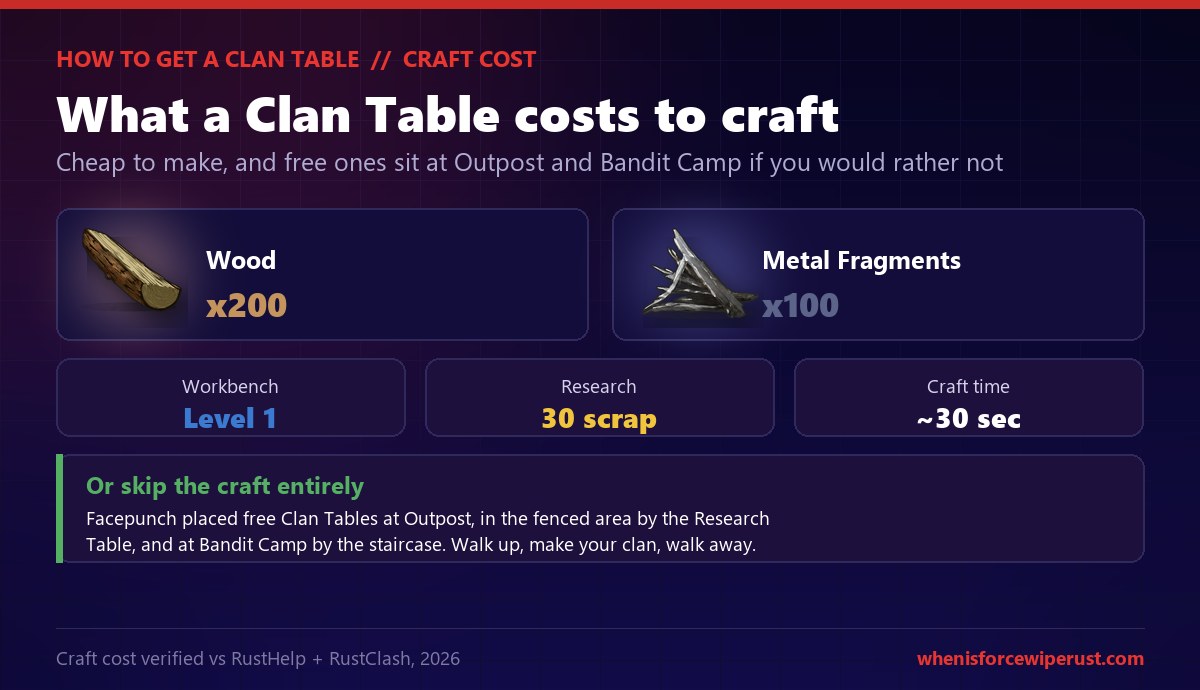
To craft it, you first need to research the blueprint at a Research Table for 30 scrap, or unlock it in the tech tree. After that it costs 200 Wood and 100 Metal Fragments at a Level 1 Workbench, and it crafts in about half a minute (faster at a higher bench). That is trivially cheap, so most clans just make their own and place it deep inside their base next to the cupboard.
How To Make a Clan in Rust
Creating a clan takes about a minute. Get to a table, open the menu, name it, and start inviting. Here is the exact flow.
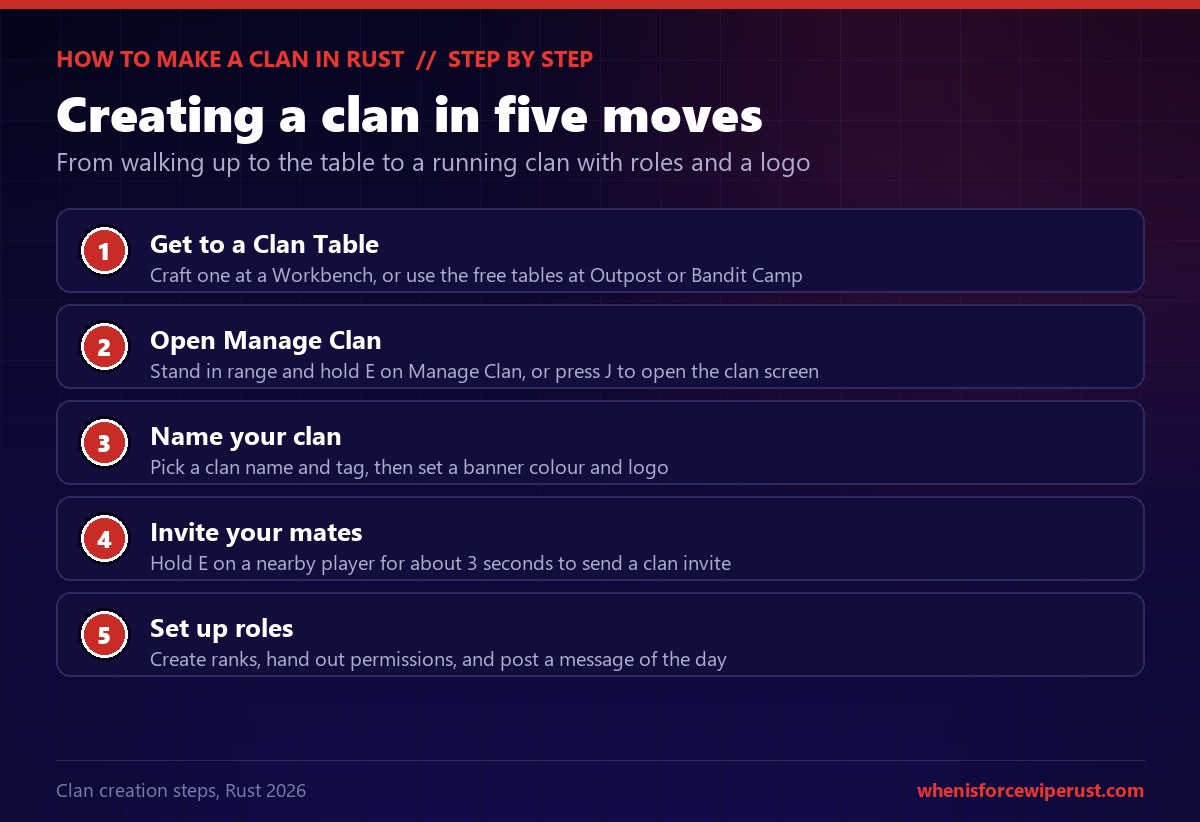
- Get to a Clan Table. Craft one at a Workbench, or use the free tables at Outpost or Bandit Camp.
- Open Manage Clan. Stand in range and hold E on the Manage Clan option, or just press J to open the clan screen directly.
- Name your clan. Choose a clan name and tag, then pick a banner colour and draw a logo in the editor.
- Invite your mates. Hold E on a nearby player for about 3 seconds to send them a clan invite.
- Set up roles. Create ranks, hand out permissions and post a message of the day so everyone knows the plan.
Once the clan exists it sticks around until the last member leaves. There is no separate disband button you have to hunt for on a whim; a clan only dies when everyone has quit it, so you cannot accidentally delete your hundred-player group with one misclick.
The Clan Menu Explained
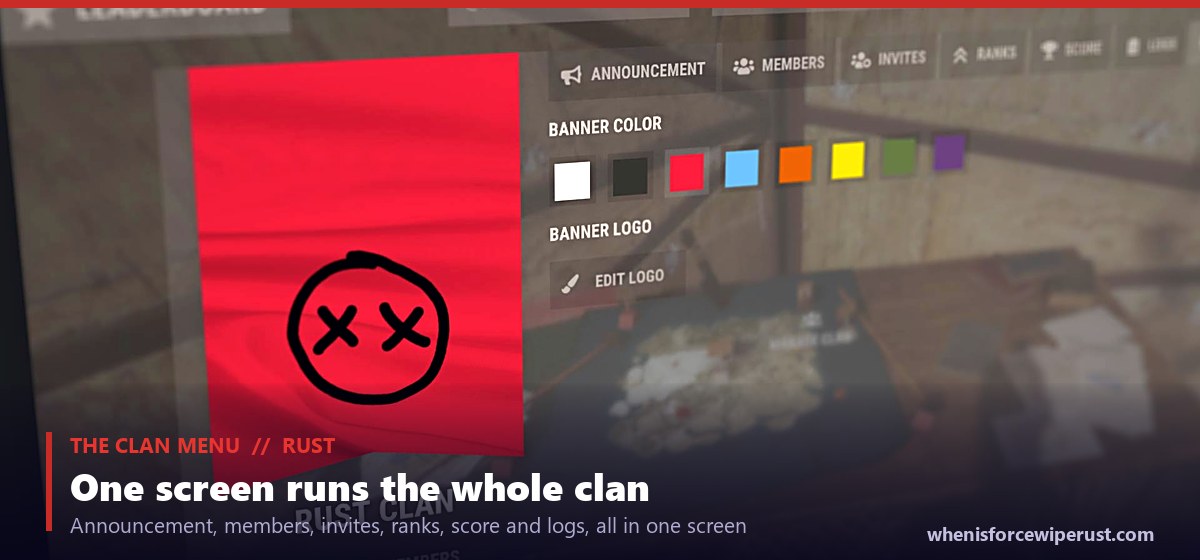
Press J or open Manage Clan and you get the full clan screen. It is organised into tabs, and each one runs a different part of the clan.
| Tab | What it does |
|---|---|
| Announcement | Post a message of the day that every member sees |
| Members | See the roster, member count out of 100, and player notes |
| Invites | Manage pending invites in and out of the clan |
| Ranks | Create ranks and set each one’s permissions |
| Score | Track clan score events and your leaderboard total |
| Logs | Read the audit log of who did what in the clan |
You also get a banner: pick from the default colours (eight of them) and draw a logo in an editor that works like the in-game sign and canvas painting tools. Your banner and logo show up on clan nameplates and the clan screen, so it is worth making something recognisable rather than leaving the default smiley.
Clan Roles and Permissions in Rust
This is the part that separates a clan that scales from one that implodes the first time a random gets invited. Rust clan ranks are fully customizable. There is no fixed list of default roles you are stuck with; the clan owner builds the ladder and decides exactly what each rank can do.
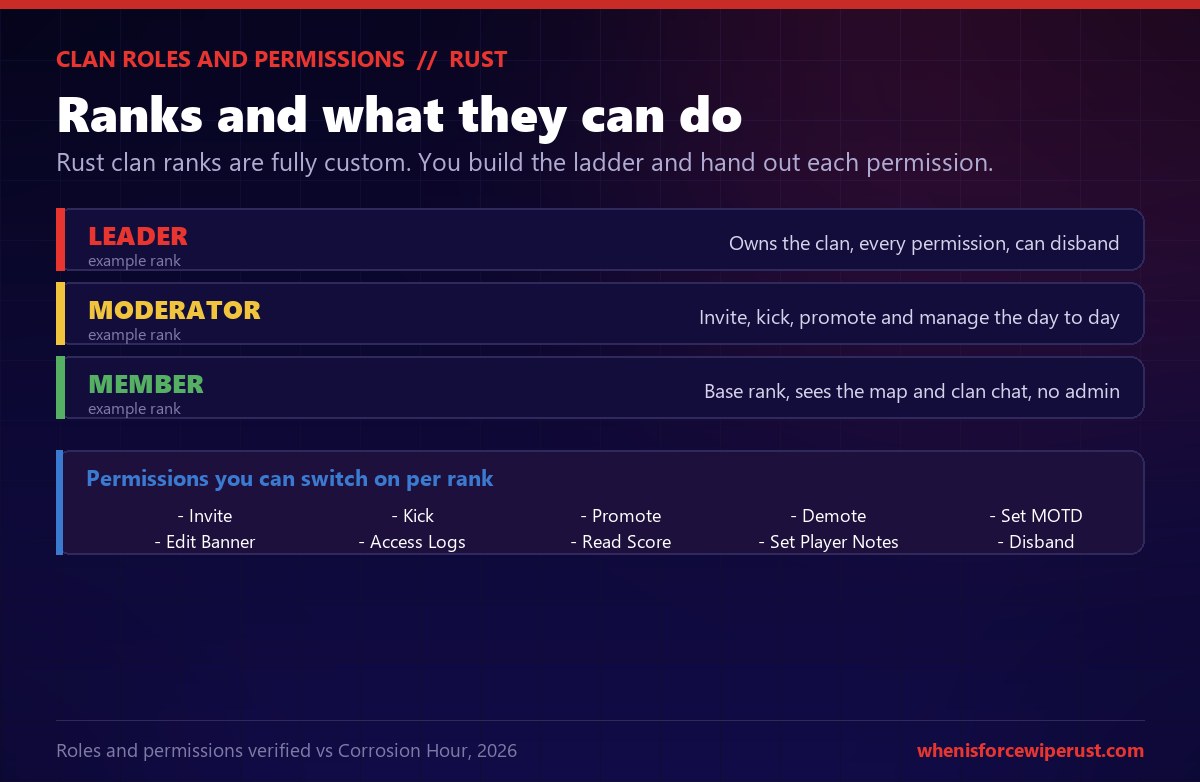
You create ranks, rename them and delete them, then toggle individual permissions for each. The permissions you can hand out include:
| Permission | What it lets the rank do |
|---|---|
| Invite / Kick | Add new members or remove them |
| Promote / Demote | Move members up and down the rank ladder |
| Set MOTD | Write the clan’s message of the day |
| Edit Banner | Change the clan colour and logo |
| Access Logs | Read the clan audit log |
| Read Score | View the clan’s score events |
| Set Player Notes | Leave notes on members |
Clan vs Team in Rust: What Is the Difference?
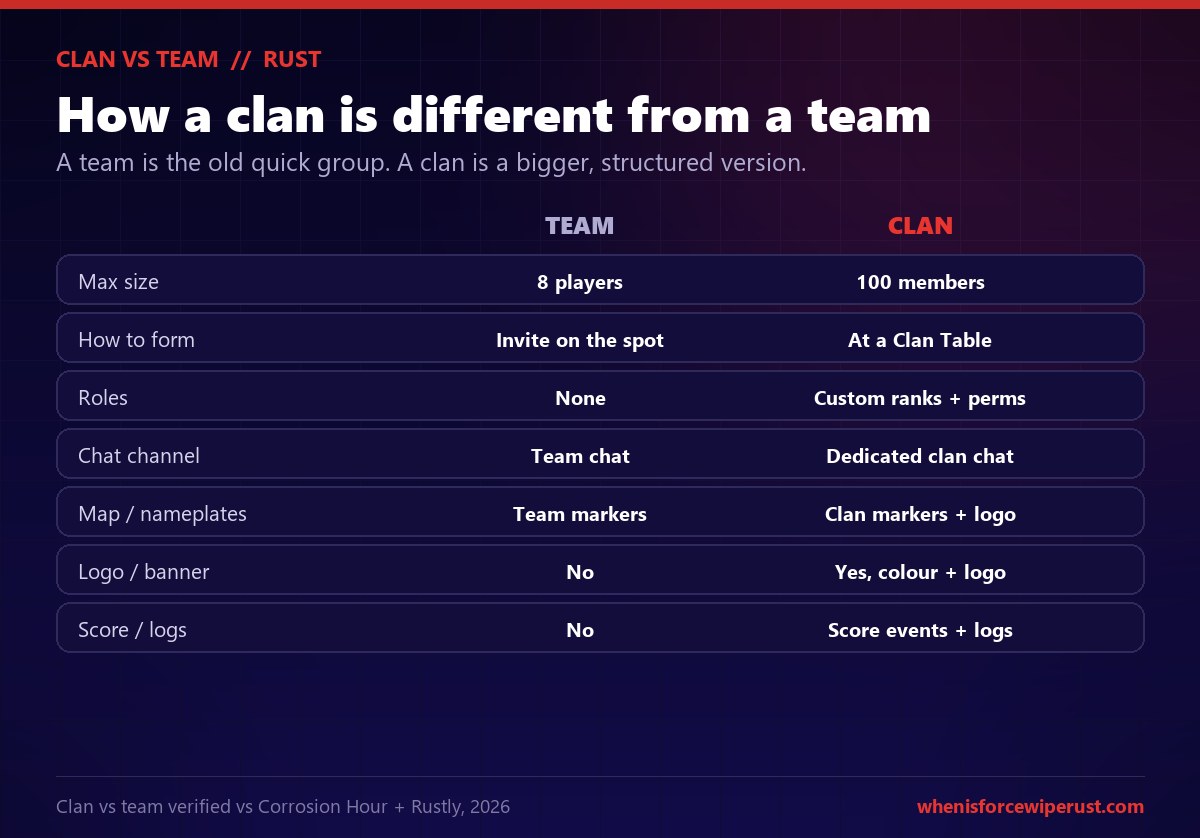
Rust still has the old team system, and it still works. A team is the fast, no-setup group you make by inviting someone on the spot, and it caps at eight players. A clan is the bigger, structured version you build at the Clan Table. You can be in both at once, and most big groups are.
| Team | Clan | |
|---|---|---|
| Max size | 8 players | 100 members |
| How to form | Invite on the spot | At a Clan Table |
| Roles | None | Custom ranks + permissions |
| Chat channel | Team chat | Dedicated clan chat |
| Map / nameplates | Team markers | Clan markers + logo |
| Logo / banner | No | Yes, colour + logo |
| Score / logs | No | Score events + logs |
How Clan Score Works
Clans earn score for doing big things on the map, and those points feed a server leaderboard so groups can compete for the top spot. It is a lightweight system, but it gives organised clans a reason to chase objectives rather than just farm.
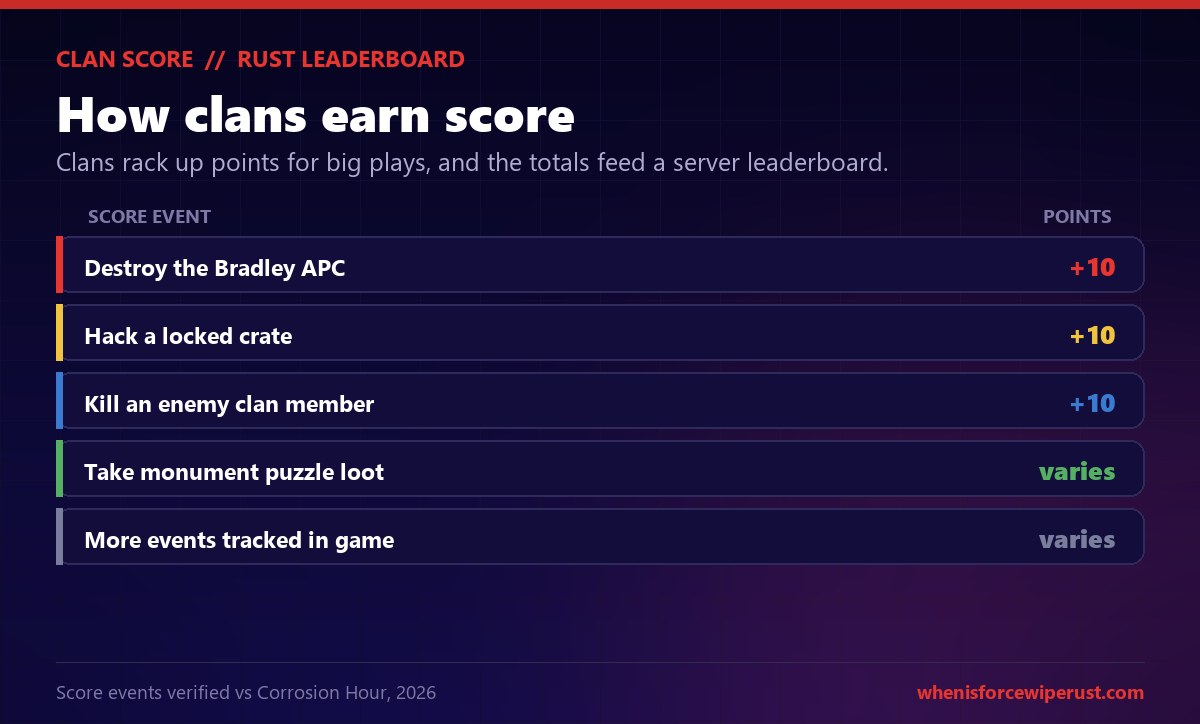
Example score events include +10 for destroying the Bradley APC, +10 for hacking a locked crate, and +10 for killing an enemy clan member. The exact list is tracked in the Score tab in game, and it is the kind of thing Facepunch tunes over time, so treat the values as a guide rather than gospel. The takeaway is simple: clans are rewarded for contesting monuments and other clans, which is exactly the fights the system wants to encourage.
How To Invite and Join a Clan in Rust
Growing a clan is a two-part move: the inviter sends the invite at the table, and the new member accepts from their own clan menu. Here is how both sides work.
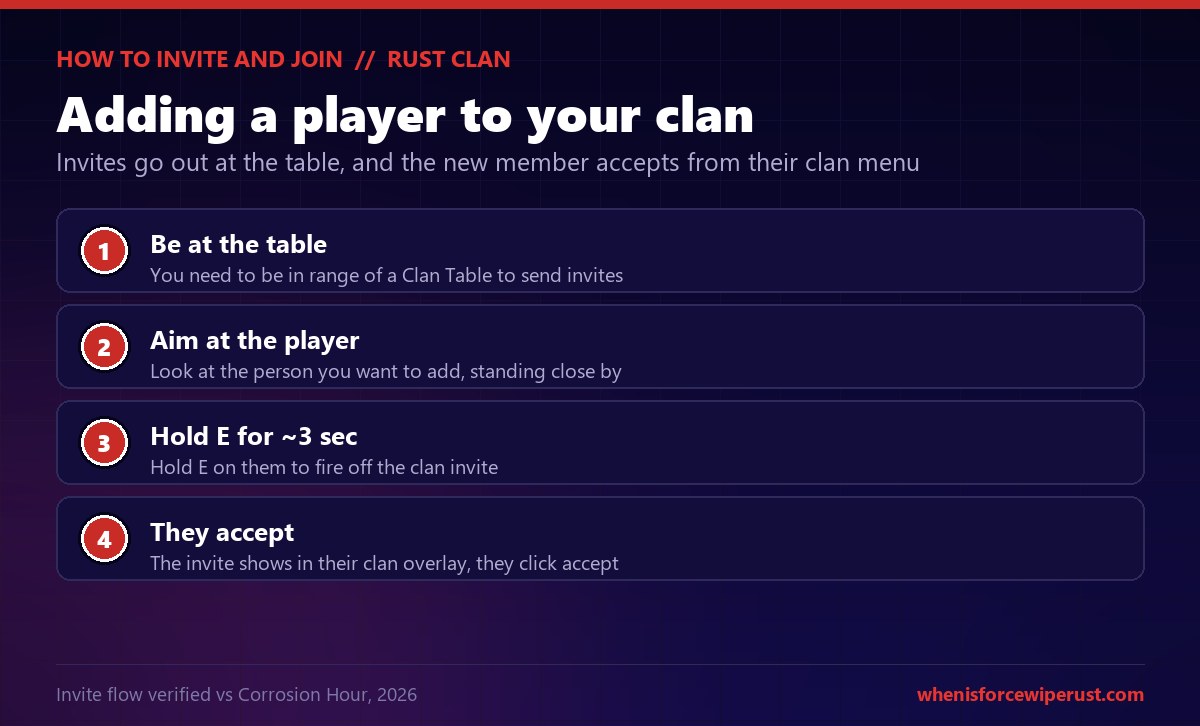
- Be at the table. You need to be in range of a Clan Table to send invites.
- Aim at the player. Look at the person you want to add while standing close to them.
- Hold E for about 3 seconds. Hold E on them to fire off the clan invite.
- They accept. The invite appears in their clan overlay, and they click accept to join.
To join a clan, you have to be invited by someone with invite rights; there is no browsing a list of open clans in vanilla Rust. If you are looking for a group to join, that happens off-server through community Discords and recruitment posts, then someone with the right rank invites you at their table.
Clan Bases and the Clan Table
Because the Clan Table is the anchor of your clan, where you place it matters. Most groups tuck it deep inside the base next to the Tool Cupboard, behind the same airlocks and honeycomb, so an attacker has to punch all the way to the core to threaten it. A hundred-player clan also means a hundred-player-sized base, which is a much larger footprint and a much larger target.
That is the trade with big clans. More members means more scrap, more guns and more bodies to hold walls, but it also means a base that shows up on everyone’s map and pulls the whole server’s attention on force wipe. If you are running a big group, plan the base around defending the core, and keep the Clan Table as protected as your cupboard.
Clan Table Rust Pro Tips
A few habits keep a clan running instead of falling apart on wipe day.
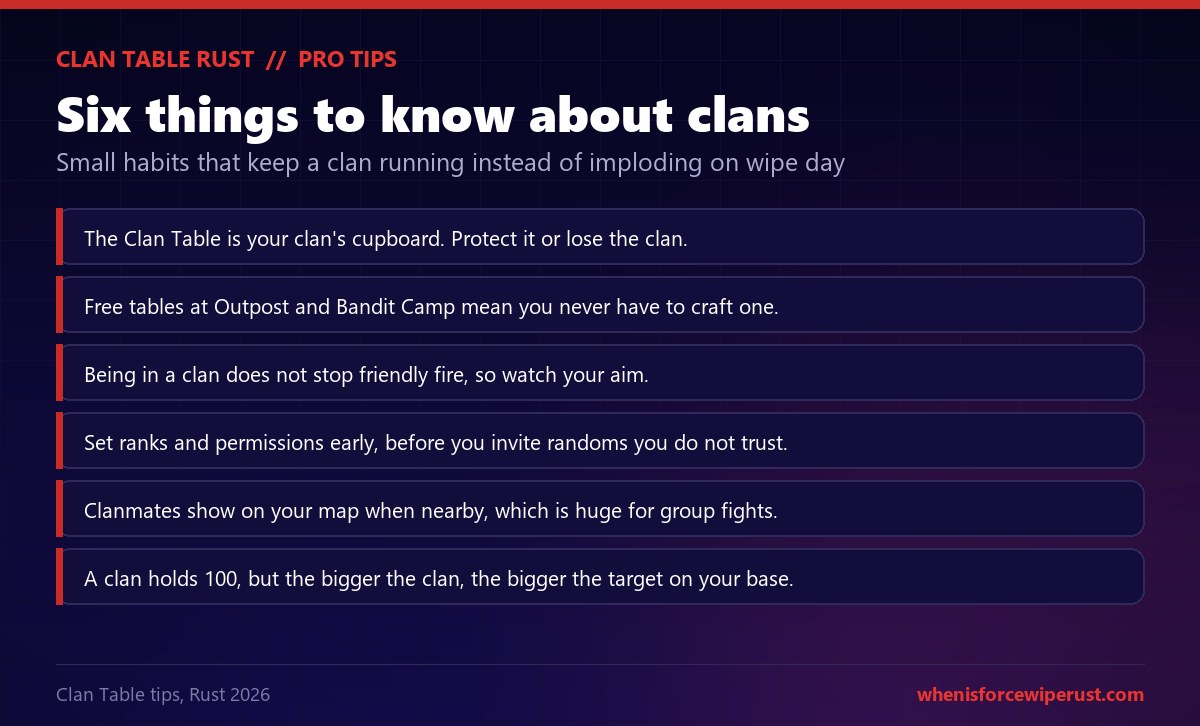
- Guard the table. The Clan Table is your clan’s cupboard. Bury it in the base core and protect it like one.
- Use the free tables. Outpost and Bandit Camp both have one, so you never actually have to craft your own on wipe day.
- Mind friendly fire. A clan does not stop you damaging clanmates, so watch your aim in a scrum.
- Lock down ranks early. Set permissions before you invite randoms, not after they have kicked half the roster.
- Lean on the map. Clanmates show on your map when nearby, which is huge for rotating in a group fight.
- Bigger is a bigger target. A clan holds 100, but the more members you have, the more attention your base pulls.
Running a clan this wipe? Check exactly when the next Rust force wipe hits so your whole group resets and rebuilds together.
When Is Force Wipe?Clan Table Rust FAQ
How do you make a clan in Rust?
How much does the Clan Table cost in Rust?
Where is the Clan Table in Rust?
How many members can a Rust clan have?
What is the difference between a clan and a team in Rust?
How do you invite someone to your clan in Rust?
Does being in a clan stop friendly fire in Rust?
How do clan roles and permissions work in Rust?
How does clan score work in Rust?
Can you recycle a Clan Table in Rust?
What happens if my Clan Table is destroyed in Rust?
When were clans added to Rust?
Sources
- Facepunch: Common Ground update for the clan system, the Clan Table, the management UI, banners and the map visibility, plus the screenshots used here.
- Facepunch Wiki: Clan Table for the shortname, item ID, stack size and recycle output.
- RustHelp: Clan Table for the 200 Wood and 100 Metal Fragments craft cost, Level 1 Workbench, 30 scrap research and static spawn locations.
- RustClash: Clan Table for the 250 HP and the craft blueprint confirmation.
- Corrosion Hour: Rust Clan System Guide for the 100-member cap, the ranks and permissions, the invite flow, the banner and logo editor and the clan score events.