
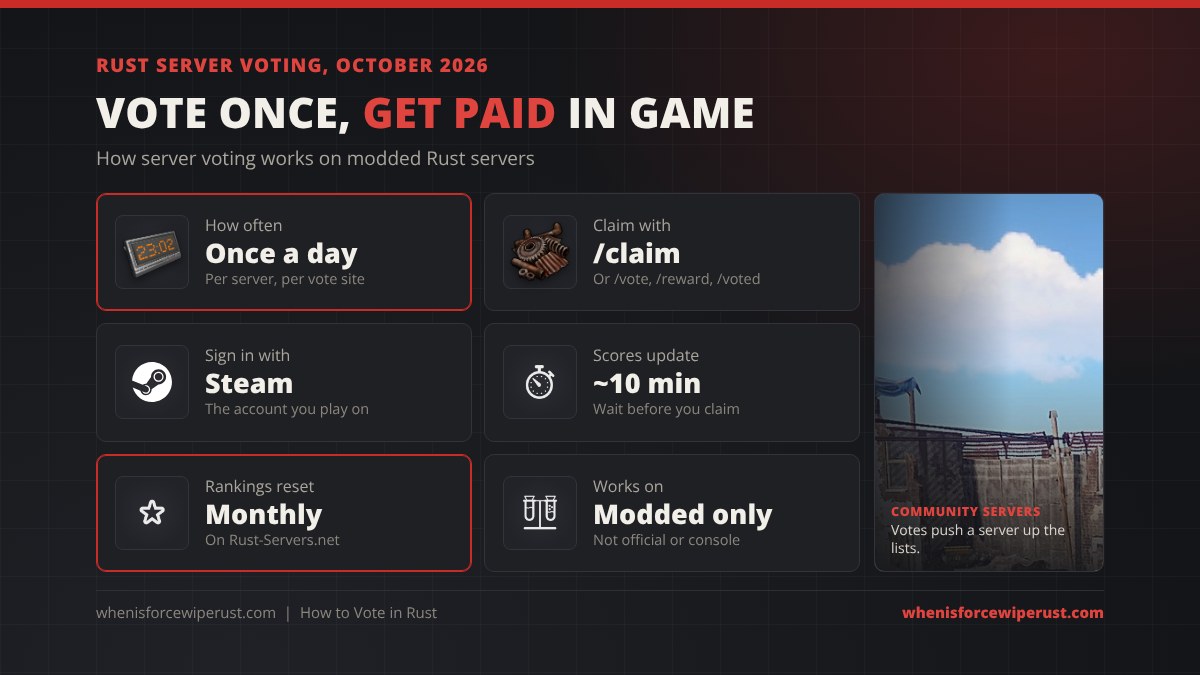
Voting in Rust almost always means voting for a community server on a server list website, like Rust-Servers.net, and then typing a chat command such as /claim in game to collect a reward. Servers hand out scrap, kits, reward points or VIP time because every vote pushes them up the list and brings in new players. It takes about a minute, and most servers let you do it once a day.
This guide covers the whole thing from the player’s side: how to vote step by step, which sites servers use, the commands that claim your reward, what you can get, and why a vote sometimes doesn’t pay out. It also covers the other kinds of voting you’ll run into in Rust: skip-night votes, map votes at wipe, voting for skins on the Steam Workshop and voting for Rust in the Steam Awards. Want to know when the next fresh start is? Check the Rust force wipe countdown.
- What Voting Means
- How to Vote
- Vote Sites
- Claim Commands
- Rewards
- Vote Not Working
- Is It Safe?
- Other Votes in Rust
- Console
- For Server Owners
- FAQ
What Does Voting Mean in Rust?
Rust itself has no voting menu. There is nothing to vote on in the vanilla game, on official Facepunch servers or in the F1 console. Every vote you see in Rust comes from one of four places:
| Kind of vote | Where it happens | What you get |
|---|---|---|
| Server list votes (the main one) | A server list website, then /claim in game | Scrap, kits, reward points, VIP time on that server |
| In-game server polls | Chat or a pop-up on modded servers (/voteday, map votes) | Skip the night, pick next wipe’s map |
| Steam Workshop skin votes | Rust’s Workshop page on Steam | Helps a skin get noticed for the Item Store |
| The Steam Awards | Steam’s yearly awards, late November to December | Steam badge and stickers, Rust gets an award |
If a server tells you to “vote for us”, it means the first one. The rest of this guide starts there and covers the others further down.
How to Vote for a Rust Server (Step by Step)
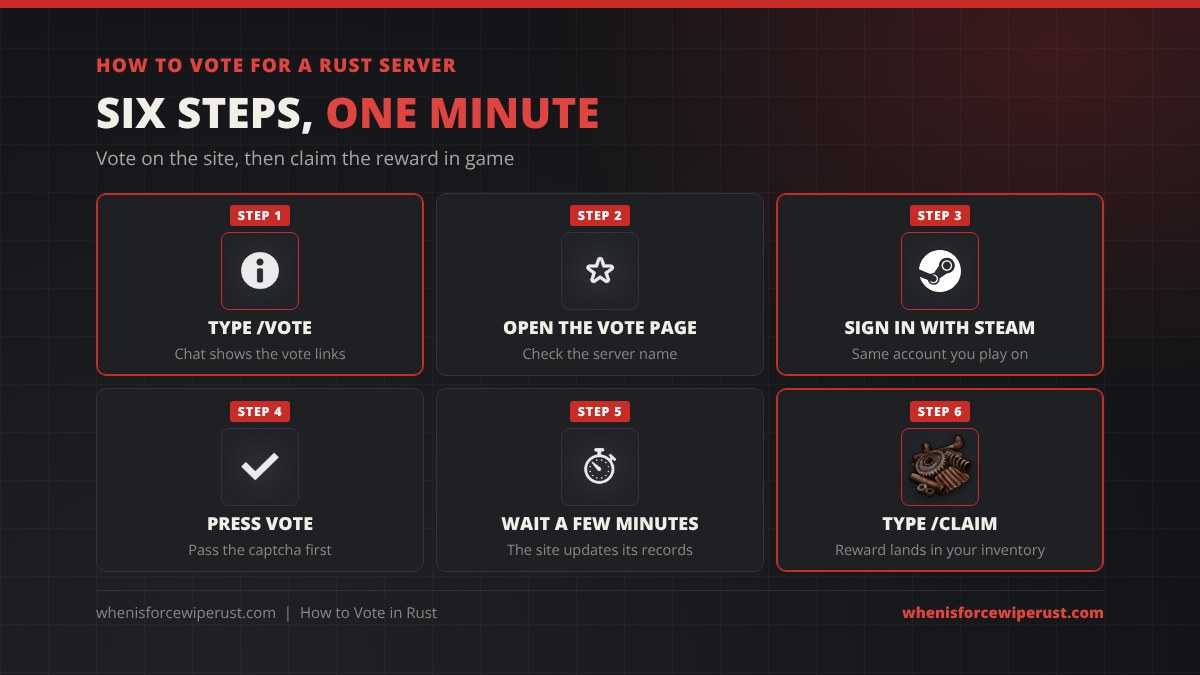
- Join the server and type /vote in chat. Press Enter to open chat. Most servers reply with their voting links. If nothing happens, check the server’s welcome message, Discord or website, or its loading screen description in the server browser.
- Open the server’s vote page. It is a page on a site like Rust-Servers.net with a big Vote button. Make sure the server name matches the server you play on, because a lot of servers have similar names.
- Sign in through Steam. The site sends you to the real Steam sign-in page so it knows which Steam account voted. Use the same Steam account you play Rust on, or the server can’t match the vote to you.
- Pass the captcha and press Vote. Accept the site’s terms if asked. You’ll see a “thank you for voting” confirmation.
- Wait a few minutes. Vote sites update their records every few minutes, so a vote you claim straight away may not show up yet.
- Go back in game and type /claim. The server checks the vote site, sees your vote and pays out. Some servers use /reward or /voted instead, and a few pay automatically the next time you join.
Where Do You Vote? The Rust Vote Sites
Each server picks which list it uses, and some use two or three to collect more votes. The ones you’ll see most:
| Site | Who uses it | Notes |
|---|---|---|
| Rust-Servers.net | The biggest list, used by most English-speaking modded servers | One vote per server per day, rankings reset every month, works with the Voter Rewards and EasyVote plugins |
| Top-Games.net | Popular with French and other EU servers | Monthly ranking reset, supported by the VoteReward plugin |
| Rust-Servers.info / BestServers.com | Smaller lists, often used as a second link | Supported by EasyVote |
| TopRustServers.com / TrackyServer.com | Smaller lists | Supported by the Vote for Money plugin |
Rust-Servers.net’s own help page says each player can vote once per server per day, that votes reset every month, and its confirmation page says server scores refresh about every 10 minutes. That monthly reset is why servers push for votes at the start of each month: the top of the list gets the most new players.
Looking for a server to vote for in the first place? Our Rust server browser lists live servers with player counts and wipe times.
Rust Vote Commands: /vote, /claim and More
The commands come from the server’s vote plugin, not from Rust, so they change from server to server. These are the common ones:
| Command | What it usually does | Plugin it comes from |
|---|---|---|
| /vote | Shows the vote links, or checks for recent votes and pays them out | Most vote plugins |
| /claim | Checks the vote site and gives your reward | EasyVote and similar |
| /reward or /rewards | Lists rewards you can buy with vote points and claims them | Voter Rewards |
| /rewardlist | Shows the rewards for each vote count, like a bonus at 5 or 10 votes | EasyVote style setups |
| /votes | Opens a vote menu with links and your vote history | VoteReward (Codefling) |
| /claimkit | Gives a kit you earned by voting | Vote for Money |
Not sure which one your server uses? Type /vote first. Nearly every vote plugin answers it and tells you the rest.
What Rewards Do You Get for Voting?
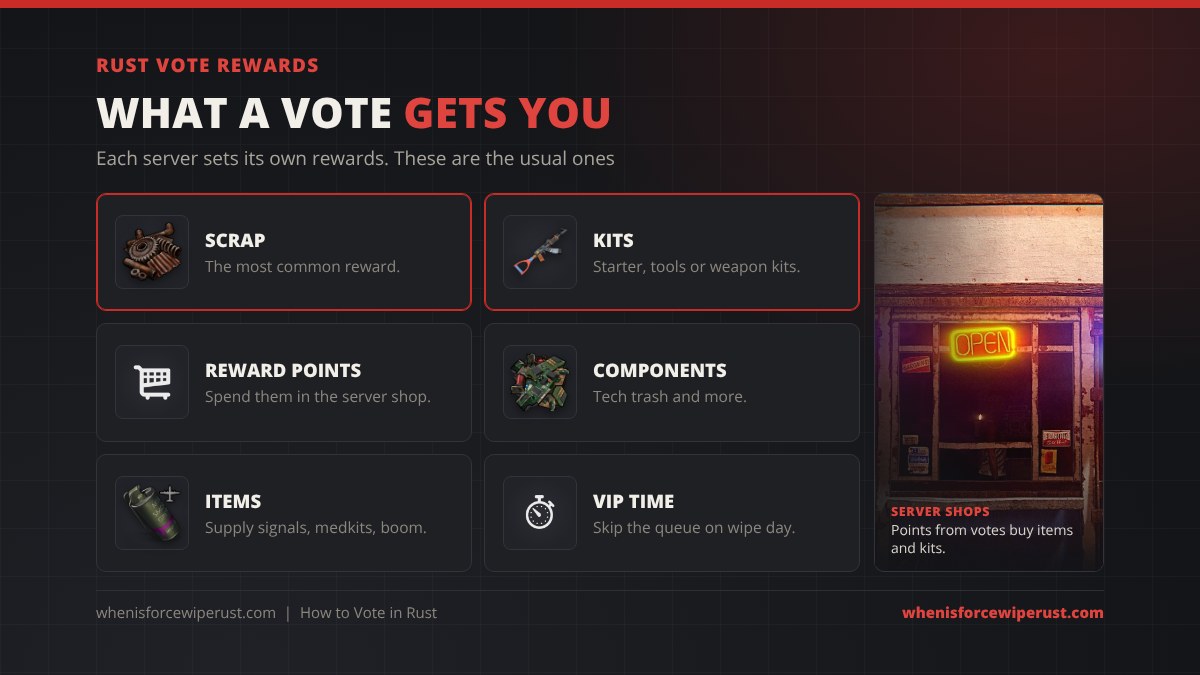
The server owner decides the rewards, so they range from a handful of scrap to something genuinely useful. These are the usual ones:
- Scrap. The most common reward. A few hundred scrap on wipe day gets you a Workbench 1 and your first blueprints. Our Rust scrap guide shows where to spend it.
- Reward points (RP) or server money. Spent in the server’s shop on items, kits or skins.
- Kits. A starter kit, tools, a weapon kit or a building kit, claimed with a command.
- Items. Components like tech trash, medkits, supply signals or explosives on higher-rate servers.
- VIP or queue skip. Some popular servers give a day of VIP or priority queue per vote, which matters on a full server on wipe day.
- Milestone bonuses. Extra rewards at 5, 10 or 30 votes in a month.
Rust Vote Reward Not Working? Fixes
| Problem | Why it happens | Fix |
|---|---|---|
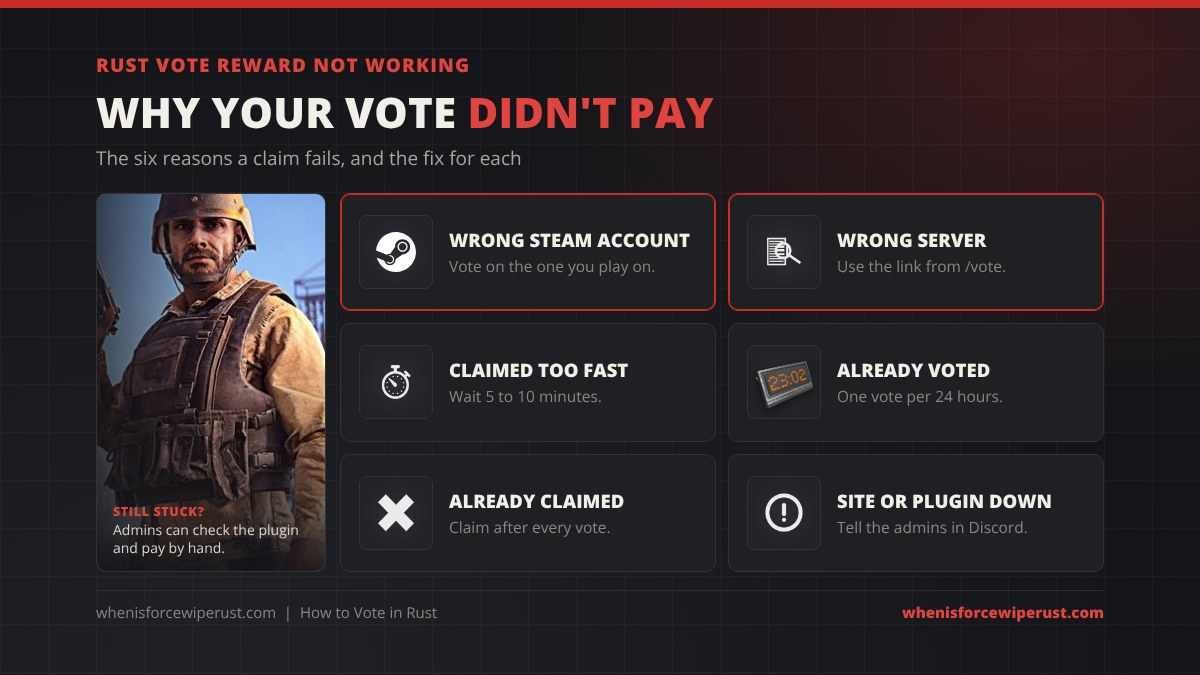
| “You have not voted” | You signed in to the vote site with a different Steam account | Sign out of the vote site, sign in with the account you play on and vote again tomorrow |
| Vote counted, no reward | You voted for a different server with a similar name, or on a different list | Use the exact link from /vote, not a search result |
| Claim says nothing found | You claimed before the site updated | Wait 5 to 10 minutes and type /claim again |
| “Already voted today” | You (or someone on your network) voted in the last 24 hours | Wait for the cooldown. Sites limit votes per day, and some per IP address too |
| Reward was already claimed | You or a script claimed it, or you voted twice before claiming | Claim after every single vote |
| Nothing works for anyone | The vote site is down, or the plugin broke after a Rust update | Tell the admins in Discord. They can check the plugin and give the reward by hand |
Is Voting in Rust Safe?
Yes, as long as you sign in on the real Steam page. Vote sites use Steam’s official sign-in: you are sent to steamcommunity.com, you log in there, and Steam only tells the vote site your public Steam ID. The vote site never sees your password.
Voting can’t get your Rust account banned, because it has nothing to do with the game client. What gets servers in trouble is vote fraud: bots, fake accounts or paying for votes. Lists remove servers they catch doing it, so don’t use vote-boosting tools for a server you play on. A stolen or banned account is gone for good, which our Rust cheats and bans guide explains.
Other Kinds of Voting in Rust
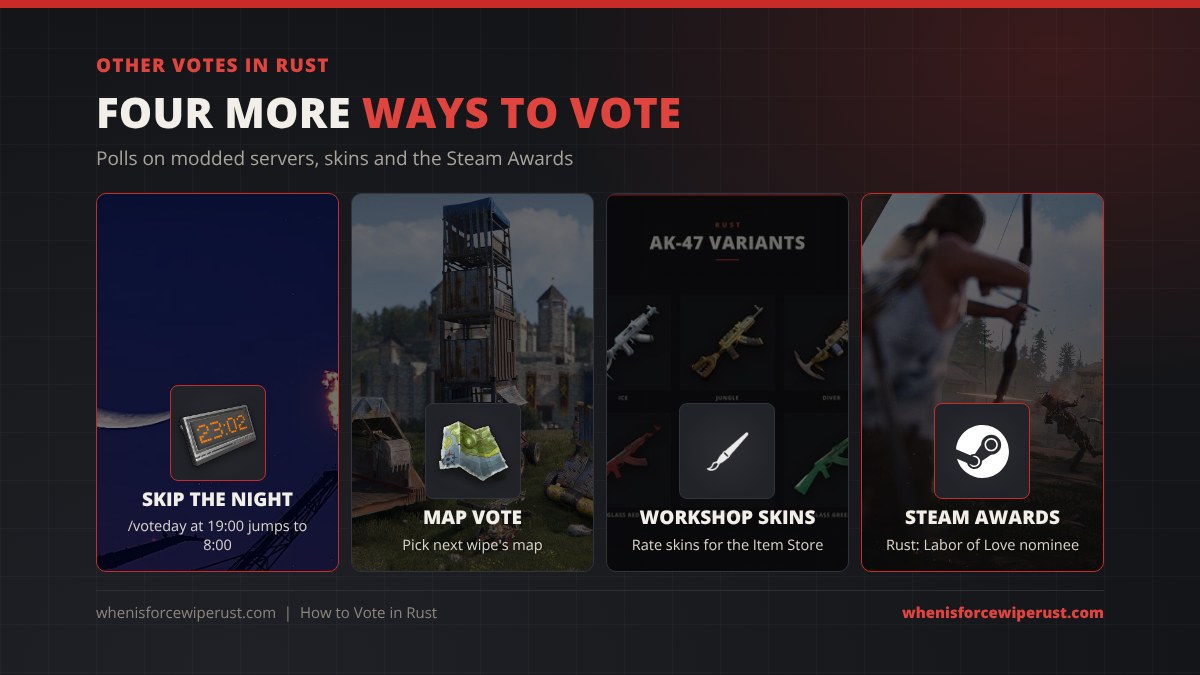
Skip-night votes (/voteday)
On modded servers with a plugin like VoteDay or Skip Night Vote, a vote opens when night starts. With VoteDay it opens at 19:00 in-game time. Type /voteday (or click the pop-up) and, if enough players agree, the server jumps straight to 8:00 in the morning. Vanilla and official servers have no skip-night vote, so you’ll want night vision goggles or a flashlight there, as our Rust clothing guide covers.
Map votes at wipe
Some community servers let players choose next wipe’s map. Plugins like MapVoter generate a few map options before wipe day and open a vote in game or on the server’s Discord, then the winning map loads at wipe. Follow the server’s Discord to catch it, and see our Rust map sizes and seeds guide for what map size and seed mean.
Vote kicks
Rust has no vote kick. You can’t vote a player off a server, even on official servers. To deal with a cheater, press F7 and use Report Player, and tell the server admins on community servers. A few modded servers add a vote-ban plugin, but that’s up to each server.
Voting for skins on the Steam Workshop
Anyone can upload a skin to Rust’s Steam Workshop, and players rate them with a thumbs up or down. Facepunch picks skins for the weekly Item Store from the Workshop, and well-rated skins are the ones that get noticed. To vote, open Rust in your Steam library, go to Workshop, open a skin and use the rate buttons. Skins that get accepted are sold through Steam, which our where to buy Rust skins guide covers.
The Steam Awards
Every year Steam runs the Steam Awards, where players nominate in late November and vote in December. Rust was a nominee in the Labor of Love category in the 2025 Steam Awards (Baldur’s Gate 3 won it). To vote, open the Steam Awards page in the Steam store during the voting window and pick Rust in its category. Voting gives you a Steam badge and stickers, not anything in Rust.
Can You Vote on Rust Console Edition?
No. Server voting runs on Oxide or Carbon plugins, and Rust Console Edition servers can’t run plugins at all. Console servers only have their built-in settings, so there are no vote rewards, no /claim and no skip-night votes on Xbox or PlayStation. See our Rust Console Edition guide for how console servers differ.
For Server Owners: Adding Vote Rewards
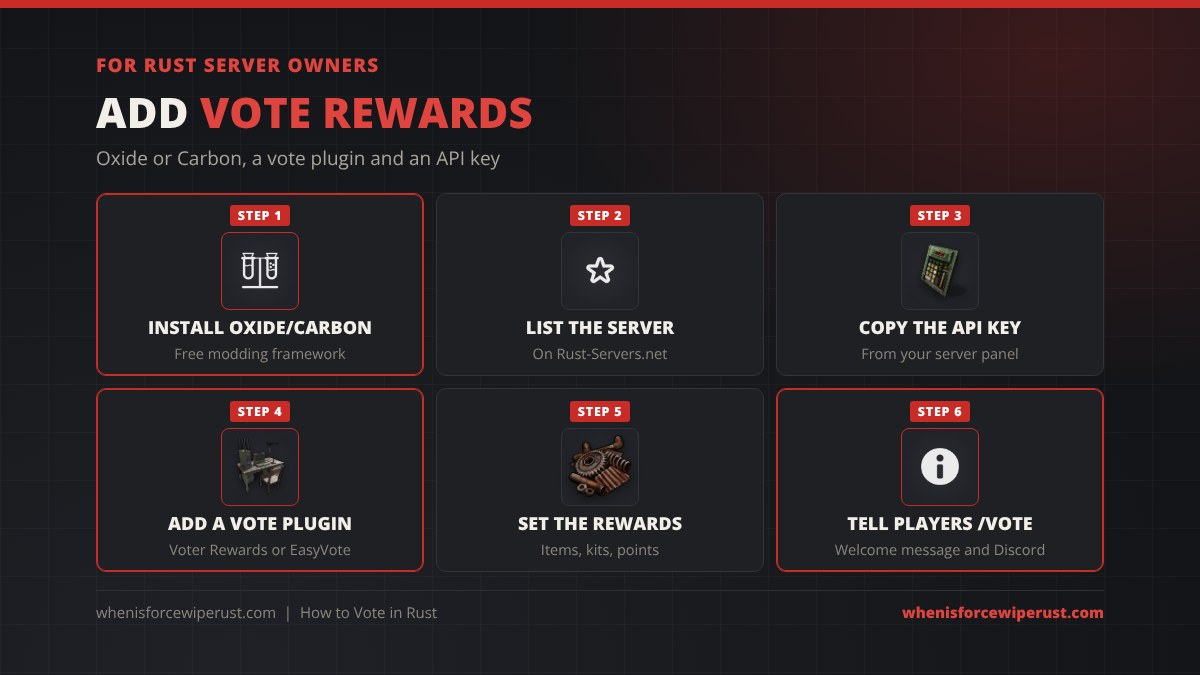
If you run your own server, vote rewards are one of the cheapest ways to climb the lists. The setup is the same for most plugins:
- Install Oxide or Carbon on the server. Our Rust server mods guide walks through it.
- List the server on Rust-Servers.net (and any other list you want) and copy the server’s API key from your server panel on that site.
- Install a vote plugin. Free options on uMod are Voter Rewards (built for Rust-Servers.net) and EasyVote (Rust-Servers.net, Rust-Servers.info and BestServers.com). VoteReward on Codefling is a paid option that also supports Top-Games.net.
- Paste the API key into the plugin’s config file. Voter Rewards unloads itself if the key is empty.
- Set the rewards as items, kits, points or console commands, then reload the plugin.
- Tell players to type /vote, in your welcome message, loading screen and Discord.
Still choosing a host? Our Rust server hosting guide compares the main providers, most of which install Oxide or Carbon in one click.
Tips to Get the Most From Voting
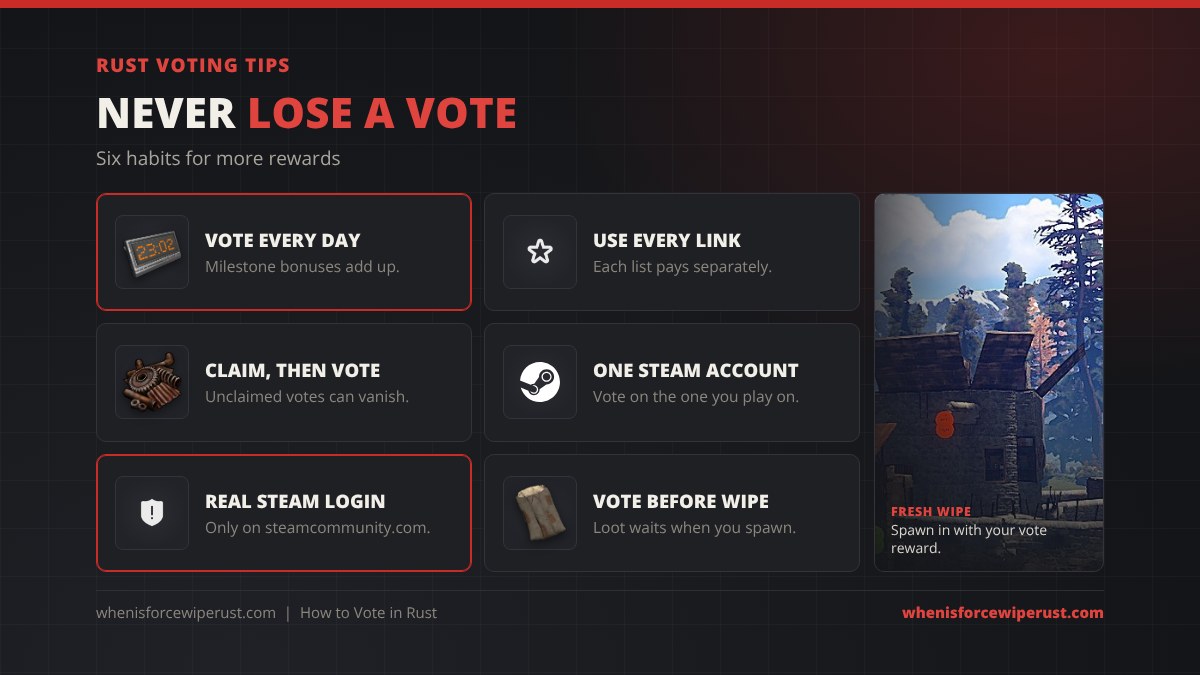
- Vote every day. Many servers add bonus rewards at 5, 10 or 30 votes a month.
- Use every link. If /vote shows two or three sites, each one usually pays separately.
- Claim before you vote again so nothing gets lost.
- Stick to one Steam account for voting and playing.
- Only log in on steamcommunity.com. Never type your password on a vote site itself.
- Vote right before wipe so scrap or a kit is waiting when you spawn on a fresh map.
How to Vote in Rust: FAQ
How do you vote in Rust?
Type /vote in chat on the server to get its voting link, open it, sign in through Steam with the account you play on and press Vote. Wait a few minutes, then type /claim in game to get your reward.
How often can you vote for a Rust server?
Usually once every 24 hours per server on each vote site. Rust-Servers.net allows one vote per server per day and resets its rankings every month.
What is the command to claim vote rewards in Rust?
Most servers use /claim. Others use /vote, /reward or /voted, and a few pay out automatically. Type /vote first and the server’s plugin will tell you which one it uses.
Why did I not get my Rust vote reward?
The usual causes are signing in to the vote site with a different Steam account, voting for a server with a similar name, or claiming before the site updated. Wait 5 to 10 minutes and claim again, and ask the admins if it still fails.
Can you vote on official Rust servers?
No. Official Facepunch servers are vanilla and run no plugins, so they have no vote rewards. Voting only works on modded community servers with a vote plugin.
Can you vote on Rust console?
No. Rust Console Edition servers can’t run Oxide or Carbon plugins, so there are no vote rewards, claim commands or skip-night votes on Xbox or PlayStation.
Is it safe to log in with Steam to vote?
Yes, if the login page is on steamcommunity.com. Steam’s sign-in only shares your public Steam ID with the vote site. Never enter your password on any other site.
Can you vote kick someone in Rust?
No. Rust has no vote kick. Report cheaters with F7 and Report Player, and tell the admins on community servers. Some modded servers add their own vote-ban plugin.
How do you vote to skip the night in Rust?
Only on modded servers with a skip-night plugin. Type /voteday (or use the pop-up) when the vote opens at night, and if enough players agree the time jumps to morning. Vanilla servers have no skip-night vote.
How do you vote for Rust in the Steam Awards?
Open the Steam Awards page in the Steam store during the December voting window and pick Rust in its category. Rust was nominated for Labor of Love in the 2025 Steam Awards.
Sources and Further Reading
- Vote limits and monthly reset: Rust-Servers.net Help and FAQ
- Vote plugins: uMod, Voter Rewards, uMod, EasyVote, uMod, Vote for Money and Codefling, VoteReward
- Skip-night and map votes: Codefling, VoteDay and Codefling, MapVoter
- Skin voting: Rust Steam Workshop
- Steam Awards 2025 nominees: GamingOnLinux, Nominations begin for the 2025 Steam Awards