
Renting a Rust server is the easy way to get a map that stays online 24/7, survives your PC being switched off, and comes with DDoS protection and one-click Oxide or Carbon. The hard part is picking a host: every company prices Rust differently (per slot, per GB of RAM, per 3 days or per month), and the cheapest plan is often too small for a real wipe.
This Rust server hosting guide compares the nine game hosts Rust admins use most, with their current starting prices, how they bill, what you get, where their servers are, and who each one suits. It ends with how big a plan to buy, the traps to avoid, the console options, and when a full dedicated server is worth it. If you would rather run the server yourself for free, our how to host a Rust server guide covers the full home setup step by step.
- Top Picks
- Prices
- Host Reviews
- What Size
- Locations
- What to Check
- Console
- Dedicated
- Rent vs Self Host
- FAQ
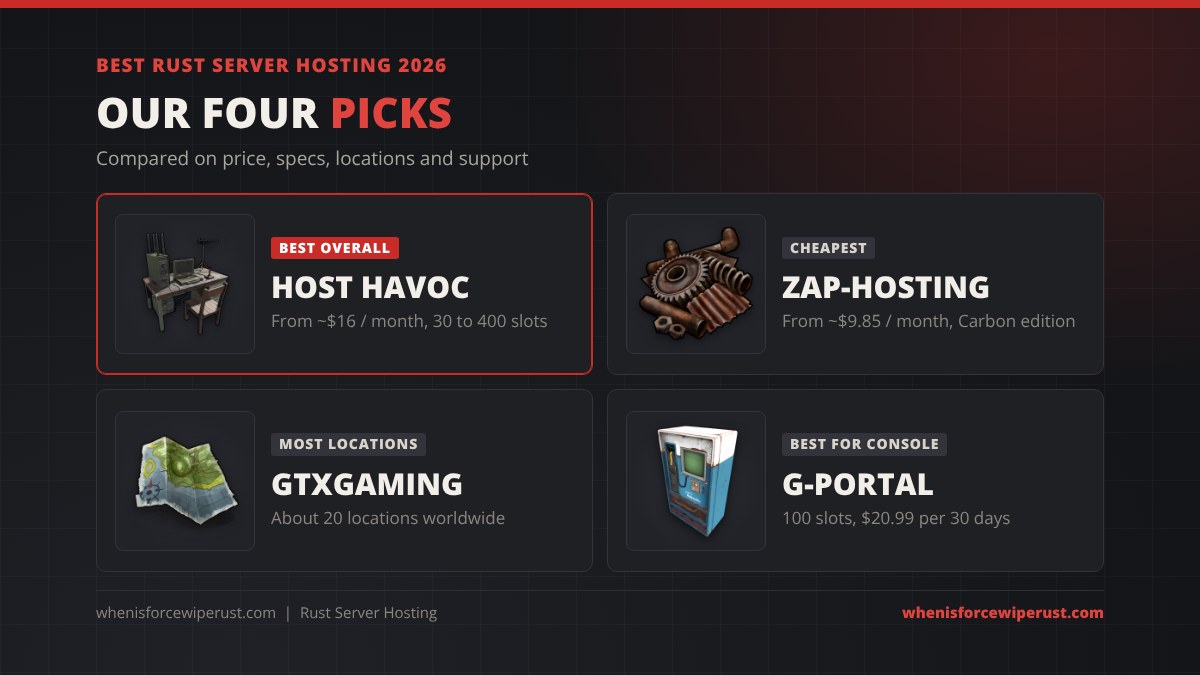
Best Rust Server Hosting: Our Picks
| Best for | Host | Why |
|---|---|---|
| Best overall | Host Havoc | Rust is its main game, DDoS protection on every plan, 30 to 400 slots, consistently top-rated support |
| Cheapest | ZAP-Hosting | Lowest monthly start price we found, a separate Carbon edition and a one-off “lifetime” option |
| Most locations | GTXGaming | About 20 locations, fixed 50 and 100-slot Rust plans plus custom builds |
| Try before you buy | PingPerfect | About 20 locations, up to 200 players per server, and a short free trial has been offered |
| Best for console | G-Portal | Official server partner of Double Eleven (Rust Console Edition), PlayStation and Xbox crossplay |
| High-pop community | A dedicated server | No shared CPU, so you get the fast single core a 150+ player Rust server needs |
Rust Server Hosting Prices Compared
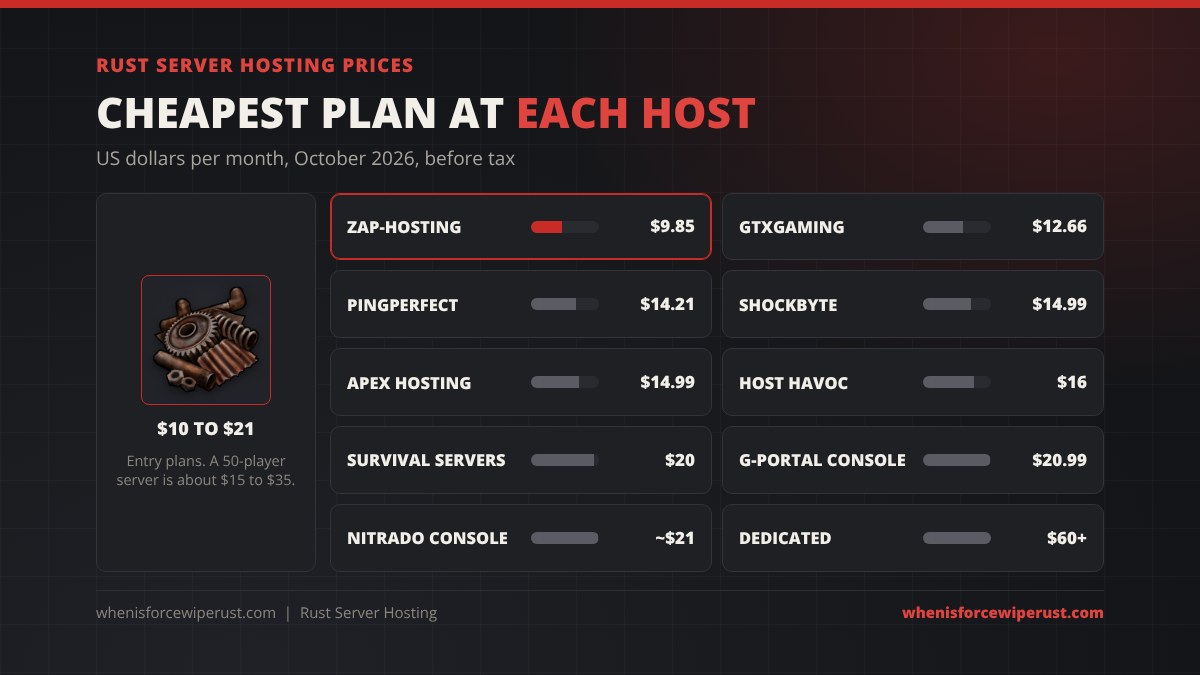
Starting prices below are in US dollars before tax, taken from each host’s own Rust page or recent price trackers in October 2026. Game hosts run promotions and change prices often, and some bill in pounds or euros, so treat these as a guide and check the order page before you pay.
| Host | Starting price | Billed by | Players | Locations | Platforms |
|---|---|---|---|---|---|
| Host Havoc | ~$16 / month (30 slots) | Slots | 30 to 400 | North America, Europe, Asia, Australia | PC |
| GTXGaming | ~$12.66 / month (custom); $18.87 for 50 slots; $33.30 for 100 | Fixed plans or custom | 50, 100 or custom | About 20 | PC |
| ZAP-Hosting | ~$9.85 / month (Carbon edition ~$10.20) | Slots | Small to large | Germany, Canada, US, plus Asia and Australia | PC |
| PingPerfect | ~$14.21 / month | Slots | Up to 200 | About 20 | PC |
| Shockbyte | ~$14.99 / month (8 GB, 40 players) | RAM plans | 40 and up | North America, Europe and more | PC |
| Apex Hosting | ~$14.99 / month (4 GB) | RAM plans | Unlimited slots | North America, Europe and more | PC |
| Survival Servers | ~$20 / month (50 slots) | Slots | Small to large | North America, Europe and more | PC |
| G-Portal | PC: $22.91 per 30 days (20 slots, bonus to 50); Console: $20.99 per 30 days (100 slots) | Slots, 3 to 180 day rentals | Up to 100 on console | North America, Europe, Asia, Australia | PC, PlayStation, Xbox |
| Nitrado | PC: ~$25 per 30 days (50 slots); Console: $20.99 per 30 days (80 slots) | Slots, 3 to 90 day rentals | Up to 80 on console | North America, Europe and more | PC, PlayStation, Xbox |
Rust Server Hosts Reviewed
1. Host Havoc: best overall
Host Havoc sells Rust by player slot, starting around $16 a month for 30 slots and going up to 400 slots, with DDoS protection on every server and RAM upgrades as add-ons. It has been a Rust community favourite for years, its control panel handles Oxide or Carbon installs, wipe scheduling and RCON, and support replies are quick. It costs a little more than the budget hosts, but you are paying for fewer headaches on wipe day.
- Pros: Rust-focused support, DDoS protection included, easy panel, wide slot range
- Cons: not the cheapest, RAM above the base amount is extra
2. GTXGaming: most locations
GTXGaming lists about 20 locations for Rust, including several US cities, Canada, the UK, mainland Europe, Singapore and Sydney. In the US it starts at about $12.66 a month for a custom build, with a fixed 50-slot “Survivor” plan at $18.87 and a 100-slot “Raider” plan at $33.30. It is a good choice when your players are spread out or outside the US and Europe. It does not host Rust Console Edition.
- Pros: many locations, clear fixed plans, custom builds
- Cons: prices change by region and currency, PC only
3. ZAP-Hosting: cheapest
ZAP-Hosting has the lowest start price we found, from about $9.85 a month, with a separate “Rust: Carbon” product from about $10.20 that comes with Carbon pre-installed. It also sells a one-off lifetime server from about $83. It is based in Germany with servers in Europe, North America and further afield, and advertises DDoS filtering on its Rust servers. Great for a friends server or a first community.
- Pros: cheapest start price, Carbon edition, lifetime option
- Cons: small entry plans fill up fast on a busy wipe, fewer US sites than GTX or PingPerfect
4. PingPerfect: try before you buy
PingPerfect starts Rust at about $14.21 a month, allows up to 200 players on one server and has about 20 locations on six continents, including Sao Paulo and Johannesburg, which few hosts cover. It has offered a short free trial, which is handy for checking ping before you pay.
- Pros: wide location list, competitive 50-slot price, trial
- Cons: 200-player cap per server
5. Shockbyte: simple RAM plans
Shockbyte sells Rust by RAM, starting around $14.99 a month for 8 GB and 40 players, with bigger 10 GB and 12 GB tiers. First-month discount codes are common. The entry plan is fine for a small vanilla server, but plan to step up once you add plugins or grow past 40 to 50 players.
- Pros: easy to understand plans, frequent promos, auto-wipe in the panel
- Cons: entry tier is tight for a modded or busy server
6. Apex Hosting: unlimited slots
Apex Hosting prices every game by RAM tier, so Rust starts around $14.99 a month for 4 GB with no slot limit, and it has a short money-back window. 4 GB is too little for a real Rust wipe, so budget for at least the 8 to 10 GB tiers.
- Pros: no slot cap, money-back window, good panel
- Cons: less RAM per dollar than Shockbyte at the low end
7. Survival Servers: good for many servers
Survival Servers bills Rust per slot, at about $20 a month for 50 slots with first-month promos. It has hosted Rust for many years, but it does not publish RAM amounts, so ask support what a plan gets before buying a big one.
- Pros: long Rust track record, simple per-slot pricing
- Cons: RAM not listed per plan
8. G-Portal: best for Rust Console Edition
G-Portal is the official server partner for Rust Console Edition. A 100-slot console server costs $20.99 per 30 days, with longer 90 and 180-day rentals cheaper per month, and PlayStation and Xbox players can share it. On PC it starts at $22.91 per 30 days for 20 slots (often boosted to 50 by a slot bonus), which is pricier than the PC-first hosts above.
- Pros: official console partner, console crossplay, short 3-day rentals to test
- Cons: PC plans cost more than PC-first hosts
9. Nitrado: console alternative
Nitrado also rents Rust Console Edition servers for PS5 and Xbox Series, at about $20.99 per 30 days for 80 slots, with its own DDoS protection. Its PC Rust servers are billed per slot (around $25 per 30 days for 50 slots), and full prices only show late in checkout, so compare carefully.
- Pros: console servers, short rentals, DDoS protection
- Cons: per-slot pricing adds up on PC, harder to compare
What Size Rust Server Should You Rent?
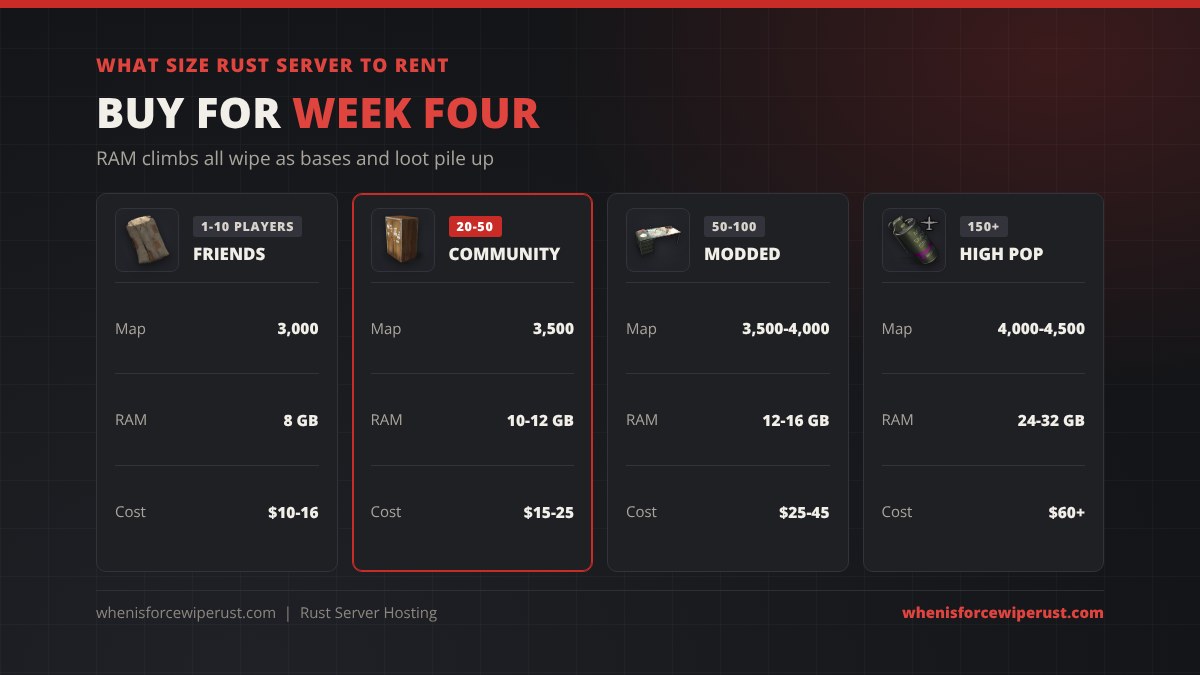
RAM is what runs out first on a rented Rust server. Every foundation, box, deployable and dropped item is an entity the server keeps in memory, so RAM use climbs all wipe and peaks just before the forced wipe. Plugins and bigger maps add more. Use this as a buying guide:
| Server | Players online | Map size | RAM to buy | Typical monthly cost |
|---|---|---|---|---|
| Friends | 1 to 10 | 2,500 to 3,000 | 8 GB | $10 to $16 |
| Small community | 20 to 50 | 3,500 | 10 to 12 GB | $15 to $25 |
| Modded community | 50 to 100 | 3,500 to 4,000 | 12 to 16 GB | $25 to $45 |
| High pop | 150+ | 4,000 to 4,500 | 24 to 32 GB, top CPU | $60+ or a dedicated server |
Not sure which map size to run? Our Rust map sizes guide compares every world size by area, grid and player count.
Slots are cheap to add later, but a server that runs out of RAM in week three lags, crashes and loses players. If a host sells by slot, ask how much RAM the plan gets. For the full hardware picture, including CPU and disk, see the requirements table in our Rust server setup guide.
Pick a Location Near Your Players
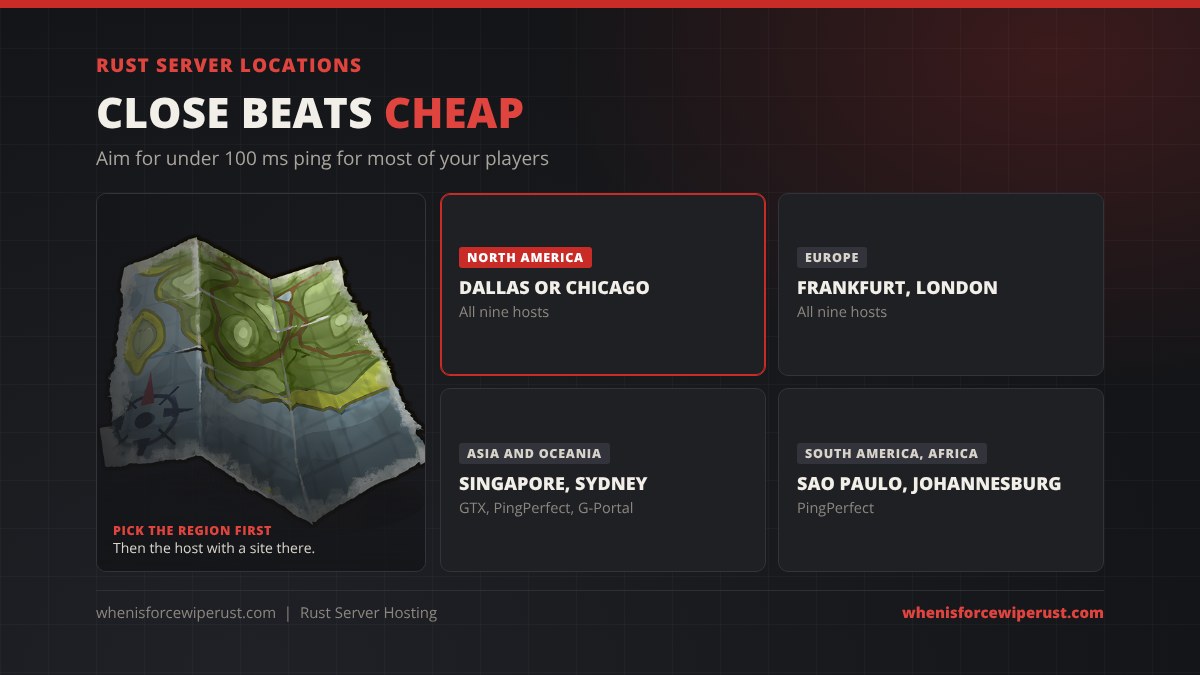
Ping matters more in Rust than almost anything a host can tune. A server more than about 100 ms away feels bad in gunfights, so rent in the region where most of your players live:
- US players: a central US site (Dallas or Chicago) gives fair ping to both coasts. All nine hosts cover the US.
- Europe: Frankfurt, Amsterdam or London. All nine hosts cover Europe.
- Oceania and Asia: Sydney or Singapore. GTXGaming, PingPerfect and G-Portal all list them.
- South America and Africa: PingPerfect is one of the few with Sao Paulo and Johannesburg.
What to Check Before You Rent
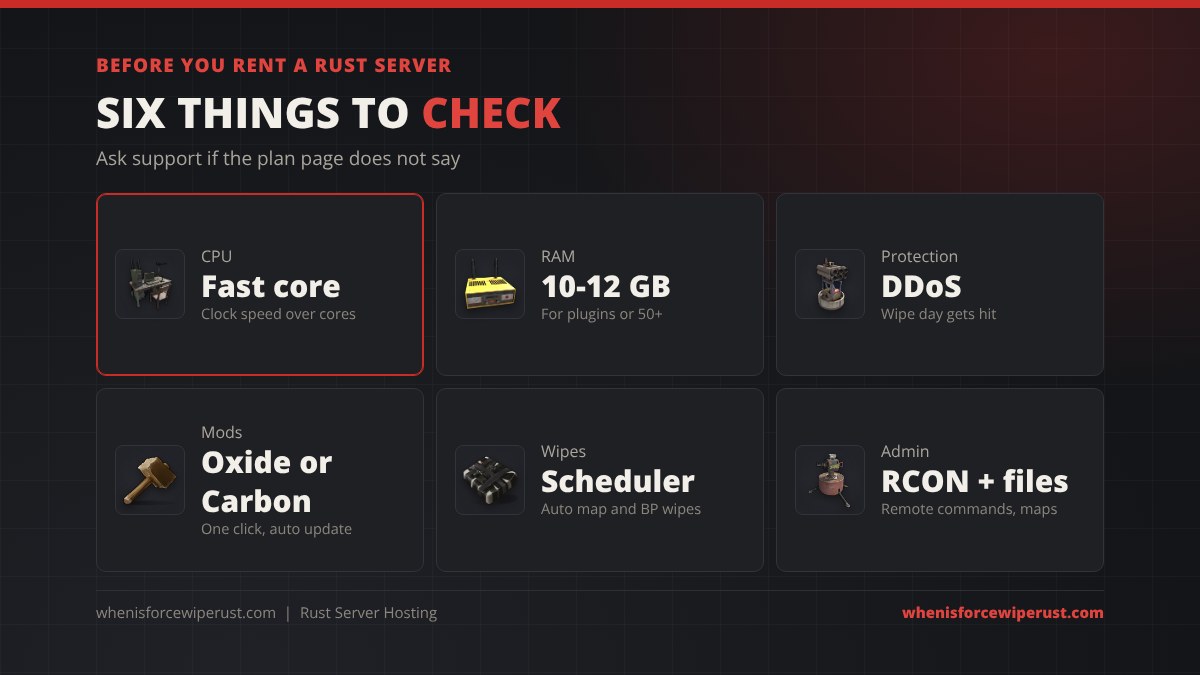
- CPU speed, not core count. Rust servers lean on one fast core. Ask which CPU the plan runs on; a modern Ryzen or high-clock Intel beats an older many-core Xeon.
- RAM per plan. At least 8 GB for vanilla, 10 to 12 GB once you add plugins.
- DDoS protection. Public Rust servers get hit, especially on wipe day. Every host in this list includes it on PC.
- One-click Oxide or Carbon. You can only run one. Check the panel installs and updates it, since a Rust update breaks plugins until the framework is updated. Our Rust server mods guide lists the plugins worth adding.
- Wipe scheduler. A panel that auto-wipes the map and blueprints on a schedule saves you a job every week.
- RCON and FTP or file access. You need both to run admin commands remotely and to upload custom maps or configs.
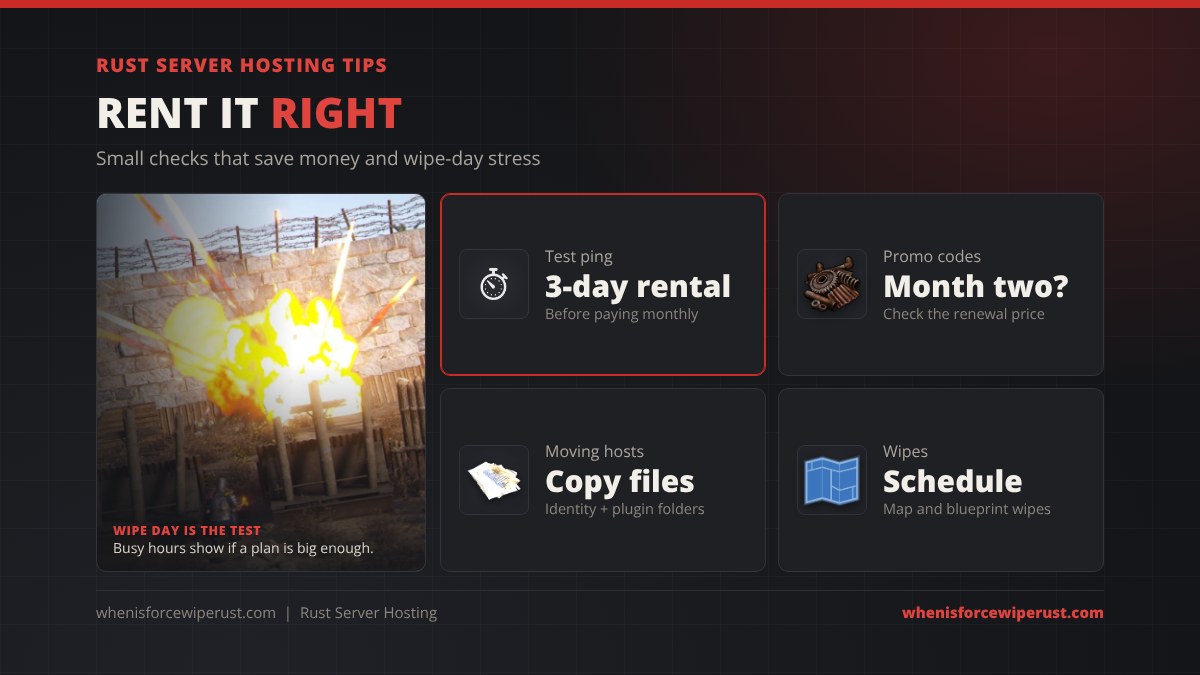
- Renewal price. Many hosts quote a first-month promo. Check what month two costs.
- Billing length. 3-day rentals (G-Portal, Nitrado) are a cheap way to test ping. Quarterly and yearly billing usually saves 10 to 25%.
Rust Console Edition Server Hosting
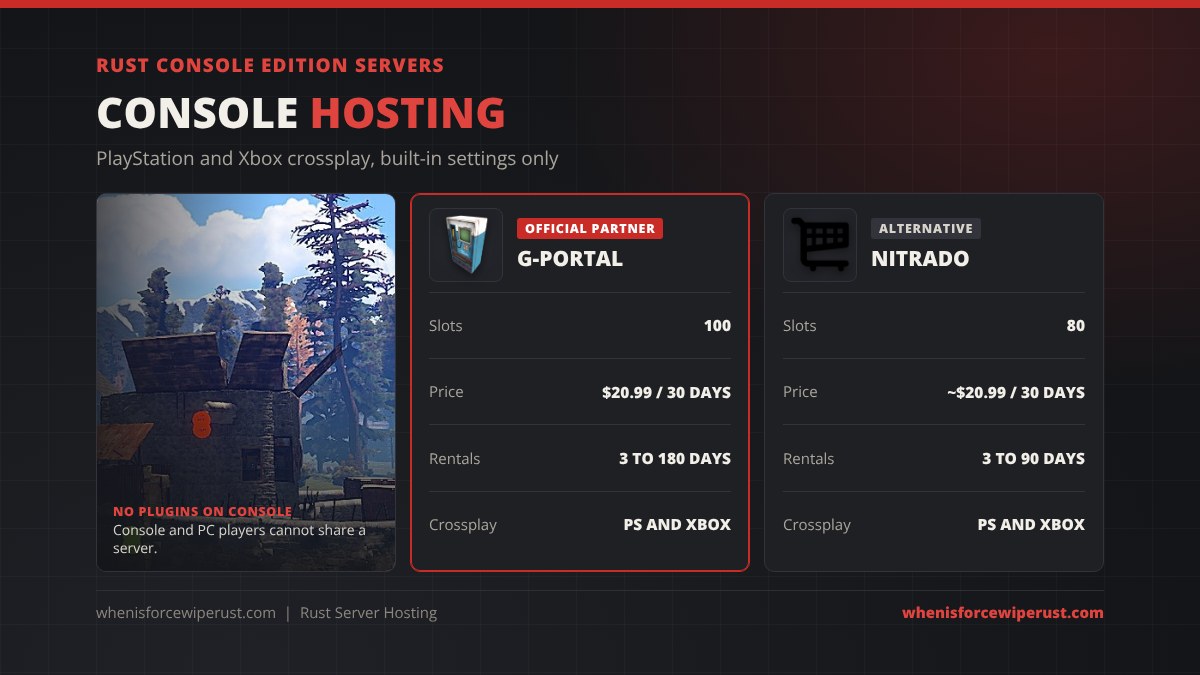
Rust Console Edition has its own community servers, and you cannot rent them from PC-only hosts like Host Havoc or GTXGaming. The two main options are G-Portal, the official partner of developer Double Eleven, at $20.99 per 30 days for 100 slots, and Nitrado, at about $20.99 per 30 days for 80 slots. Both let PlayStation and Xbox players share a server.
Console servers only offer their built-in settings: there are no Oxide or Carbon plugins, and console and PC players cannot join each other’s servers. Our is Rust cross-platform guide explains how console crossplay works, and our Rust console servers guide covers joining and setting up a console server.
When to Rent a Dedicated Server Instead
Game hosts put several customers on one machine. That is fine up to about 100 players, but a 150 to 300 player Rust server needs a whole fast CPU to itself. At that size big communities rent a bare-metal dedicated server with game-grade DDoS protection, such as OVHcloud’s Game range, and install the server themselves.
You get no game panel, so you handle installs, updates, ports and wipes yourself. Every step for that is in our how to host a Rust server guide, including the Linux commands most dedicated servers use.
Rent a Rust Server or Host It Yourself?
| Host it yourself | Game host | Dedicated server | |
|---|---|---|---|
| Cost | Free (power and internet) | About $10 to $45 a month | Usually $60+ a month |
| Uptime | Only while your PC is on | 24/7 | 24/7 |
| Setup | All manual | Panel does it | All manual |
| DDoS protection | None | Included | Included with game ranges |
| Best for | Friends, testing plugins | Most public servers | 150+ players |

Once your server is up, list it where players look. Our Rust servers page tracks popular servers and their wipe times, and the right server browser tags (wipe schedule, vanilla, region) decide which filters your server shows up in, while the Modded tag decides whether it lists under the Modded tab. Our Rust server tags guide lists every tag and builds the server.tags line for you.
Rust Server Hosting FAQ
What is the best Rust server hosting?
Host Havoc is the best all-round Rust server host in 2026, with Rust-focused support, DDoS protection on every plan and 30 to 400 slots from about $16 a month. ZAP-Hosting is the cheapest, GTXGaming and PingPerfect have the most locations, and G-Portal is the best choice for Rust Console Edition.
How much does it cost to rent a Rust server?
Rust server hosting starts at about $10 to $16 a month for a small server. A 50-player community server usually costs $15 to $35 a month, a modded 100-player server $25 to $45, and high-pop servers $60 or more. Console servers cost about $21 per 30 days.
How much RAM does a rented Rust server need?
Buy 8 GB for a small friends server, 10 to 12 GB for a 50-player or modded server, 12 to 16 GB for 50 to 100 players, and 24 to 32 GB for high-pop servers. RAM use grows through the wipe, so size for the last week, not the first day.
Can I rent a Rust Console Edition server?
Yes. G-Portal, the official partner of Double Eleven, rents 100-slot Rust Console Edition servers for $20.99 per 30 days, and Nitrado rents 80-slot console servers for about $20.99 per 30 days. Both support PlayStation and Xbox crossplay, but console servers cannot run plugins.
Is it cheaper to host a Rust server myself?
Yes. The Rust dedicated server is free, so hosting at home only costs power and internet. But it is only online while your PC is on, you have no DDoS protection, and you handle ports and updates yourself. Most public servers rent instead.
Can I move my Rust server to another host?
Yes. Stop the server and download the server identity folder (it holds the map, save and blueprint files) plus your oxide or carbon folder, then upload them to the same paths on the new host and use the same seed and world size. Most hosts will do the move for you if you ask support.
Do Rust server hosts support Oxide and Carbon?
Yes. Every PC host in this list can install Oxide (uMod) or Carbon from its panel, and ZAP-Hosting sells a Rust edition with Carbon pre-installed. You can only run one framework at a time, and it must be updated after every Rust update.
Are there free Rust server hosts?
Not really. Free game hosts do not give a Rust server enough RAM to run a real wipe. Short free trials and 3-day rentals are the cheapest way to test a host, and hosting on your own PC is the only truly free option.
Sources and Further Reading
- Host, plan and price details from each host’s own Rust page (linked in the price table), checked October 2026
- G-Portal Wiki, Rust Console Edition (console server settings)
- Facepunch Rust Wiki, Creating a server (server software and requirements)
- uMod, Rust and Carbon documentation (mod frameworks)