
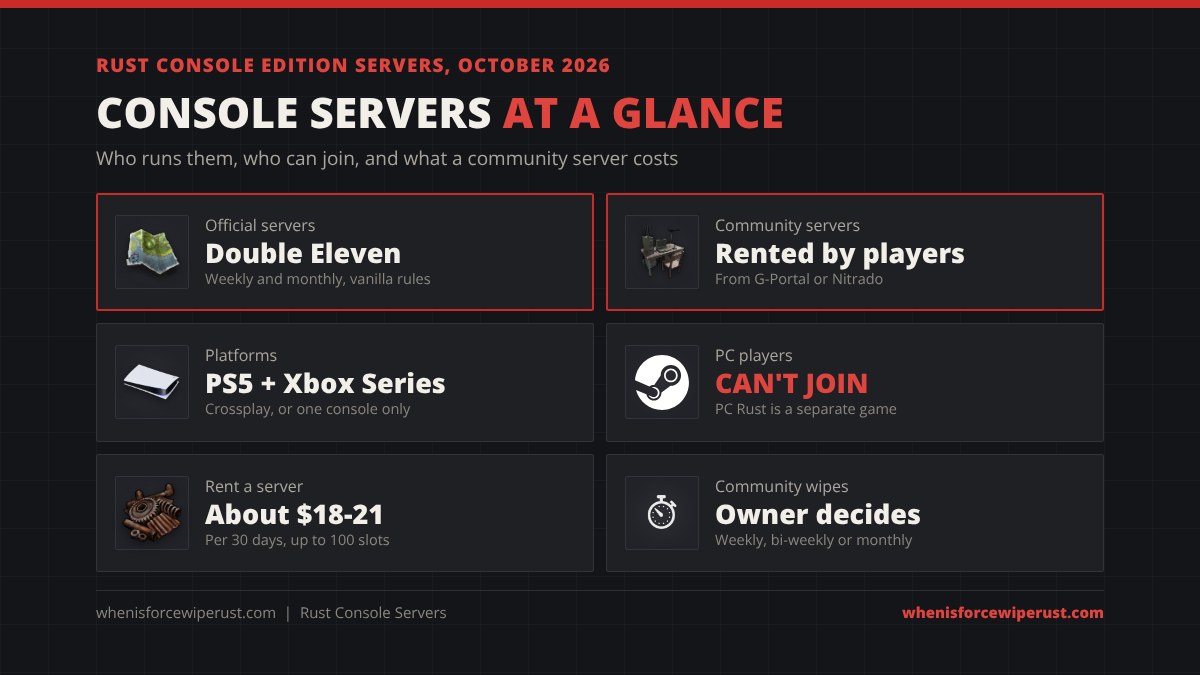
Rust console servers come in two kinds: official and community. Official servers are run by Double Eleven, the studio behind Rust Console Edition, and wipe on a fixed weekly or monthly Thursday. Community servers are rented by players from G-Portal or Nitrado for about $18 to $21 per 30 days, hold up to 100 players, and run on the owner’s own settings, from PvE and 3x gather to solo-only and whitelisted servers. Both kinds show up in the in-game server browser on PS5 and Xbox Series X|S.
This guide covers everything about Rust console servers: the difference between official and community servers, how to find and join a community server, how crossplay works, how to rent your own server from G-Portal or Nitrado, every setting an owner can change, how community servers wipe, and how to pick a server worth playing a whole wipe on. Playing on PC? Our Rust force wipe countdown tracks the next Steam force wipe, and the Rust server browser lists PC servers live.
- Official vs Community
- How to Join
- Crossplay
- Rent a Server
- G-Portal
- Server Settings
- Community Wipes
- Pick a Good Server
- FAQ
Official vs Community Rust Console Servers
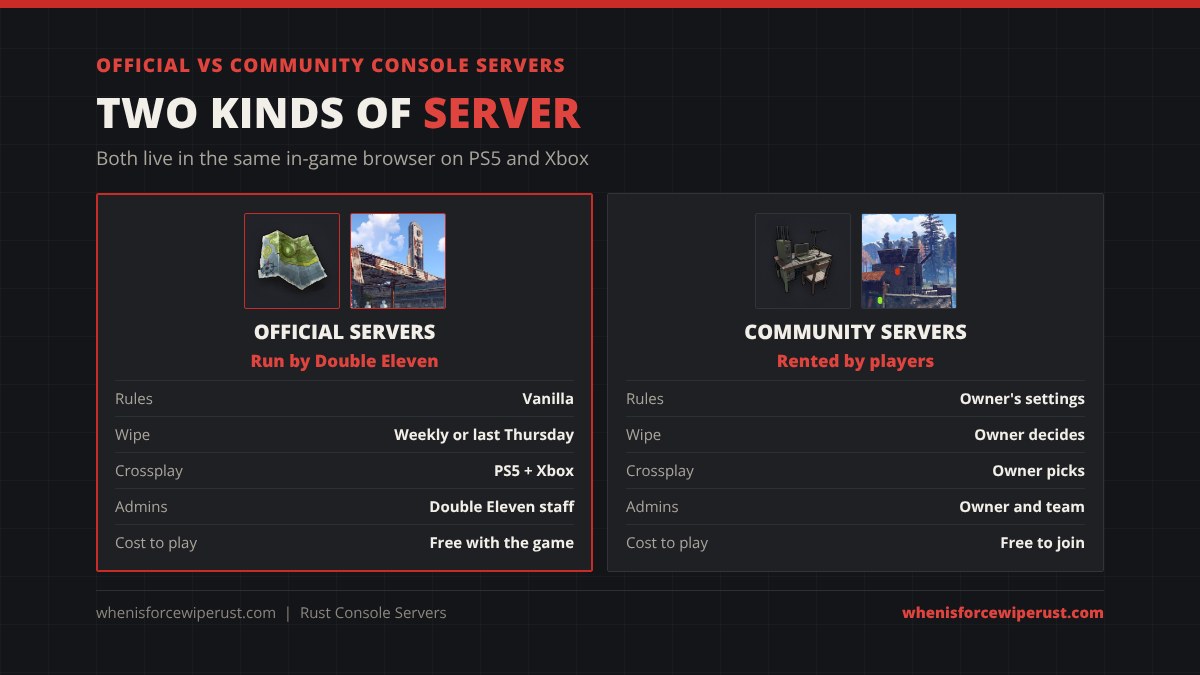
Every Rust Console Edition server belongs to one of two groups, and the group decides who sets the rules.
Official servers are hosted by Double Eleven, the studio that makes Rust Console Edition with Facepunch. They run vanilla Rust with the standard gather rates and loot, and they follow the official wipe schedule: weekly servers wipe every Thursday and monthly servers wipe on the last Thursday of the month, both at 18:00 UTC. You’ll find official servers in every region (US, EU, Asia and Oceania). The exact times and dates are on our Rust console wipe schedule.
Community servers are rented by players, clans and server groups from an approved host. The owner controls the map, the wipe day, PvP or PvE, team size, gather rate, loot, whitelist and admin team. That makes community servers the only place on console to find things like solo-only servers, PvE servers, boosted 2x or 3x rates and servers with active admins who ban cheaters on the spot. If you’re not sure what “2x” or “PvE” means, our Rust server types guide explains every label you’ll see in a server name.
| Official servers | Community servers | |
|---|---|---|
| Run by | Double Eleven | Players, renting from G-Portal or Nitrado |
| Rules | Vanilla | Owner’s settings (PvE, rates, team size) |
| Wipe | Every Thursday or last Thursday, 18:00 UTC | Whenever the owner chooses |
| Max players | Set by Double Eleven | Up to 100 (80 on Nitrado’s smaller plan) |
| Platforms | PS5 and Xbox Series X|S together | Crossplay, PlayStation only or Xbox only |
| Admins | Double Eleven staff | The owner and their team |
| Cost to play | Free with the game | Free to join (the owner pays rent) |
Mods and plugins don’t exist on console. Unlike PC, where community servers can run Oxide or Carbon plugins, every console community server runs the same game code, and owners can only change the settings Double Eleven exposes in the host’s control panel. So a “modded” console server is really a server with boosted settings, not one with custom plugins or kits.
How to Join a Community Server on Rust Console
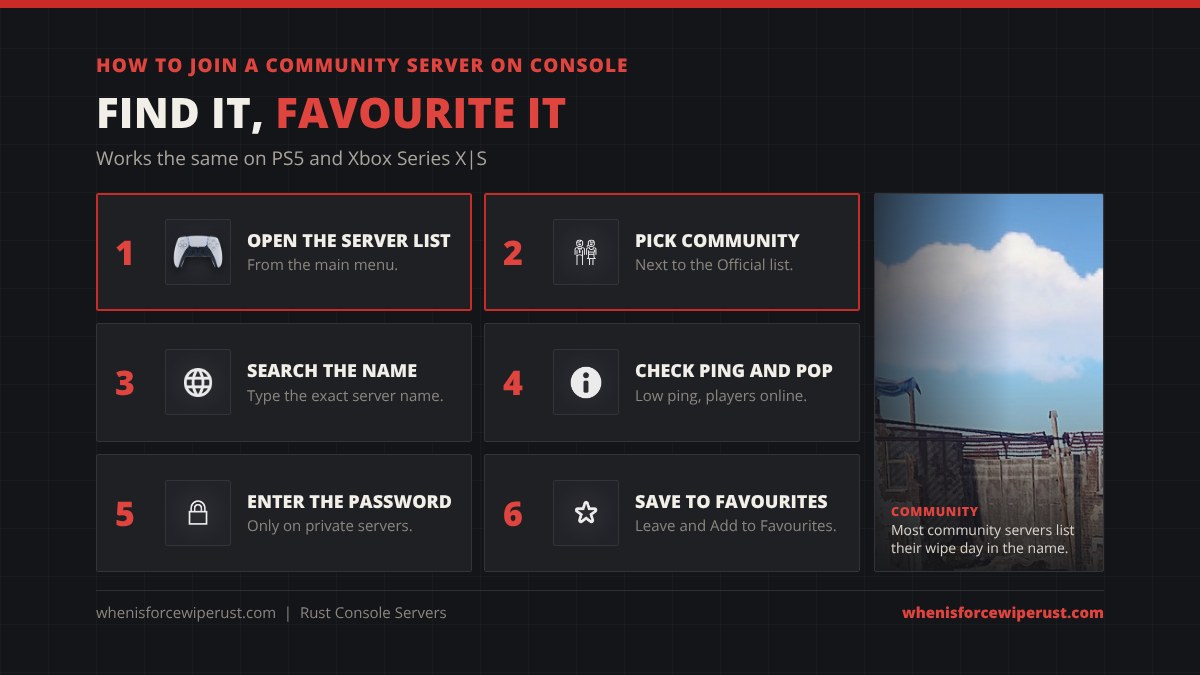
Joining a community server works the same on PS5 and Xbox Series X|S:
- Open the server list from Rust Console Edition’s main menu.
- Switch to the Community tab. Official servers and community servers are listed separately.
- Search the server’s exact name. If a friend or a Discord gave you a name, type it in full. Many servers put their wipe day and rates in the name, like “2x Solo/Duo | Wipes Thursday”.
- Check the ping and player count. Pick a server in your region with a low ping and enough players online at the times you play.
- Enter the password if the server is private. Whitelisted servers only let in gamertags and PSN IDs the owner has added.
- Save it to your Favourites. Once you’re in, open the menu, leave the game and choose the option to leave and add the server to your Favourites. Next time it’s one tap from the Favourites list.
Do Rust Console Servers Have Crossplay?
Yes, between consoles. PS5 and Xbox Series X|S players share the official servers, and community servers can do the same. Each community server owner picks one of three platform settings: Crossplay, PlayStation only or Xbox only. A server set to one platform is hidden from players on the other console. G-Portal turns crossplay on for its console servers by default.
There is no crossplay with PC. Rust Console Edition is a separate game from Rust on Steam, on its own servers, so a PC player can never join a console server and your console progress, bases and skins don’t carry over to PC. Old PS4 and Xbox One official servers closed on October 30, 2025, and new server rentals are for the PS5 and Xbox Series version. Our full Rust crossplay guide covers every platform, and Rust on Xbox and PS5 covers editions and prices.
How to Rent a Rust Console Server
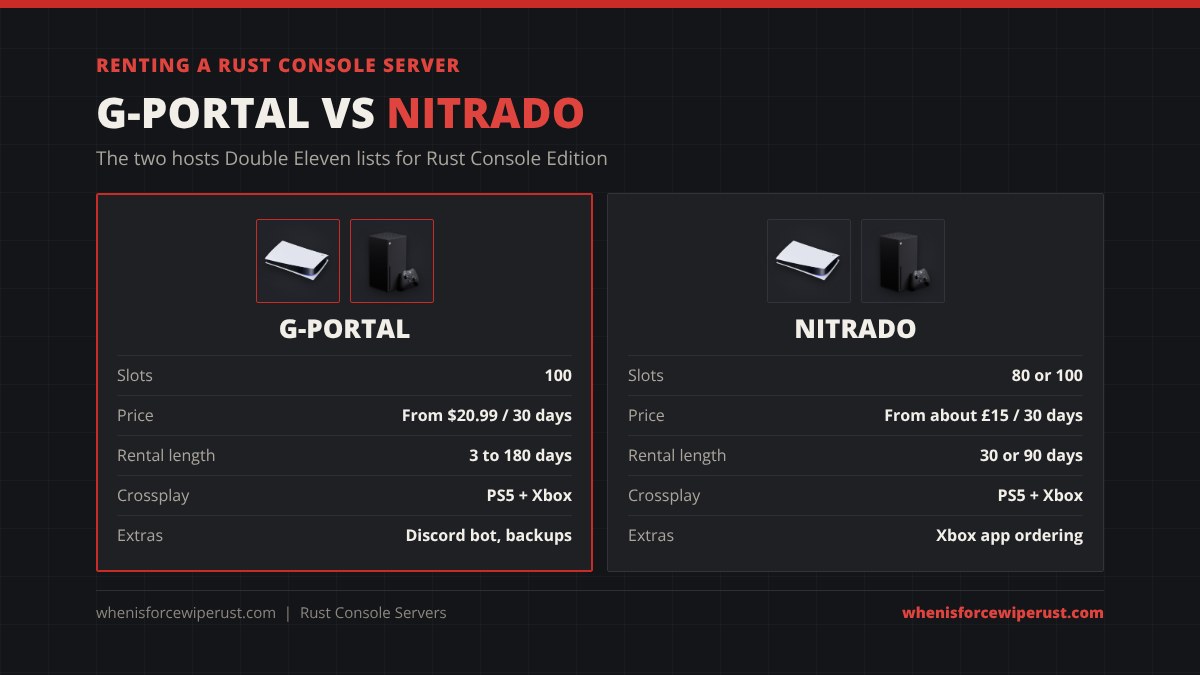
You can’t host a Rust console server on your own PS5, Xbox or PC. Console servers can only be rented from the hosts Double Eleven has approved, and right now that means G-Portal and Nitrado. Renting went live for everyone on November 30, 2023 through G-Portal, and Double Eleven said at the time it wasn’t an exclusive deal, which is how Nitrado joined later.
| G-Portal | Nitrado | |
|---|---|---|
| Slots | 100 | 80 or 100 |
| Price (30 days) | From $20.99 | From about £15 (80 slots), about £18 (100 slots) |
| Longer plans | 90 days about $57, 180 days about $107 | 90 days |
| Short test rentals | 3-day rentals offered | No |
| Platforms | PS5 and Xbox, crossplay on | PS5 and Xbox, crossplay supported |
| Extras | Discord bot, 50 GB backups | Xbox servers can be ordered in the Nitrado Xbox app |
Prices change with sales, currency and tax, so check the host’s page before you pay. Renting is simple: pick the console version on the host’s site, choose the slot count and the rental length, pay, and the server is ready in a few minutes. You then set the name, password, map and rules on the host’s website, and the server appears in the Community tab for everyone on your chosen platforms. For PC Rust server hosting, which is a different product, see our Rust server hosting comparison.
G-Portal Rust Console: What You Get
G-Portal is Double Eleven’s original server partner for Rust Console Edition, so it’s the host most console community servers use. A G-Portal Rust console server comes with:
- 100 player slots, the most a rented console server can hold today. Double Eleven’s roadmap aims for 125-player servers next, with bigger servers after that.
- PS5 and Xbox crossplay switched on.
- A web control panel where you set every option, add admins and manage the whitelist. The in-game whitelist is view-only, so you edit it on the website.
- Admin by gamertag. In the panel’s console you add yourself or a friend as admin with your PSN ID or Xbox gamertag (put the name in quotes if it has a space).
- A rules tab and server team list that players can read in the game, which Double Eleven added in Dev Blog #30.
- A Discord bot and 50 GB of backup space for saves and configs.
Nitrado offers the same game settings, because both hosts use the controls Double Eleven provides. Double Eleven has also said it plans to add more hosts and a partner program that highlights high-quality community servers.
Rust Console Server Settings

These are the main settings Double Eleven gives community server owners, according to the official Rust Console Edition community server guide:
| Setting | What it does |
|---|---|
| Server name and description | What players see in the Community tab. Most owners add the wipe day and rates here. |
| Map, seed and world size | Pick a map preset or a seed, and set the world size (1000 to 3000 on G-Portal). You can also choose which monuments spawn. |
| Max players | Up to the slot count you rented (80 or 100). |
| PvP and PvB mode | Turn both off for a true PvE server where players can’t hurt each other or each other’s bases. |
| Team size | 1 to 10 players (default 8). Set it to 1 to turn teams off for a solo server. |
| Authorisation limits | Limit tool cupboard, turret and lock authorisations to the team size, so groups can’t go over the limit. |
| Gather scale and loot scale | Gather from 1x to 3x, plus more loot in crates and barrels. This is how console “2x” and “3x” servers work. |
| Password and whitelist | Make the server private, or only let in names on the whitelist. |
| Platform | Crossplay, PlayStation only or Xbox only. |
| Admins, rules and server team | Add admins by gamertag or PSN ID and publish the rules players see in the game. |
When Do Rust Console Community Servers Wipe?
Community servers don’t follow the official schedule. The owner decides when the map wipes and whether blueprints wipe with it. Most still wipe on a Thursday so they line up with the official weekly or monthly wipe and catch the players looking for a fresh start, but you’ll also see servers that wipe twice a week, every two weeks or once a month.
The easiest way to find a community server’s wipe day is to read its name (many say “Wipes Thursday” or “Weekly”), its description or its Discord. For the official servers, see the Rust console wipe schedule, which has a live countdown to the next weekly and monthly wipe in your time zone.
How to Pick a Good Rust Console Server
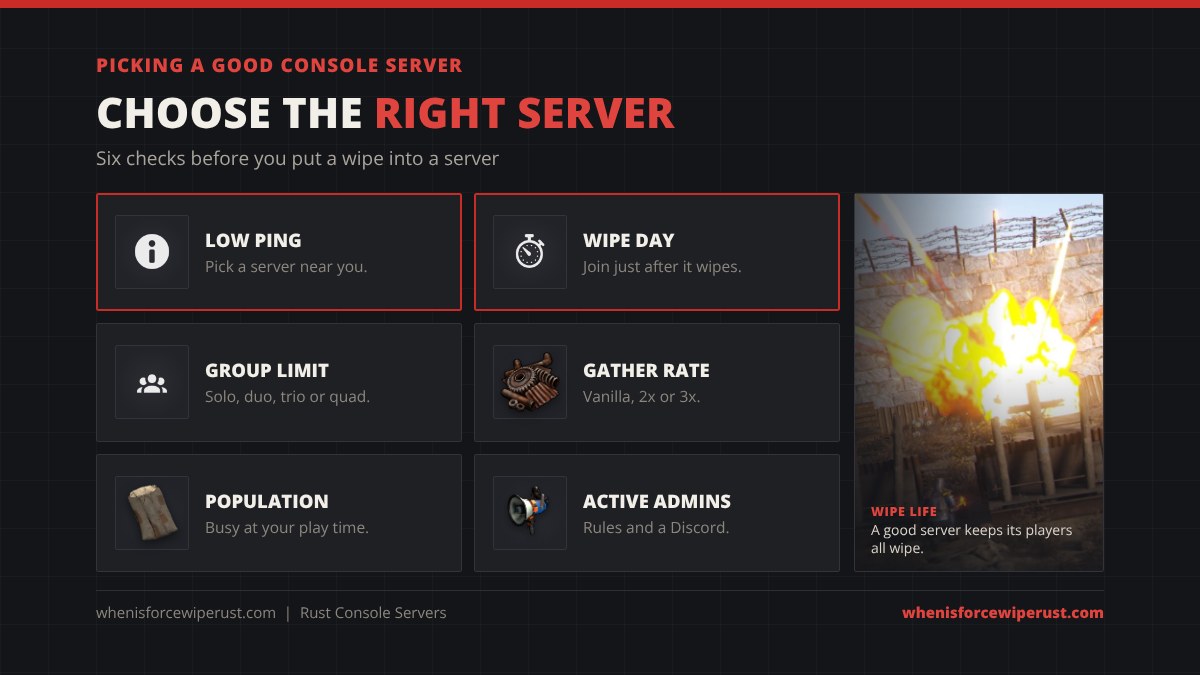
- Low ping. Pick a server in your region. A US player on an EU server will lose fights to lag.
- Join on wipe day. Joining a server a week into its wipe means starting with a rock next to players with rifles.
- Match the group limit. Solo players do best on solo or duo servers, where big clans can’t run the map.
- Choose the rate you want. Vanilla is the real Rust grind, 2x and 3x let you build and raid faster if you don’t have hours to farm.
- Check the population at your play time. A server that’s full at 2 AM might be empty when you play.
- Look for active admins. Rules, a Discord and quick answers to reports mean cheaters and griefers get dealt with.
New to Rust on console? Our Rust Console Edition hub covers updates, prices, editions and the 2026 roadmap in one place.
Rust Console Servers FAQ
Can you make your own Rust server on console?
Yes, but you have to rent it. Rust Console Edition servers can only be hosted by Double Eleven’s approved partners, G-Portal and Nitrado. You can’t run a console server on your own PS5, Xbox or PC.
How much is a Rust console server?
About $18 to $21 per 30 days. G-Portal lists a 100-slot Rust Console Edition server from $20.99 per 30 days, with cheaper rates on 90 and 180 day plans. Nitrado lists 80 slots from about £15 and 100 slots from about £18 per 30 days. Prices change with sales and tax.
How many players can join a Rust console server?
A rented community server holds up to 100 players (Nitrado also offers an 80-slot plan). Double Eleven’s roadmap aims to support 125-player servers next, with higher-capacity servers later.
Is G-Portal the only Rust console server host?
No. G-Portal was the first host when console server rentals opened on November 30, 2023, and Nitrado now rents Rust Console Edition servers too. Double Eleven has said it plans to add more hosts.
Can PS5 and Xbox players play on the same server?
Yes. Official servers are crossplay between PS5 and Xbox Series X|S, and community servers can be crossplay, PlayStation only or Xbox only, depending on the owner’s setting.
Can PC players join Rust console servers?
No. Rust Console Edition and Rust on Steam are separate games with separate servers, so PC and console players can never play together.
Are there modded Rust console servers?
Not in the PC sense. Console servers can’t run plugins. Owners can only change the built-in settings, like gather scale up to 3x, loot scale, team size and PvP or PvE, so console “modded” servers are boosted vanilla servers.
Are there PvE servers on Rust console?
Yes. Community server owners can turn off PvP and PvB (player vs base damage) to make a true PvE server. Search the Community tab for “PvE” to find them.
When do Rust console community servers wipe?
Whenever the owner chooses. Many wipe on Thursdays to match the official weekly and monthly wipes, but some wipe twice a week or every two weeks. Check the server’s name, description or Discord.
How do I favourite a server on Rust console?
Join the server, open the menu, leave the game and choose the option to leave and add the server to your Favourites. It then appears in your Favourites list in the server browser.
Sources and Further Reading
- Console server rentals launch, price and 100 players: Double Eleven, Dev Blog #23
- Rules tab and server team list: Double Eleven, Dev Blog #30
- Server settings, team size, gather scale and platform options: Rust Console Edition community servers guide
- G-Portal plans and features: G-Portal, Rust Console Edition server hosting
- Nitrado plans: Nitrado, Rust Console Edition server hosting PS5