
Rust has two ways to play as a group. The old team system is the quick one: open your inventory, make a team, invite your mates and you share a map, a chat and each other’s names. Since July 2026 there is also a real clan system, built around the Clan Table, for groups that want ranks, a banner and room for up to 100 members.
This Rust clans guide covers both: how to make a team, what the team UI shows, how big a team can be on official and community servers, how clans work and how they differ from teams, what a team does not share (your cupboard, locks and turrets), and how group size now changes your upkeep. If you are planning a wipe with your group, our Rust force wipe countdown shows exactly when the next one lands.
- Teams vs Clans
- Make a Team
- Team UI
- Team Limit
- Clans
- Clan Menu
- Clan vs Team
- What Isn’t Shared
- Upkeep Tax
- Tips
- FAQ
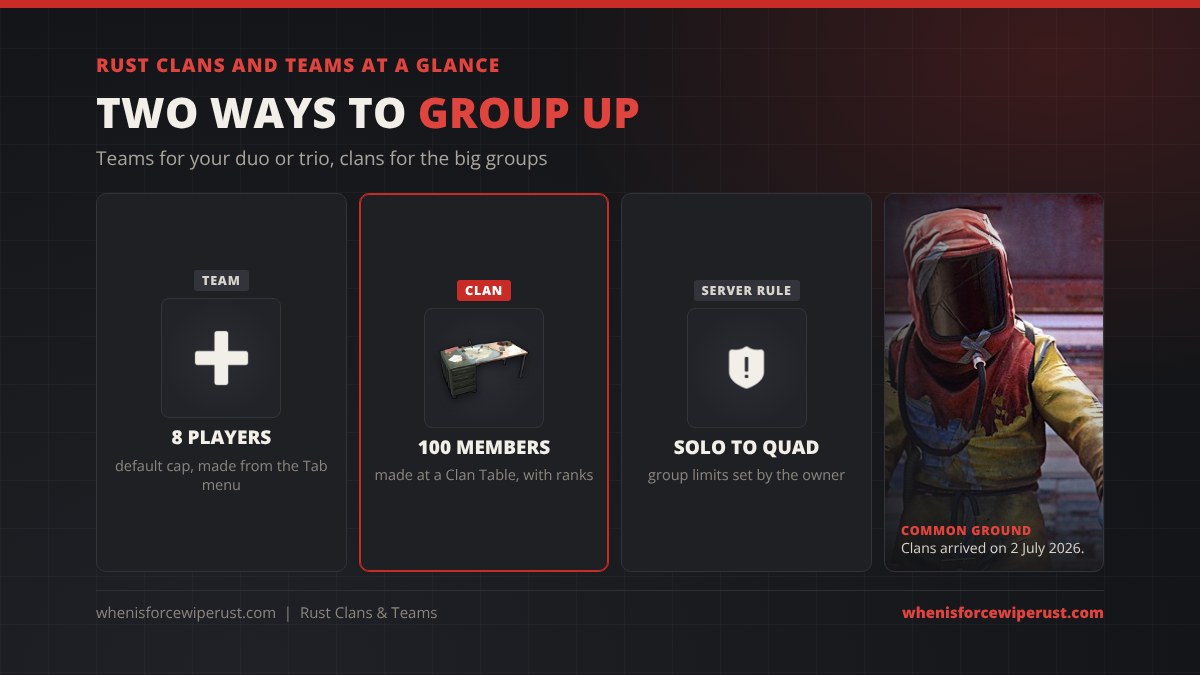
Rust Teams and Clans: The Short Version
Rust added teams back in 2018, and they are still the main way most people group up. A team is made on the spot from the inventory screen, has one leader, and holds up to 8 players unless the server changes the cap. Everyone on it sees each other on the map, gets team chat, and has a green name over their head so you stop shooting your duo by mistake (most of the time).
Clans are newer. Facepunch added them in the Common Ground update on 2 July 2026, the same patch that brought the Apartment Complex and softcore raid windows, and described them as “a more advanced version of teams”. You make and manage a clan at a Clan Table. A clan can be much bigger, has ranks with permissions, its own chat channel, a message of the day, a banner and logo, a score and a log of who did what.
The two systems sit side by side. You can be in a team and a clan at the same time, and most bigger groups do exactly that: the clan holds the whole community, and smaller teams form inside it for the wipe.
How to Make a Team in Rust
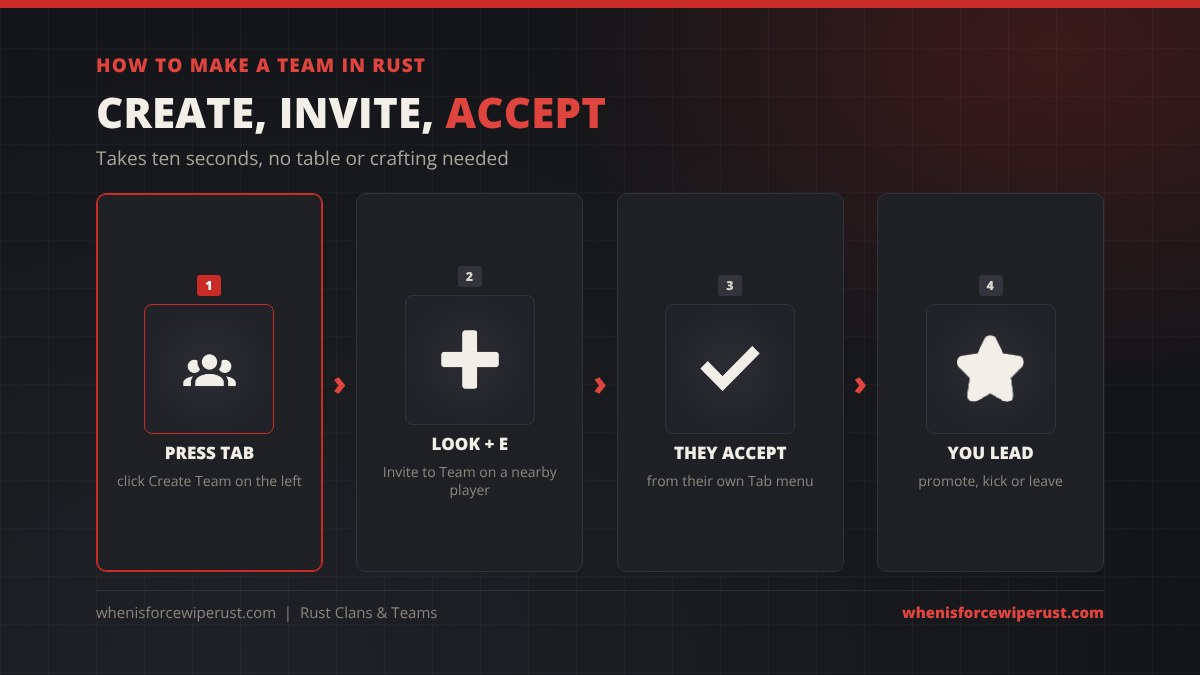
- Open your inventory with Tab. The team panel sits on the left, next to your character.
- Click Create Team. You are now the leader of a team of one.
- Invite players. Walk up to a player, look at them and hold E, then pick Invite to Team. They need to be close.
- They accept. The invite shows in their own Tab menu, where they click to join.
The leader is marked in the team panel. From the same panel the leader can promote another player to leader and kick members, and anyone can leave. When the last player leaves, the team is gone.
The Rust Team UI: What Teammates Share
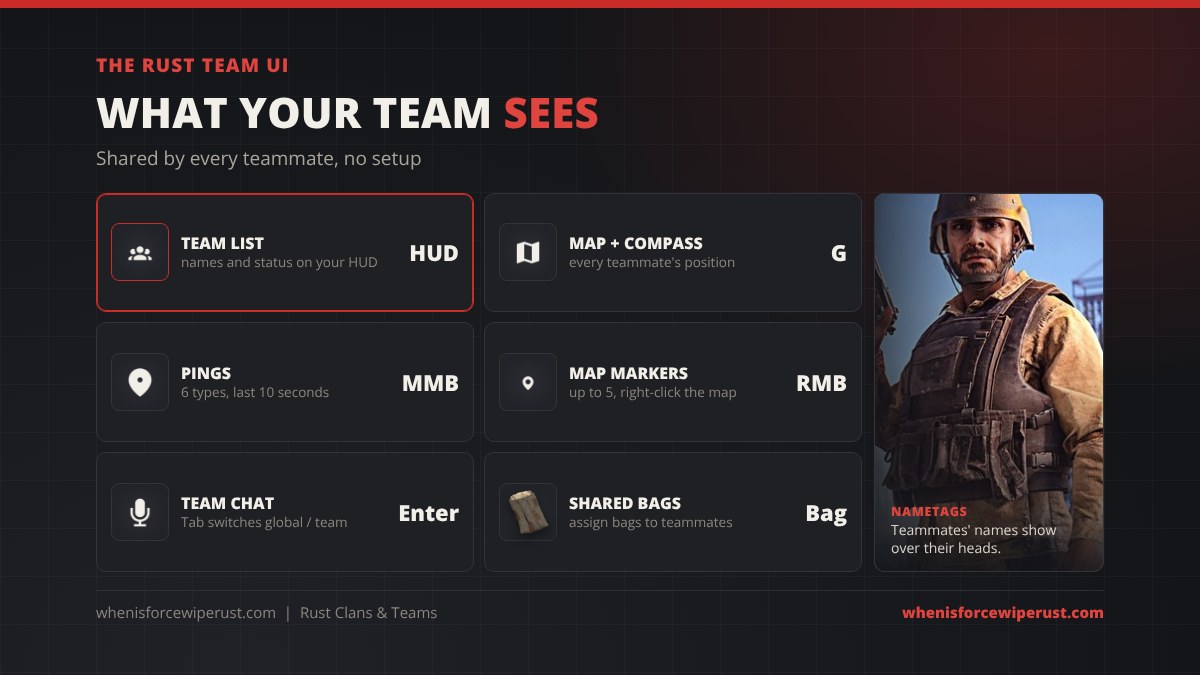
Being on a team turns on a set of shared tools. None of them need setup:
- Team list. Your teammates are listed on your HUD with their status, so you can see at a glance who is alive, dead or offline.
- Map and compass. Open the map (G by default) and every teammate shows as a marker. They also show on the compass at the top of the screen.
- Nametags. Teammates have their name over their head in the world, which helps a lot in a messy fight.
- Pings. Press the middle mouse button to ping a spot your team can see, or hold it for a wheel of six types (hostile, go to, loot, value, weapon and node). A ping lasts about 10 seconds. Pings also work through binoculars, drones and CCTV cameras.
- Map markers. Right-click the map to place a marker, up to 5 at a time. The team leader’s markers show for the whole team.
- Team chat. Open chat and press Tab to switch between global and team. Team chat also reaches teammates using the Rust+ companion app.
- Sleeping bags. You can give your sleeping bags to a teammate so they can respawn on them too.
Rust Team Limit: How Big Can a Team Be?
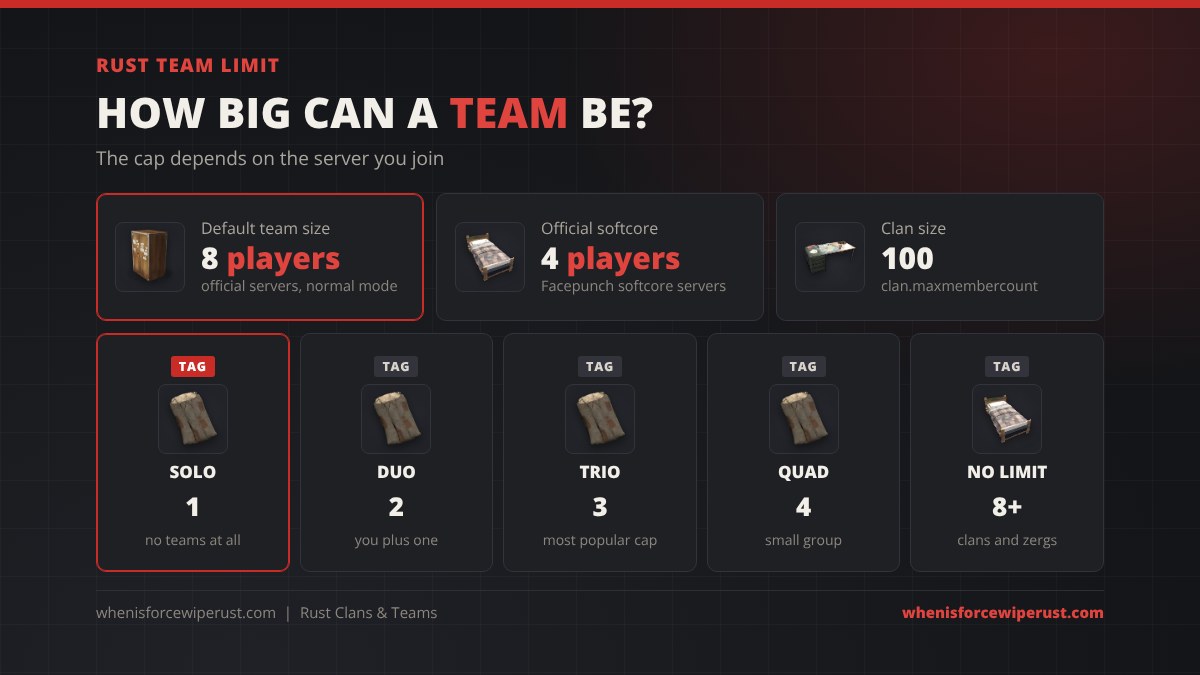
The default Rust team limit is 8 players. That is what you get on Facepunch’s official normal servers and on any server that does not change it. It is also roughly what the team list on the HUD is built to show.
| Server | Team limit | Notes |
|---|---|---|
| Official (normal) | 8 | No group limit rule, so groups bigger than 8 just play as two teams or a clan |
| Official softcore | 4 | See our softcore vs hardcore guide |
| Solo servers | 1 | Teaming is not allowed at all |
| Duo / trio / quad servers | 2 / 3 / 4 | The most common community caps |
| Big community servers | Often 8 to 16 | Rustafied and Rustoria mains run 16, see our server wipe schedules |
Server owners change the cap with the relationshipmanager.maxteamsize convar; setting it to 0 turns teams off. The server reports that number to Steam, which is how our Rust server browser can filter by solo, duo, trio and quad.
How Clans Work in Rust
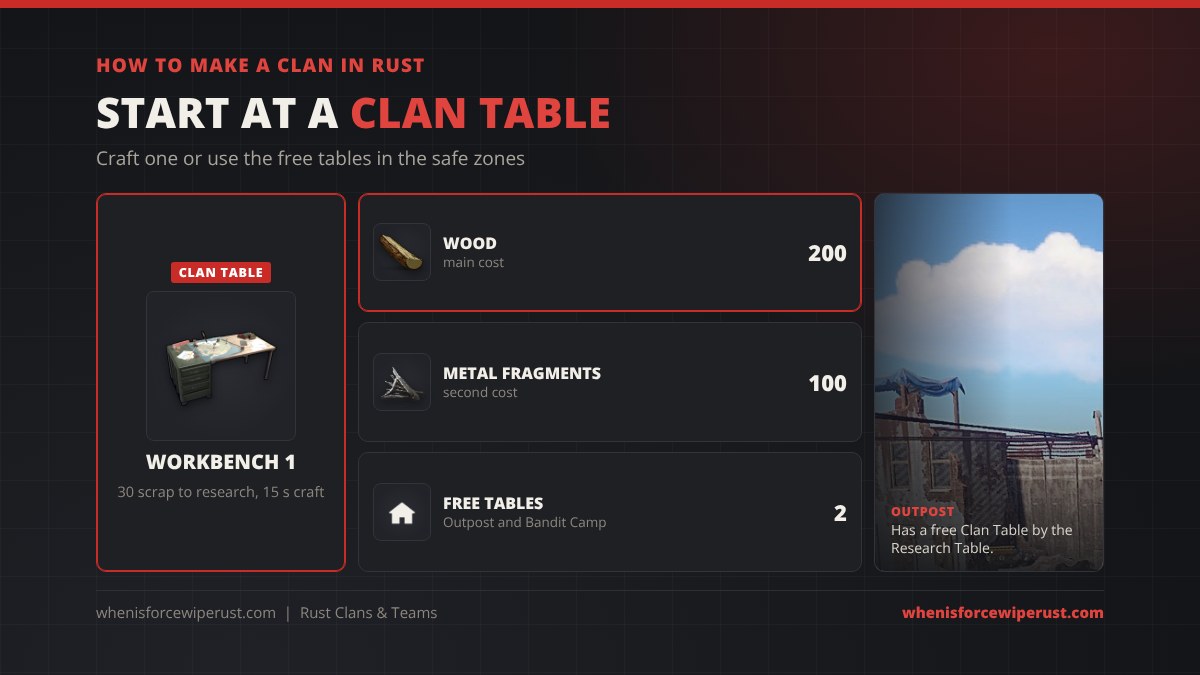
To start a clan you need a Clan Table. Research it for 40 scrap, then craft it at a Workbench 1 for 200 wood and 100 metal fragments; it takes 15 seconds. Or skip the craft and use one of the free tables Facepunch placed in the safe zones at Outpost and Bandit Camp.
- Go to a Clan Table and open the clan screen from it.
- Create the clan: pick a name and tag, a banner colour and draw a logo.
- Set up ranks before you invite people (more on that below).
- Invite players while you are in range of a table. They accept from their own clan screen.
Clan names show on members’ nameplates, and you can see nearby clanmates on your map. Clans get their own clan chat channel, separate from team chat, and an announcement or message of the day for the plan. A clan holds up to 100 members by default (server owners can change that with clan.maxmembercount). The clan system is turned off in hardcore mode.
For the full table breakdown, with health, recycling and the invite flow, see our Clan Table guide. Need a name first? Our Rust name generator has a clan name and tag section.
The Clan Menu: Ranks, Score and Logs
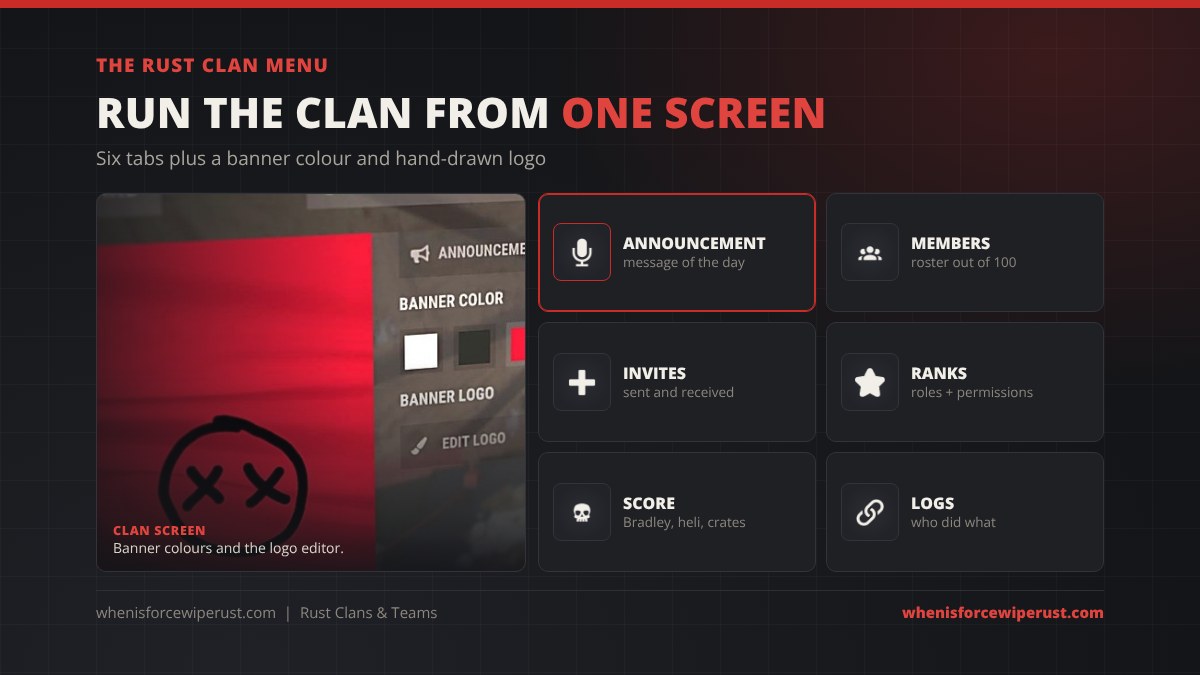
The clan screen is split into tabs:
- Announcement: the message of the day every member sees.
- Members: the roster, your count out of the cap, and player notes.
- Invites: invites you have sent and received.
- Ranks: create, rename and delete ranks, and toggle what each one can do, such as invite, kick, promote, set the message of the day or edit the banner.
- Score: points for big plays like taking down the Bradley or Patrol Helicopter, looting crates and using keycards, which feed a server leaderboard.
- Logs: an audit trail of who invited, kicked or promoted whom.
Ranks are where clans beat teams. A team has one leader and everyone else is equal. In a clan you can give a recruiter the right to invite without the right to kick, so one bad recruit can’t wreck the roster.
Rust Clan vs Team: Which Do You Need?
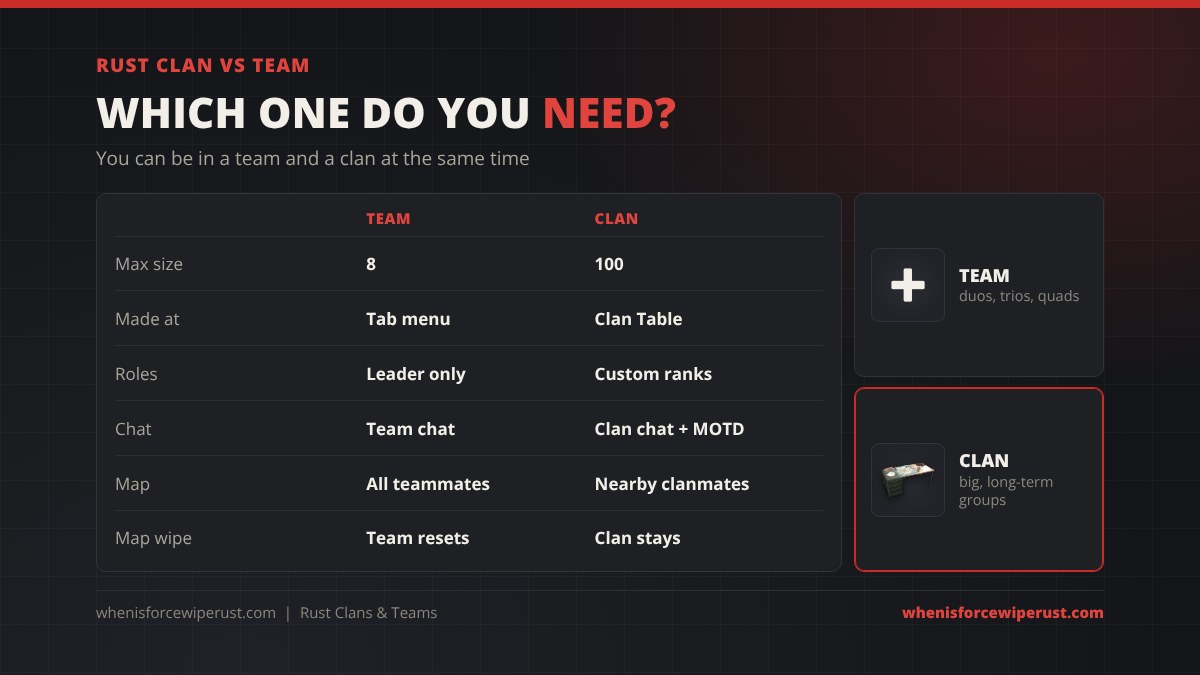
| Team | Clan | |
|---|---|---|
| Default max size | 8 | 100 |
| Made at | Tab menu, anywhere | A Clan Table |
| Roles | One leader | Custom ranks and permissions |
| Chat | Team chat | Clan chat plus message of the day |
| Map | Every teammate, anywhere | Clanmates when nearby |
| Banner, score, logs | No | Yes |
| Map wipe | Team is gone, make a new one | Clan carries over on the same server |
| Hardcore mode | Works | Turned off |
Duo, trio or quad? A team is all you need. A long-running group of 10 to 50 players on a no-limit server? Make a clan for the structure and the chat, and run teams inside it for the wipe.
What a Team Does Not Share
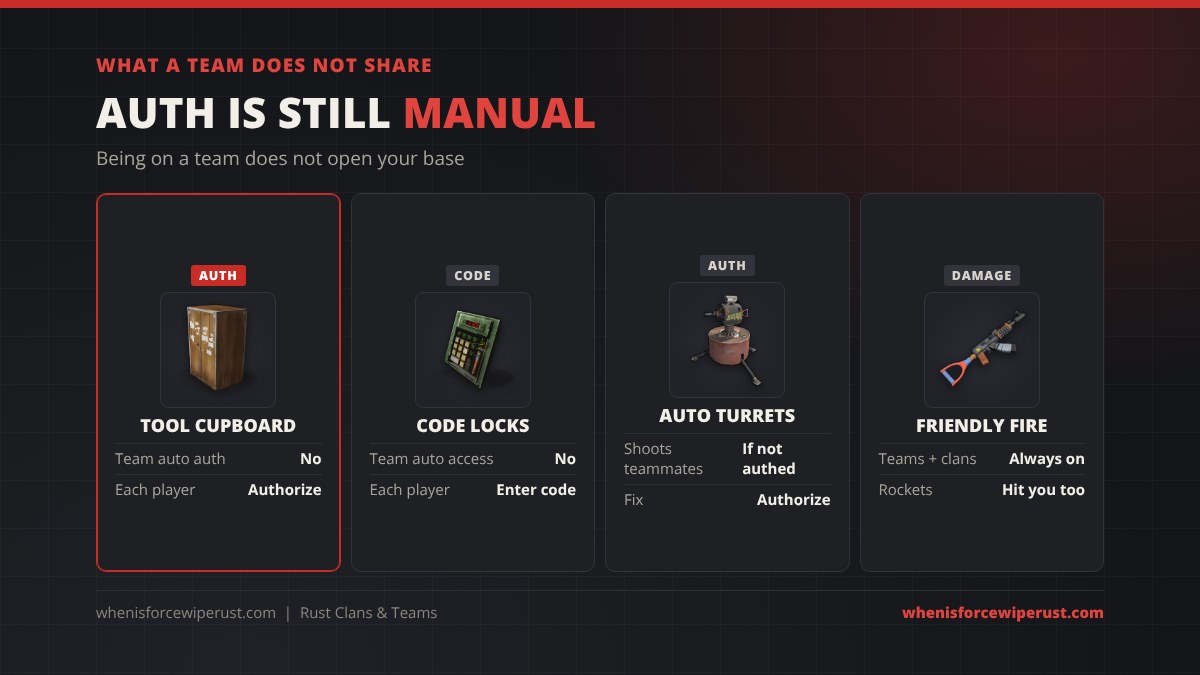
This catches new groups every wipe. Being on a team or in a clan gives no access to anything you built:
- Tool Cupboard: each player has to authorize on it to build, repair and upgrade.
- Code locks: each player has to enter the code once.
- Auto turrets: they shoot anyone who is not authorized on them, teammates included.
- Friendly fire: always on. Your duo’s rocket hurts you just as much as an enemy’s.
The flip side: if a teammate turns on you, kicking them from the team does nothing to their access. Change your lock codes and clear the cupboard.
Group Size and Upkeep: The Team Tax
Since the Breach and Clear update on 3 September 2026, bigger groups pay more upkeep. The game counts the players authorized on your Tool Cupboard and code locks, plus anyone removed from them in the last 24 hours:
| Players counted | Extra upkeep |
|---|---|
| 1 to 4 | None |
| 5 to 10 | +2% for each player over 4 |
| 11 and up | +4% for each player over 10 |
| Cap | +300% |
So a 6-player base pays 4% more and a 12-player base 20% more. Our Rust upkeep calculator works it out for your base, and our Rust base designs are sorted by group size.
Rust Team and Clan Tips
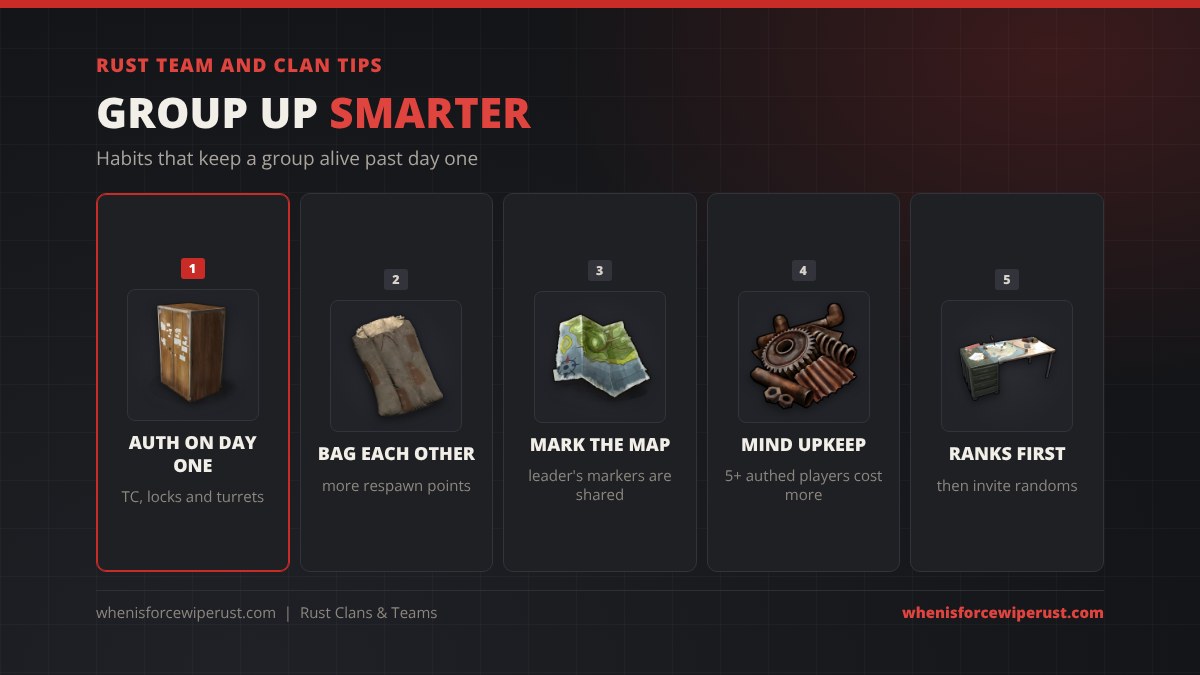
- Auth on day one. Get everyone on the cupboard, every code lock and every turret while you are all online.
- Bag each other. More respawn points means faster help when someone gets raided or downed.
- Let the leader mark the map. Their markers show for the whole team, so one person can plan the route.
- Only auth who needs it. Every player past four on the TC and locks raises your upkeep.
- Ranks before randoms. In a clan, give new recruits a rank with no invite or kick rights.
- Pick the right server. Small group? A duo or trio server keeps you away from 20-man zergs. Our Rust server types guide and just wiped servers list help you find one.
New to group play and not sure what your clan means by zerg, offline or “bag me in”? Our Rust slang and jargon glossary explains every term.
Rust Clans and Teams FAQ
How do you make a team in Rust?
Press Tab to open your inventory and click Create Team on the left. Then walk up to another player, look at them, hold E and choose Invite to Team. They accept the invite from their own Tab menu.
What is the team limit in Rust?
The default team limit is 8 players, which official normal servers use. Official softcore servers cap teams at 4. Community servers set their own limit with relationshipmanager.maxteamsize, often 1, 2, 3 or 4 for solo, duo, trio and quad servers.
Does Rust have clans?
Yes. Rust added an official clan system in the Common Ground update on 2 July 2026. You create and manage a clan at a Clan Table, and a clan holds up to 100 members with custom ranks, clan chat, a message of the day, a banner and a clan score.
How do you make a clan in Rust?
Go to a Clan Table, either one you crafted at a Workbench 1 for 200 wood and 100 metal fragments or the free tables at Outpost and Bandit Camp. Open the clan screen, create the clan with a name, tag and banner, set up ranks and invite players while you are in range of a table.
What is the difference between a team and a clan in Rust?
A team is made from the Tab menu, holds 8 players by default, has one leader and shares team chat and map positions. A clan is made at a Clan Table, holds 100 members by default, and adds ranks with permissions, clan chat, a message of the day, a banner, a score and logs. You can be in both at once.
Do teammates share Tool Cupboard access in Rust?
No. Each player has to authorize on the Tool Cupboard, enter the code on each code lock and be authorized on auto turrets. Turrets will shoot teammates who are not authorized, and friendly fire is always on.
How do you talk in team chat in Rust?
Open chat, then press Tab to switch between global and team chat before you send the message. Team chat also reaches teammates using the Rust+ companion app.
Does a bigger team pay more upkeep in Rust?
Yes, since the Breach and Clear update on 3 September 2026. The first 4 authorized players add nothing, players 5 to 10 add 2% each, every player after 10 adds 4%, up to a maximum of 300% extra.
Sources
- Facepunch: Common Ground update (July 2026)
- Facepunch: The Team Update
- Facepunch: Make Your Mark (pings and map markers)
- Rustafied: Common Ground update
- Corrosion Hour: Rust Clan System Guide
- Clan Table recipe, research cost and craft time: Rust game item data (items.craft.json), October 2026