
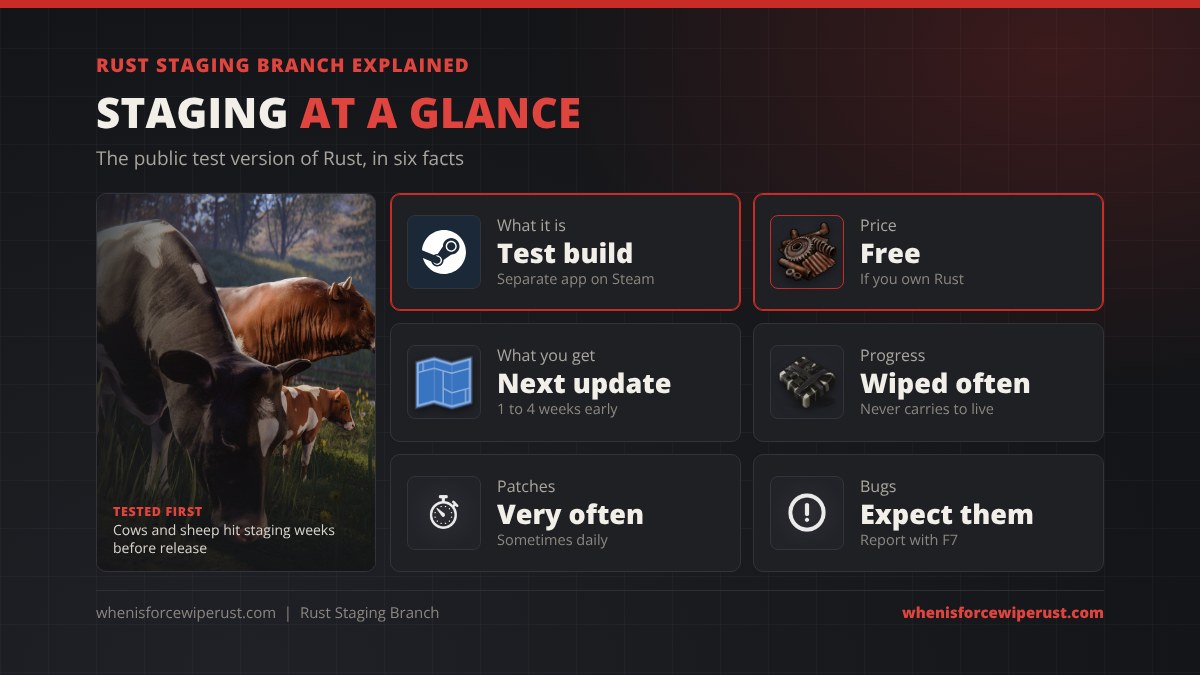
The Rust staging branch is the public test version of Rust. It is a separate app on Steam called Rust – Staging Branch, it is free for everyone who owns Rust, and it runs the build Facepunch is working on for the next monthly update. You get to play new content one to four weeks before it goes live, but the build is buggy, it is patched constantly, and nothing you do on it carries over to the real game.
This guide explains what the Rust staging branch is, how to install it, how it compares to live Rust, what the aux branches are, how server owners run a staging server, what console players get instead, and whether you actually need it. If you only want to know when the next update and wipe land, the Rust force wipe countdown on our home page tracks it to the minute.
- What It Is
- How to Install
- Staging vs Live
- Aux Branches
- What Gets Tested
- Staging Servers
- Console PTB
- Do You Need It?
- FAQ
What Is the Rust Staging Branch?
Facepunch builds every Rust update in public. Changes first show up on their commit log, then they get bundled into a playable build on the staging branch, and on the first Thursday of the month the finished version ships to everyone on the release branch, the normal game you launch every day.
The staging branch sits in the middle. It is a work in progress copy of Rust that Facepunch uses to test new monuments, weapons, vehicles, balance changes and performance fixes with real players before they go live. Facepunch’s own official test servers run it, players report what breaks, and the developers fix it before release. Our Rust update hub shows how that pipeline lines up with each monthly update.
- It is its own app. On Steam it is listed as Rust – Staging Branch (app 700580), installed in its own folder, so it never touches your normal Rust install.
- It is free. Owning Rust on Steam gives you the staging branch too. There is nothing extra to buy.
- It changes fast. Staging can update several times a week, sometimes more than once a day near release, so expect a download almost every time you open it.
- It is not final. Numbers like crafting costs, timers and loot can change before the update ships. We saw this with the Honey Bandage, whose healing and cost were tuned several times on staging before it went live on September 3, 2026.
How to Download and Install the Rust Staging Branch
You need a Windows (or Mac) PC with Steam and a copy of Rust on the same Steam account. That is it.
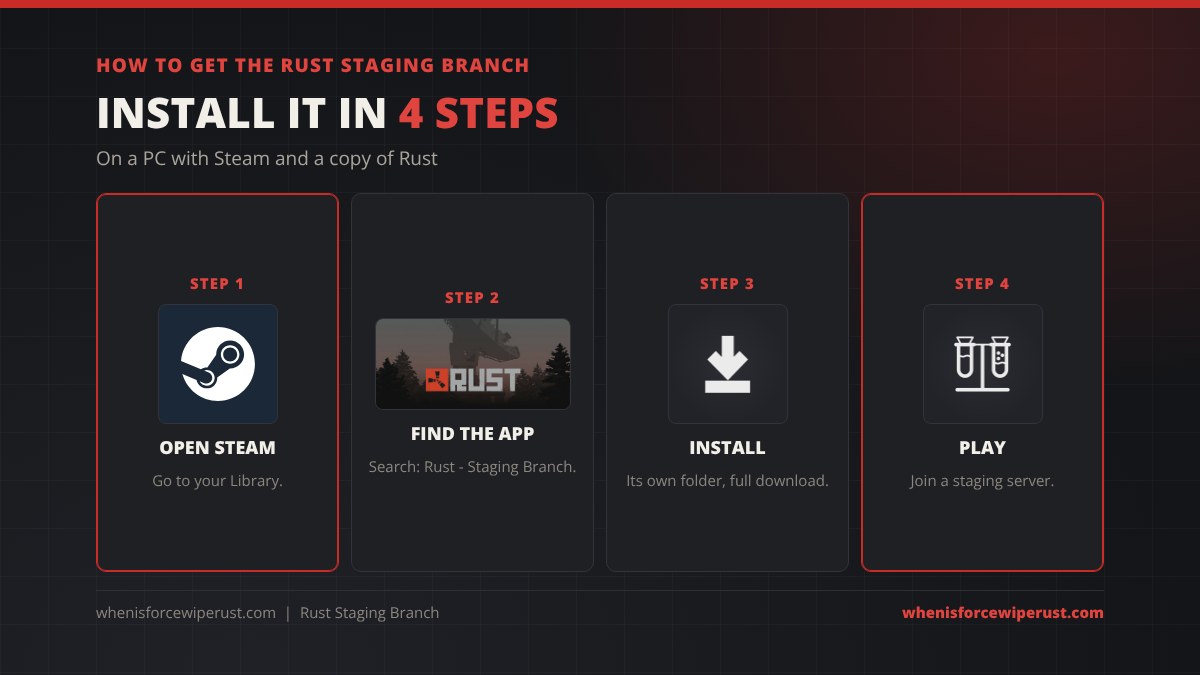
- Open your Steam Library. Use the Steam desktop app on the PC you play Rust on.
- Search for “Rust – Staging Branch”. Type “staging” in the library search box. If it does not appear, make sure your library filter shows tools as well as games, since Steam sometimes files it there.
- Install it. It is a full second copy of the game, so plan for tens of gigabytes of free space, similar to the main game.
- Launch and join a staging server. Open the server browser in game. Facepunch runs official staging servers, and some community servers run staging too.
Rust Staging Branch vs the Live Game
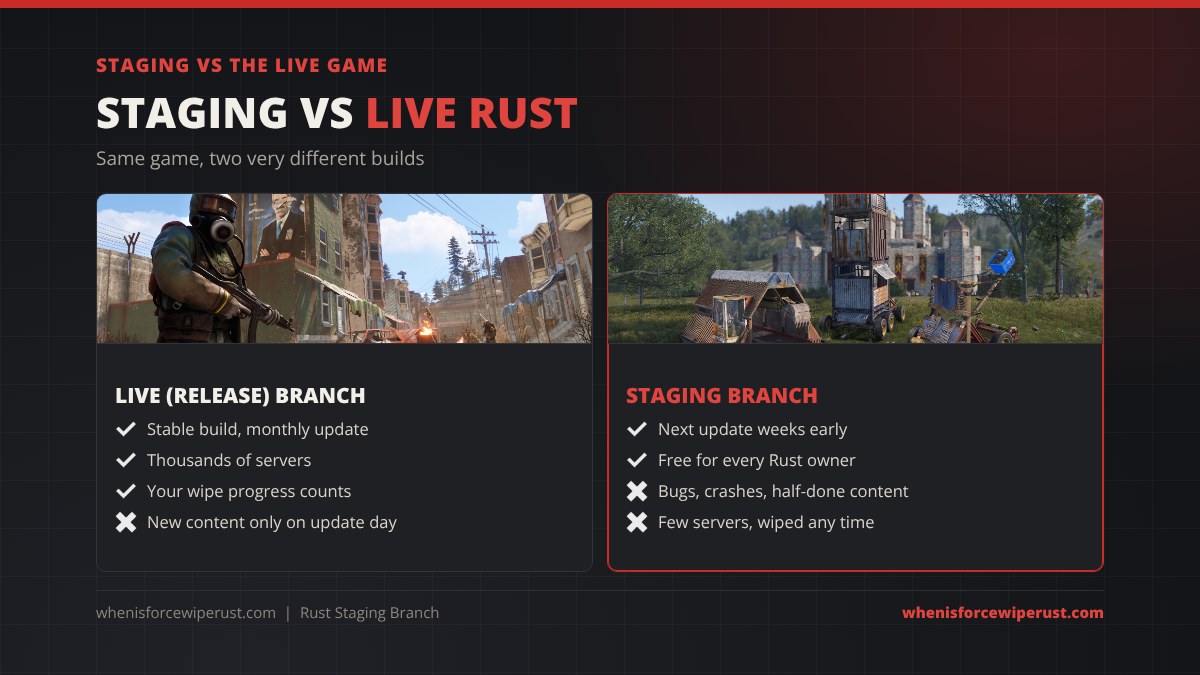
| Live (release) branch | Staging branch | |
|---|---|---|
| Content | The current monthly update | Next month’s update, unfinished |
| Stability | Tested, hotfixed after release | Bugs, crashes and placeholder art are normal |
| Updates | Once a month, plus hotfixes | Often several a week |
| Servers | Thousands, every style (see our Rust server browser) | A small number of official and community test servers |
| Wipes | Forced wipe on the first Thursday | Whenever Facepunch needs to |
| Your progress | Stays until the wipe | Never carries over to live |
| Price | Paid game | Free with Rust |
Staging also does not count towards the main game on Steam charts. It is a separate app with its own player count, which is why our Rust player count page treats the tiny staging numbers you sometimes see as the test branch, not the real game.
Staging, Aux01, Aux02 and the Other Rust Branches
The staging app has its own Betas tab. The default staging build is what most people mean by “the staging branch”, but Facepunch sometimes opens extra branches for big features that are not ready to merge into staging yet.
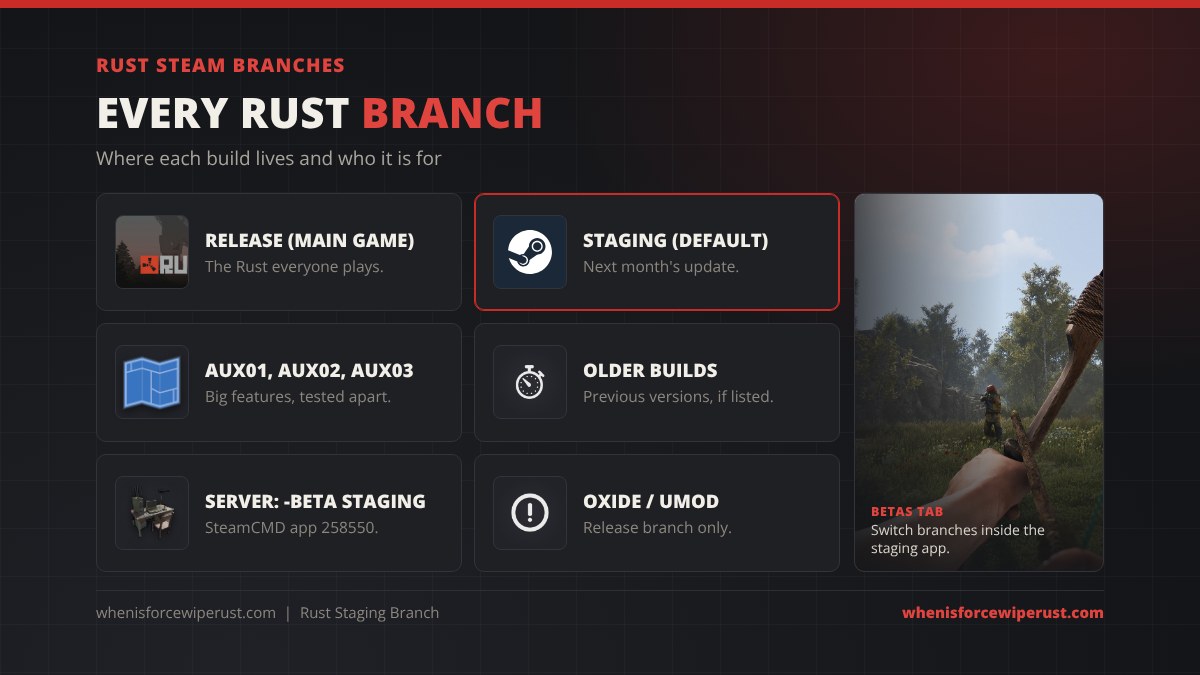
- Release. The normal game. Nothing to select.
- Staging (default). In the staging app’s Betas tab this is the “None” option, meaning the default staging build.
- Aux branches (aux01, aux02, aux03 and so on). Separate test builds for large systems. Facepunch has used them for things like the Nuclear Missile Silo test in 2023 and the new player models in 2026, before those features were merged into staging.
To switch: right-click Rust – Staging Branch in your library, open Properties, go to Betas and pick the branch Facepunch announced. Steam downloads the difference, then you launch as normal. When the test ends, switch back to the default so you are on the current staging build again.
What Gets Tested on the Staging Branch
Almost every big feature of 2026 was playable on staging before it went live. That is the real draw for most players.
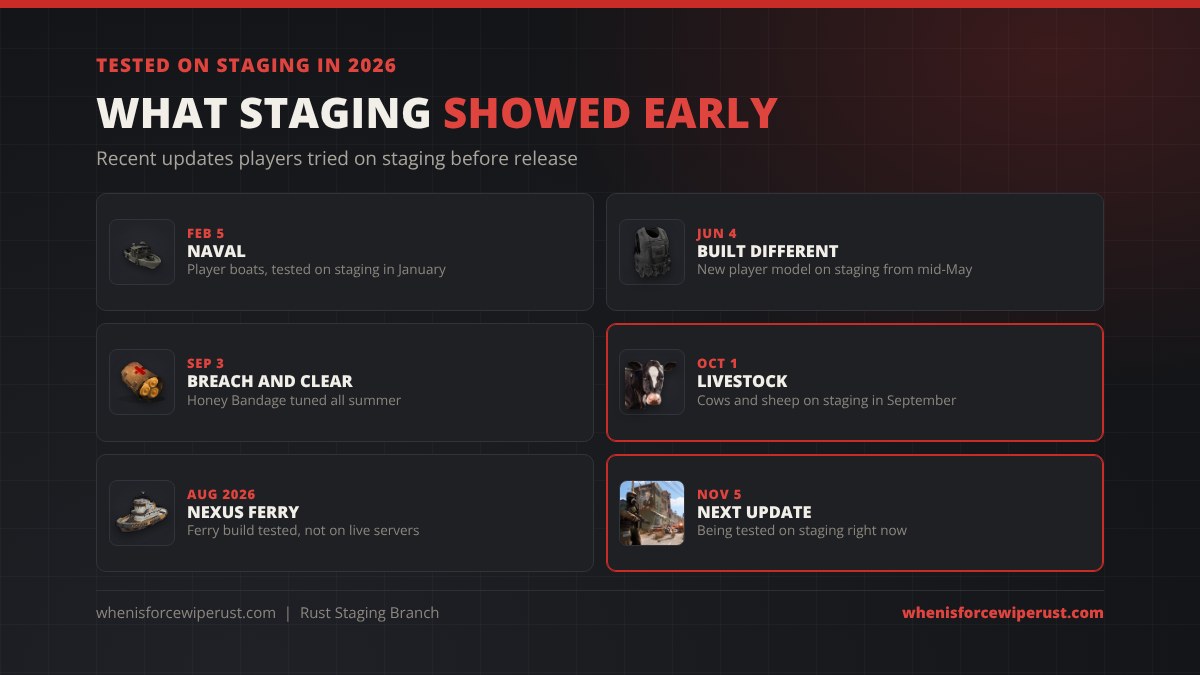
- Naval (February 5, 2026). Facepunch asked players to test player-built boats on staging in January after delaying the update out of December 2025.
- Built Different (June 4, 2026). The new player model and animations went onto a test build in mid-May.
- Breach and Clear (September 3, 2026). The Honey Bandage and other changes were tuned on staging through the summer.
- Livestock (October 1, 2026). Cows, sheep and the Biofuel Generator were on staging through September. Our livestock guide was first written from that build and then updated for release.
- Nexus ferry. A ferry build for the Ferry Terminal went onto staging in August 2026, but no ferry runs on normal live servers.
The November 5, 2026 update (Printed and Polished) was on staging for weeks before it shipped, and staging now runs the build for the December 3, 2026 update. It comes with a forced wipe, and our home page countdown shows the exact time in your time zone.
Rust Staging Servers and Hosting Your Own
When you open the server browser on the staging app you will only see servers running the same staging build. Facepunch runs official staging servers (named like “Facepunch Staging”) in the EU and US, and a few community hosts run staging servers so their players can try upcoming changes. Population is low most of the month and jumps in the last week before an update.
Server owners can run their own staging server to test plugins, maps and settings before wipe day. With SteamCMD, install the Rust dedicated server (app 258550) with the staging beta:
app_update 258550 -beta staging validate
- Release servers: leave out
-beta, or a leftover beta flag can pull staging files onto your live server by mistake. - Mods: uMod (Oxide) only ships builds for the release branch, so most plugins will not load on staging without manual work. Check our Rust server mods guide before you try.
- Hosts: most game server hosts have a “staging” toggle or branch field in their panel. Our Rust server hosting guide compares them, and the admin commands list works the same on staging.
Facepunch’s own Creating a server wiki page lists the current branch names for the dedicated server.
Is There a Rust Staging Branch on Console?
Not by that name. Rust Console Edition on PS5 and Xbox Series X|S has the Public Test Branch (PTB), run by Double Eleven. It does the same job: you play the next console patch early on test servers, and your progress stays there.

- Every edition can join. PTB access used to come only with Deluxe and Ultimate. Since September 3, 2026 it is open to every owner of Rust Console Edition, Standard included. See Double Eleven’s PTB announcement.
- Xbox Series X|S: the PTB is a separate title. Search the Xbox store for the Rust Public Test Branch, install it and launch it from your games list.
- PS5: open Rust in your game library, choose the PTB version and download it. It launches as “Rust – Public Test Branch”.
- Tests are short. PTB windows run for a couple of weeks. The October 2026 test of overground trains and Train Yard changes ran from October 6 to 22.
Our Rust Console Edition hub tracks every console patch and PTB, and the console wipe schedule covers when official console servers wipe.
Do You Need the Rust Staging Branch?
For most players, no. You do not need staging to play Rust, it does not unlock anything in the live game and it will not make your wipe go better. It is a nice extra, not a requirement.
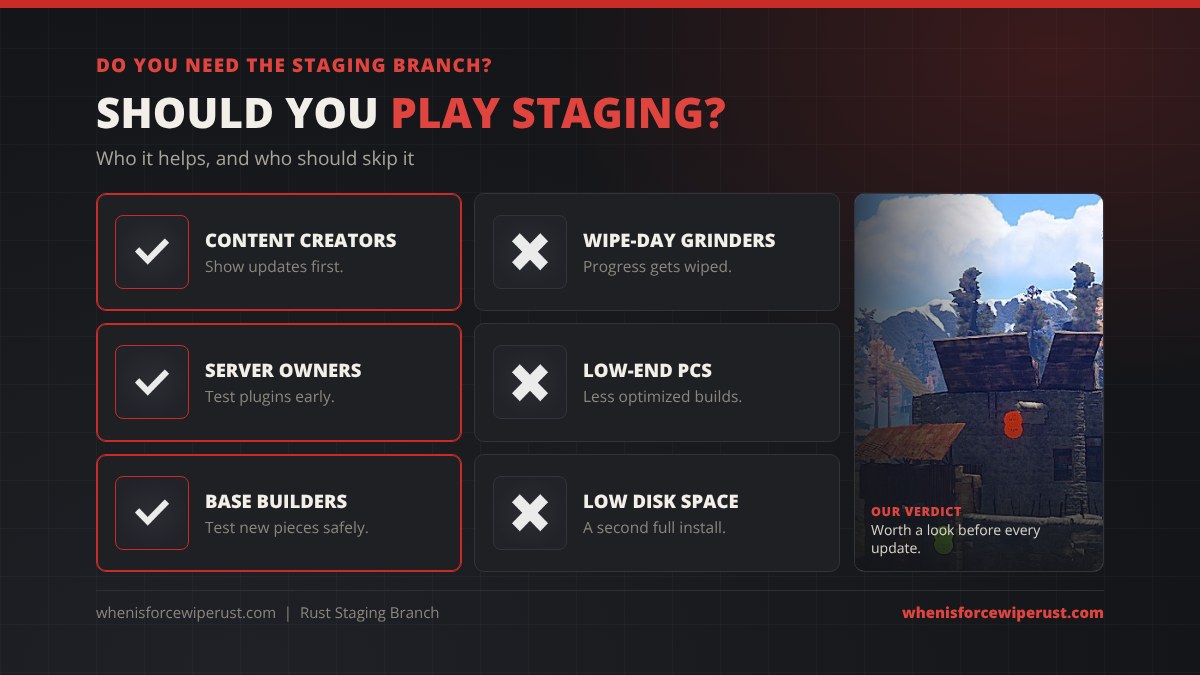
Get it if you are:
- A content creator who wants videos of a new update before wipe day.
- A server owner or admin who needs to know what the next update breaks.
- A base builder or raider who wants to test new pieces, costs and raid numbers before committing on live. Our raid calculator is updated once the numbers are final.
- Curious and happy to report bugs with F7 to help Facepunch.
Skip it if you:
- Only play to progress on a wipe, since staging progress disappears.
- Have a weak PC, because test builds often run worse than release. Our best Rust settings guide helps on the live game.
- Are short on disk space. It is a full second install.
Rust Staging Branch FAQ
What is the Rust staging branch?
It is the public test version of Rust. It is a separate app on Steam called Rust – Staging Branch that runs the build Facepunch is working on for the next monthly update, so you can play new content early on test servers.
Is the Rust staging branch free?
Yes. If you own Rust on Steam, Rust – Staging Branch is included for free. It shows up in your Steam library and you only need disk space to install it.
How do I get the Rust staging branch?
Open your Steam library, search for Rust – Staging Branch, install it and launch it. It installs into its own folder, separate from the main game. Then join a staging server from the in-game server browser.
Does staging branch progress carry over to the live game?
No. Staging servers are completely separate from live servers and can be wiped at any time. Nothing you build, loot or unlock on staging moves to the normal game.
What are aux01 and aux02 in Rust?
They are extra test branches inside the staging app, used for big features that are tested on their own before they are merged into staging. You pick them in the Betas tab of the staging app’s Properties, but only when Facepunch announces one is open.
Is there a staging branch for Rust Console Edition?
Console has the Public Test Branch (PTB) instead. Since September 3, 2026 every edition of Rust Console Edition on PS5 and Xbox Series X|S can join it. On Xbox it is a separate app, and on PS5 you pick the PTB version from the Rust page.
Why is the staging branch so buggy?
Because it is a test build. Features are unfinished, placeholder art and crashes are normal, and the point is for players to find problems. Press F7 in game to send a bug report to Facepunch.
How do I run a Rust staging server?
Install the Rust dedicated server with SteamCMD using app_update 258550 -beta staging validate, or turn on the staging branch in your host’s panel. Most uMod (Oxide) plugins only support the release branch.