
The Computer Station is the surveillance hub of Rust. It is a deployable terminal you sit at to pull up live camera feeds from around the map, fly computer drones, and watch your own base while you farm, sleep or fight a raid. Type a monument code into it and you are suddenly looking down on the Outpost crossroads or the Oil Rig helipad from a safe room; wire up your own wall cameras and the same terminal becomes a full CCTV desk for your compound.
What trips up most new players is that the Computer Station in Rust hides a loot-only component behind an otherwise cheap recipe: the Targeting Computer. You cannot craft that part, so the station is either a small salvage puzzle or a simple 300 scrap purchase, depending on how you approach it. Get past that one ingredient and it is one of the most useful electrical deployables in the game.
This Computer Station Rust guide covers everything end to end: the exact crafting recipe and every way to get one, where the Targeting Computer drops, the full list of monument CCTV camera codes, how to mount the station and add feeds step by step, what it connects to (monument cameras, player CCTV, PTZ cameras and drones), and the base-security setups players actually run. Every number here is checked against RustHelp’s item data and the Corrosion Hour camera code list, not guessed.
- What Is a Computer Station
- Computer Station Stats
- How to Get One
- The Targeting Computer
- Monument CCTV Codes
- How to Use It
- Cameras & Drones
- Base Security Uses
- Pro Tips
- FAQ
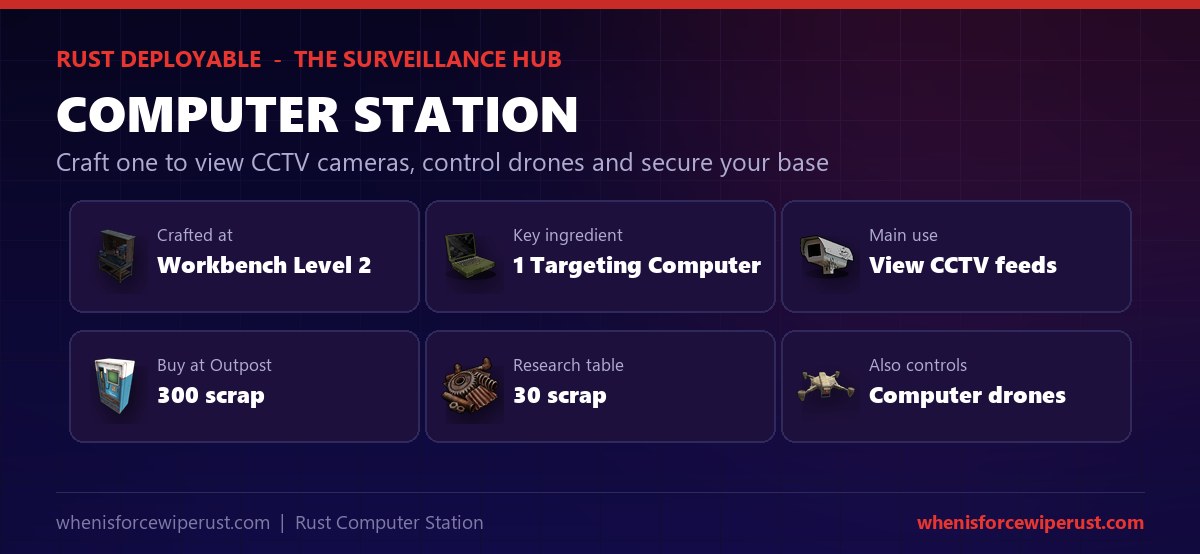
What Is a Computer Station in Rust?
The Computer Station is an electrical deployable that acts as a remote-control terminal. Once placed, you mount it and use it to connect to cameras and drones anywhere in range. It is the single piece of gear that ties Rust’s whole surveillance system together: fixed monument cameras, your own player-placed CCTV cameras, PTZ (pan-tilt-zoom) cameras and computer drones all run through this one screen.
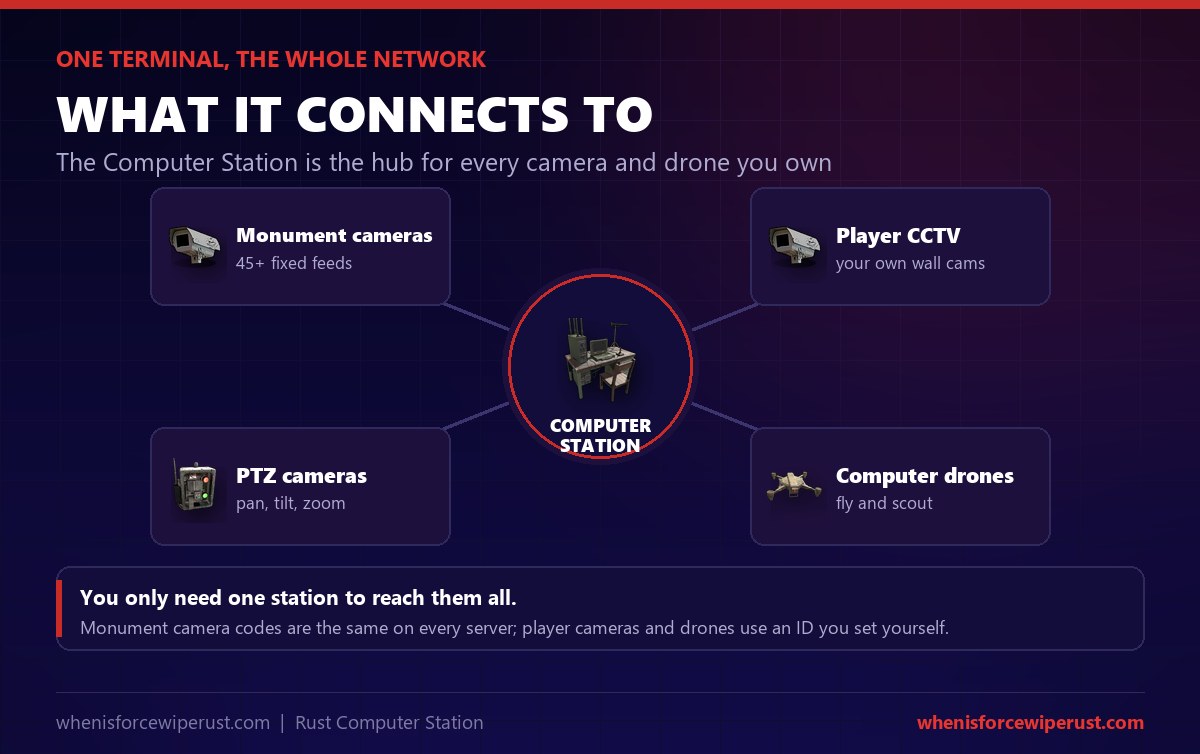
A key thing to understand is that the Computer Station does not need power to run, which sets it apart from most electrical items. You do not have to wire it into a generator or solar setup just to view feeds. Your cameras and drones need power at their end, but the terminal itself works the moment you deploy it and sit down. That makes it a cheap, low-friction addition to any base.
Two features make it worth building. First, the monument cameras give you free, permanent eyes on the busiest spots on the map, so you can check whether the Dome or Oil Rig is contested before you commit. Second, paired with your own Auto Turrets and CCTV cameras, it turns a base into a monitored compound you can defend from a single chair.
Computer Station Rust Stats
Here are the full, verified stats for the Computer Station. The headline is that it is cheap to research and craft in materials, but gated behind one loot-only component.
| Stat | Value | Note |
|---|---|---|
| Item type | Electrical deployable | Placed on floors and foundations |
| Workbench to craft | Level 2 | 25s craft, 12s at Workbench 3 |
| Crafting cost | 5 HQM + 1 Targeting Computer + 1 RF Broadcaster + 1 RF Receiver | The Targeting Computer is loot only |
| Research table cost | 30 scrap | Plus one Computer Station to research |
| Tech tree cost | ~330 scrap | Down the Workbench 2 tree |
| Outpost price | 300 scrap | Ready-made, no components needed |
| Health | 500 HP | Wall it into a safe room |
| Needs power | No | The terminal runs unpowered |
| Deployable on boats | Yes | Run a mobile camera post |
| Stack size | 1 | Item ID -1588628467 |
| Views monument cameras | 45+ fixed feeds | Same codes every wipe |
| Controls | CCTV, PTZ cameras, drones | The full RC network |
Compared with other electrical gear, the Computer Station is unusual in that the deployable itself is cheap; the cost is really in the components and the cameras you feed it. A single station and a handful of CCTV cameras is a far cheaper security net than covering a base in Auto Turrets, which is why many solos build one early.
How to Get a Computer Station in Rust
There are four ways to get a Computer Station, and which one you pick usually comes down to whether you have a Targeting Computer yet. If you do not, buying it outright is often faster than farming for the part.
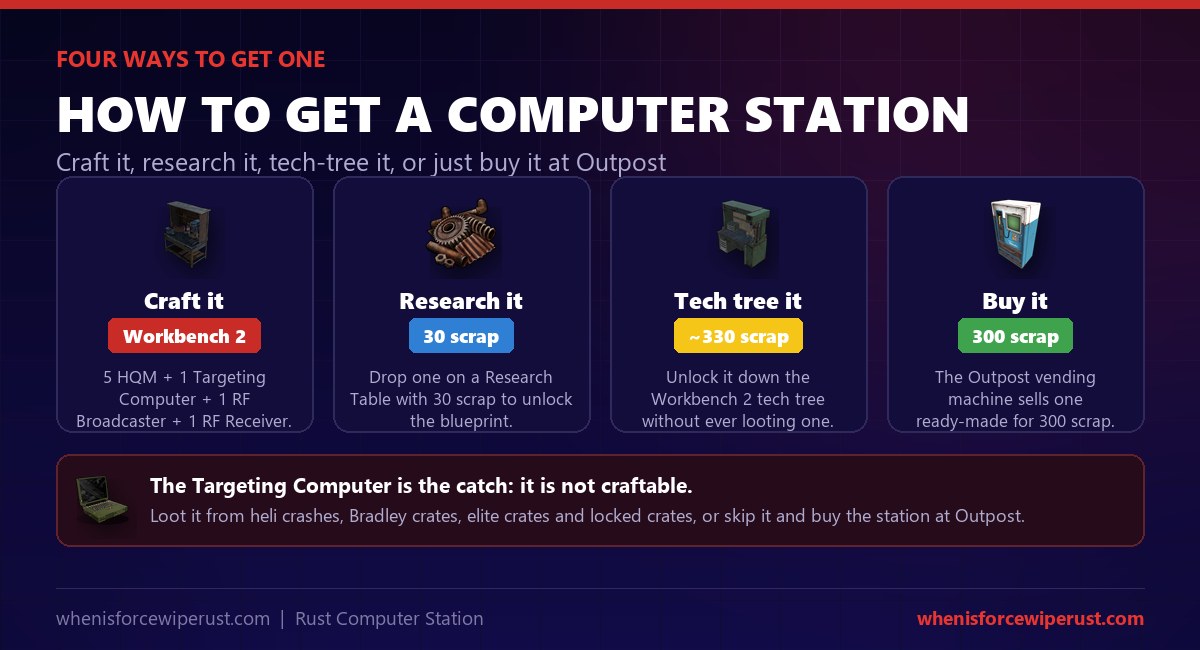
- Craft it at a Workbench 2. The recipe is 5 High Quality Metal, 1 Targeting Computer, 1 RF Broadcaster and 1 RF Receiver. Everything but the Targeting Computer is cheap and craftable.
- Research it for 30 scrap. Drop one Computer Station on a Research Table with 30 scrap to unlock the blueprint permanently for the wipe.
- Unlock it in the tech tree. It sits on the Workbench 2 tech tree for roughly 330 scrap along the path, so you can guarantee it without ever looting one.
- Buy it at Outpost for 300 scrap. The Outpost vending machine sells a finished Computer Station for 300 scrap, no components required. On many wipes this is the quickest route.
The Targeting Computer: The Part You Cannot Craft
The whole recipe hinges on the Targeting Computer, and the important fact is that it cannot be crafted at any workbench. It is a loot-only component, the same part used to build Auto Turrets, so every one you find is contested gear.
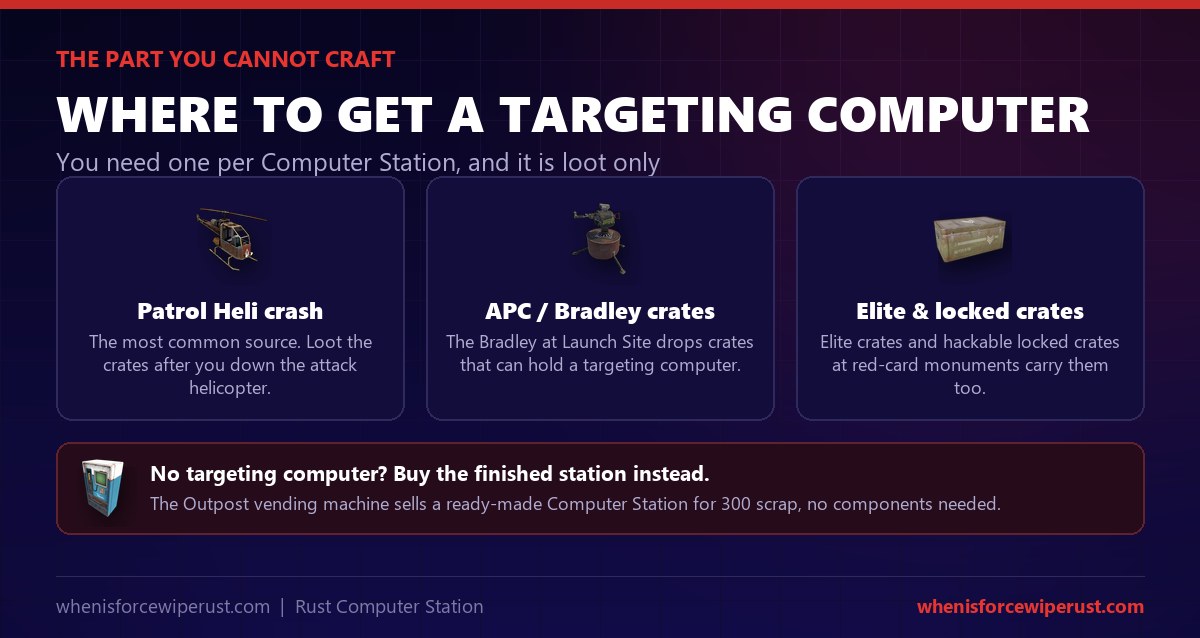
- Patrol Helicopter crash sites. The most common source. When you down the patrol helicopter, its crates have a good chance to hold a Targeting Computer.
- Bradley APC crates. The Bradley at Launch Site drops crates that can contain one, so a monument run doubles as a component farm.
- Elite and locked crates. Elite crates and hackable locked crates at red-card monuments like the Launch Site and Missile Silo also carry them.
Because the same part builds turrets, you often have to choose what to spend a Targeting Computer on early in a wipe. If your priority is defence, a station plus a couple of cameras gives you eyes for one part; if it is firepower, the turret wins. Either way, if the loot is not cooperating, the 300 scrap Outpost station sidesteps the problem entirely.
Rust Monument CCTV Camera Codes (Full List)
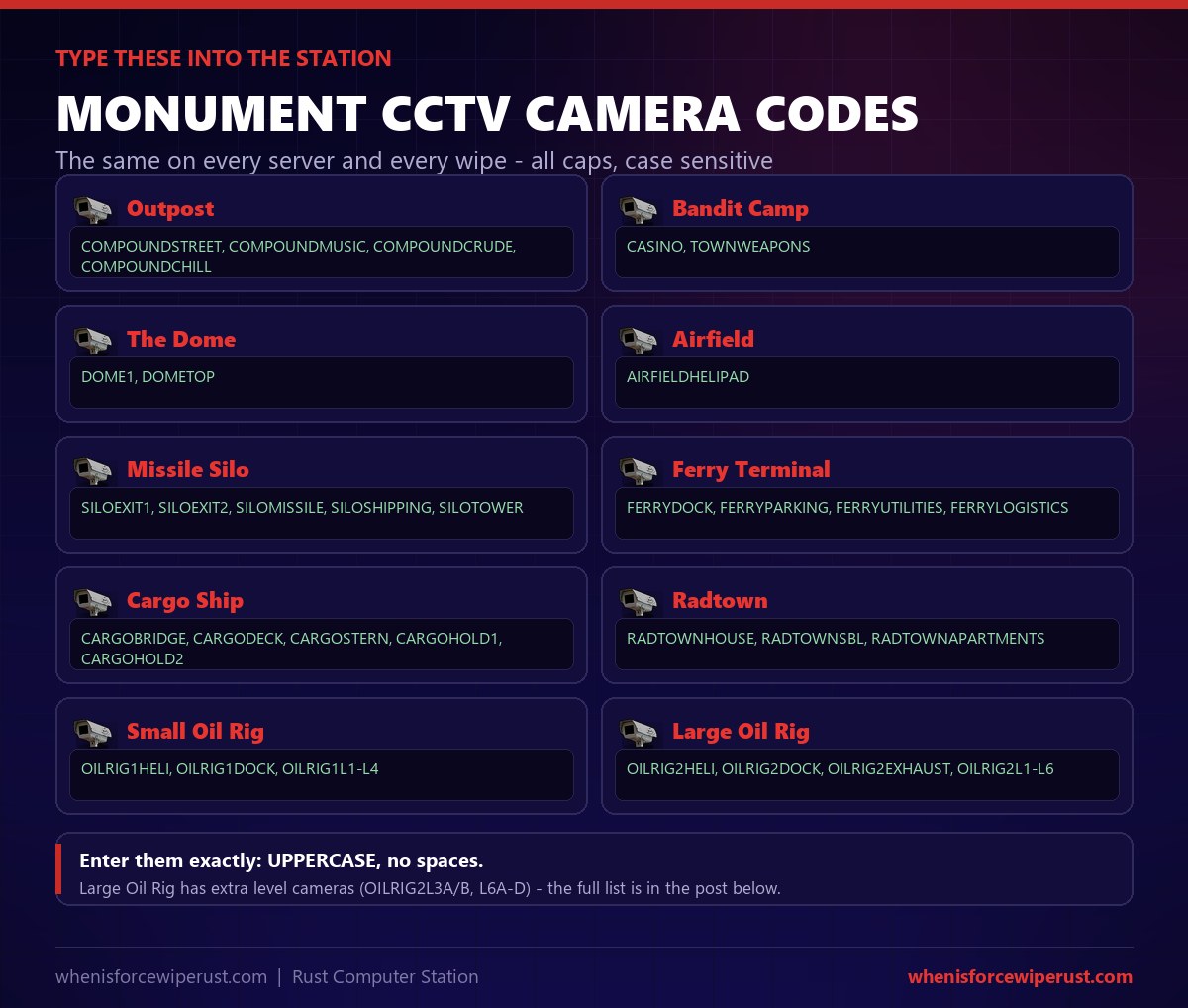
This is the part most people come for. Every monument camera in Rust has a fixed identifier, and those codes are the same on every server and every wipe. Sit at a Computer Station, type the code, and the live feed opens. They are entered in UPPERCASE and are case sensitive, so copy them exactly. For each monument’s codes explained, plus the random Underwater Lab and Military Base codes, see our full Rust CCTV codes list.
| Monument | Camera codes (enter in UPPERCASE) |
|---|---|
| Outpost | COMPOUNDSTREET COMPOUNDMUSIC COMPOUNDCRUDE COMPOUNDCHILL |
| Bandit Camp | CASINO TOWNWEAPONS |
| The Dome | DOME1 DOMETOP |
| Airfield | AIRFIELDHELIPAD |
| Missile Silo | SILOEXIT1 SILOEXIT2 SILOMISSILE SILOSHIPPING SILOTOWER |
| Ferry Terminal | FERRYDOCK FERRYPARKING FERRYUTILITIES FERRYLOGISTICS |
| Cargo Ship | CARGOBRIDGE CARGODECK CARGOSTERN CARGOHOLD1 CARGOHOLD2 |
| Radtown | RADTOWNHOUSE RADTOWNSBL RADTOWNAPARTMENTS |
| Small Oil Rig | OILRIG1HELI OILRIG1DOCK OILRIG1L1 OILRIG1L2 OILRIG1L3 OILRIG1L4 |
| Large Oil Rig | OILRIG2HELI OILRIG2DOCK OILRIG2EXHAUST OILRIG2L1 OILRIG2L2 OILRIG2L3A OILRIG2L3B OILRIG2L4 OILRIG2L5 OILRIG2L6A OILRIG2L6B OILRIG2L6C OILRIG2L6D |
How to Use a Computer Station
Using a Computer Station is quick once you know where the code box is. Here is the full flow from a freshly placed station to a live monument feed.
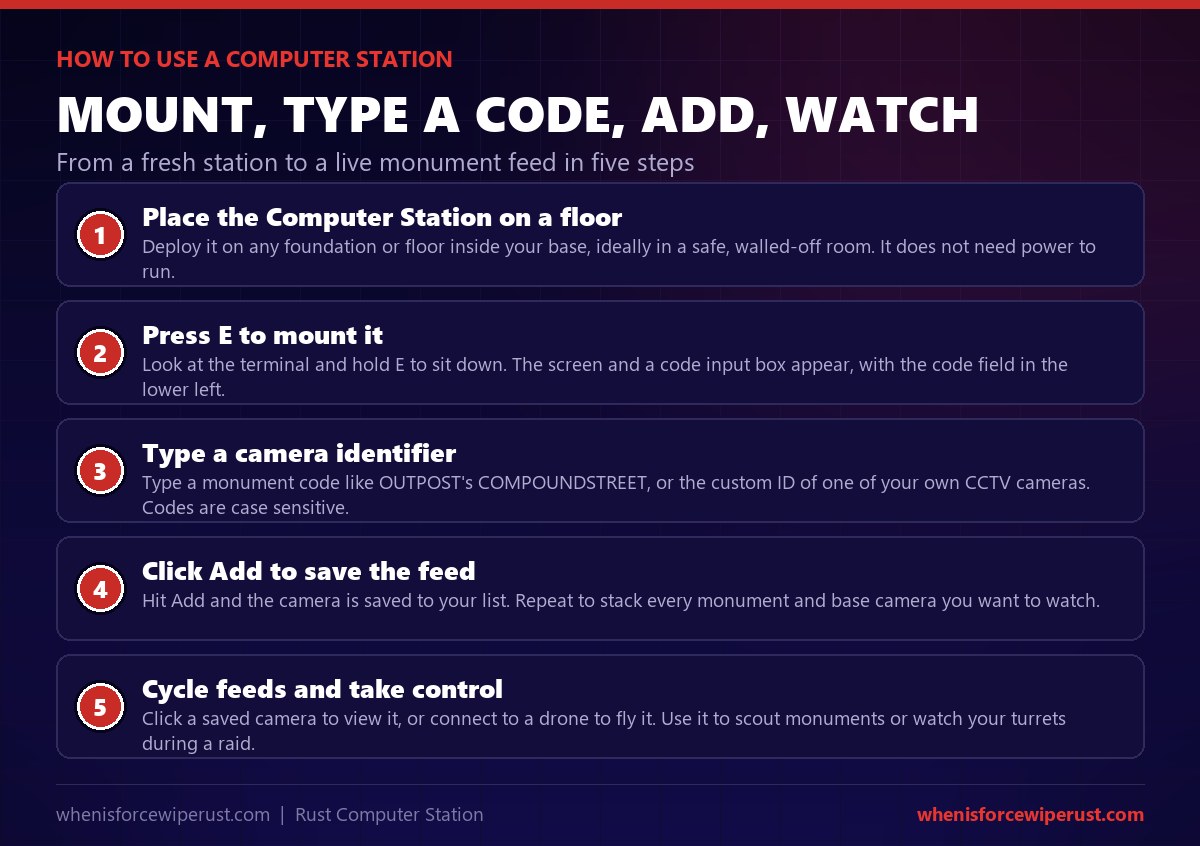
- Place it on a floor. Deploy the station on any foundation or floor, ideally in a walled-off safe room. It does not need power.
- Press E to mount it. Look at the terminal and hold E to sit. The screen appears, with a code input field in the lower left.
- Type a camera identifier. Enter a monument code like
COMPOUNDSTREET, or the custom ID of one of your own CCTV cameras. Codes are case sensitive. - Click Add. The camera is saved to your list. Repeat to stack every monument and base camera you want on tap.
- Cycle feeds or take control. Click a saved camera to view it, or connect to a drone to fly it. Use it to scout monuments or watch your turrets mid-raid.
FRONT1 or LOOT, and write them down; a camera with a name you forgot is a camera you cannot watch.
Drones, PTZ Cameras & Player CCTV
Monument feeds are only half of what a Computer Station does. The same terminal drives your own surveillance network, from static wall cameras to a drone you can fly across the neighbourhood.
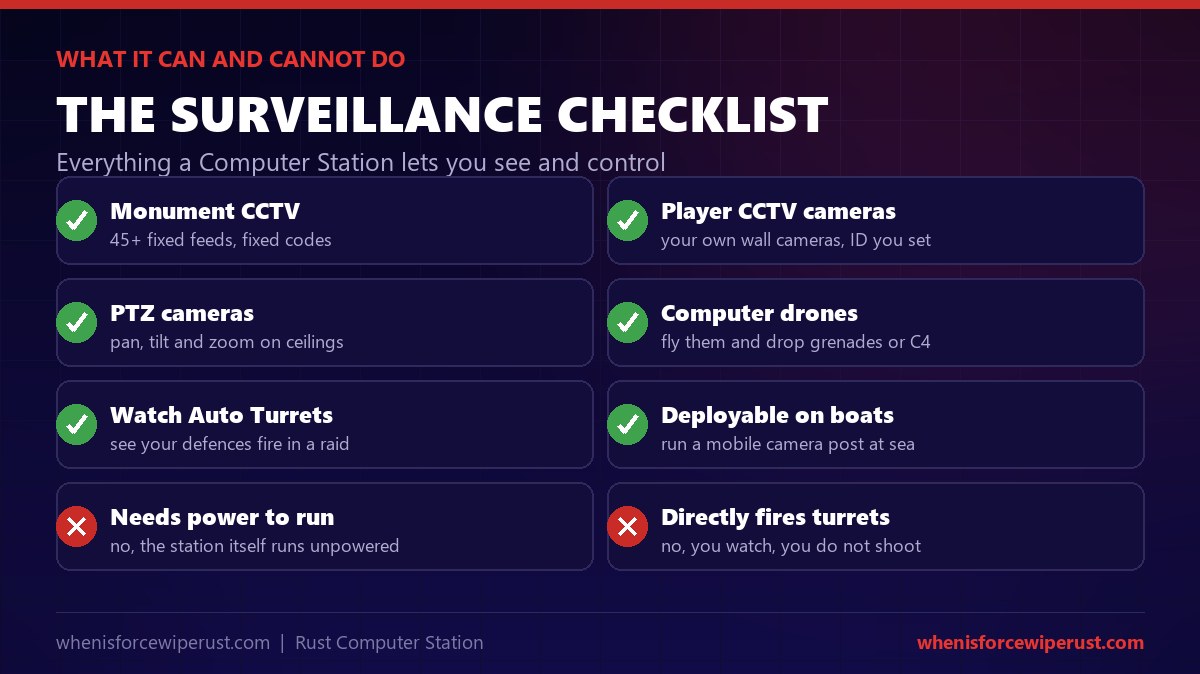
- Player CCTV cameras. Power a CCTV camera, give it an ID, and it shows up on your station. Cover doors, loot rooms and approaches so nobody sneaks up while you are AFK.
- PTZ cameras. The pan-tilt-zoom camera mounts on ceilings and roofs and lets you sweep an area from the station, instead of a fixed angle.
- Computer drones. Connect to a drone and fly it for recon. Drones have a generous range from the station, though the signal weakens the further out you go, so do not fly one off the map.
- Watching Auto Turrets. You cannot fire a turret from the station, but you can watch cameras covering your Auto Turrets to see exactly where a raid is hitting.
Base Security Uses on a Live Wipe
On a real wipe, players build a Computer Station for a handful of concrete jobs. Here is what it actually earns its slot for.
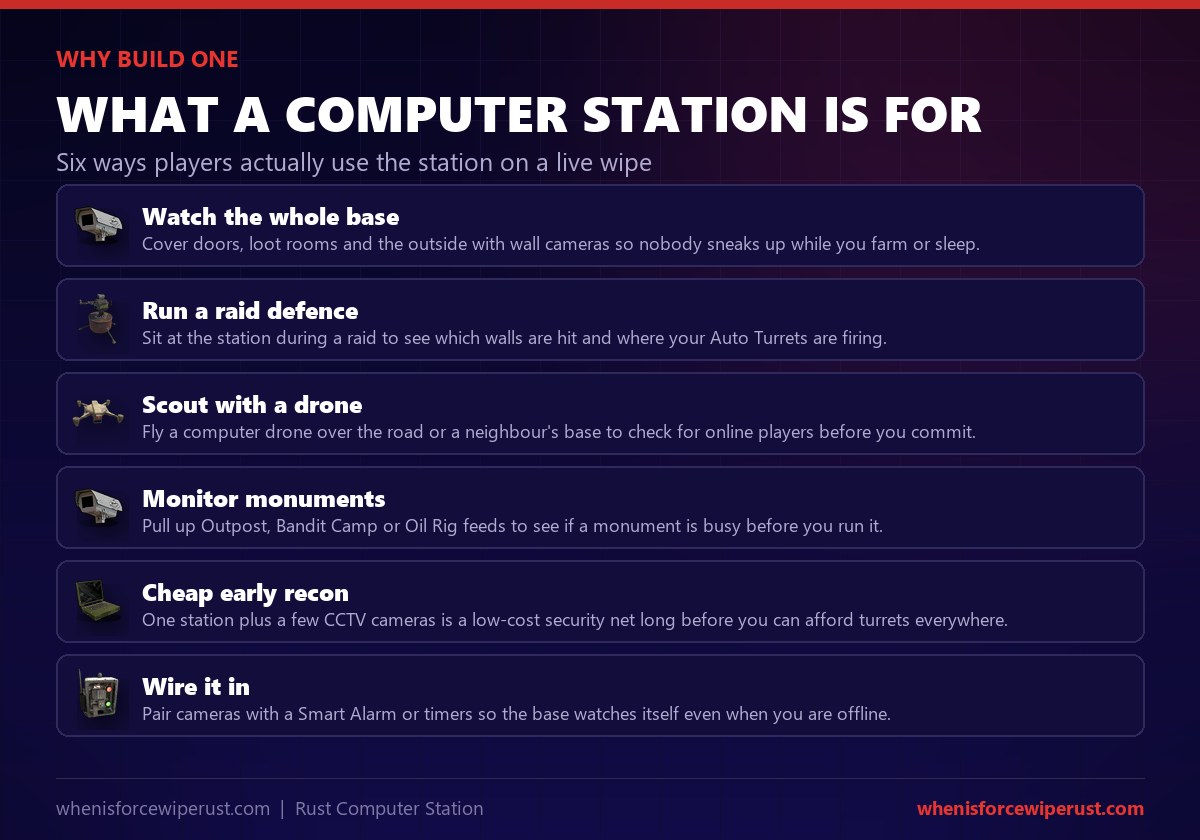
- Watch the whole base. Wall cameras on doors and loot rooms mean nobody sneaks up while you farm or sleep.
- Run a raid defence. Sit at the station during a raid to see which walls are being hit and where your turrets are firing.
- Scout with a drone. Fly a computer drone over the road or a neighbour’s base to check for online players before you commit.
- Monitor monuments. Pull up Outpost, Bandit Camp or Oil Rig feeds to see if a spot is busy before you run it.
- Cheap early recon. One station plus a few cameras is a low-cost security net long before you can afford turrets everywhere.
- Wire it in. Pair cameras with a Smart Alarm or timers so your base watches itself even when you are offline. Keep the station behind a code lock and a tool cupboard.
Computer Station Rust Pro Tips
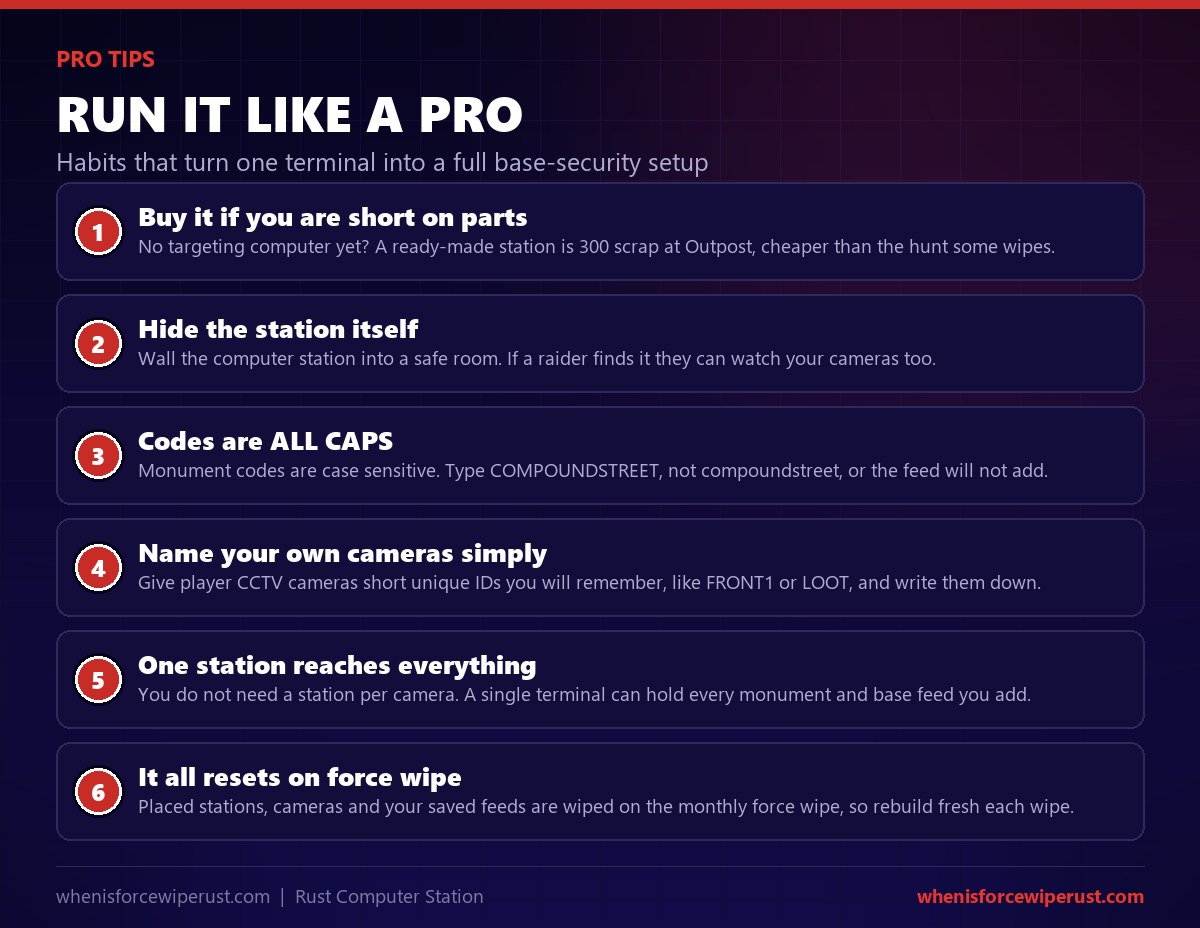
- Buy it if you are short on parts. No Targeting Computer yet? A ready-made station is 300 scrap at Outpost, cheaper than the hunt on some wipes.
- Hide the station itself. Wall it into a safe room. If a raider reaches your station, they can watch your cameras too.
- Codes are ALL CAPS. Monument codes are case sensitive. Type
COMPOUNDSTREET, not lowercase, or the feed will not add. - Name your own cameras simply. Give player CCTV cameras short unique IDs you will remember, and keep a note of them.
- One station reaches everything. You do not need a station per camera. A single terminal holds every monument and base feed you add.
- It all resets on force wipe. Placed stations, cameras and your saved feeds are wiped on the monthly force wipe, so rebuild fresh each wipe.
Setting up base cameras for the new wipe? The monthly force wipe resets the whole map, your base, your cameras and every saved feed. Check the live countdown so you know exactly when to rebuild your security setup.
See the Force Wipe CountdownComputer Station Rust FAQ
How do you get a Computer Station in Rust?
You can get a Computer Station four ways. Craft it at a Workbench Level 2 from 5 High Quality Metal, 1 Targeting Computer, 1 RF Broadcaster and 1 RF Receiver. Research it on a research table for 30 scrap. Unlock it in the Workbench 2 tech tree for around 330 scrap along the path. Or buy a finished one at the Outpost vending machine for 300 scrap. If you do not have a Targeting Computer, which is loot only, buying it at Outpost is usually the fastest route.
What is the Computer Station crafting recipe?
The Computer Station is crafted at a Workbench Level 2 using 5 High Quality Metal, 1 Targeting Computer, 1 RF Broadcaster and 1 RF Receiver. It takes 25 seconds to craft at a Workbench 2 and 12 seconds at a Workbench 3. Everything in the recipe is cheap and craftable except the Targeting Computer, which cannot be crafted and must be looted from helicopter crashes, Bradley crates or high-tier crates.
Do you need power for a Computer Station?
No. The Computer Station itself does not need power to run, unlike most electrical deployables. You can place it and mount it straight away to view feeds. The cameras and drones you connect to it do need power at their end, so a player CCTV camera must be wired into electricity, but the terminal you sit at works unpowered.
What are the Rust monument CCTV camera codes?
Each monument camera has a fixed identifier that is the same on every server and wipe. Key ones include Outpost (COMPOUNDSTREET, COMPOUNDMUSIC, COMPOUNDCRUDE, COMPOUNDCHILL), Bandit Camp (CASINO, TOWNWEAPONS), the Dome (DOME1, DOMETOP), Airfield (AIRFIELDHELIPAD), and Missile Silo (SILOEXIT1, SILOEXIT2, SILOMISSILE, SILOSHIPPING, SILOTOWER), plus Ferry Terminal, Cargo Ship, Radtown and both Oil Rigs. Enter them in uppercase, exactly as written, because they are case sensitive. The full list is in the table above.
How do you use camera codes in a Computer Station?
Place the Computer Station, press E to mount it, and look for the code input box in the lower left of the screen. Type the monument identifier in uppercase, for example COMPOUNDSTREET for Outpost, then click Add. The camera is saved to your list and you can click it to view the live feed. Repeat to add as many monument and player cameras as you want; one station holds them all.
Can a Computer Station control drones?
Yes. As well as viewing cameras, a Computer Station lets you connect to and fly computer drones. You give the drone an identifier, type it into the station, and take control to fly it for recon. Drones have a large range from the station, but the signal weakens the further you fly, so keep an eye on the connection and do not fly one too far out or you will lose it.
Is the Targeting Computer craftable in Rust?
No. The Targeting Computer is a loot-only component and cannot be crafted at any workbench. You find them at Patrol Helicopter crash sites, in Bradley APC crates, and in elite and hackable locked crates at red-card monuments. Because the same component builds Auto Turrets, they are contested loot. If you cannot find one, buy the finished Computer Station at Outpost for 300 scrap to skip the recipe entirely.
How much health does a Computer Station have?
A deployed Computer Station has 500 HP. That is enough that it will not be destroyed by a stray shot, but you should still wall it into a safe, locked room. If a raider reaches your station, they can use it to watch your own cameras, so treat it as sensitive gear and keep it behind a tool cupboard and a code lock.
Can you buy a Computer Station at Outpost?
Yes. The Outpost vending machine sells a ready-made Computer Station for 300 scrap, with no components needed. For many players, especially solos who just want base cameras, this is the easiest way to get one because it skips the Targeting Computer hunt. Outpost is a safe zone, so you can buy it without risking PvP, then carry it home to deploy.
Do Computer Stations and cameras reset on wipe?
Yes. Anything you place, including your Computer Station, your CCTV cameras and the list of feeds you saved, is removed on the monthly force wipe when the map regenerates. Monument camera codes stay the same because the monuments themselves are rebuilt identically, but your own setup has to be rebuilt each wipe. Blueprints you unlocked also reset on the blueprint wipe that accompanies a force wipe.
Is a Computer Station worth it in Rust?
Yes, for the price. For 300 scrap at Outpost, or a cheap craft if you have a Targeting Computer, you get free permanent eyes on every busy monument plus a hub for your own base cameras and drones. It is one of the cheapest security tools in the game and pays for itself the first time it warns you of a raid or shows you a monument is clear before you run it. For any base beyond a starter shack, it is well worth the slot.
Sources and Further Reading
- Item stats, recipe, research and Outpost price: RustHelp, Computer Station
- Full monument CCTV camera code list: Corrosion Hour, CCTV Camera Codes
- Monument camera codes tool: RustHelp, CCTV Codes
- Drones, PTZ cameras and the surveillance update: Rustafied, Drones & PTZ Cams
- Where the Targeting Computer drops: whenisforcewiperust.com, Patrol Helicopter Guide
- Buying gear safely at the compound: whenisforcewiperust.com, Outpost Guide
- Every monument on the map: whenisforcewiperust.com, Rust Monuments Guide
- The game itself: Facepunch Studios