
Turrets, SAM sites, lights, heaters, electric furnaces, water pumps and raid alarms all run on the same thing: electricity. It is the system that turns a pile of walls into a base that defends itself, smelts while you sleep and pings your phone when someone blows your door.
It also looks scarier than it is. This Rust electricity guide starts from zero: what rust watts are, which power sources to build, which battery to pick, how much every common device draws, how to use the Wire Tool, and three starter circuits you can copy on day one. Every device with its own full guide on this site is linked, so you can jump straight to the detail.
- How It Works
- Power Sources
- Batteries
- Power Usage
- How to Wire
- Branch, Splitter & Combiner
- Switches & Sensors
- Starter Circuits
- Power Trip Grid
- Tips
- FAQ
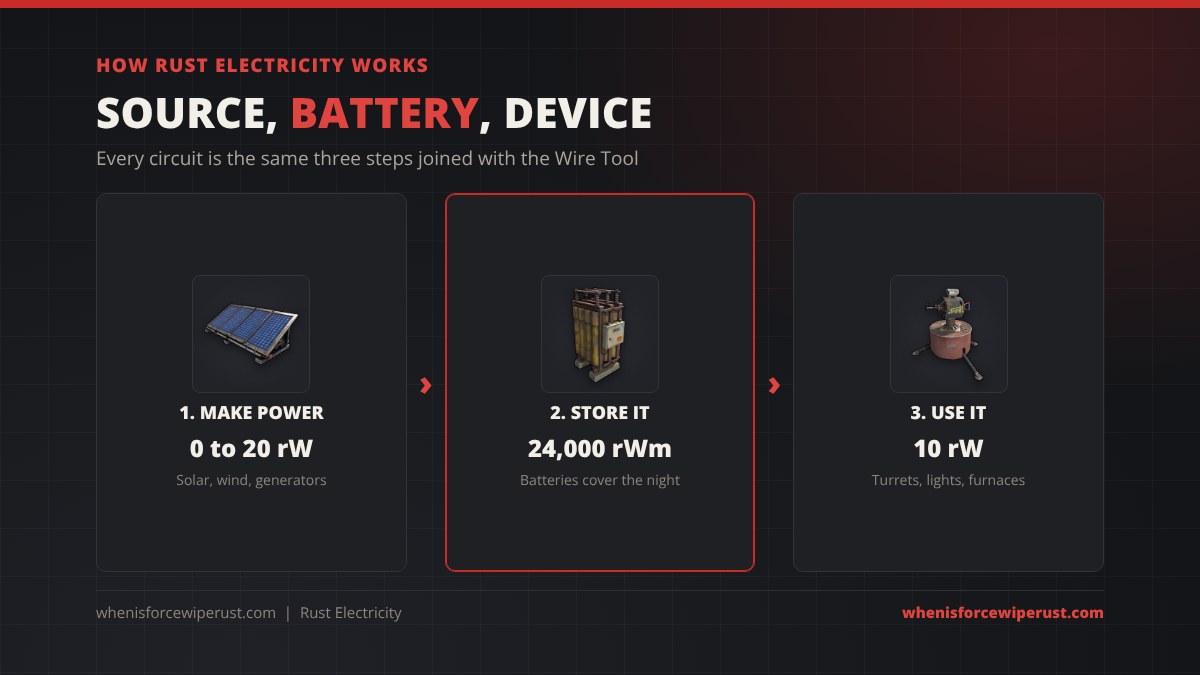
How Electricity Works in Rust
Rust measures power in rW, short for rust watts. A source produces a number of rW, a device needs a number of rW to switch on, and a battery stores power in rWm (rust watt minutes) so you can use it later. That is the whole model. There is no voltage or resistance to worry about.
Four rules explain almost every problem new players hit:
- Power flows one way. Wires always run from an output to an input. You start a wire at the source side and finish it at the device side.
- A device needs its full draw. An auto turret fed 9 rW does nothing. It needs 10.
- Passthrough passes on the leftovers. Many devices have a Power Out socket. They take what they need and send the rest down the line, so you can chain lights or sensors without a splitter.
- Batteries only give what is used. A large battery can push up to 100 rW, but if your devices only draw 13 rW it only drains 13 rW. Its output number is a ceiling, not a constant drain.
Every electrical item can be raided, so keep the expensive parts inside your core next to the Tool Cupboard.
Rust Power Sources
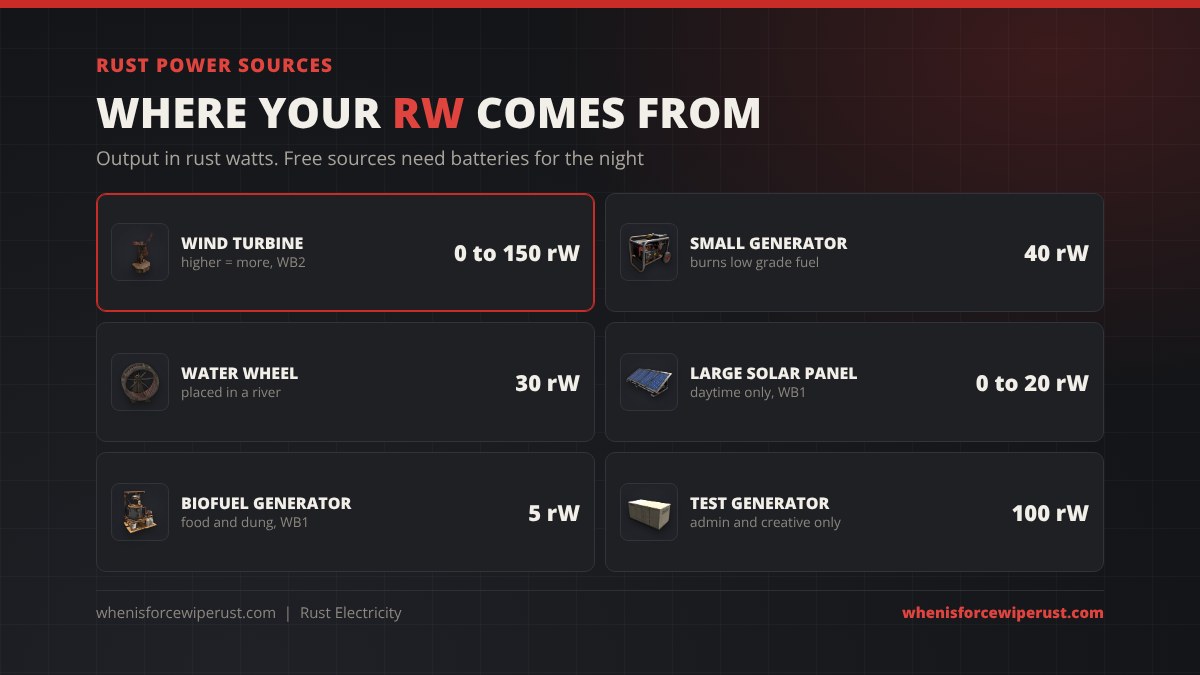
Power sources fall into two groups. Free sources (solar, wind, water) cost nothing to run but change output with the time of day or the weather. Fuel sources give steady power but burn resources every minute.
| Source | Output | Cost | Best for |
|---|---|---|---|
| Wind Turbine | 0 to 150 rW | 500 wood, 10 HQM, 3 gears, 3 sheet metal (WB2), or 500 scrap at Bandit Camp | Main power for a mid or late wipe base. Output rises with height and wind. |
| Small Generator | 40 rW | 5 HQM, 2 gears (WB2), plus about 4 low grade fuel a minute | Steady power on demand, cave bases, backup at night |
| Water Wheel | 0 to 30 rW | Placed in flowing water. Up to 60 rW while a player spins it by hand | River bases that want free, constant power |
| Large Solar Panel | 0 to 20 rW | 5 HQM, 1 tech trash (WB1) | First power of the wipe. Zero at night. |
| Biofuel Generator | 5 rW | 250 frags, 150 wood (WB1), burns food and dung | Small offline loads on farm bases |
| Test Generator | 100 rW | Admin and creative only, not craftable | Testing circuits on your own server |
For most players the order is simple. Start with one or two solar panels and a small battery as soon as you have a Workbench 1. Move to a wind turbine on the roof once you reach Workbench 2. Keep a small generator and a stack of low grade fuel for when the wind drops.
Rust Batteries: Small vs Medium vs Large
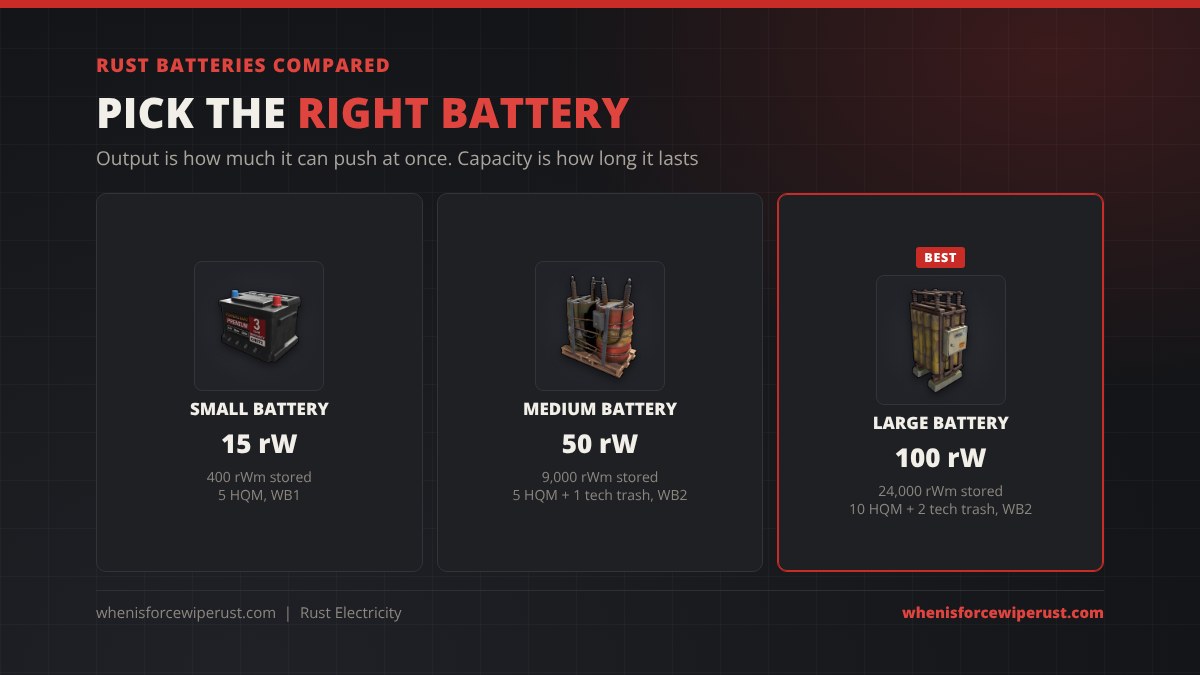
A battery does two jobs. It stores power from a source that is not always on, and it smooths out the supply so a turret does not flicker off when a cloud passes over your panels. Every battery has two numbers: max output (how many rW it can push at once) and capacity (how much it holds).
| Battery | Max output | Capacity | Recipe | Runs |
|---|---|---|---|---|
| Small Rechargeable Battery | 15 rW | 400 rWm | 5 HQM, WB1 | Lights, sensors, a heater or two |
| Medium Rechargeable Battery | 50 rW | 9,000 rWm | 5 HQM, 1 tech trash, WB2 | A few turrets and the base lighting |
| Large Rechargeable Battery | 100 rW | 24,000 rWm | 10 HQM, 2 tech trash, WB2 | A full turret setup, SAM site and furnaces |
Batteries charge at about 80% efficiency, so 10 rW going in stores roughly 8. Size your sources for that loss. A battery also cannot charge and run more than its source gives it: if your devices draw more than your panels produce, the battery drains even in daylight.
Rust Power Usage Chart
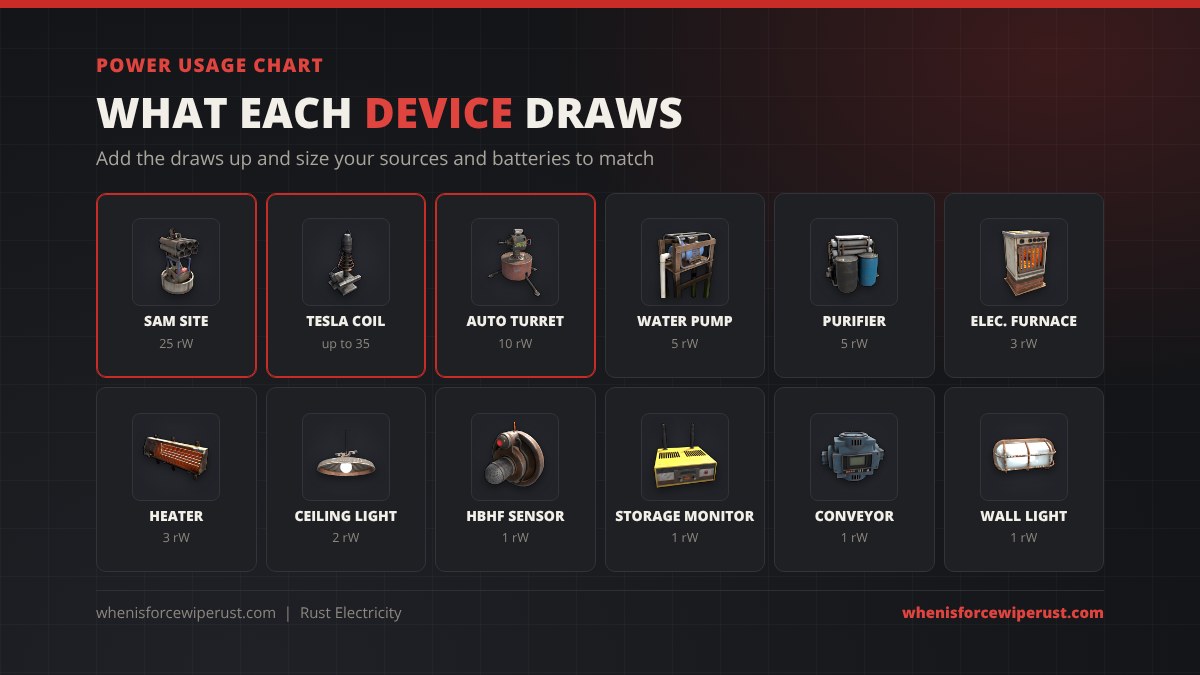
Before you build a single panel, add up what your base will draw. Here are the devices most players actually use:
| Device | Power draw | Notes |
|---|---|---|
| Tesla Coil | 1 to 35 rW | Damage scales with power, 35 rW is the cap |
| SAM Site | 25 rW | The hungriest common device |
| Auto Turret | 10 rW | Wire the next turret from its Power Out with 11 rW in |
| Water Pump | 5 rW | Must sit in water |
| Powered Water Purifier | 5 rW | Turns salt water into fresh |
| Electric Furnace | 3 rW | Smelts with no wood |
| Electric Heater | 3 rW | Keeps snow bases warm |
| Ceiling Light | 2 rW | Has passthrough, chain as many as you like |
| Storage Monitor | 1 rW | Shows your TC or box on Rust+ |
| Industrial Conveyor | 1 rW | Moves items between boxes |
| HBHF Sensor | 1 rW | Detects awake players in range |
| Industrial Wall Light | 1 rW | Cheapest light in the game |
Quick example: two auto turrets (20 rW), one SAM site (25 rW), an electric furnace (3 rW) and six ceiling lights (12 rW) come to 60 rW. One medium battery cannot push that. A large battery can, and a wind turbine on the roof can keep it charged.
How to Wire in Rust
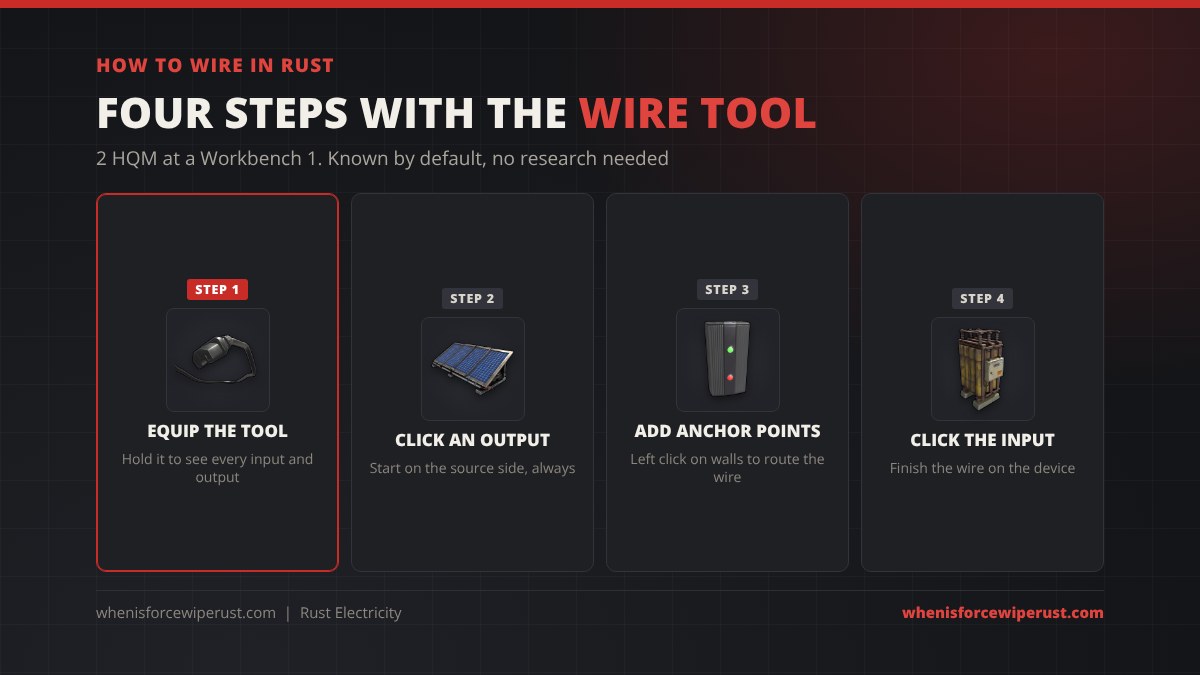
All wiring is done with the Wire Tool. It costs 2 HQM at a Workbench 1 and you know the blueprint from the start, so there is nothing to research. Water uses the separate Hose Tool and industrial pipes use the Pipe Tool, but they work the same way.
- Equip the Wire Tool. While you hold it, every electrical item shows its inputs and outputs as labelled sockets.
- Click an output. Start on the source side: a solar panel, a battery or a branch output.
- Route the wire. Left click on walls, floors and ceilings to add anchor points so the wire runs neatly instead of in a straight line through the room.
- Click the input. Finish on the device. Point at any item with the tool to see how much power is reaching it.
Wires come in several colours. Colour coding (red for turrets, yellow for lights, blue for sensors) saves a lot of time when something stops working.
Electrical Branch, Splitter and Root Combiner
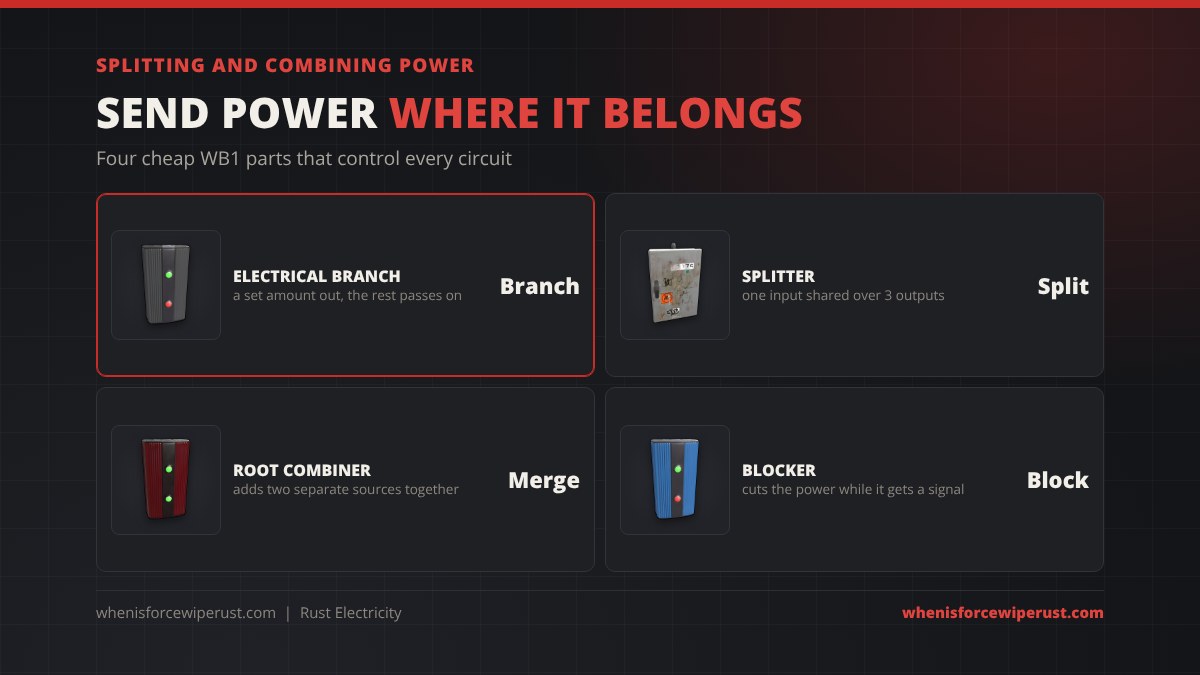
One battery output rarely reaches everything. These four parts route power around the base:
- Electrical Branch: sends a set amount out of its Branch Out socket and passes everything else through Power Out. Set it to 11 for a turret and the rest carries on to the next device. This is the part you will use most.
- Splitter: shares one input across three outputs. It is quick, but the share is not tied to what each device needs, so branches are better when power is tight.
- Root Combiner: adds two separate power sources into one output, for example a solar bank and a wind turbine feeding the same battery. It will not merge two wires that come from the same source.
- Blocker: cuts its passthrough while its Block input gets power. Paired with a sensor, it switches things off automatically.
Switches, Sensors and Logic Parts
Once power reaches a room, logic parts decide when it flows. You do not need all of them, but these are worth knowing:
| Part | What it does | Typical use |
|---|---|---|
| Switch | Manual on and off | Turning turrets off before you open the door |
| Button | Sends a short pulse when pressed | Doorbells, opening a door controller |
| Timer | Passes power for a set time | Lights that switch off by themselves |
| HBHF Sensor | Outputs power when an awake player is in range | Raid alarms, auto lights, trap triggers |
| Laser Detector | Trips when something crosses its beam | Hallway traps |
| Pressure Pad | Outputs power while stood on | Shotgun trap and flame trap triggers |
| Door Controller | Opens and closes a door on a signal | Keypad doors, airlocks |
| AND / OR / XOR Switch | Combine two signals with logic | Turret only on when nobody friendly is home |
| Memory Cell | Remembers on or off after a pulse | Latching alarms |
| Counter | Shows and outputs a number | Battery readouts, player counters |
| RF Broadcaster / Receiver | Sends a signal on a frequency with no wire | Remote doors, pagers |
| Smart Switch / Smart Alarm | Controlled or alerted through the Rust+ app | Turn turrets on from your phone, raid alerts |
Three Starter Circuits
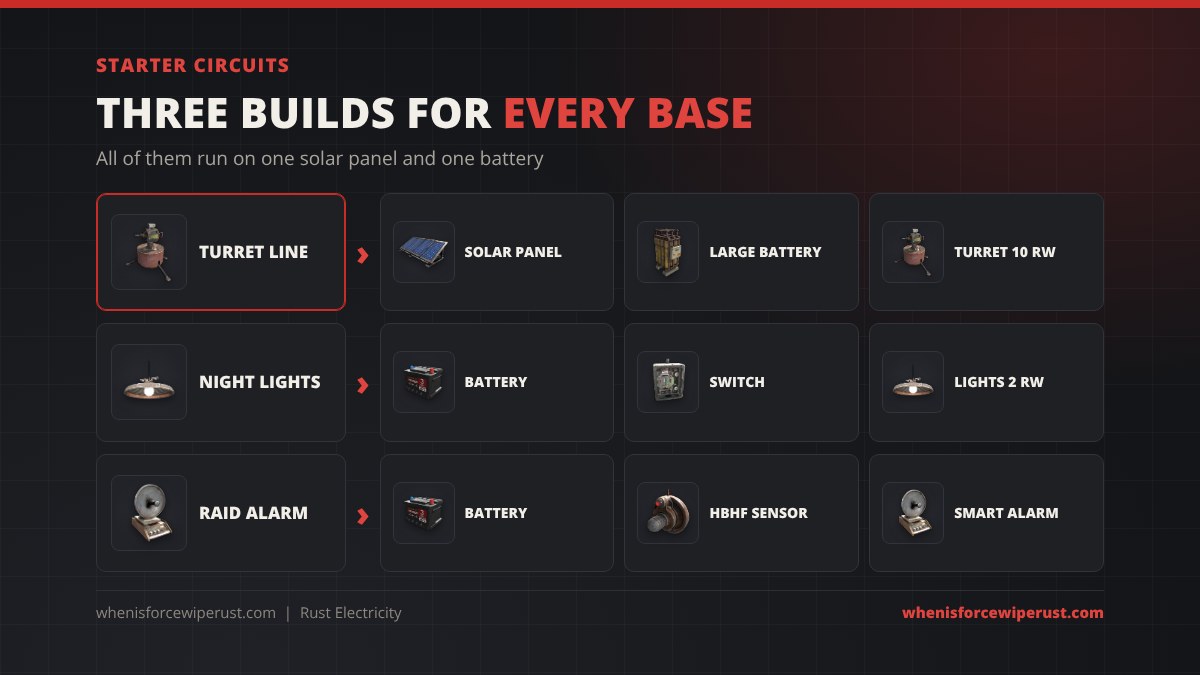
1. Turret line
Solar panel (or turbine) → large battery → electrical branch set to 11 → auto turret. Run the branch’s Power Out to the next branch for the next turret. Add a switch between the battery and the first branch so you can turn every turret off before you let a friend in.
2. Night lights
Small battery → switch → ceiling light → ceiling light → ceiling light. Each light takes 2 rW and passes the rest on, so a small battery’s 15 rW lights seven of them. Swap the switch for a timer if you keep forgetting to turn them off.
3. Raid alarm
Small battery → HBHF sensor → Smart Alarm. Place the sensor where only a raider would stand, such as inside your loot room, and pair the alarm with the Rust+ app. Your phone gets a notification the moment someone is in there. Add a Storage Monitor on your TC to see if your upkeep is running out.
The Power Trip Monument Grid
The Power Trip update in August 2026 added a second kind of electricity: a monument power grid run from the Power Plant. Players restore it by inserting Heavy Fuses, which brings power to monuments and roadside systems across the map. With the grid powered, green recyclers run at 60% instead of 50%.
That grid is part of the monuments. It does not feed the circuits in your base, so everything in this guide still needs your own sources and batteries.
Rust Electricity Tips
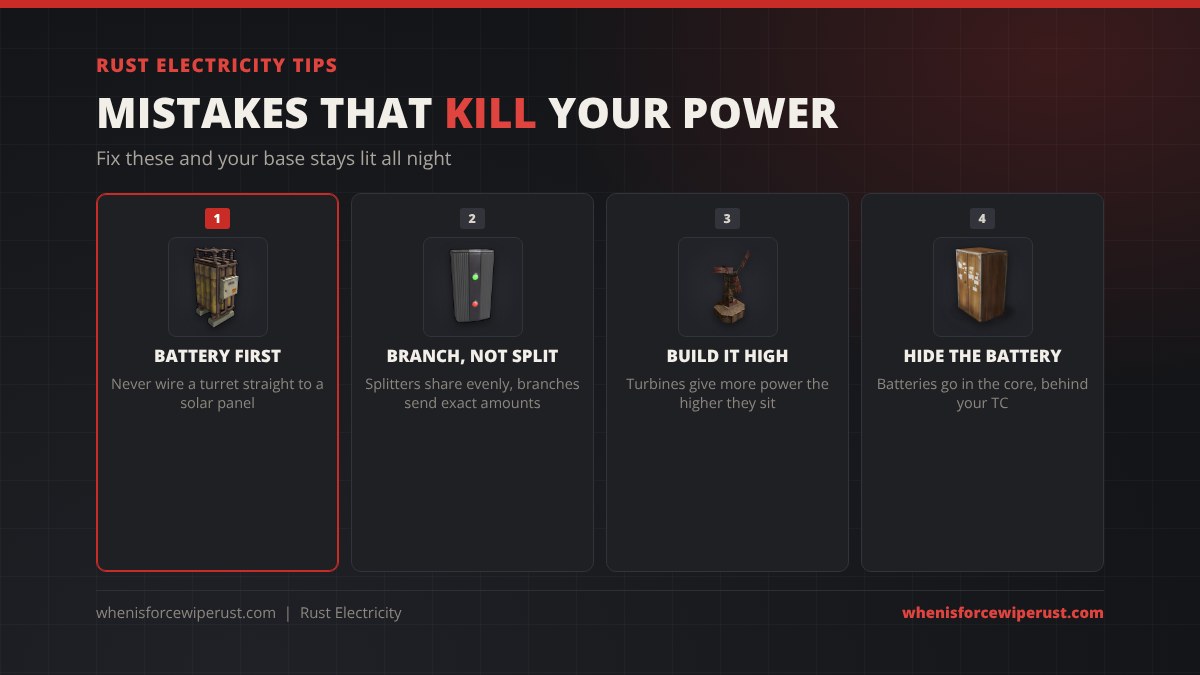
- Battery first, always. Never wire a turret straight to a solar panel. The moment the sun sets or a cloud passes, the turret switches off.
- Use branches when power is tight. A splitter shares power evenly, a branch sends each device exactly what it needs.
- Build turbines high. A wind turbine on the ground gives a fraction of what it gives on a tall roof.
- Protect the core. Batteries, branches and combiners die to a single C4 or rocket. Put them in the core behind your TC so raiders cannot cut your turrets from outside.
- Leave headroom. Plan for about 20% more power than your devices draw so the battery keeps charging during the day.
- Check with the tool. Hold the Wire Tool and look at any device to see how much power is reaching it. Most problems are one branch set too low.
Rust Electricity FAQ
How do you get electricity in Rust?
Craft a power source such as a Large Solar Panel (5 HQM and 1 tech trash at a Workbench 1), a battery and a Wire Tool (2 HQM, known by default). Wire the panel’s output into the battery’s input, then wire the battery’s output into the device you want to power.
What is the best power source in Rust?
The Wind Turbine. It gives up to 150 rW for free when placed high, far more than a solar panel’s 20 rW. Early in a wipe, solar panels are the easiest start, and a Small Generator (40 rW) is the best backup when you have low grade fuel.
How much power does an auto turret use in Rust?
An auto turret needs 10 rW. To chain a second turret from its Power Out, feed the first one 11 rW or more so power is left over to pass on. A SAM site needs 25 rW.
Why is my battery not charging in Rust?
Usually your devices draw more than your source makes, so the battery drains even while it charges. Check that the source is wired into the battery’s Power In, not its output, and remember solar panels make nothing at night. Batteries also lose about 20% of incoming power while charging.
What does rWm mean in Rust?
rWm means rust watt minutes, the unit a battery’s capacity is measured in. A Large Battery holds 24,000 rWm, a Medium 9,000 rWm and a Small 400 rWm.
Can you combine solar panels and a wind turbine in Rust?
Yes. Wire each source into a Root Combiner and run the combiner’s output to your battery. The combiner adds the two together, but it only works with separate sources, not two wires from the same one.
Does electricity keep running when you are offline in Rust?
Yes. Solar panels, wind turbines and batteries keep working while you are offline, so turrets stay powered as long as the battery has charge. A Small Generator also keeps running until its low grade fuel runs out.
Does the Power Plant grid power my base in Rust?
No. The Power Trip grid that you restore with Heavy Fuses powers monuments, roadside systems and recyclers. Your base still needs its own power sources and batteries.