
 By
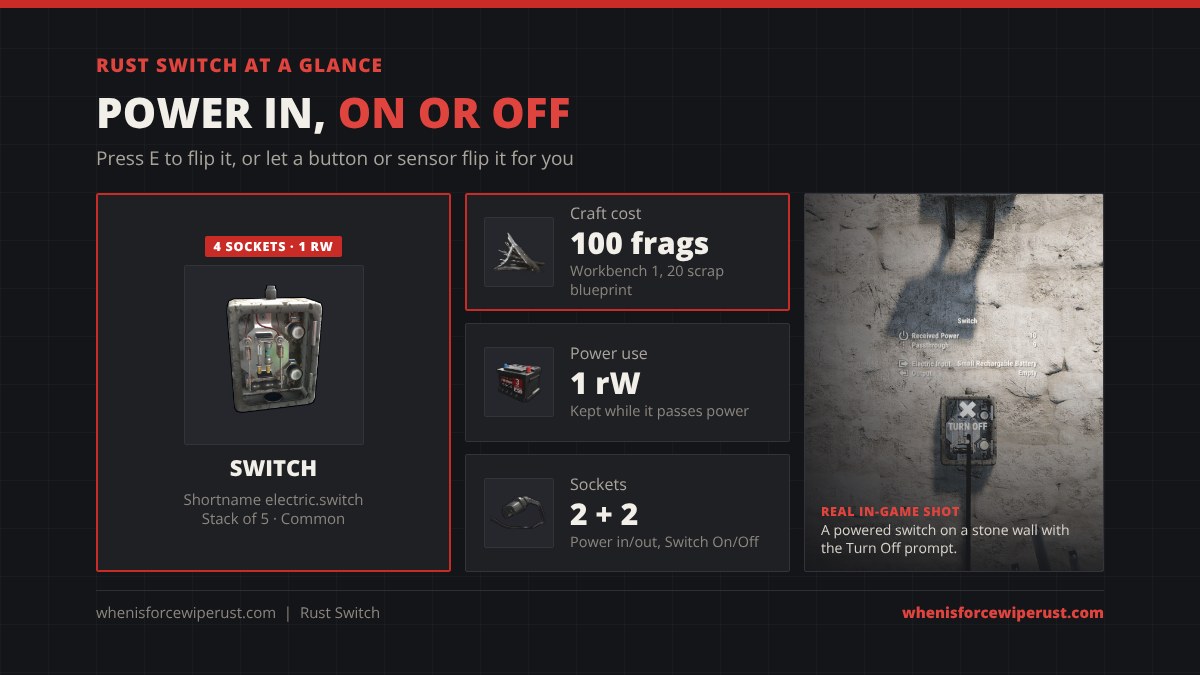
The Switch is the on/off button of Rust electricity. Put one between your power and a device, press E on it, and the device turns on or off. It costs 100 metal fragments, it is the first logic part most players craft, and it also has two hidden inputs that let a button, timer or sensor flip it for you.
This switch Rust guide starts with a switch circuit simulator, then covers the exact craft and research cost, all four sockets, how much power a switch eats, how to wire it, the best base setups and how it compares with the Smart Switch, Button and Timer.
The switch is off, so no power leaves it.
electric.switch, ID 1951603367) costs 100 Metal Fragments at a Workbench Level 1 and researches for 20 scrap at a Research Table, or on the Engineering Workbench tech tree. It has Power In, Power Out and two control inputs, Switch On and Switch Off. Press E to flip it. When it is on, everything coming in passes through, minus 1 rW the switch keeps for itself. It stacks to 5 and recycles into 60 frags (40 in a safe zone).
- Simulator
- What It Does
- Craft & Research
- Inputs & Outputs
- Power Use
- How to Wire It
- Best Setups
- Switch vs Others
- Where to Find It
- Tips
- FAQ
What Does the Switch Do in Rust?
The game describes it as “a simple electric switch,” and that is exactly what it is. It works like the light switch in your house: when it is on, power flows from its input to its output, and when it is off, nothing gets through. You flip it by looking at it and pressing E. It mounts on walls and other building surfaces, and you wire it with the Wire Tool like every other part of Rust electricity.
Facepunch added it with the rest of the electricity system in the Electric Anniversary update on December 7, 2018. It is still the part every circuit starts with: a light switch, a turret arm switch, or a master switch that cuts your whole base.
A switch stays the way you leave it. It does not turn itself off like a Button or a Timer, and it does not need anything to hold it on.
Switch Craft Cost and Research
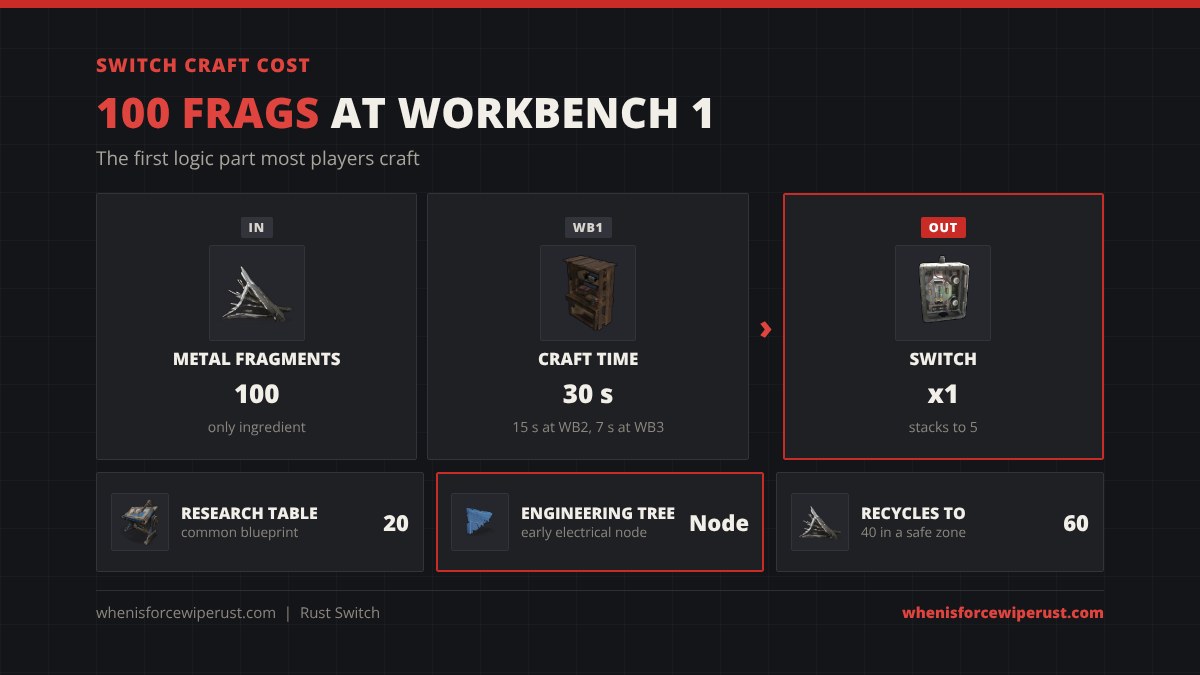
| Stat | Switch |
|---|---|
| Craft cost | 100 Metal Fragments |
| Workbench | Workbench Level 1 |
| Craft time | 30 s at Workbench 1, 15 s at Workbench 2, 7 s at Workbench 3 |
| Research cost | 20 scrap at a Research Table (common) |
| Tech tree | Engineering Workbench tree, an early electrical node |
| Power use | 1 rW kept while it passes power |
| Sockets | Power In, Switch On, Switch Off in; Power Out out |
| Stack size | 5 |
| Despawn | 5 minutes |
| Recycle | 60 Metal Fragments (40 in a safe zone, 50 at an unpowered monument recycler, 75 at the Power Plant) |
| Repair | 20 Metal Fragments at a repair bench |
| Added | Electric Anniversary update, December 7, 2018 |
| Shortname / ID | electric.switch / 1951603367 |
The Facepunch wiki still lists 15 scrap to research; the current game data says 20. The OR and Splitter cost the same 100 frags, while the Button, Timer and Blocker are 75. Price a full wiring kit in our crafting calculator.
Switch Inputs and Outputs
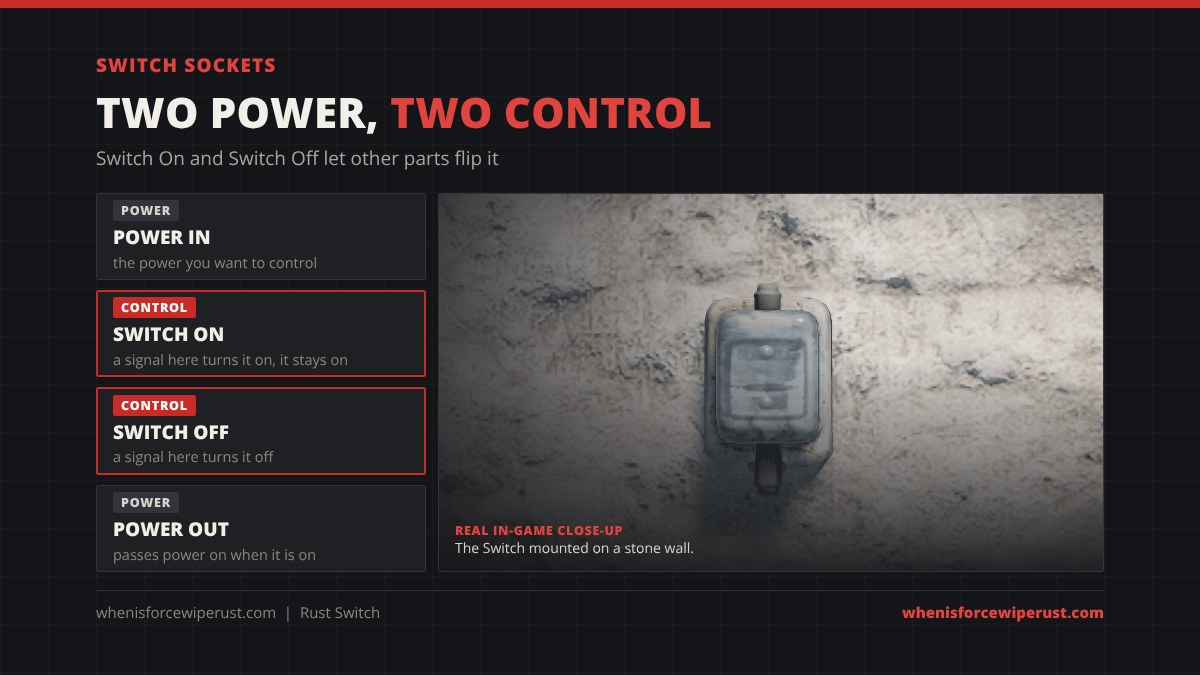
Hold the Wire Tool and look at a switch and you will see four sockets:
| Socket | Type | What it does |
|---|---|---|
| Power In | Power | Receives the power you want to control. |
| Switch On | Control | Any power arriving here turns the switch on. |
| Switch Off | Control | Any power arriving here turns the switch off. |
| Power Out | Power | Sends the power on when the switch is on. |
The two control inputs are the part most players never use. A signal on Switch On flips it on and it stays on after the signal ends; a signal on Switch Off flips it off and it stays off. That makes a plain switch a simple latch: a RF Receiver, button, pressure pad or sensor can turn it on, and a second button can turn it back off. Try both in the simulator.
How Much Power Does a Switch Use?
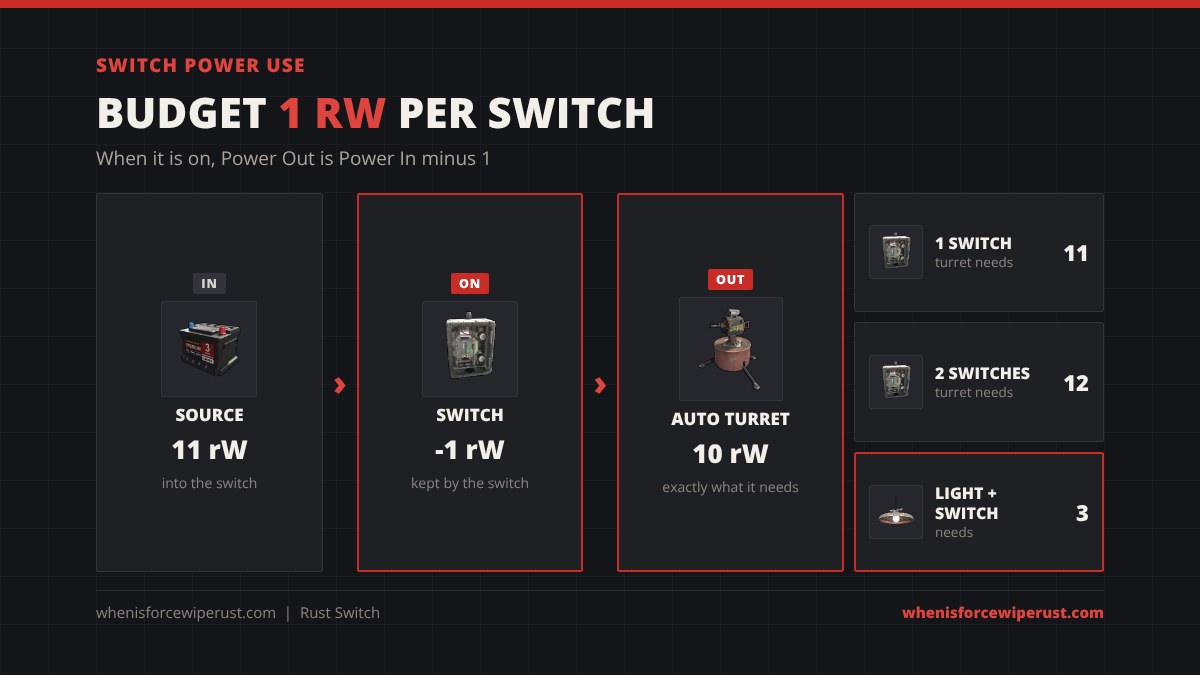
Facepunch’s own wiki lists the switch at 1 rW. When it is on, Power Out is whatever comes in minus 1. A few item databases list it as 0, but planning for 1 means you never come up short:
- One switch: an Auto Turret needs 10 rW, so feed the switch 11.
- Two switches in a row: feed 12. Every extra switch, timer or gate in series adds about 1 rW.
- Lights: a ceiling light needs 2 rW, so 3 into the switch.
- Switched off: nothing passes, and the devices behind it draw nothing.
That last point is why switches save power. A turret sitting on all night drains 10 rW from your battery even with nobody around; a switch in front of it lets you arm it only when you are offline or under attack. To size a battery, use our battery calculator.
How to Wire a Switch in Rust
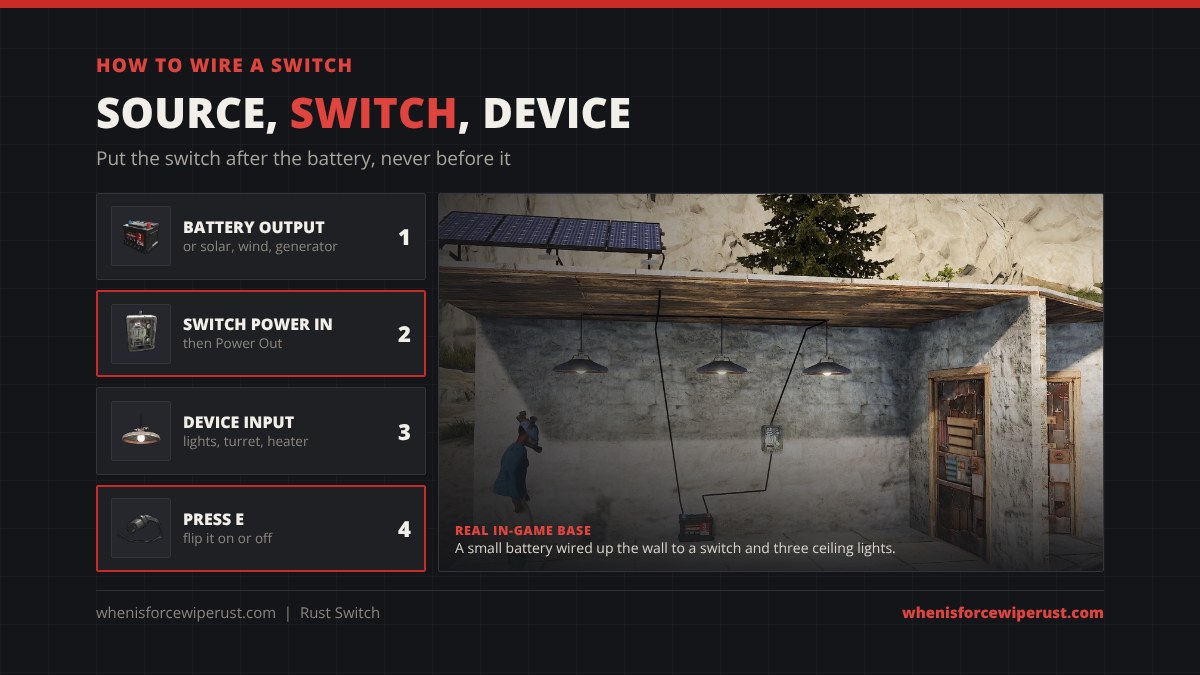
- Craft a Wire Tool and place your power source: a solar panel, battery or generator.
- Place the switch on a wall you can reach, ideally inside your core.
- Wire the source output into Power In on the switch. Left click the output, then left click the input.
- Wire Power Out into the device. For more than one device, go into a Electrical Branch or Splitter first.
- Press E on the switch. The light on the switch shows when it is passing power.
Put the switch after a battery, not before it, if you want to control a device. A switch in front of a battery only stops it charging. If the device does not turn on, the usual cause is not enough power once the switch takes its 1 rW.
Best Switch Setups for Your Base
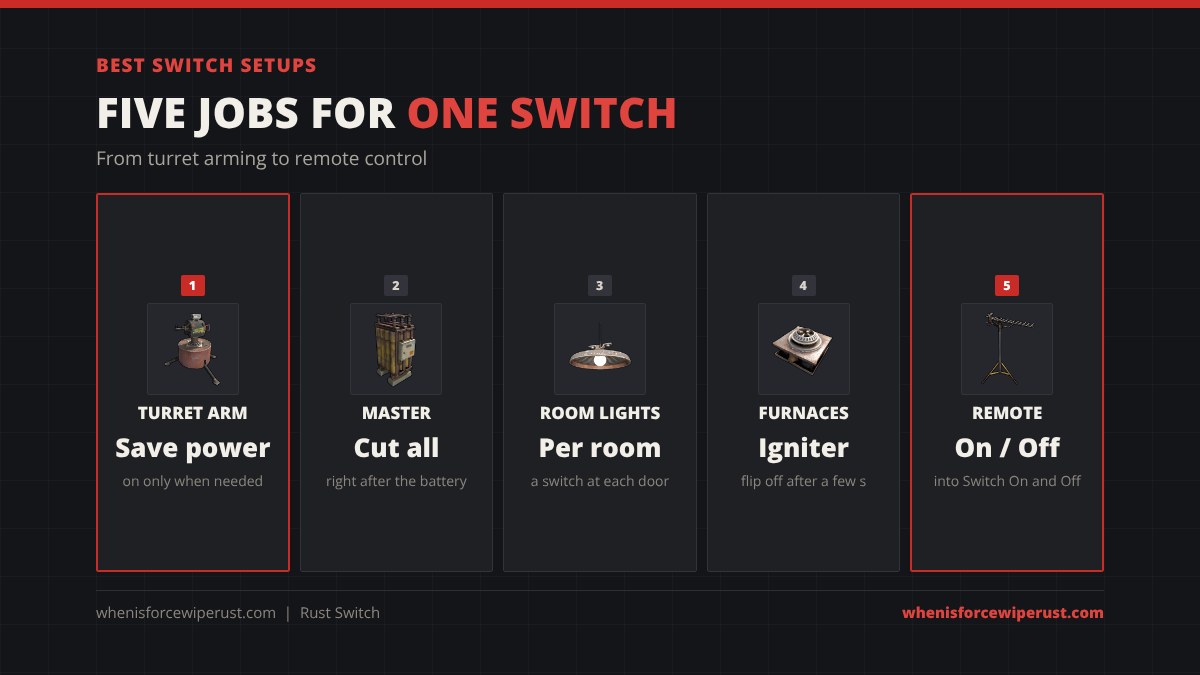
- Turret arm switch. Battery, switch, turret. Turn it on when you log off or a raid starts, and you save 10 rW for every hour it is off. For more turrets, split the line after the switch.
- Master switch. One switch right after the battery cuts every light, heater and turret at once. Handy for roaming at night without your base glowing.
- Room lights. A switch at each door so you only light the room you are in.
- Furnace room. A switch in front of an Igniter lights every furnace at once. Flip it off again after a few seconds, because the igniter wears out while it is on.
- Remote control. Wire a button, pressure pad or RF Receiver into Switch On and another into Switch Off. Now one press arms your turrets from the other side of the base and the second press disarms them.
Switch vs Smart Switch, Button and Timer
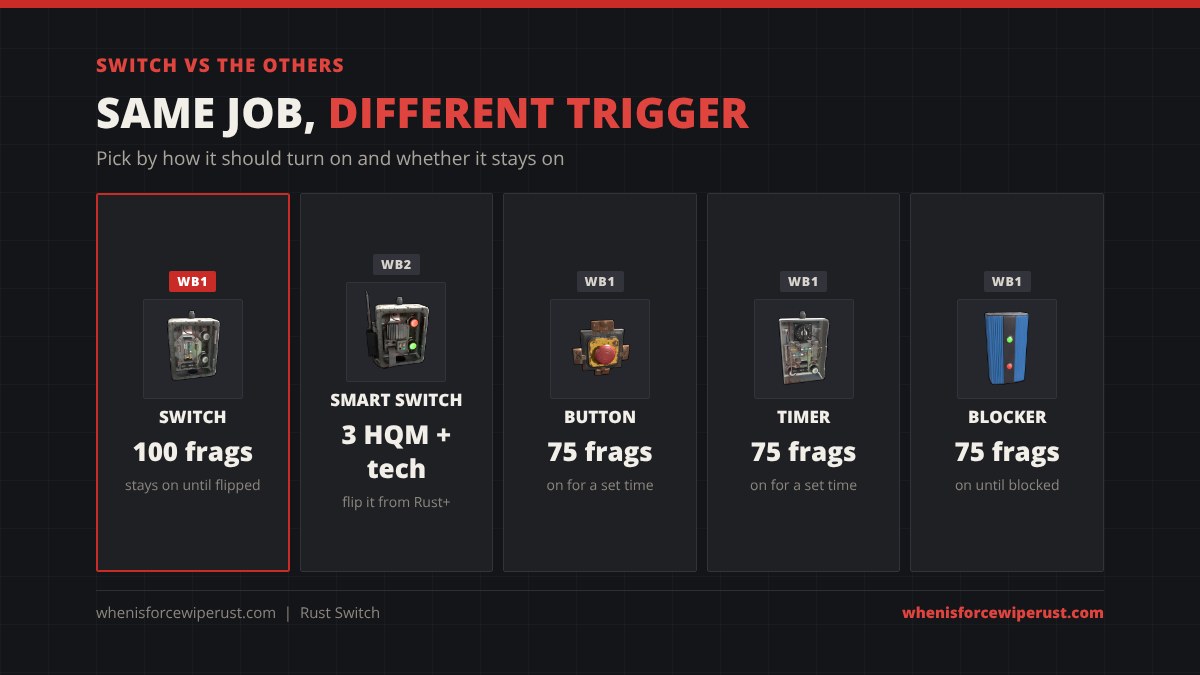
| Part | Cost | How it turns on | Stays on? |
|---|---|---|---|
| Switch | 100 frags, WB1 | Press E or a signal on Switch On | Yes, until flipped off |
| Smart Switch | 3 HQM + 1 Tech Trash, WB2 | Press E or from your phone in the Rust+ app | Yes |
| Button | 75 frags, WB1 | Press E | No, only for its set time |
| Timer | 75 frags, WB1 | Press E or a signal on Toggle On | No, only for its set time |
| Blocker | 75 frags, WB1 | Passes power until a signal blocks it | Yes, while not blocked |
Use a plain Switch for anything you flip by hand. Upgrade the turret switch to a Smart Switch once you have tech trash, so you can arm turrets from your phone when someone raids you offline. Use a Button or Timer when something should turn itself off, like a door or an igniter. Logic gates such as the OR and AND switch get their own guide.
Where to Find a Switch
Most players craft it once they have a Workbench 1. It also drops as loot (Facepunch wiki rates):
| Source | Amount | Chance |
|---|---|---|
| Brown crates (including wagon and Underwater Lab) | 1 | 1.3% |
| Underwater Lab advanced crate | 1 | 1.1% |
| Scientists (Arena, Bradley, Cargo Ship and others) | 1 | 0.2% |
Spare switches recycle into 60 metal fragments in a normal recycler, or 40 in a safe zone.
Switch Tips
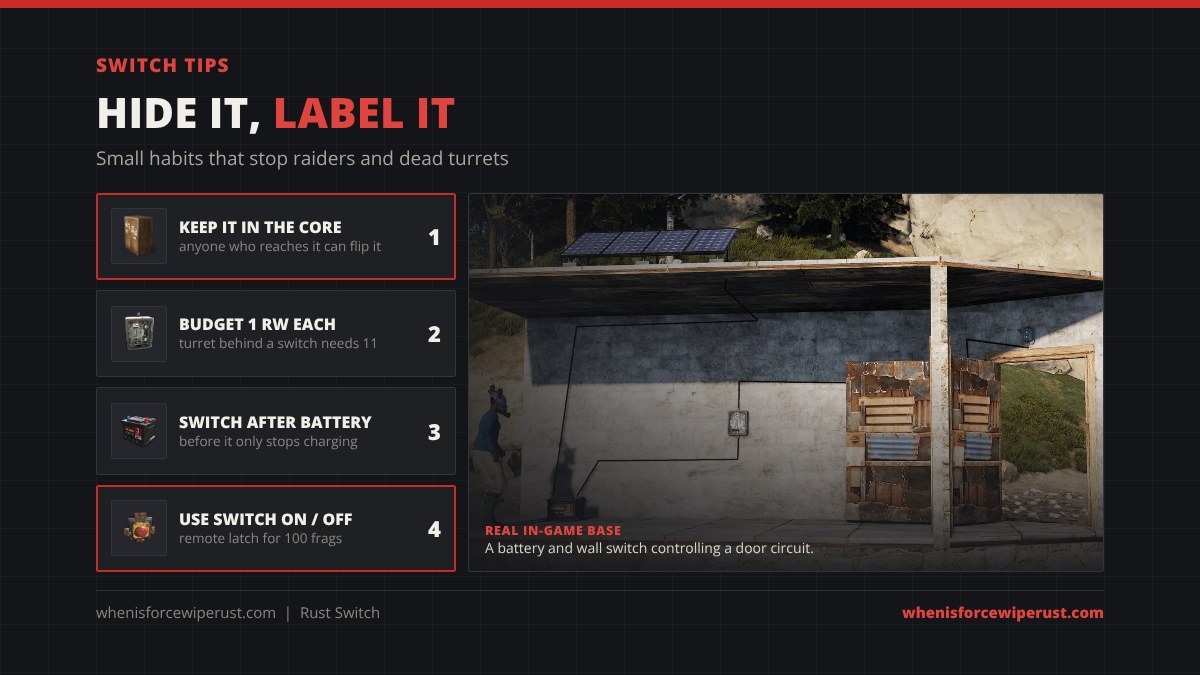
- Hide your switches. Anyone who reaches a switch can flip it, so keep turret switches deep inside your core, not by the front door.
- Budget 1 rW per switch. Feed a turret 11, not 10, when it sits behind a switch.
- Switch after the battery. A switch before the battery only stops charging.
- Label them. Put a small sign next to each switch so your team knows which one arms the turrets.
- Use the hidden inputs. Switch On and Switch Off turn a plain switch into a remote latch for 100 frags.
- Repair, do not replace. A damaged switch costs 20 frags at a repair bench.
Rust Switch FAQ
How much does a switch cost in Rust?
The Switch costs 100 Metal Fragments at a Workbench Level 1. It takes 30 seconds at a Workbench 1, 15 at a Workbench 2 and 7 at a Workbench 3. Researching it costs 20 scrap at a Research Table.
How much power does a switch use in Rust?
Facepunch’s wiki lists 1 rW. When the switch is on, its output is the input minus 1, so an auto turret that needs 10 rW should get 11 into the switch. When it is off, nothing passes and nothing behind it draws power.
How do you wire a switch in Rust?
Use the Wire Tool to run your power source output into the switch’s Power In, then run the switch’s Power Out into the device. Press E on the switch to turn it on or off.
What are the Switch On and Switch Off inputs for?
They let other parts flip the switch. Power arriving at Switch On turns it on and it stays on; power at Switch Off turns it off. Wire a button, pressure pad, sensor or RF Receiver into them for remote control.
Does a switch need a workbench?
Yes. You need a Workbench Level 1 to craft it. A Workbench 2 or 3 makes it craft faster.
What is the difference between a switch and a smart switch in Rust?
Both pass or block power. The Switch costs 100 metal fragments and you flip it in game. The Smart Switch costs 3 high quality metal and 1 tech trash at a Workbench 2, and you can also flip it from your phone with the Rust+ app.
Why is my switch not working?
Usually there is not enough power once the switch keeps its 1 rW, the wire goes into the wrong socket, or the switch sits before the battery instead of after it. Check that the source wire goes into Power In and the device wire comes out of Power Out.
Can raiders turn off my switch?
Anyone who can reach a switch can flip it, so a switch by the front door lets raiders turn your turrets off. Keep turret switches deep inside your core, or use a Smart Switch you can control from your phone.
What does a switch recycle into?
60 Metal Fragments in a normal recycler and 40 in a safe zone recycler.
- Sources: Rust game item data (Nov 2026), Facepunch Rust wiki (electric.switch), Corrosion Hour item database, Rustafied electricity guide screenshots.