
 By
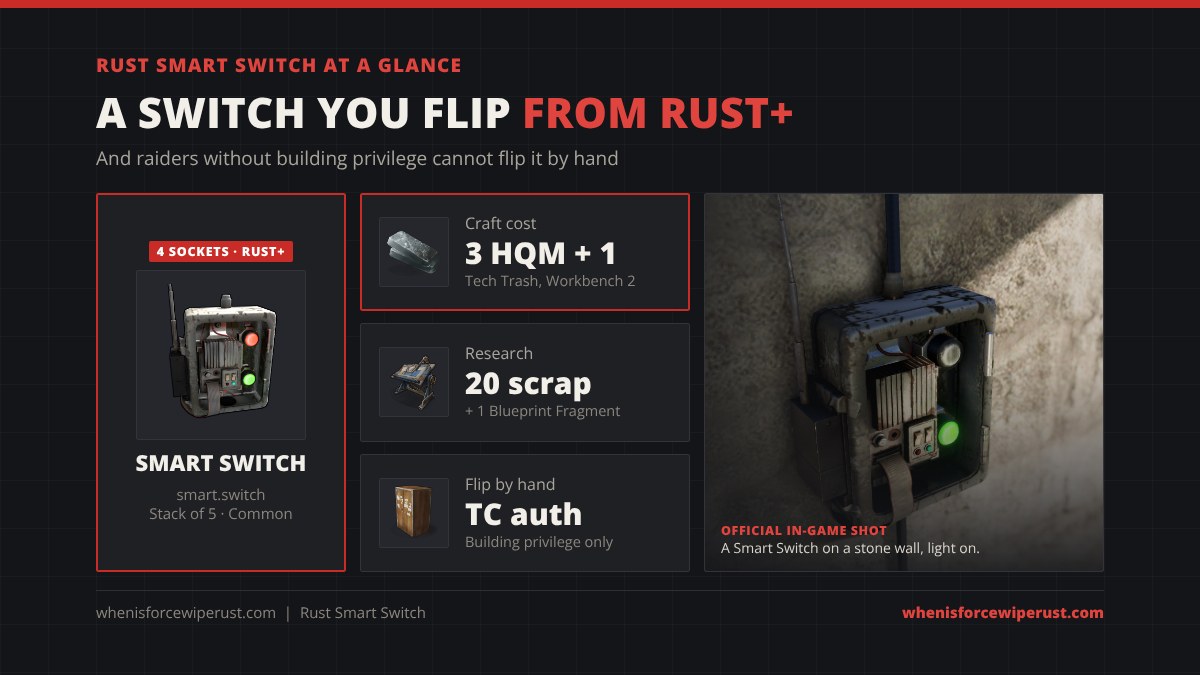
The Smart Switch is the switch you can flip from your phone. Wire it in like a normal switch, pair it with the Rust+ app, and you can turn your turrets, lights, traps or furnaces on and off from anywhere. It also locks out raiders: nobody without building privilege can flip it by hand.
This smart switch Rust guide starts with a remote control simulator and cost calculator, then covers the exact craft and research cost, its four sockets, how to pair it, how much power it eats, the best base setups and how it compares with the regular Switch.
The switch is off, so no power leaves it.
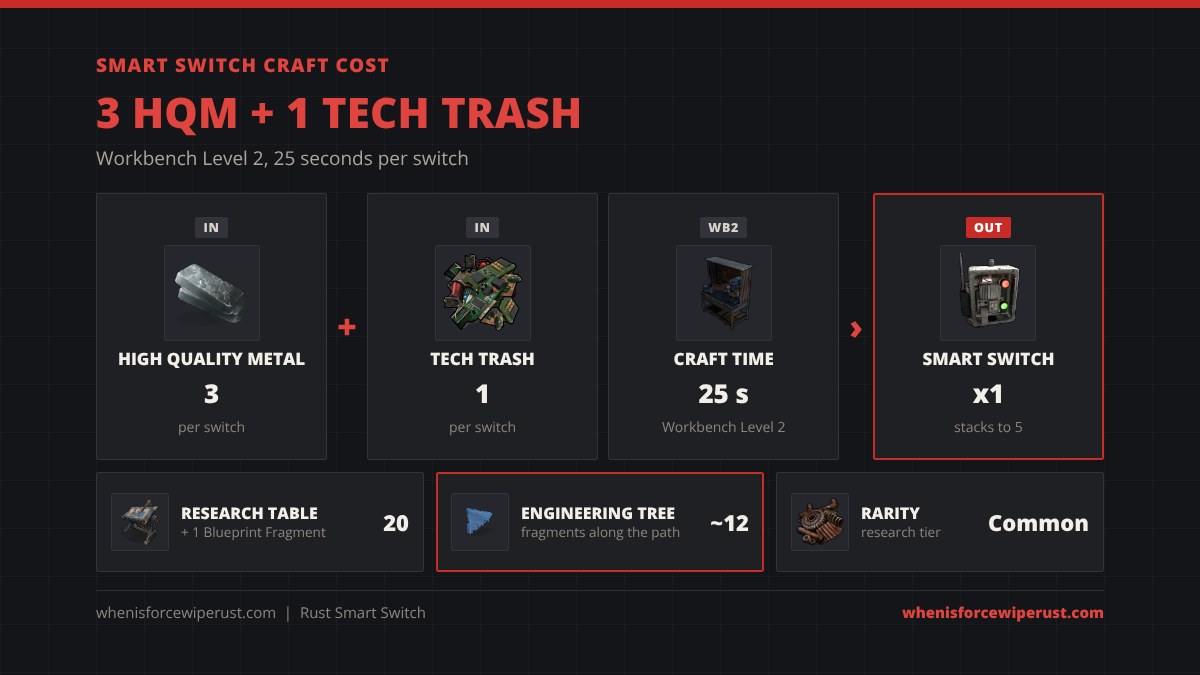
smart.switch, ID 988652725) costs 3 High Quality Metal and 1 Tech Trash at a Workbench Level 2 (25 seconds) and researches for 20 scrap plus 1 Blueprint Fragment, or about 12 fragments down the Engineering Workbench tree. It has Power In, Power Out, Switch On and Switch Off. Pair it by holding E and picking Pair, then flip it from the Rust+ app. By hand, only players with building privilege can flip it. Plan for 1 rW of power use. It stacks to 5.
- Simulator
- What It Does
- Craft & Research
- Inputs & Outputs
- Pair With Rust+
- Building Privilege
- Power Use
- Best Setups
- Smart vs Normal Switch
- Loot & Recycling
- Tips
- FAQ
What Does the Smart Switch Do in Rust?
The game calls it “a smart electric switch.” Facepunch described it as “an improved electrical switch that can be turned on or off from Rust+ (or manually)” when it came out with the Rust+ companion app on June 4, 2020. It does the same job as the regular Switch: when it is on, power flows from Power In to Power Out, and when it is off, nothing gets through.
Two things make it different. First, you can pair it with the Rust+ app and flip it from your phone, even when you are offline or across the map. Second, Facepunch made it secure: it “requires building privilege to manually turn on or off.” A raider who walks up to it and presses E gets nothing. That makes it the safest way to control a turret line, a trap, or your base lights.
Smart Switch Craft Cost and Research
| Stat | Smart Switch |
|---|---|
| Ingredients | 3 High Quality Metal + 1 Tech Trash |
| Workbench | Workbench Level 2 |
| Craft time | 25 seconds (game file) |
| Research Table | 20 scrap + 1 Blueprint Fragment (Common) |
| Tech tree | Engineering Workbench, about 12 fragments along the path |
| Stack size | 5 |
| Despawn | 5 minutes |
| Shortname / ID | smart.switch / 988652725 |
The Tech Trash is the hard part early in a wipe. Each Smart Switch needs one, so three switches cost three Tech Trash, the same Tech Trash you need for a Storage Monitor or a Smart Alarm. The calculator in the simulator above adds it up for any number of switches.
For the blueprint, the cheapest route is a Research Table: 20 scrap and 1 Blueprint Fragment if you found or crafted one. On the Engineering Workbench tree it sits deeper, at around 12 fragments counting the nodes before it, so research it on the table if you have a Smart Switch in hand. See the full Rust tech tree for every node.
Smart Switch Inputs and Outputs
Hold the Wire Tool and look at a Smart Switch to see its four sockets. They match the regular Switch.
- Power In (power): the power you want to control, from a battery, solar panel or generator.
- Switch On (control): a signal here turns the switch on. It stays on after the signal stops.
- Switch Off (control): a signal here turns the switch off.
- Power Out (power): sends power to your device when the switch is on.
The control inputs are what make it more than a remote. You can wire a button, a Timer, an HBHF sensor or an RF Receiver into Switch On or Switch Off, and the app still shows the switch’s real state afterwards. That is how players build traps that close themselves and turrets that arm when a sensor fires.
How to Pair a Smart Switch With Rust+
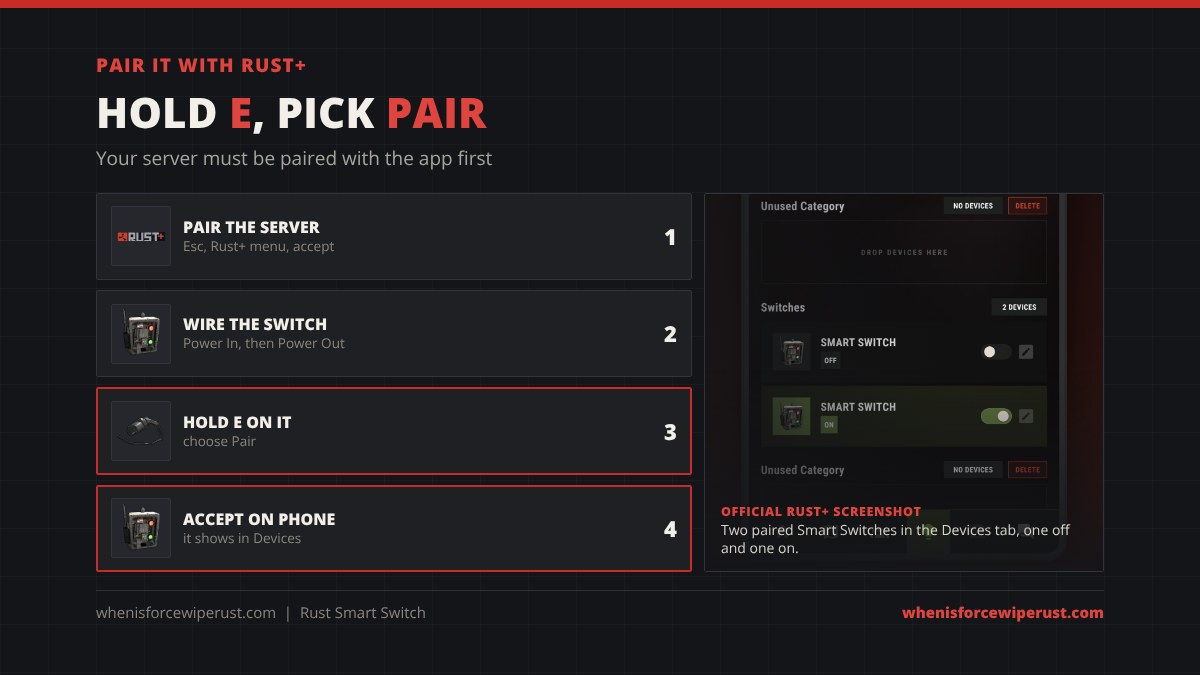
- Pair the server first. Install Rust+ on iOS or Android, log in with Steam, then in game press Esc, open the Rust+ menu and accept the notification on your phone. The full steps are in our Rust+ pairing guide.
- Place and wire the switch. Mount it on a wall, then wire your power into Power In and your device to Power Out.
- Hold E on it. Holding the Use key opens the radial menu. Choose Pair.
- Accept on your phone. A push notification arrives. Accept it, and the switch shows up in the Devices tab.
- Rename and flip it. Give it a clear name like “Roof turrets” and tap the toggle to turn it on or off.
Does the Smart Switch Need Building Privilege?
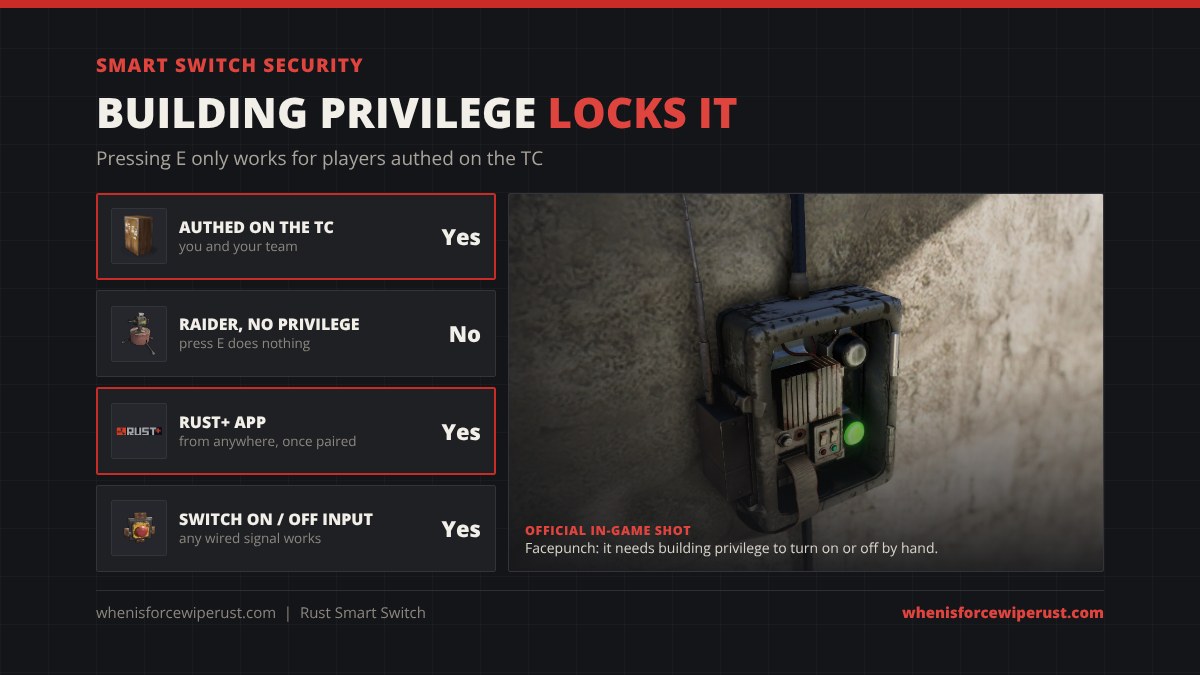
Yes, to flip it by hand. Facepunch built that in on purpose: “the Smart Switch also requires building privilege to manually turn on or off, making it a secure and convenient addition to your base.” In practice that means:
- You and teammates authorized on the Tool Cupboard can press E on it.
- A raider inside your base cannot flip it by hand while your TC still covers it.
- The app works from anywhere once you have paired it.
- The Switch On and Switch Off inputs still work for any signal you wire in, so a raider who can reach your wiring can still mess with it. Hide those wires.
The regular Switch has no such lock. Anyone who reaches it can turn your turrets off. That single difference is why many players pay the HQM for turret lines and keep the cheap switch for lights.
How Much Power Does a Smart Switch Use?
Plan for 1 rW per Smart Switch, just like the regular Switch. When it is on, Power Out is Power In minus 1. A Auto Turret needs 10 rW, so the line into the Smart Switch needs 11 rW. A Ceiling Light needs 2, so feed the switch 3.
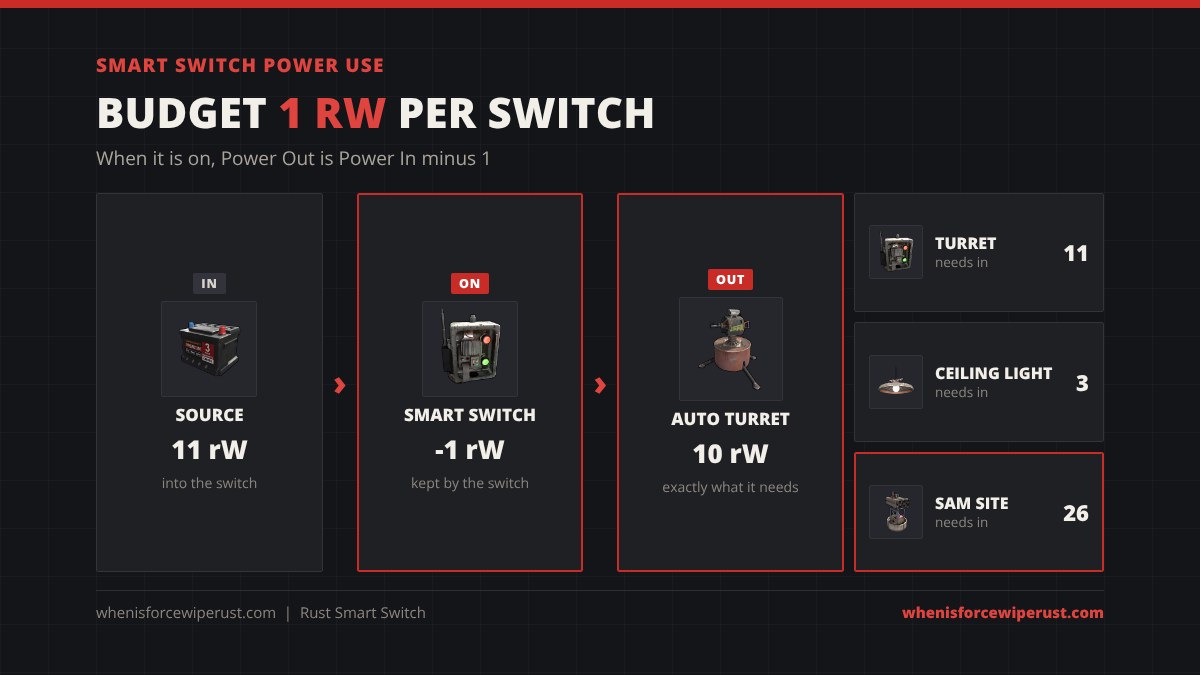
Always put the switch after your battery, between the battery and the device. A switch before a battery only stops it charging. Set the simulator above to your source and device to see whether the switch leaves enough power.
Best Smart Switch Setups
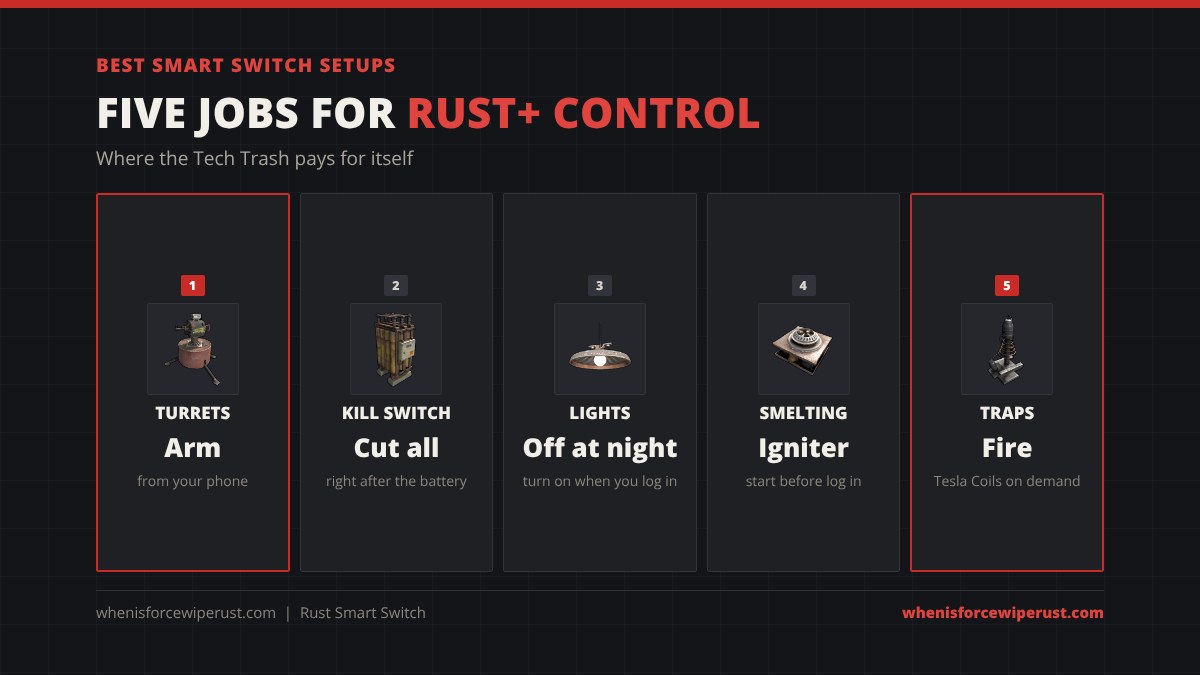
- Turret arming from your phone. Battery to Smart Switch to a branch line of turrets. Turn them on when you log off and off when you come home, so they do not drain the battery all day.
- Base kill switch. One Smart Switch right after your main battery turns your whole base off from the app if raiders take over your turrets or you need to save power.
- Lights you control remotely. Put lights on a Smart Switch to switch them off at night so your base does not glow from far away, then on when you log in.
- Remote smelting. Wire an Igniter or Electric Furnace to a Smart Switch to start smelting before you log in.
- Trap lines. Put Tesla Coils or flame traps behind a Smart Switch and fire them from the app while you watch your CCTV in Rust+.
Smart Switch vs Normal Switch
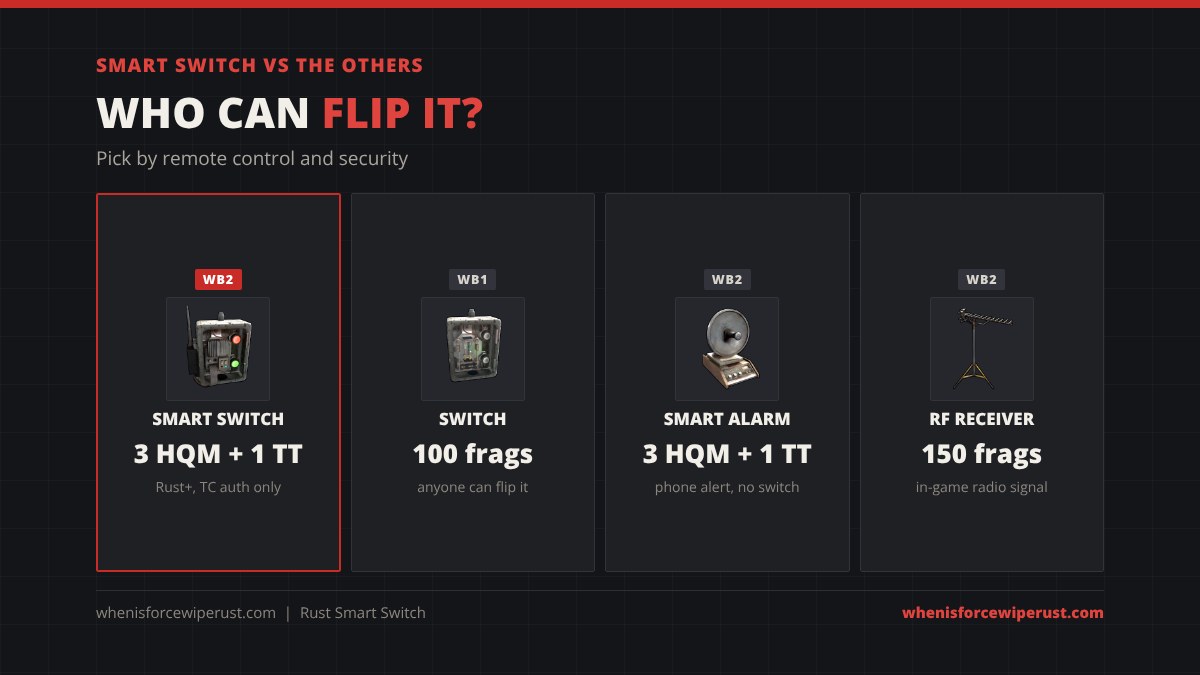
| Part | Cost | Bench | Remote control | Who can flip by hand |
|---|---|---|---|---|
| Smart Switch | 3 HQM + 1 Tech Trash | WB2 | Rust+ app | Only players with building privilege |
| Switch | 100 Metal Fragments | WB1 | No | Anyone |
| Smart Alarm | 3 HQM + 1 Tech Trash | WB2 | Sends a phone alert | Not a switch |
| RF Receiver | 150 Metal Fragments | WB2 | In-game RF broadcaster | Not a switch |
If you never use Rust+ and the switch sits deep in your core, the normal Switch is fine and costs no Tech Trash. If the switch controls anything that keeps you alive, such as turrets or a SAM site, the Smart Switch’s building privilege lock is worth the price.
Where to Find a Smart Switch: Loot and Recycling
You can find Smart Switches in loot, though rarely. The Facepunch wiki lists these chances per item:
| Source | Chance |
|---|---|
| Basic mission loot box | 1.6% |
| Locked Crate (Oil Rig, Ghost Ship too) | 1.3% |
| Elite Crate (incl. Underwater Labs) | 0.8% |
| Military Crate (incl. wagon, Underwater Labs) | 0.4% |
| Scientists | 0.1 to 0.3% |
A Recycler breaks a Smart Switch back into High Quality Metal with a good chance of the Tech Trash. Safe zone recyclers give less. Keep any you find: one looted switch is also your blueprint for 20 scrap.
Smart Switch Tips
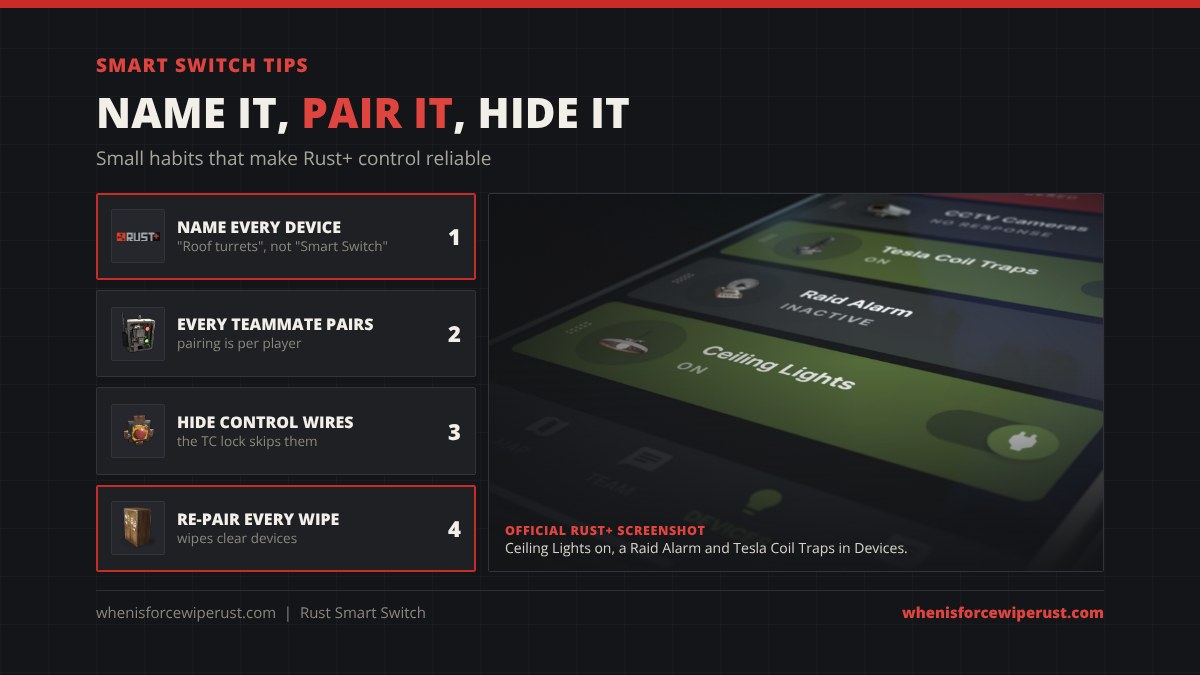
- Name every switch. “Smart Switch” three times in the app is useless. Rename each one after what it controls.
- Every teammate pairs it. Pairing is per player, so ask your team to hold E and pair each switch too.
- Hide the control wires. The building privilege lock only stops pressing E. Wires into Switch On and Switch Off still work.
- Budget 1 rW per switch. A turret behind a Smart Switch needs 11 rW in.
- Re-pair each wipe. Wipes clear your paired devices. Check our force wipe countdown so you know when.
- Read the full electricity guide. Rust electricity covers batteries, branches and every logic part.
Smart Switch Rust FAQ
How much does a Smart Switch cost in Rust?
A Smart Switch costs 3 High Quality Metal and 1 Tech Trash at a Workbench Level 2 and takes 25 seconds to craft. The blueprint costs 20 scrap and 1 Blueprint Fragment at a Research Table.
How do you pair a Smart Switch with Rust+?
Pair your server with Rust+ first. Then look at the Smart Switch, hold E, choose Pair and accept the notification on your phone. The switch appears in the Devices tab of the app.
Can raiders turn off a Smart Switch?
Not by hand while your Tool Cupboard covers it, because the Smart Switch needs building privilege to flip manually. They can still cut its power or send a signal into the Switch Off input if they reach the wiring.
How much power does a Smart Switch use?
Plan for 1 rW per Smart Switch. When it is on, Power Out equals Power In minus 1, so an Auto Turret behind a Smart Switch needs 11 rW coming in.
What is the difference between a Switch and a Smart Switch in Rust?
The Switch costs 100 Metal Fragments at Workbench 1 and anyone can flip it. The Smart Switch costs 3 HQM and 1 Tech Trash at Workbench 2, can be flipped from the Rust+ app, and needs building privilege to flip by hand.
What inputs does the Smart Switch have?
It has Power In, Switch On, Switch Off and Power Out. Switch On and Switch Off are control inputs, so a button, timer, sensor or RF Receiver can flip it too.
Do teammates need to pair the Smart Switch too?
Yes. Pairing is per player and per server, so each teammate who wants to control the switch from Rust+ has to hold E on it and pair it themselves.
Does the Smart Switch work on console?
The Rust+ app only supports PC and Mac Rust, so Rust Console Edition players cannot control a Smart Switch from their phone.
Where do you find a Smart Switch in Rust?
It is rare loot: about 1.6% in basic mission loot boxes, 1.3% in Locked Crates, 0.8% in Elite Crates, 0.4% in Military Crates and 0.1 to 0.3% from scientists. Most players craft it at a Workbench Level 2.
Sources
- Facepunch, Companion App Update devblog, June 4, 2020 (Smart Switch, pairing and building privilege)
- Facepunch Rust wiki, Smart Switch item page (sockets, loot chances)
- Rust game item files, November 2026 (recipe, craft time, research cost, stack size)
- Rust+ App Store listing (Devices screenshots)